Hi @webmastermfa,
Thanks for contacting us,
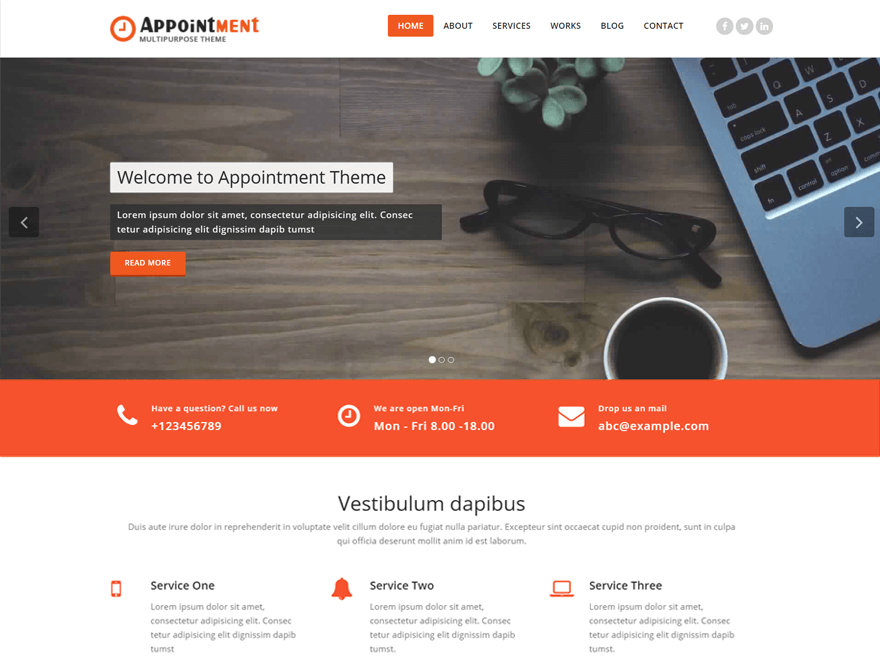
If you enter more than 25 correctors in the content editor within the lite theme then appear read more button Now, with the Excerpt read more button feature we have given in pro theme.
Any confusion lets me know.
Thanks
Hi @imranaliweb,
thanks for the answer.
Sorry but I’ve not understand how I can set the “Customize the Read More Button in slider”; since isn’t appearing under the boxes window.
Also the option FORMAT (Standard,Aside,…) is MISSING.
Hi @webmastermfa,
Forgive us for this, customize Read More button and Post format (Standard, Aside, …) Support in our Pro Theme And the documentation you are looking at is of that pro theme.
Thanks
hi @imranaliweb,
I had almost thought of it…
But is possible in the free version to delete the “READ MORE” Button?
Because I’ve made a post with more than 25characters – and I don’t want the READ MORE BUTTON.
I want to see al my text.
It’s possible?
hello @imranaliweb,
It’s possible to modify the theme so that I haven’t the “read more” button and I see the whole text?
Thanks
HI @webmastermfa,
First of all, you will need to create a child theme, because we have to customize the code, with the help of the given link you can create a child theme.
http://webriti.com/support/discussion/2446/how-to-create-child-theme#latest
You can read more about child theme here https://codex.wordpress.org/Child_Themes
After this, you can follow the instructions given below.
1. Copy and paste the index-slider.php in the child theme.
2. Then paste the following link code in the index-slider.php file.
https://pastebin.com/9iyhzqT4
3. Create a slide and enter your all content.
4. Then activate child theme and check your website.
Any confusion lets me know.
Thanks
Hello @imranaliweb,
Thanks for the answer.
Almost as I wanted it.
Now the button is gone – but also the black background behind the text.
I want the black backround because it make it more readeable.
THanks in advice
Hi @webmastermfa,
For this paste the following css code in custom css filed (Theme Dashboard >> appearance >> header setting >> custom css filed)
.slide-caption p {
    background-color: rgba(45, 47, 49, 0.8);
    color: #ffffff;
    font-family: 'Open Sans';
    font-weight: 400;
    font-size: 15px;
    font-weight: normal;
    display: inline-block;
    border-radius: 2px;
    line-height: 25px;
    letter-spacing: 1px;
    padding: 6px 12px;
    margin: 0 0 0px;
    text-shadow: 0 0px 1px rgba(155, 155, 155, 0.7);
}
then use above code and check your website.
Thanks
-
This reply was modified 8 years ago by
 Imran Ali.
Hi @imranaliweb;
Thank you perfect.
Wish you a nice day!
Hi @webmastermfa,
Glad to know it worked for you. If you like our theme and help kindly share your feedback: https://wordpress.org/support/theme/appointment/reviews/#new-post
If you have any query, please let me know.
Close this ticket!!!
Thanks