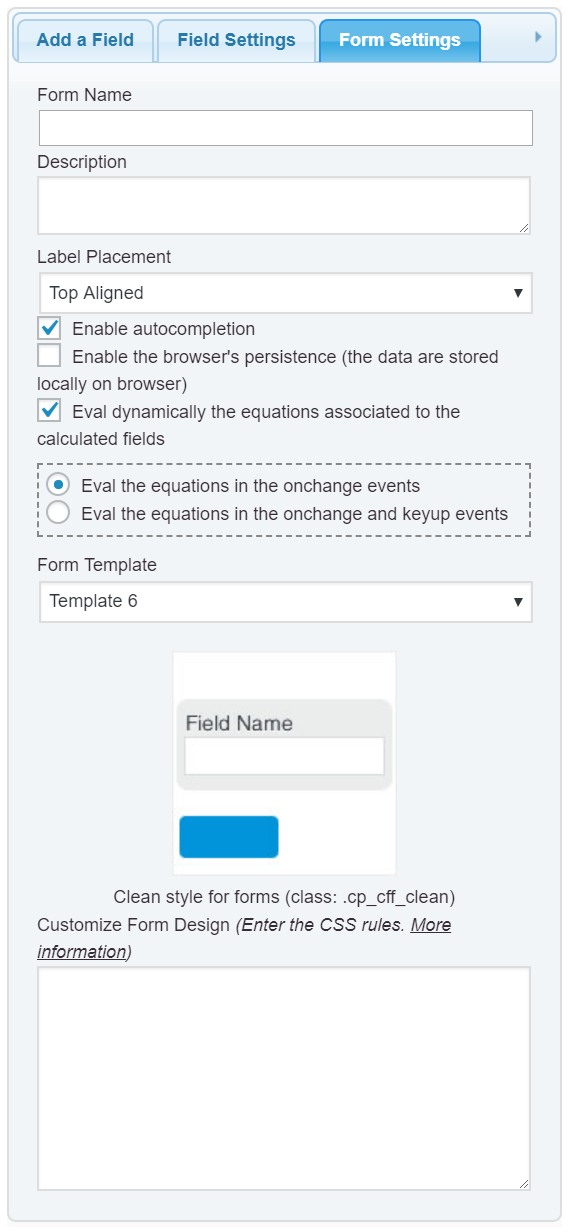
Hello @fenrirwolf,
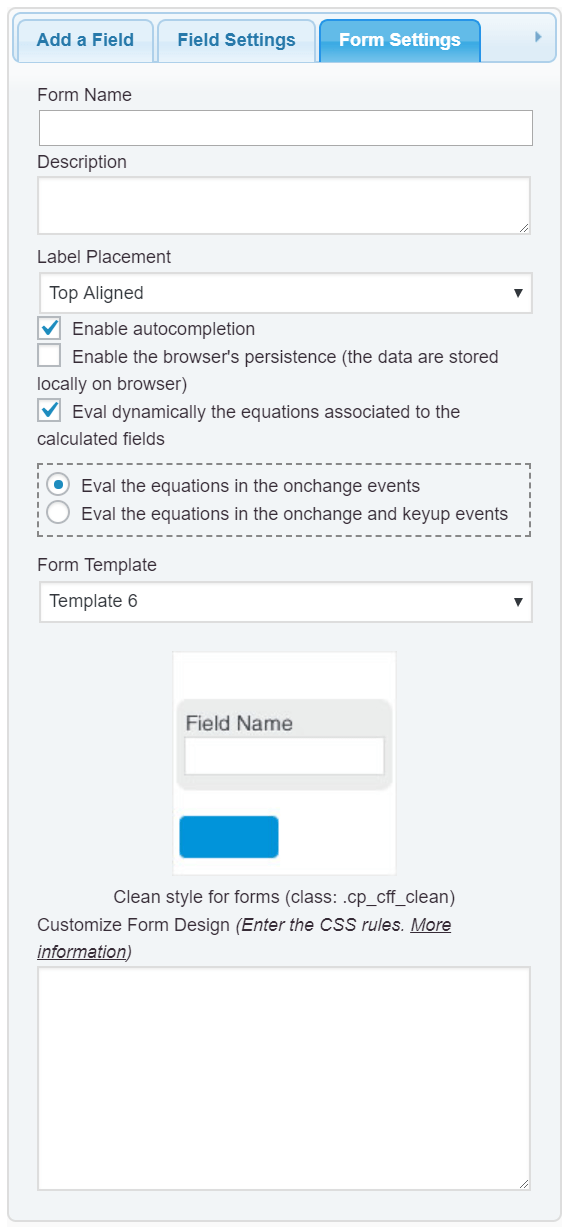
If you are talking about the text with the form’s title and description, they are edited from the “Form Settings” tab (https://cff.dwbooster.com/images/documentation/form-settings-tab.png), specifically through the attributes: “Form Name” and Description.
Best regards.
Hello
I left out the information that I will use the plugin in woocommerce. When I add the link from CFF there is an automated text saying “description” before the actual text in “form name”, there is also a “review” section which I would like to either remove or change. Can this be done?
Hello @fenrirwolf,
These texts are included by WooCommerce and not by our plugin, and this is happening because you are inserting the form’s shortcode into the product’s description.
Inserting the shortcode into the product’s description does not integrate the form with the product to calculate its price at runtime or display the data collected into the shopping cart or checkout page.
If you want integrate the form into the WooCommerce product to calculate its price at runtime, and include the information collected into the shopping cart, checkout page and orders, you will need the Developer or Platinum versions of the plugin, and then, activate the “CFF – WooCommerce” add-on from the settings page of the plugin, and then, will appear a new section into the product’s settings where selecting the form and configure the integration. More information in the following links:
https://cff.dwbooster.com/add-ons/woocommerce
https://cff.dwbooster.com/documentation#woocommerce-addon
Best regards.