• I am in the Settings area, searching for my Password reset page (with shortcode on it) and it says no results found.

    I also have Membership Account set at my Account page, but if I search for that, I cannot find it either.

    I tried putting in the Page ID but that doesn’t work either.

    Thoughts?

Viewing 3 replies - 1 through 3 (of 3 total)
  • Plugin Support Yurii

    (@yuriinalivaiko)

    Hello @envisiondesign

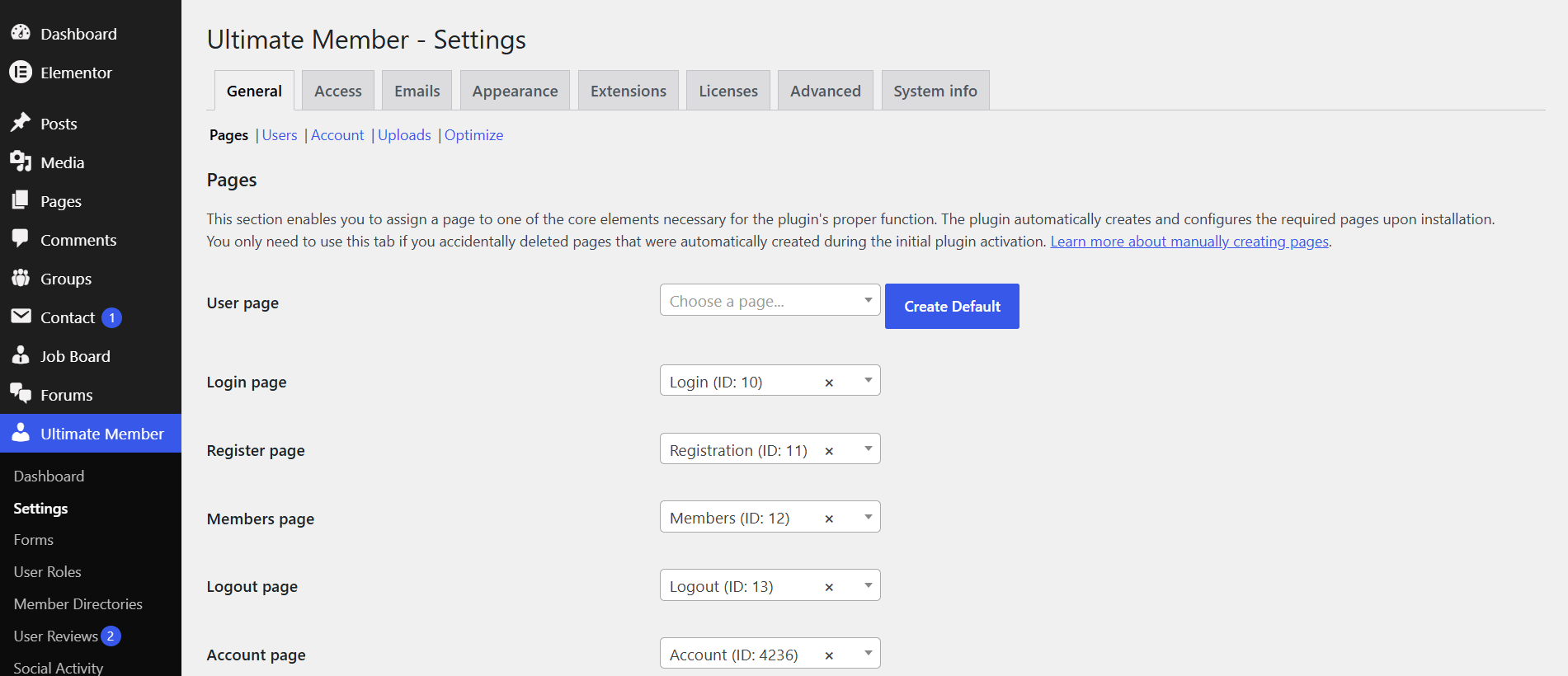
    Enter WordPress admin dashboard and go to Ultimate Member > Settings > General > Pages. Verify that pages required for Ultimate Member are not lost. If some pages are lost you’ll see the “Create Default” button next to the setting. Click this button to re-create a page that was lost.

    Regards

    Thread Starter EnvisionDesign

    (@envisiondesign)

    Nothing about Lost pages. Everything has a page listed in it. It’s just that a couple of them are wrong and I am unable to select the correct one. IE: I cannot search for them (says no page found) and the scrolling just ends at some point (does not show all the pages)

    Plugin Support Yurii

    (@yuriinalivaiko)

    Hello @envisiondesign

    If pages exist you should be able to find them in the “Pages” table on wp-admin > Pages > All Pages.

    Is your problem related to the page select controls on the Ultimate Member > Settings > General > Pages screen? In the latest version the security filter has been added, it may block some pages. Try to disable the filter using this code snippet: https://gist.github.com/yuriinalivaiko/947f2a1179f794cc33d8858d2b6734fc

    Copy this code snippet (without the opening php tag) and paste it to the functions.php file in the child theme directory. Or use the Code Snippets plugin to add this snippet. Can you now select the pages you want?

    Regards

Viewing 3 replies - 1 through 3 (of 3 total)
You must be logged in to reply to this topic.
