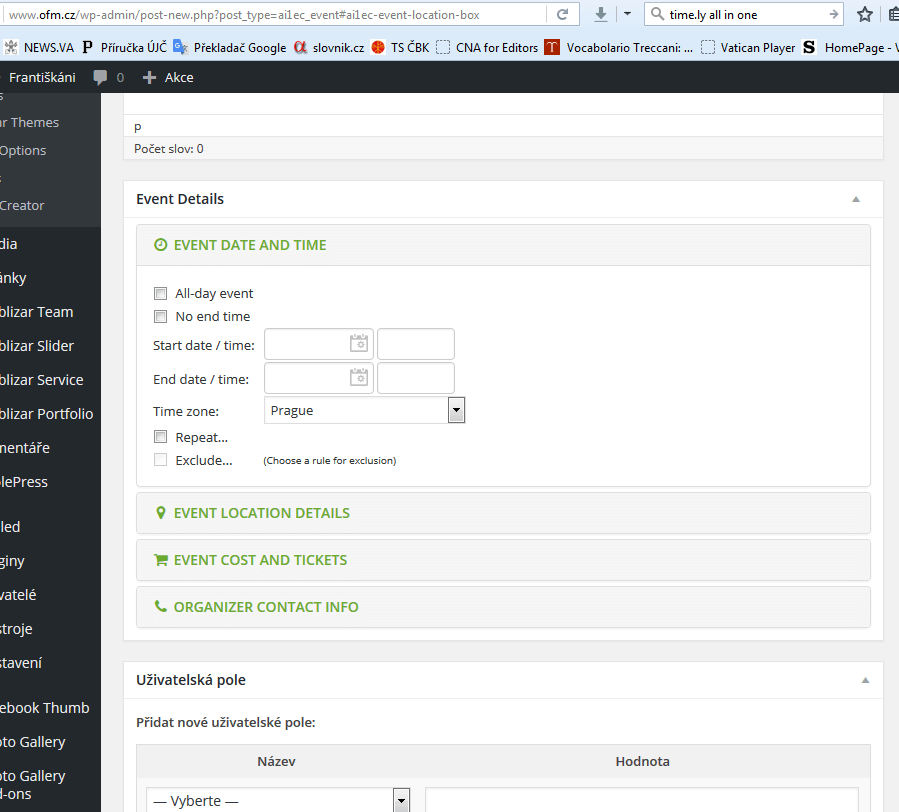
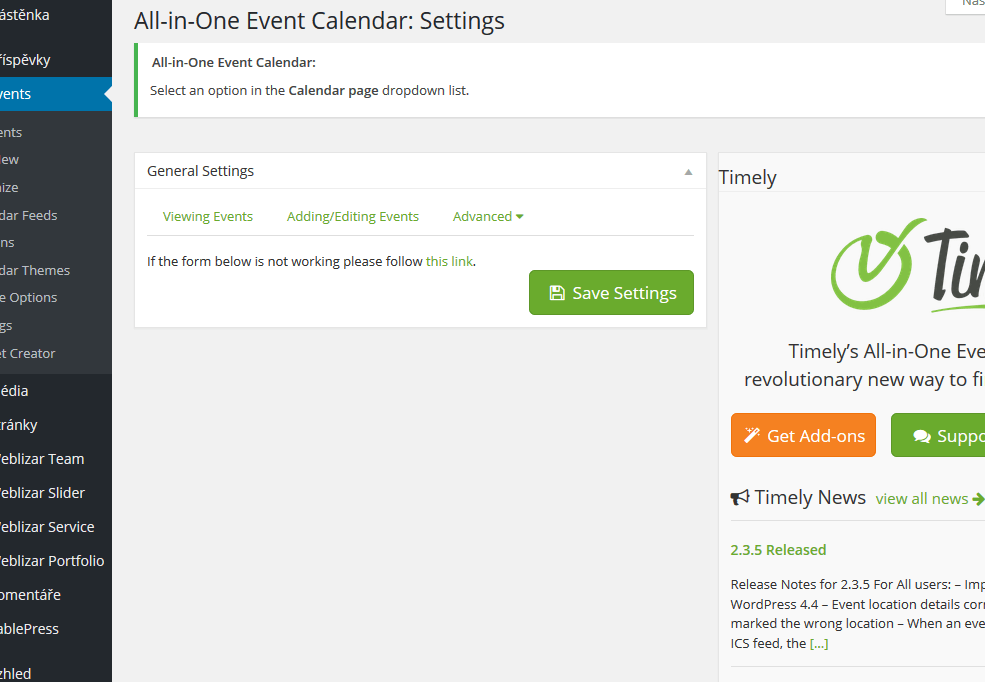
Hi,
What code is in your .htaccess file?
Hi, I have a similiar problem. Can’t choose date and time. No other links will work either. Events are saved, but not showing up in widget or on the events page.
http://www.bynesethistorielag.no (Norwegian site)
WP 4.4.1
All-in-one events calendar 2.3.8
Hi Husdesign,
Can you please check what’s in the .htaccess file.
Same problem here
The dates of old events can be edited, but new events aren’t showing up, and the dates can’t be changed.
The event details box closes when you press update, and when you open it again, it’s back to today’s date and time.
.htaccess is
# BEGIN WordPress
<IfModule mod_rewrite.c>
RewriteEngine On
RewriteBase /
RewriteRule ^index\.php$ – [L]
RewriteCond %{REQUEST_FILENAME} !-f
RewriteCond %{REQUEST_FILENAME} !-d
RewriteRule . /index.php [L]
</IfModule>
# END WordPress
AddHandler php56-script .php .php5
# BEGIN W3TC Browser Cache
<IfModule mod_deflate.c>
<IfModule mod_headers.c>
Header append Vary User-Agent env=!dont-vary
</IfModule>
AddOutputFilterByType DEFLATE text/css text/x-component application/x-javascript application/javascript text/javascript text/x-js text/html text/richtext image/svg+xml text/plain text/xsd text/xsl text/xml image/x-icon application/json
<IfModule mod_mime.c>
# DEFLATE by extension
AddOutputFilter DEFLATE js css htm html xml
</IfModule>
</IfModule>
# END W3TC Browser Cache
# BEGIN WordPress
<IfModule mod_rewrite.c>
RewriteEngine On
RewriteBase /
RewriteRule ^index\.php$ – [L]
RewriteCond %{REQUEST_FILENAME} !-f
RewriteCond %{REQUEST_FILENAME} !-d
RewriteRule . /index.php [L]
</IfModule>
# END WordPress
# BEGIN WP Performance Score Booster Settings
## BEGIN Enable GZIP Compression ##
<IfModule mod_deflate.c>
AddOutputFilterByType DEFLATE text/plain
AddOutputFilterByType DEFLATE text/html
AddOutputFilterByType DEFLATE text/xml
AddOutputFilterByType DEFLATE text/css
AddOutputFilterByType DEFLATE application/xml
AddOutputFilterByType DEFLATE application/xhtml+xml
AddOutputFilterByType DEFLATE application/rss+xml
AddOutputFilterByType DEFLATE application/javascript
AddOutputFilterByType DEFLATE application/x-javascript
AddOutputFilterByType DEFLATE application/x-httpd-php
AddOutputFilterByType DEFLATE application/x-httpd-fastphp
AddOutputFilterByType DEFLATE image/svg+xml
SetOutputFilter DEFLATE
</IfModule>
## END Enable GZIP Compression ##
## BEGIN Vary: Accept-Encoding Header ##
<IfModule mod_headers.c>
<FilesMatch “\.(js|css|xml|gz)$”>
Header append Vary: Accept-Encoding
</FilesMatch>
</IfModule>
## END Vary: Accept-Encoding Header ##
## BEGIN Expires Caching (Leverage Browser Caching) ##
<IfModule mod_expires.c>
ExpiresActive On
ExpiresByType image/jpg “access 2 week”
ExpiresByType image/jpeg “access 2 week”
ExpiresByType image/gif “access 2 week”
ExpiresByType image/png “access 2 week”
ExpiresByType text/css “access 2 week”
ExpiresByType application/pdf “access 2 week”
ExpiresByType text/x-javascript “access 2 week”
ExpiresByType application/x-shockwave-flash “access 2 week”
ExpiresByType image/x-icon “access 2 week”
ExpiresDefault “access 2 week”
</IfModule>
## END Expires Caching (Leverage Browser Caching) ##
# END WP Performance Score Booster Settings
Thanks, but I’m afraid that isn’t making a difference. I can still change dates on old events, but not on new ones.
I’m having the same problem with this.
I’ve tried reinstalling the plugin, reinstalling wordpress, trying a different theme and disabling all the other plugins.
# BEGIN WordPress
<IfModule mod_rewrite.c>
RewriteEngine On
RewriteBase /
RewriteRule ^index\.php$ - [L]
RewriteCond %{REQUEST_FILENAME} !-f
RewriteCond %{REQUEST_FILENAME} !-d
RewriteRule . /index.php [L]
</IfModule>
# END WordPress
This is my .htaccess file
Yes, I also tried to change htaccess to the default WP version but nothing changed.
I see lot of members have the same issue. Maybe a fix/update from Timely would be the solution, Benjamin?
Anyone found a solution to this? I’m having the same issue. I create a new event, update, then the date and time reverts back to the default date/time and the venue information disappears. Additionally, when I look at All Events, I see All (3) Published (3), but there are no events showing in the list, so I can’t even go back to access them.
Updated to All-in-one events calendar 2.3.10 today and it still not working.
Do you still have this issue?
Same issue. Can’t choose date and time.
Also I can’t edit Settings – nothing appears there.
Disabled the htacces – no changes.
Complete new install – no changes
Plugin-Conflict with Nextgen Gallery. Now it works.