• Resolved TheArcturian

    (@thearcturian)


    Through BuddyPress, members have the possibility to add avatars. These local avatars is overridden by the WP First Letter Avatar plugin icons.

    I have tried to change the Plugin filter priority to 1 and 100 without any effect. Is it any possibility that you can fix this?

    My only option is to disable your cool plugin to solve it as our users really want their own avatars when they select it themselves. If you need any more information, just let me know. Thanks.

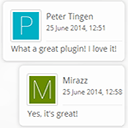
    Update: I see that under comments, it works correctly, but on my front page I list the latest comments through the plugin “Better WordPress Recent Comments”. If you can give me any input on how to solve that one, I will be thankful. 🙂

    https://wordpress.org/plugins/wp-first-letter-avatar/

Viewing 2 replies - 1 through 2 (of 2 total)
  • Plugin Author Dev49.net

    (@dev49net)

    Hi there,
    Thanks for using my plugin. Unfortunately, you have chosen the wrong one 🙂 This one is not compatible with BuddyPress. My other plugin is, check it out – BuddyPress First Letter Avatar.

    Just remove the WP First Letter Avatar plugin and install BuddyPress First Letter Avatar instead. It should solve all your problems.

    Since it’s a BuddyPress related issue, which is not compatible with this plugin, I’m marking this one as resolved.

    Cheers,
    Daniel

    Thread Starter TheArcturian

    (@thearcturian)

    Ah, brilliant! Didn’t know of that one. Thanks for your quick reply and cool plugin! 🙂

Viewing 2 replies - 1 through 2 (of 2 total)

The topic ‘BuddyPress avatars overridden’ is closed to new replies.