• mirsadsehovic

    (@mirsadsehovic)


    Hi everyone,

    I’m experiencing an issue with the WordPress menu editor when LiteSpeed Cache is enabled on a WPML-based site (separate menus per language).

    In the backend, the menu editor behaves incorrectly:

    • Menus sometimes disappear, or
    • All menus appear to be grouped under a single language

    This makes it very difficult to manage menu structures or add new items.

    On the frontend, everything works as expected—menus display correctly for each language and users can navigate without any issues. The problem seems to be limited to the admin interface.

    If I disable the LiteSpeed Cache plugin, the issue is immediately resolved, and all menus are visible and correctly separated by language again.

    Has anyone encountered this before, or knows what might be causing this conflict?
    Any guidance, workarounds, or recommended settings would be greatly appreciated.

    Thanks in advance!

Viewing 5 replies - 1 through 5 (of 5 total)
  • Plugin Support qtwrk

    (@qtwrk)

    could you please do me a screenshot which menus you refer to ? and 2 screenshots , one when it is not working , one when it is working

    and also please provide the report number , you can get it in toolbox -> report -> click “send to LiteSpeed”

    Thread Starter mirsadsehovic

    (@mirsadsehovic)

    Hi @qtwrk
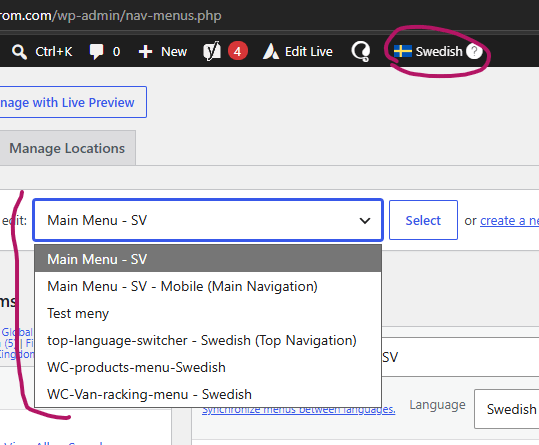
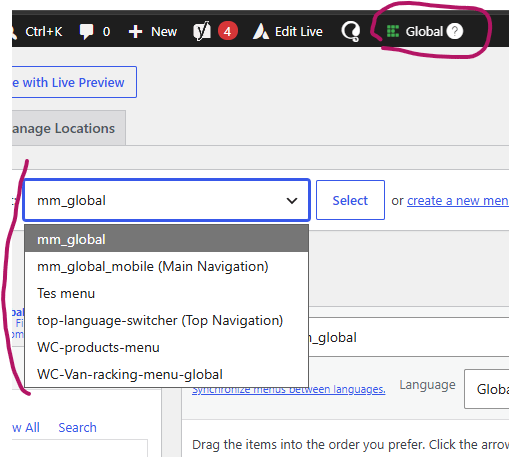
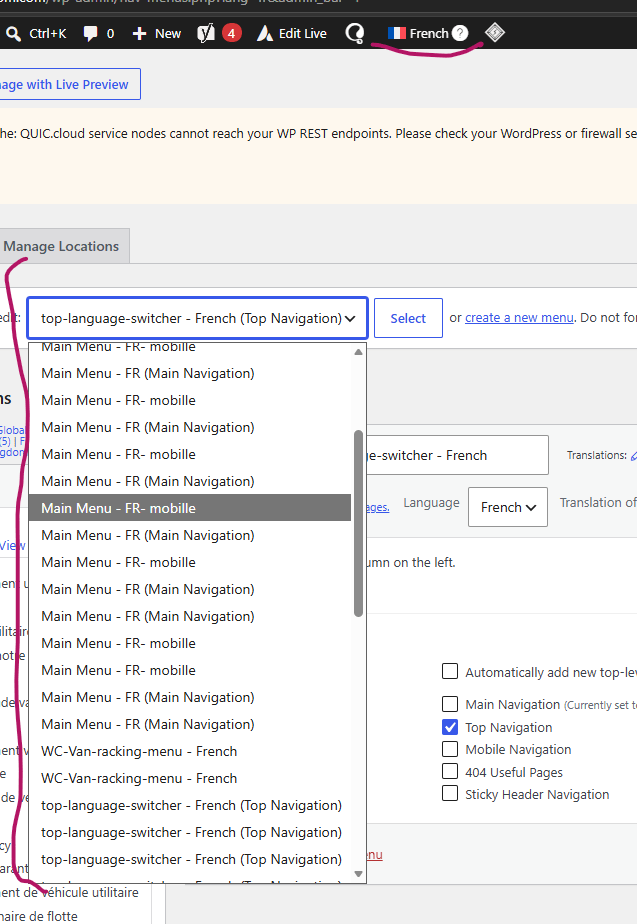
    So the first images are when i disable LiteSpeed Cache. I can see menues for Sweden and Global in this case.

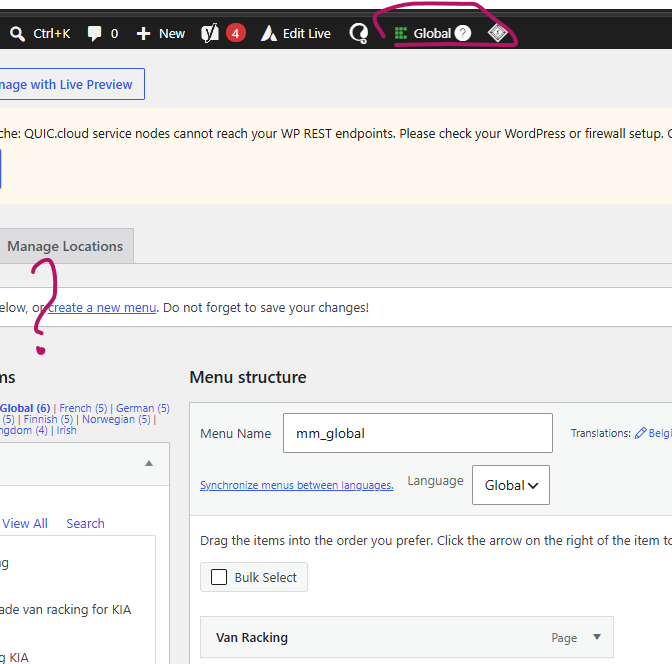
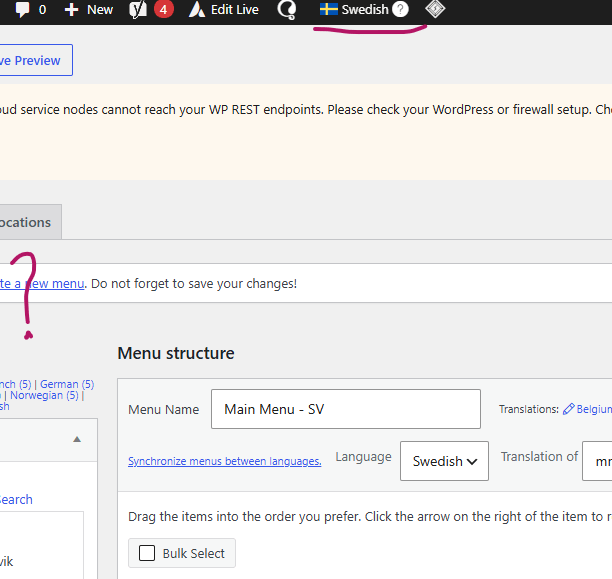
    These images are when I enable LiteSpeed Cache again. First 2 images show nothing for Sweden and Global. The last image is when i switch to French language. All the menus are now visible there.

    I have sent in a report.
    Not sure if you need the report number but here it is: CNVXBTRO

    Plugin Support litetim

    (@litetim)

    @mirsadsehovic
    Hello
    I tested on one of my sites the folowing setup:
    WP 7.0
    LSC with Object Cache and latest version from WP directory
    WPML with 3 languages and related plugins: WPML Multilingual CMS, WPML SEO,WPML String Translation with lateste version

    I tested:
    Disabled LSC plugin
    Created multiple menus in different languages
    Cleared cache
    I was able to reproduce first sets of images
    Enabled LSC plugin
    I switched different languages
    I did not see any issues with menus
    I added, edited menus and no issues

    The difference might be other plugins and theme code that is present on your site.
    I am happy to help you further

    Thread Starter mirsadsehovic

    (@mirsadsehovic)

    Hello @litetim
    Thank you for testing this on your end.

    I’ve performed a conflict check and disabled plugins one by one to see if the menus would reappear. The issue only resolves when LiteSpeed Cache is disabled, which suggests it may be the source of the problem. I’ve also tried switching themes, but the issue persists regardless of the theme in use.

    Do you have any suggestions for further troubleshooting?
    Are there specific LiteSpeed Cache settings (e.g., related to caching, optimization, or REST API) that you would recommend enabling or disabling for testing?

    Kind regards,

    Plugin Support qtwrk

    (@qtwrk)

    could you please try the default setting ? you can go to toolbox -> import /export -> reset to default setting,

Viewing 5 replies - 1 through 5 (of 5 total)

You must be logged in to reply to this topic.