Hi,
all bug reports are welcome!
Is it a problem already by calibration (your map doesn’t match the google map) or later, by places?
In every case, please try to calibrate via manual reference points (mouse click on the map in Map Manager and put the name of the city located there).
Can I see the map you try to use? Probably the map does not use “Mercator projection” which google uses.
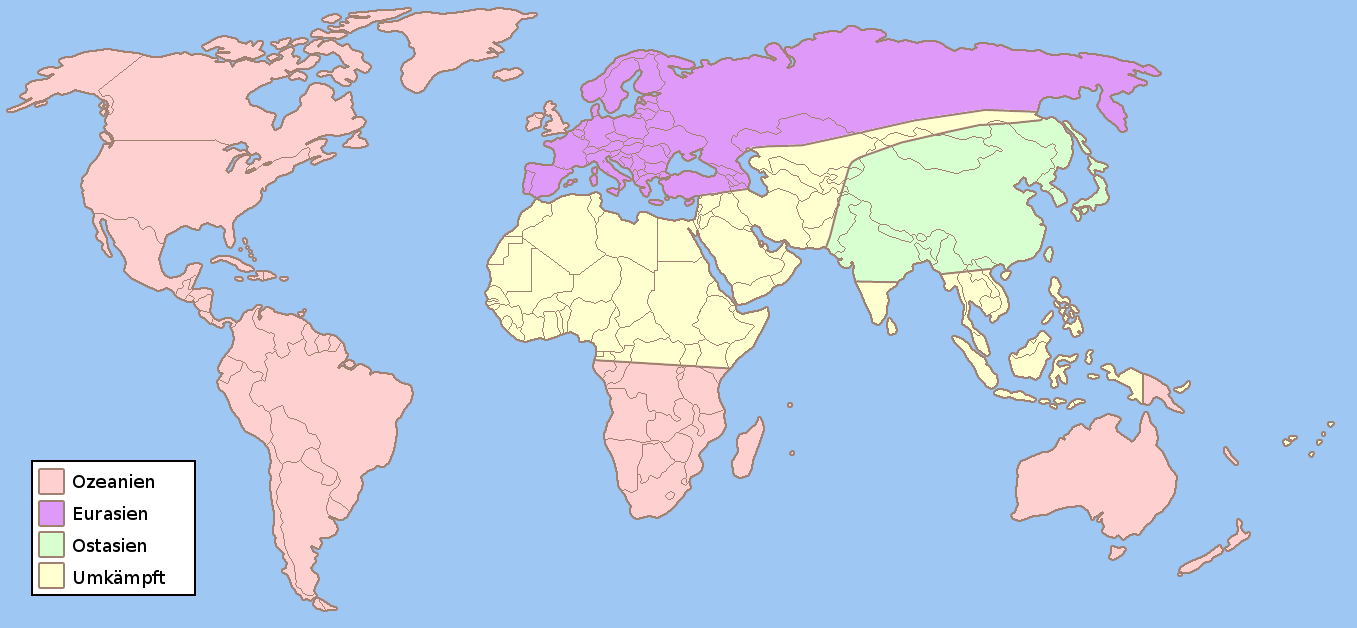
I tried to calibrate this map (http://upload.wikimedia.org/wikipedia/de/0/05/1984_fiktive_Weltkarte.png) with very wrong projection.
I did two reference points “Rom, Italy” and “Sidney, New South Wales, Australien” and the map is calibrated fine.
The problem is only when calibrating with google maps.
The map that I’m using is a modified screenshot from google maps so it fits perfectly.
I think the latitude doesn’t come right because when zooming out to the whole world in google maps, the map reapets from the sides. Your plugin takes the reference points from the top left and bottom right of the image. The bottom right falls exactly where google map reapet itself and it get the worng latitude.
It’s hard for me to calibrate manualy because I’m using a blank map. I’ve manage to calibrate the map with small islands.
Ok, got it. Thanks for your experience.
I’ll mention this in FAQ, this issue would take more time, not so clear how to solve the “coordinates looping”.