Hi richards1052,
thanks for reaching out.
The fact that the ad code is also not working when Advanced Ads is not involved shows me that the issue might be with Amazon.
I checked the source code of your site and the browser error console and see an error that says “Adcode values too long”.
I quickly googled it but it doesn’t seem like anyone found the answer to the problem.
Unfortunately, I don’t have any idea what you could do here other than contacting AdSense.
Best regards,
Thomas
Thanks. I will try to contact Amazon to see if they can help me figure out what’s wrong. But this is the source code the Amazon site generated. I copied it and pasted it directly from the Amazon Associates site. There may be a setting that is conflicting with the code that needs to be changed. I hope I can figure out what it is.
You could point them to this part in the code:
<script async
The browser is changing it dynamically into
<script async=""
If they compare the length of the ad code after that change then this might be the reason for the problem. There is nothing you or we could do about this.
I would be curious to see how they reply.
Good luck!
Thomas
I tried Amazon support and they were no help.
But I did create a banner ad using their code and inserted it into a post as a static ad & that did display.
I also opened Microsoft Edge and the sidebar widget I created IS displaying an Amazon Native recommendation ad. So we know the ad code and the plugin ad I used in the widget is working.
So I’m guessing there is a conflict between the ad code and Firefox and Chrome. I don’t understand where the conflict lies. I’ve turned off all possible ad blockers and privacy extensions I’m using with these browsers.
I think I’ll have to ask my readers to tell me what they can see. THis could be an issue with my installation or browser configuration.
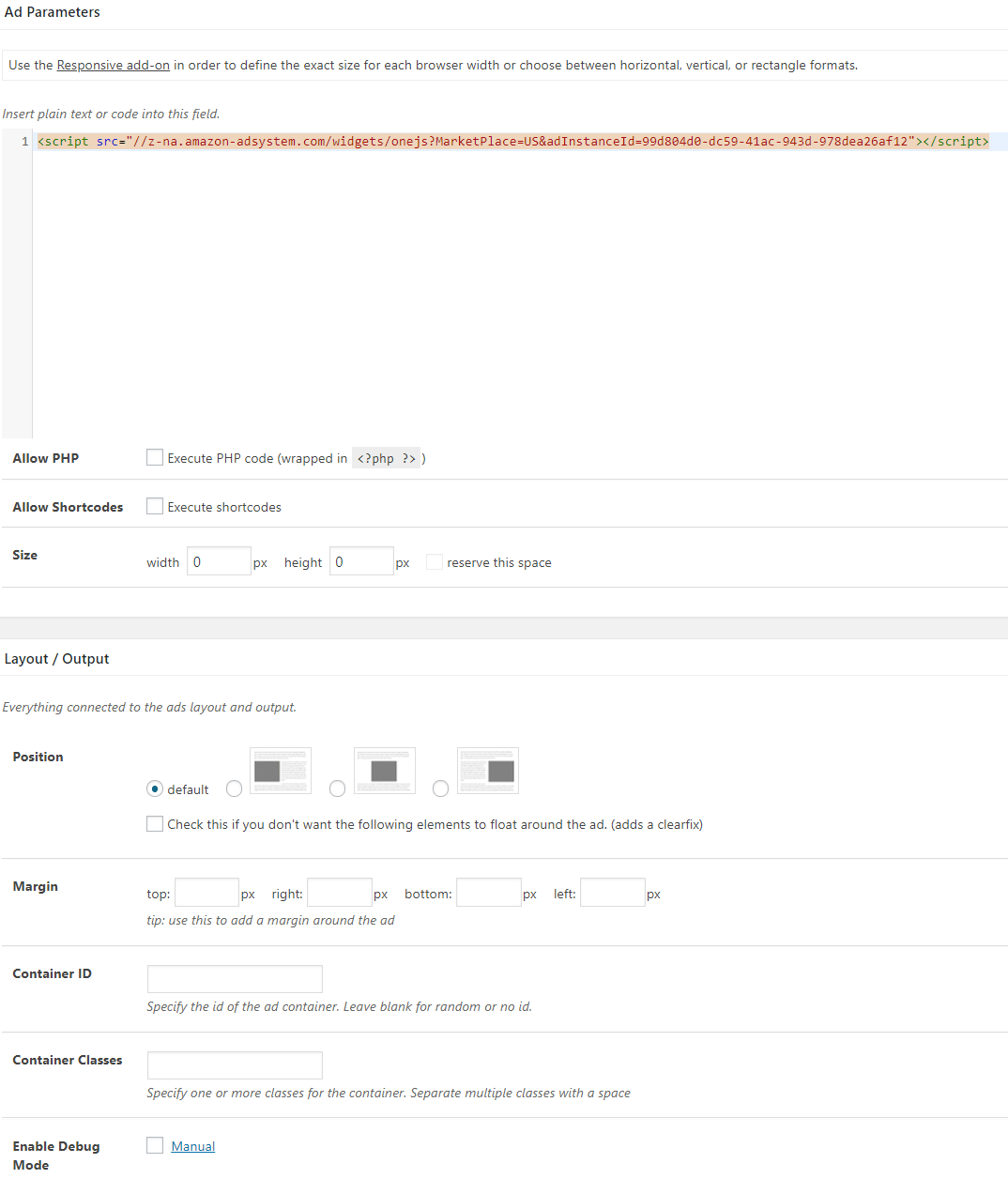
I wanted to try to upload a screenshot of the Ad template i created using the plugin to see whether perhaps I’ve misconfigured or missed something I need to do in the settings.
Can you view this? http://www.richardsilverstein.com/wp-content/uploads/2019/06/screenshot-www.richardsilverstein.com-2019.06.17-14-11-06.png
On further review, it now looks like Firefox and Edge are displaying the ads. I also see them in the mobile format. But for some reason, Chrome isn’t allowing the ad to display. I thought I’d disabled all blockers and privacy extensions, but perhaps there’s something I’m not even aware of.
Another question, if I have an Amazon ad displaying in the content, and a I have an Amazon ad in the sidebar widget using the same code, will it automatically only display 1 ad, rather than both? That’s what I prefer it to do and I notice there’s only one displaying, which is good.
There is a new problem I just discovered. This may again relate to the Amazon ad code and not to the plugin. But when I click on any of the ads, nothing happens. I remain on the blog post page and no Amazon page opens.
UPDATE: I just noticed that you have to hover over the text for the ad to get it to open. If you click on the image in the ad it will not open. This clearly has nothing to do with the plugin, so you can ignore.
-
This reply was modified 6 years, 9 months ago by
 richards1052.
Hi Richard,
thanks for sharing your findings.
The code on the screenshot misses the <div> container. Is that just cut off or really missing?
Advanced Ads does not limit the ads to only one if you use it twice. It must be a coincidence or something Amazon is doing. You could build something like this, but it is a bit more technical.
I hope I didn’t miss a question.
Thomas