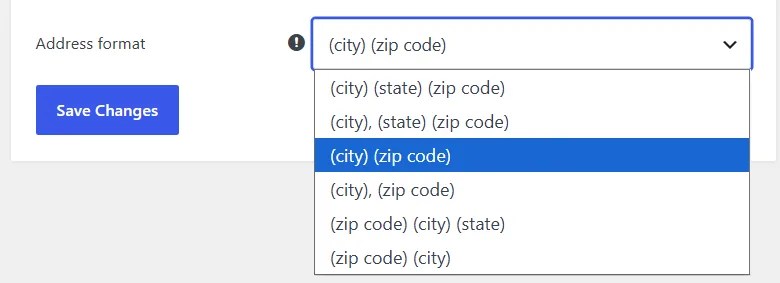
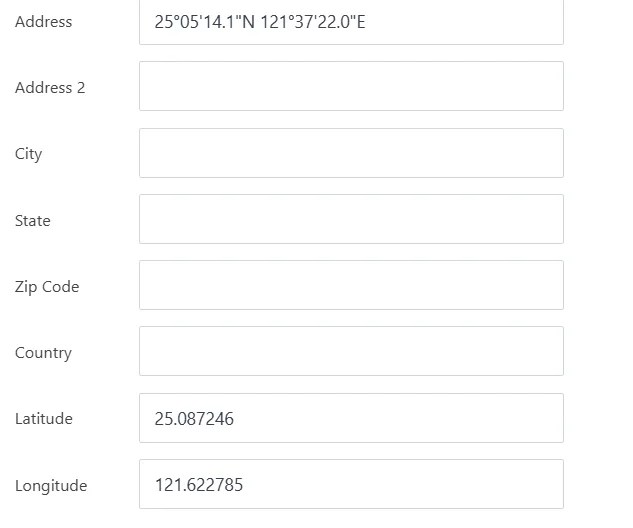
• For the address format, you can simply enter “Address” (latitude and longitude) and “Address 2” (detailed address). If you enable Google Maps for directions, two extra commas will appear at the end.
    How can I add a note or comment to the additional information so that it can be displayed on the front end?
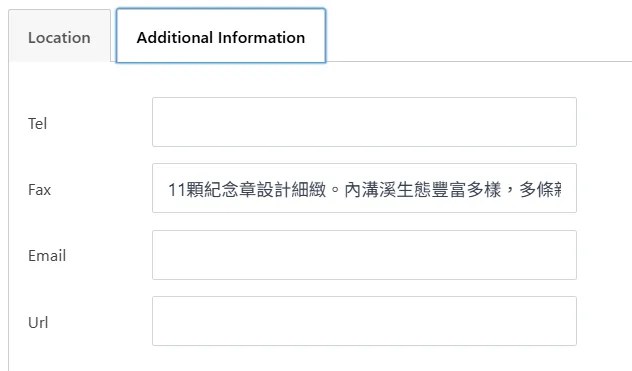
    The original fax didn’t link; I used it for explanation purposes. The updated version will enable fax, and I hope there will be a description field to fill in.

Viewing 6 replies - 1 through 6 (of 6 total)
  • Plugin Author Tijmen Smit

    (@tijmensmit)

    Adding custom fields can be done through filters, this is explained here. This requires you to write the code yourself and add them to the functions.php inside your active theme folder. Or you can do this through the build in tools.

    It never crossed my mind to add coordinates in the address field, will check what’s going on in the code and where the double comma’s come from πŸ™‚

    Plugin Author Tijmen Smit

    (@tijmensmit)

    You want the fax to not have a link anymore?

    Thread Starter weking

    (@weking)

    Please help me figure out where the double commas are coming from. Faxes don’t need links; how do I remove them?

    Plugin Author Tijmen Smit

    (@tijmensmit)

    Both issues will be fixed in the 3.1 update, which should be out on either Wednesday or Thursday.

    For now can you workaround both issue by doing the following things.

    – You can force the directions link to use the coordinates from the lat/lng field by adding this code to the functions.php inside your active theme folder.

    add_filter( 'wpsl_force_direction_coordinates', '__return_true' );

    – The clickable fax link accidentally has the formatPhoneNumber wrapped around it. You can fix this by following the steps below.

    1) Go to Store Locator > Settings > Fields Manager > Section Editor.
    2) Select the “List” section.
    3) Find <%= formatPhoneNumber( fax ) %> and change it to <%= fax %>.
    4) Save, and do the same for the “Info window” section if the fax is shown there.


      Thread Starter weking

      (@weking)

      The fax link is no longer valid, and currently the fax field only accepts numbers, not other text. Therefore, I would like to ask how to customize the field and display it in the list and information windows?

      The system forces routes to use coordinates from the lat/lng field; hopefully, version 3.1 will resolve this issue.

      Plugin Author Tijmen Smit

      (@tijmensmit)

      What happens is that the fax field is seen as a phone number, and this requires numbers, not text. To make it a ‘text’ field again add this to the functions.php inside your active theme folder and resave the locations.

      add_filter( 'wpsl_meta_box_fields', function( $meta_fields ) {
      foreach ( $meta_fields as $tab => $fields ) {
      if ( isset( $fields['fax'] ) ) {
      $meta_fields[ $tab ]['fax']['type'] = 'text'; }
      }
      return $meta_fields;

      }
      );

    Viewing 6 replies - 1 through 6 (of 6 total)

    You must be logged in to reply to this topic.