Hello @alexisoceandigital
Please, follow the steps below:
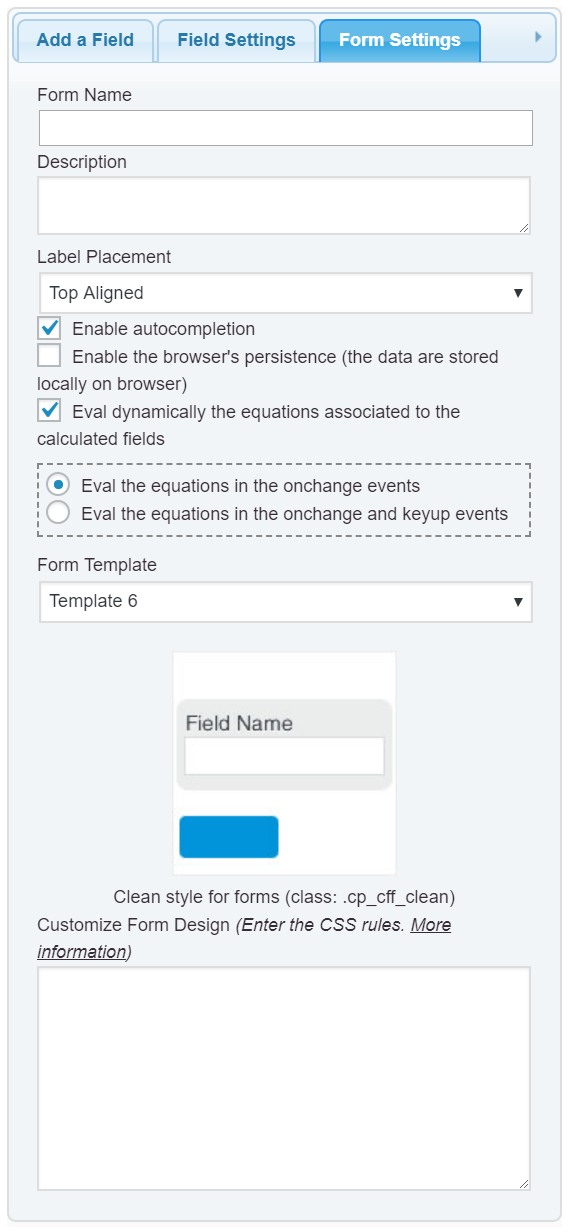
1. Untick the “Eval dynamically the equations associated with the calculated fields” checkbox in the “Form Settings” tab (https://cff.dwbooster.com/images/documentation/form-settings-tab.png).
2. Insert a button field in the form and select the “Calculate” option as button’s type.
Best regards.
Thank you,
How can I style the button ?
I’d like to center, change the font, background color etc
Hello @alexisoceandigital
A button field has assigned the class name cff-button-field
So, if you want to change its appearance, you can enter a style definition block similar to the code below through the “Customize Form Design” attribute in the form’s settings tag:
#fbuilder .cff-button-field{text-align:center !important;}
#fbuilder .cff-button-field input{
background:#3baae3 !important;
border:0 !important;
color:white !important;
padding:10px !important;
border-radius:10px !important;
text-transform:uppercase !important;
}
More information about the style definition by reading the following post in the plugin’s blog:
https://cff.dwbooster.com/blog/2020/01/12/form-design
Best regards.
Thank you for your help my form is starting to look good.
Is it possible to center the whole form too ?
Hello @alexisoceandigital
What do you mean by centering the form? Do you want to center the form into the page or the fields and labels into the form?
Best regards
I would like to center the fields,
I have setup the fields in different div with several column layouts, but i’d like to have them centered on the form
Hello @alexisoceandigital
Please, use the style definition:
#fbuilder * {text-align:center !important;}
Best regards.
I”ve used the coder you provided on this page:
https://mgfinances.com/
And it seems that it’s not correctly centered …
Hello @alexisoceandigital
The page you sent me as a reference does not contain a form created with our plugin.
Best regards.
Sorry, I forgot It was still in developpment mode, let me attach a screenshot.
https://i.ibb.co/Kqz9WVD/calculette.png
Hello @alexisoceandigital
In your screenshot all the fields are centered.
Best regards.
They are not, check the last fields, the left margin is lower than the right one.
Same goes for the second set of fields.
Hello @alexisoceandigital
I’m sorry, but I need to check the form in action to identify the styles being applied to its elements.
Best regards.