Hi @mcruijssen,
Thank you for reaching out! That message means your email and password were accepted, but the 2FA code box did not appear. Wordfence adds that box to the login page with JavaScript. When that script does not run, the login form is sent directly to WordPress without a code, and you see the “CODE REQUIRED” message.
You can still log in right now. Type your 2FA code directly after your password, in the same password field. For example, if your password is w0rdf3nce#! and your code is 233455, enter w0rdf3nce#!233455 and click Log In. This is explained here: https://www.wordfence.com/help/tools/two-factor-authentication/#how-to-log-in-with-two-factor-authentication
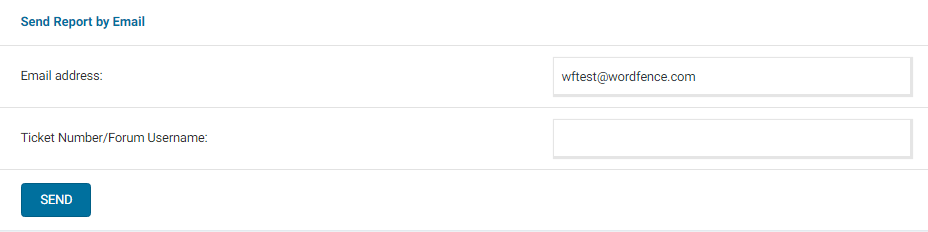
Our 2FA works on the default WordPress login page and on WooCommerce. If you have any plugins customizing the login page, please try logging in while those are disabled, as they may conflict. If that doesn’t point you in the right direction, can you send a diagnostic report to wftest @ wordfence . com? You can find the link to do so at the top of the Wordfence > Tools > Diagnostics page. Then click on “Send Report by Email”. Please add your forum username where indicated and respond here after you have sent it.
NOTE: It should look as follows – Screenshot of Tools > Diagnostic > Send by Email
Thanks,
Margaret
Thanks so much! Ill look into it.