Threads authorize problem
-
Hi,
I followed the instructions for creating threads app but when i try to authorize the application it redirects me to the link provided and showing the following message:
{“error_message”:”Authorization failed: No redirect present in URI”,”error_code”:4476001}
from the link:
i`ve checked and double checked and everything is according to your instructions in the app for threads in developer.
Thank you.
-
This topic was modified 1 year, 1 month ago by
themastrem.
-
This topic was modified 1 year, 1 month ago by

-
Hi,
The error message indicates that no redirect URL has been added. Please add it (refer to the note on the settings page).I already did >>> https://imgur.com/a/hqv8MqG
Hi,
Please ensure the app has threads_content_publish and threads_basic permissions.Additionally, make sure that:
* Your Threads account is added as a Threads tester, and the invitation has been accepted by the Threads user in the Website Permissions section under Account Settings on the Threads website or mobile app.
* You enter the Threads App ID and Threads App Secret from Use Cases > Customize > Settings, not the application’s general App ID and App Secret.
* If there are multiple Threads Use Case apps, verify that the configured app matches the approved Threads user and the redirect URI.
I did everything like in your step by step instructions before i decided to post here on support and tryed everything…..still does not work, same issue.
Hi,
Since your setup follows the instructions and the issue persists, please double-check the following:
- App & Use Case Verification
- Ensure you are using the correct Threads App usecase(not a different one by mistake).
- If you have multiple Threads apps, confirm that the configured app matches the approved Threads user and the registered redirect URI.
- HTTPS Requirement
- Ensure the redirect URI is HTTPS and exactly matches the one registered in the Threads Developer settings.
- App ID & Secret
- Double-check that you are using the correct Thread App ID and Thread App Secret from Use Cases > Customize > Settings, not (App ID and App Secret)from the general app settings.
- Tester Approval
- Verify that your Threads account is added as a Tester and that the invitation has been accepted in the Website Permissions section of Threads settings.
- Try Creating a New App
- If everything is set up correctly and the issue persists, try creating a new Threads app from scratch and carefully following the setup instructions again.
If you have already checked all these and the error persists, try:
- Clearing the browser cache and logging in again.
- Checking for typos in the registered redirect URI.
Let me know if you still face issues.
Thanks for the answer. I will try the instructions that you send me and i will come back with feedback.
Hi, i have the same problem, followed the guide step by step and everything seems to be ok in the threads app configuration but i still get the same error
{“error_message”:”Authorization failed: No redirect present in URI”,”error_code”:4476001}-
This reply was modified 1 year, 1 month ago by
fabriziosorbara.
Hi,
Please try the solutions provided above and let us know if the issue persists.Hi, i have deleted the app and recreated from scratch (this time without adding it to a business account) but i went into the same exact error. Also tried to clear cache, use another browser, other connection, tried in incognito mode, nothing worked, still this error:
{“error_message”:”Authorization failed: No redirect present in URI”,”error_code”:4476001}
https://www.threads.net/oauth/authorize/error.json?error_message=Authorization+failed%3A+No+redirect+present+in+URI&error_code=4476001&ext=1743773710&hash=AeTzb1WCu4pvnK_2qVQHi,
The issue seems specific to your Threads app setup. Please ensure the following:
- Tester Invitation Accepted
- Your Threads account must be added as a Tester in the app’s developer settings.
- Then, log in to Threads and accept the invite under
Settings > Website Permissions.
- Use “Use Case” App Credentials
- Make sure you’re using the App ID and Secret from Use Cases > Customize > Settings, not the general app credentials.
- Redirect URI
- The redirect URI must exactly match what’s in Notes section in the Threads settings page of SMAP.
- It must be HTTPS .
Let me know once you’ve verified these steps or if you need help walking through them.
Hi, thank you for you response. I have verified the following:
Tester Invitation Accepted: YES ACCEPTED since beginningUse “Use Case” App Credentials: YES, since beginning used just them
Redirect URI: YES it’s HTTPS and is exactly the same that appears https://www.domain.tld/wp-admin/admin.php?page=social-media-auto-publish-settings&auth=1
I don’t understand where could be the problem, still error {“error_message”:”Authorization failed: No redirect present in URI”,”error_code”:4476001}
Hello @fabriziosorbara ,
Thanks again for your detailed reply.
A few things to double-check to ensure everything is configured correctly:- Redirect URI:
The URI you shared appears to use a placeholder domain (domain.tld). Please make sure you’ve entered your actual website domain in :- The Facebook App > Valid OAuth Redirect URIs section, and is exactly the same url in the plugin settings inside your WordPress site.
It must match exactly, including thehttpsand any query parameters.
- The Facebook App > Valid OAuth Redirect URIs section, and is exactly the same url in the plugin settings inside your WordPress site.
- App Permissions:
Please verify that the following permissions are:- Added to your app:
threads_basic,threads_content_publish - In “Ready for Testing” status within the Meta Developer Console.
- Added to your app:
- Threads Use Case Settings:
- Ensure the Threads app credentials (App ID and Secret) you’re using in the plugin are from the same app you configured in Meta.
- Confirm that the redirect URL matches what is configured in your app.
- Ensure the user is listed under the app (Roles > Testers or Developers).
- Attached Screenshot:
I’ve attached a screenshot of the Threads use-case settings page for reference

If all the steps above were followed correctly and the user is properly added to the app, everything should work without any issues.
Let us know if you’d like help cross-verifying any part.
Hi and thank you again for your response.
Redirect URI: yes i used a placeholder just for privacy reasons, in the app i have used the production domain in Valid OAuth Redirect URIs;
App Permissions: yes the app has both
threads_basicandthreads_content_publish(and they have also been tested Ready for Testing doneThreads app credentials (App ID and Secret USE CASE specific) are from the same app and that the redirect URL matches what is configured in the threads app
Yes the user user is listed under the app Roles > Testers or Developers and the generate token button is clickable.
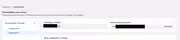
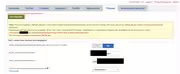
I also attach some screenshots of the settings.
I have just one doubt, in the italian versione, both fields App and secret are named “Nome utente delle discussioni” (i halso have tried to switch between them but the error is still the same.
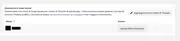
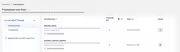
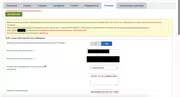
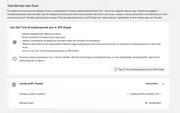
[url=https://postimg.cc/dkQdxyNP][img]https://i.postimg.cc/dkQdxyNP/temp-Imagelhno-Mx.avif[/img][/url]
-
This reply was modified 1 year, 1 month ago by
-
This reply was modified 1 year, 1 month ago by
-
This reply was modified 1 year, 1 month ago by
Hi Fabrizio,
Thank you for your quick response and for confirming all the details — and also for sharing the screenshots, that helps a lot!
Everything you mentioned sounds properly set up, including:
- Valid production redirect URI
- App permissions (
threads_basic,threads_content_publish) marked as Ready for Testing - Correct App ID and Secret from the Threads Use Case
- User added under Roles > Testers/Developers
- Token generation button is visible and clickable
The only thing that stands out is what you mentioned about the Italian translation: both the App ID and App Secret fields showing as “Nome utente delle discussioni”. That might cause confusion or misplacement when entering credentials.
Could you please ensure:
- The App ID is placed in the first field (usually shorter, numeric-looking).
- The App Secret is placed in the second field (usually longer and alphanumeric).
If you’ve accidentally switched them, the connection won’t work and might trigger error.
We’ll also report this language-label issue to improve clarity in the plugin’s UI for Italian users.
Once confirmed, please try generating the token again. If the error still occurs, feel free to share the screenshots here, and I’ll be happy to review further.
Thanks again for your patience and for working through this with us!
Hi, i confirm that i put the App ID int the first field and the App Secret in the second field, and also tried to regenerate a new token, but the problem still persists.
I attach screenshoots. Thank you
- App & Use Case Verification


The topic ‘Threads authorize problem’ is closed to new replies.

![[url=https://postimg.cc/dkQdxyNP][img]https://i.postimg.cc/dkQdxyNP/temp-Imagelhno-Mx.avif[/img][/url]](https://i.postimg.cc/Qt1bVgpt/temp-Imagelhno-Mx.avif)