Hello @prayag922
Thank you for contacting us, There are multiple reasons why site scan might fail including third-party theme or plugin conflicts or cache plugins that add comment in JSON response.
After checking your site we found out that You are using Lite speed cache.
LiteSpeed cache might be the reason your site scan is failing it may have been conflicting with the AMP site scan.
Can you please add the following code snippet to your active theme’s functions.php file or in the custom plugin and check if that works for you?
add_filter( 'litespeed_comment', '__return_false' );
Additionally, To narrow down further, could you use the Health Check & Troubleshooting plugin and enable its troubleshooting mode.
This mode disables active plugins and switches to a default theme safely since it only affects the experience of the logged-in user.
We hope this helps!
Hello @prayag922
As we rechecked your site, we found that you are using two Cache and Optimisation plugins WP-Optimize Premium – Clean, Compress, Cache, and LiteSpeed Cache, We will recommend keeping only one active (Lite Speed Cache) they might have affected the initial server response time.
Additionally, Check why your Web Stories images size are not being correctly shown, or contact Web Stories support for the same
We hope this helps!
Sir, Coming back again on this topic, I removed another Cache Optimization plugins WP-Optimize Premium.
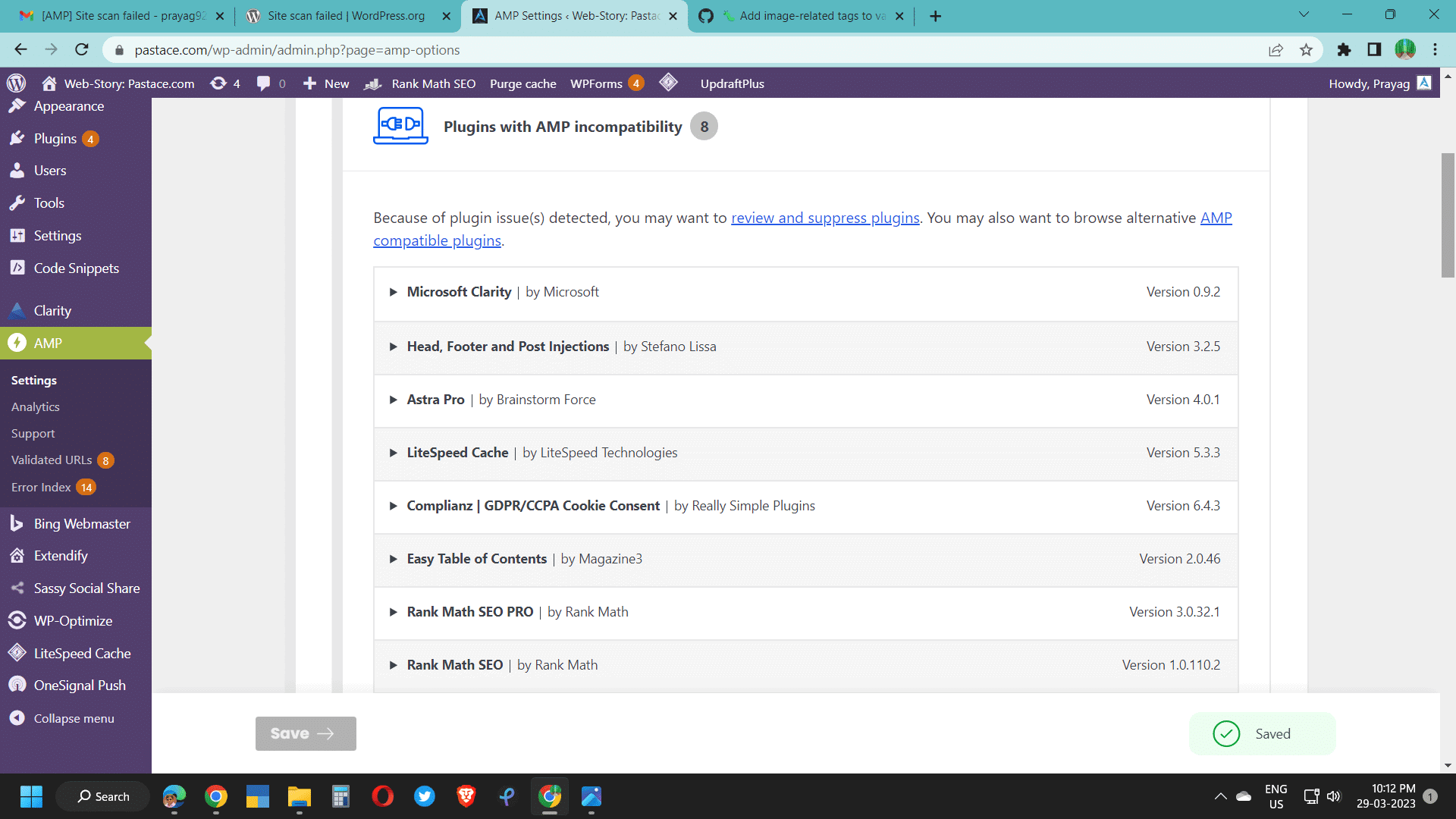
(1) My query is why Plugin AMP shows incompatibility shown with Lite speed, Rank math, Astra Pro etc: https://pastace.com/wp-content/uploads/2023/03/AMP_Check.png ?
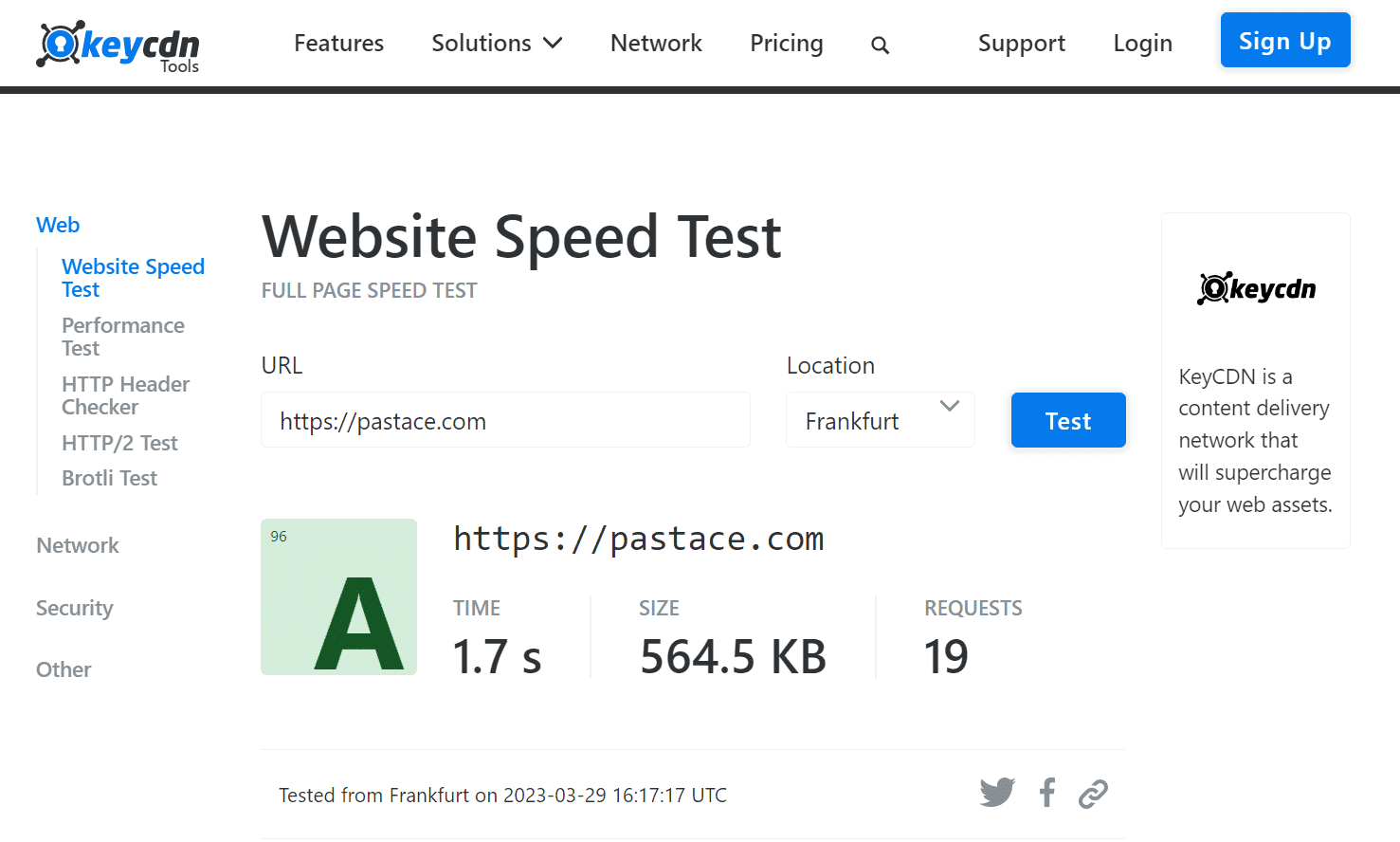
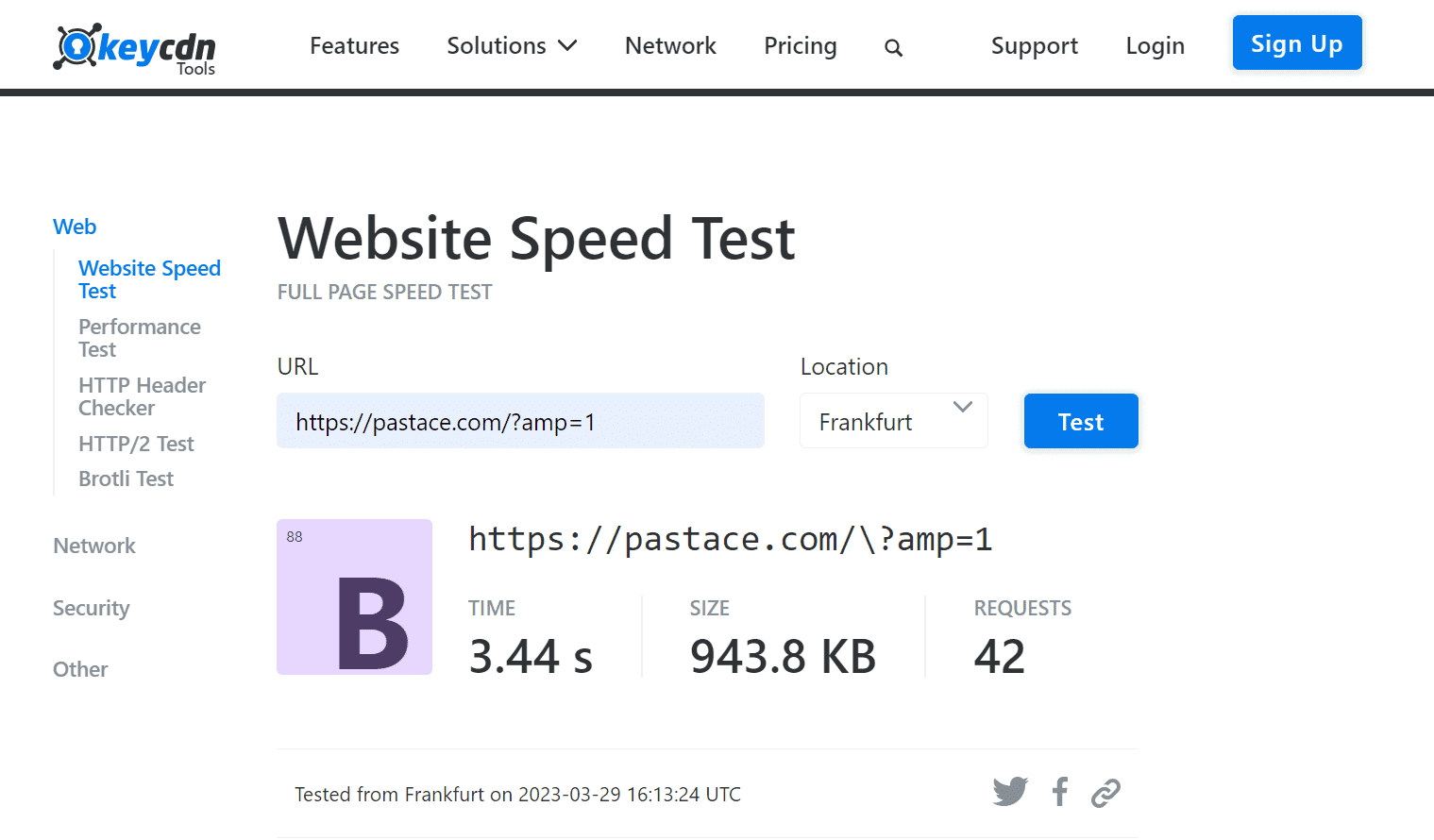
(2) Second query is: In AMP mode Website performance is not good, How to resolve? Here is test result page: https://pastace.com/wp-content/uploads/2023/03/Test_Non-AMP-Mode.png and https://pastace.com/wp-content/uploads/2023/03/Test-in-AMP-mode.png
Thanking you in Advance.
Hello @prayag922
AMP is a web Component framework that uses a very strict set of rules, to ensure good performance AMP pages must follow those rules, those rules are defined by AMP validations
You can learn more about AMP validations in AMP documentations
Plugins such as Astra Pro, Rank Math (Recent Updates in Rank Math) , and Lite Speed are adding AMP invalidations and are not AMP compatible.
Rest assure that those invalidations are been removed the AMP plugin but it also compromises the features that plugin adds on AMP pages.
AMP plugin adds site scan feature and Validation Tool to find and help users and developer those plugins.
What you can do?
- Contact Plugin author ask them to make their plugins AMP compatible
- Look for mini plugin or extension that can help you fix AMP compatibility.
- Look for alternative from AMP ecosystem
Regarding performance
As I asked in my previous response the major issues regarding AMP performance (mobile performance) are web stories images that are not properly sized for mobile screen
We hope this helps
@prayag922
As we didn’t receive a response I’ll mark this as resolved. Feel free to open a new support topic if you require any further assistance.