Description
Unstoppable Share Buttons adds share buttons to your posts, pages and products without loading a single third-party script. Every icon is bundled locally, every share is a plain link, and nothing about your visitors is sent anywhere.
The whole plugin is free. There is no paid tier, no trial, no locked feature and no license key to enter.
Four placements
- Inline — above the post, below it, on both sides, or dropped in after a paragraph you choose.
- Floating sidebar — sticks to the left or right edge and follows the reader down the page. Hides itself on narrow screens.
- Sticky mobile bar — pinned to the bottom of the screen on phones, where a thumb can reach it.
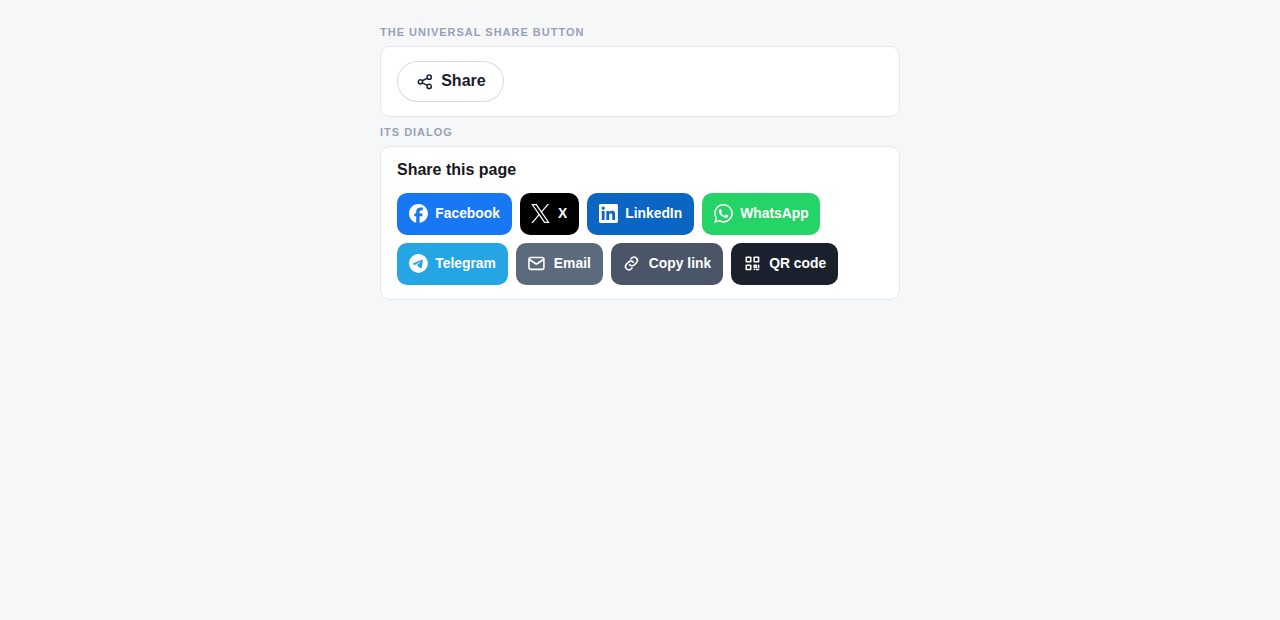
- Universal button — one button that opens a dialog containing everything.
48 places to share
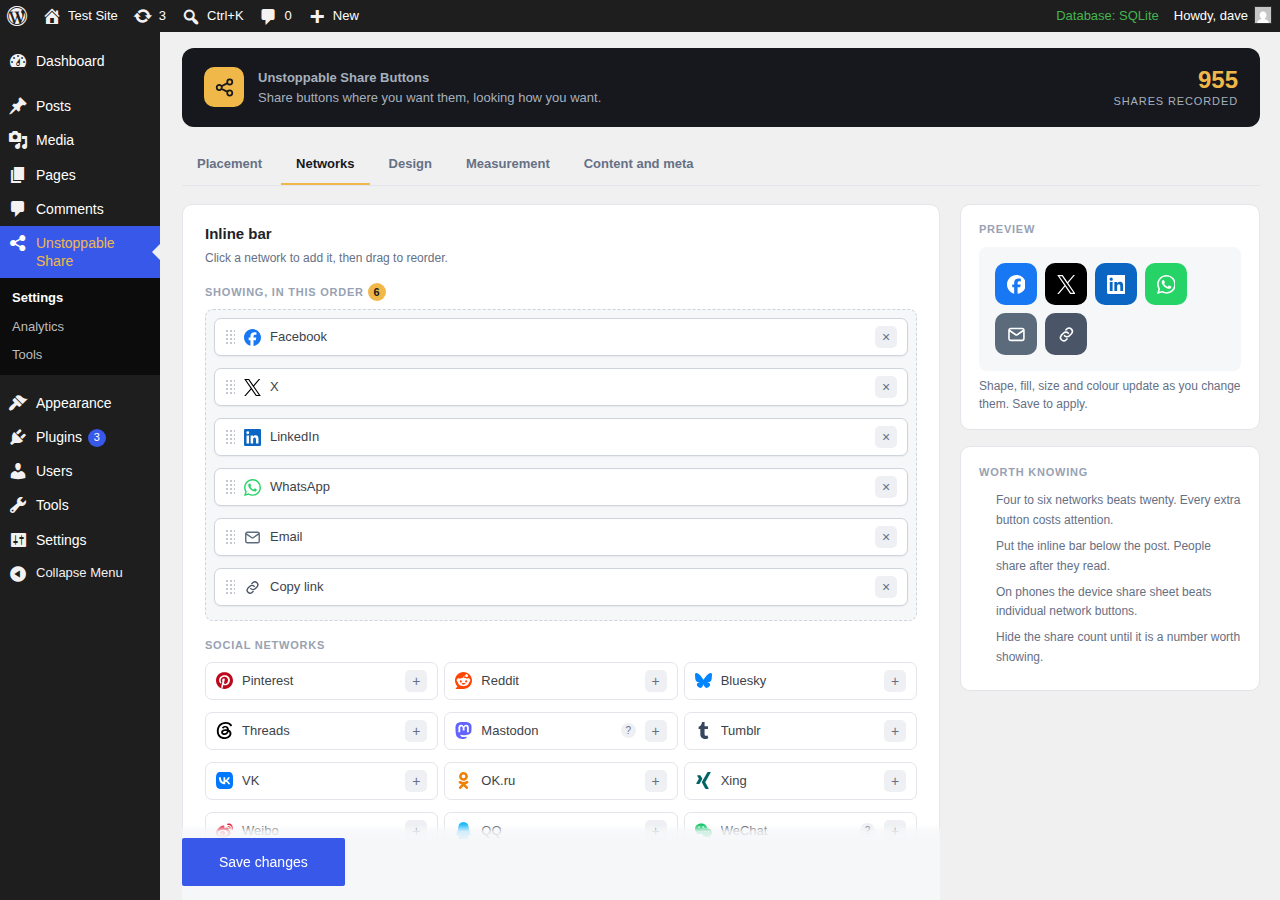
Facebook, X, LinkedIn, Pinterest, Reddit, Bluesky, Threads, Mastodon, Tumblr, VK, OK.ru, Xing, Weibo, QQ, WeChat, Snapchat, Nextdoor, MeWe, Minds, Diaspora, LiveJournal, Blogger, Flipboard, Hacker News and Digg.
Messaging: WhatsApp, Telegram, Messenger, Viber, LINE, Threema, text message and email.
Read later: Instapaper, Evernote, Trello, Buffer and a browser bookmark prompt.
Ask an AI: ChatGPT, Claude, Gemini, Perplexity, Grok and Google. These open an assistant with a prompt about your page already written. You control the wording.
On the device: copy link, the native share sheet, a QR code and print.
Looks like your site, not like a plugin
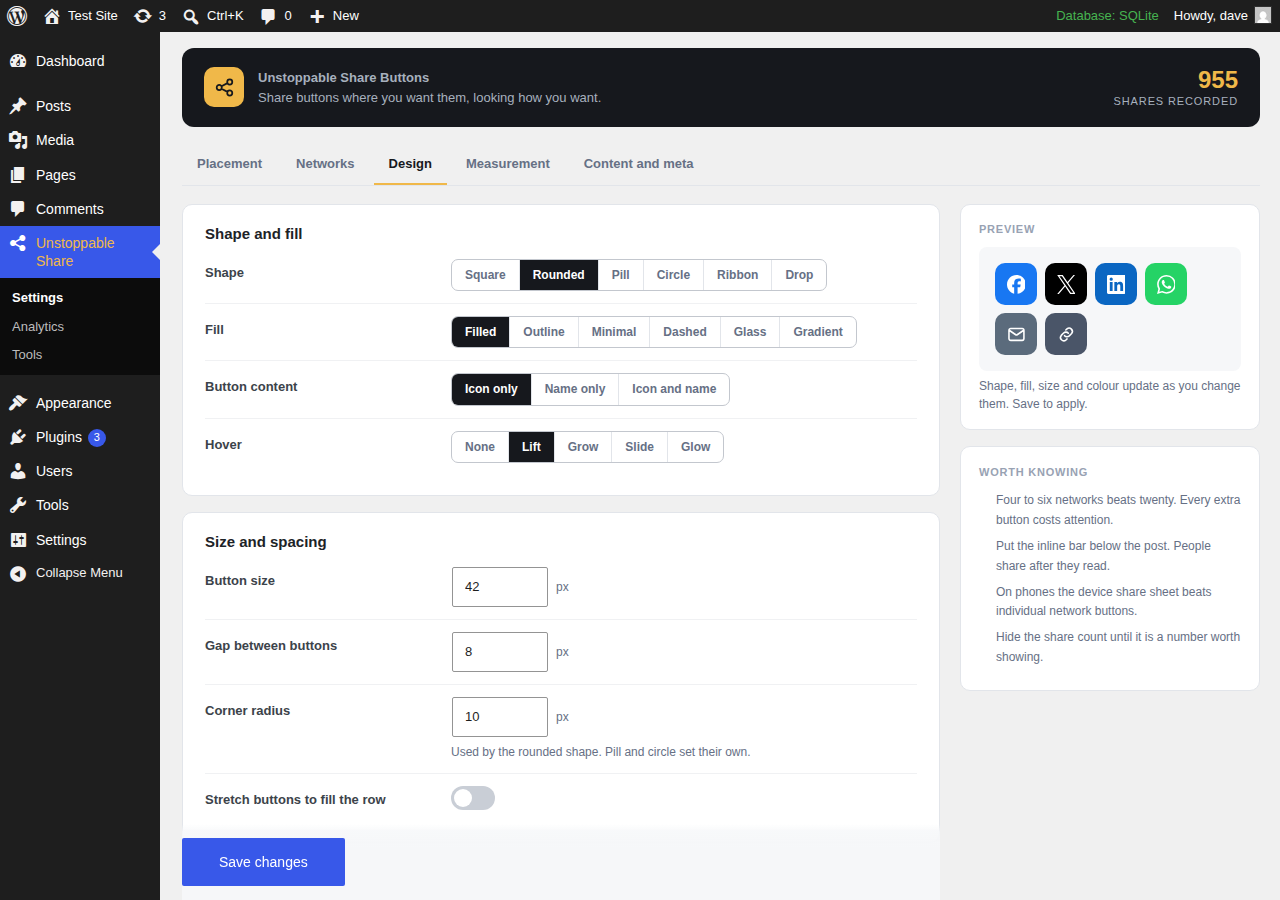
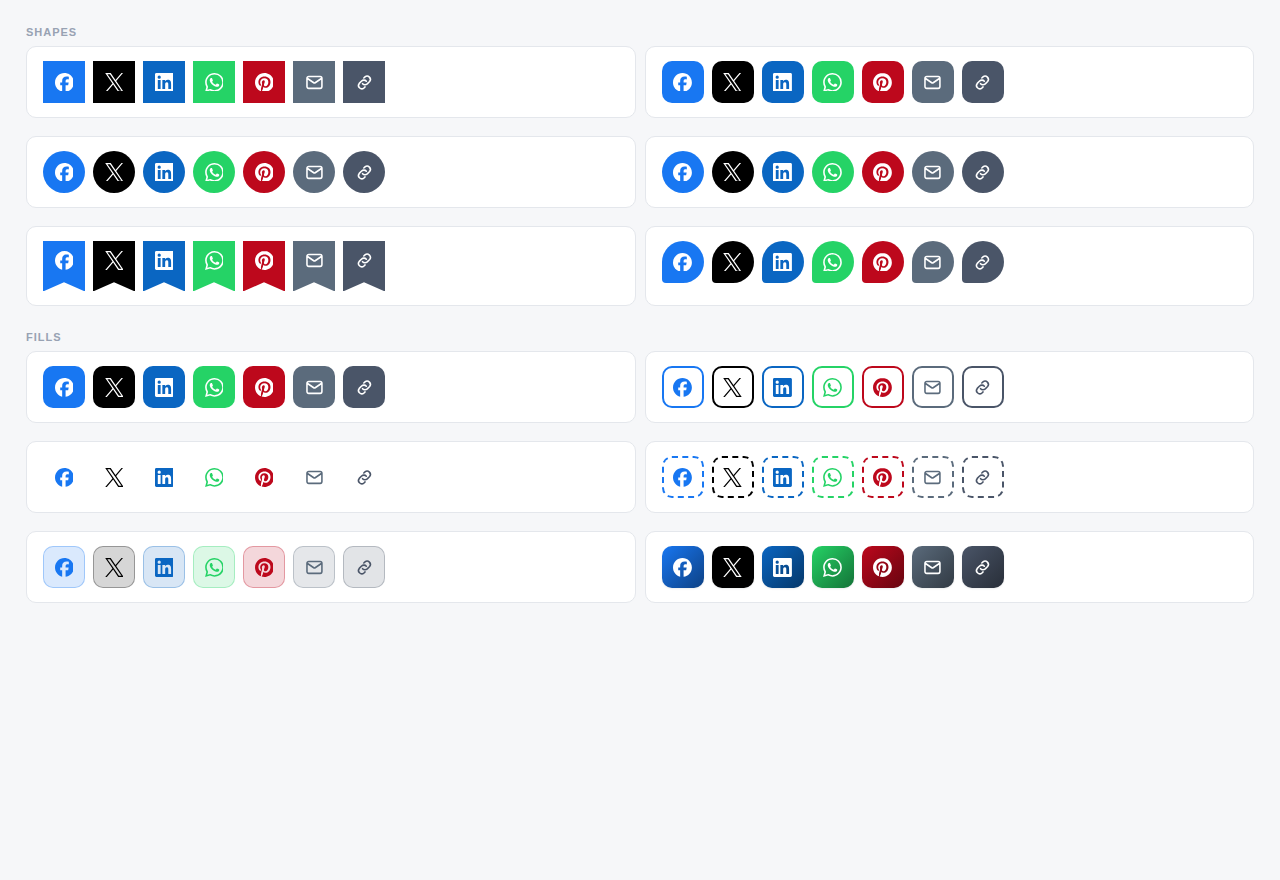
Six shapes, six fills, four colour palettes, five hover effects, adjustable size, spacing and corner radius, plus light and dark schemes. A live preview in the settings updates as you change things.
Measurement without surveillance
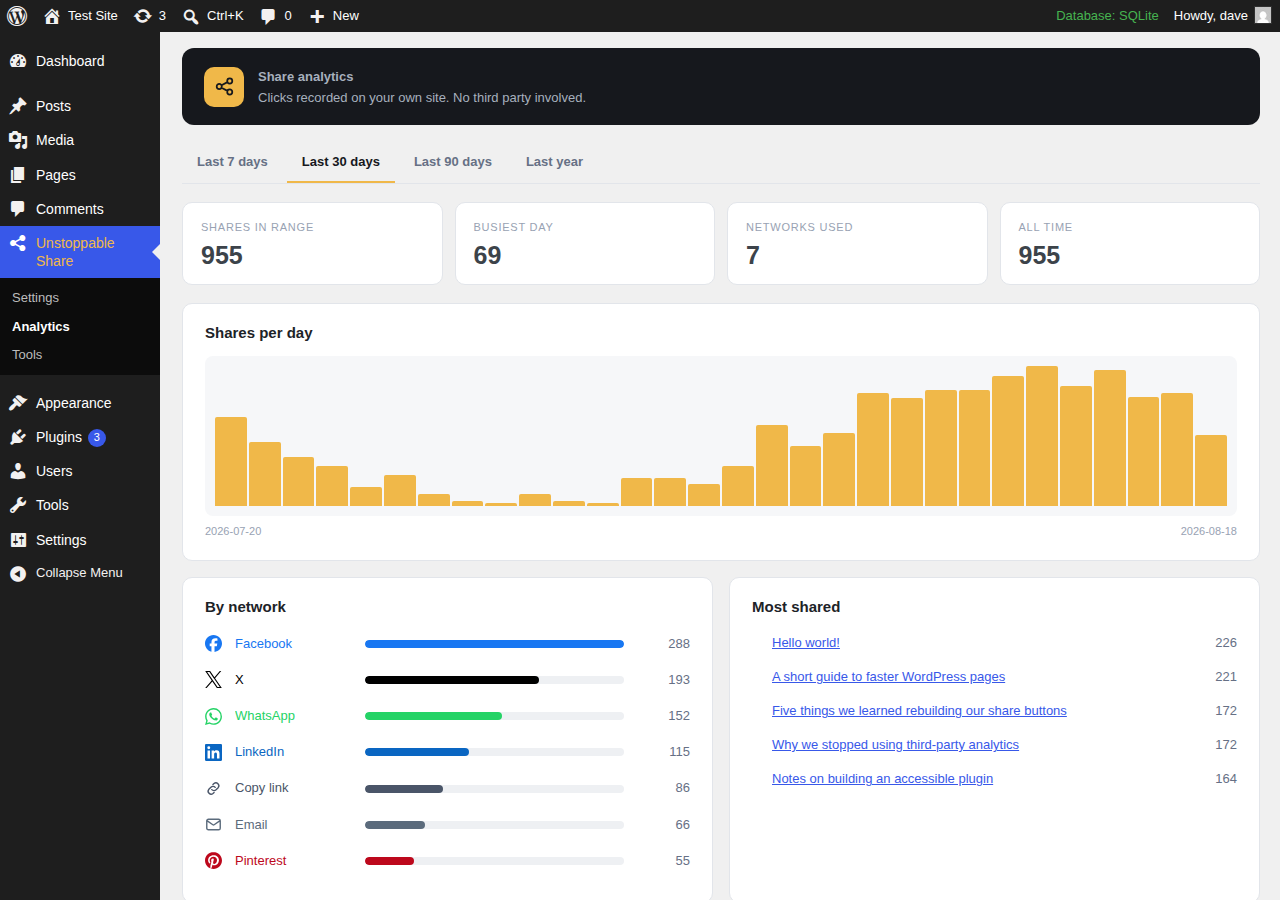
Share clicks can be recorded in a table on your own server: one row per post, network, placement and day. No IP address, no browser fingerprint, no user ID, and nothing leaves your site. This is switched off by default and only ever counts a click after a visitor makes one.
If you already run Google Analytics 4, Meta Pixel or Google Tag Manager, the plugin can fire a share event through the script you have already loaded. It never loads a tracker for you.
Works where you work
- A block for the post editor, rendered server-side so it always reflects your current settings.
- An Elementor widget with its own content and style controls.
- WooCommerce product sharing, with five positions to choose from and the product image used for Pinterest.
- Five shortcodes and two template tags for everything else.
Built to stay out of the way
- No jQuery. The front-end script is vanilla JavaScript and loads only on pages that actually show a bar.
- No CDN, no remote fonts, no external stylesheet.
- Icons are inline SVG, so there is no icon font to download.
- Full keyboard access, labelled buttons, visible focus rings and reduced-motion support.
External Services
This plugin does not connect to any external service. It makes no HTTP requests from your server, loads no remote scripts or stylesheets, and sends no analytics, telemetry, crash reports or site information anywhere.
What it does do is generate ordinary links to the public share pages of the networks you enable. Nothing happens until one of your visitors clicks one, at which point their browser goes to that network in the normal way, exactly as if they had clicked a link you typed by hand. The address of the page being shared, and its title, are part of that link, because that is what sharing means.
The networks reachable this way, and the address used for each, are listed in the plugin’s settings under Networks. Each network’s own terms and privacy policy govern what happens after a visitor arrives there. As examples: Facebook (https://www.facebook.com/terms.php, https://www.facebook.com/privacy/policy/), X (https://x.com/tos, https://x.com/privacy), and LinkedIn (https://www.linkedin.com/legal/user-agreement, https://www.linkedin.com/legal/privacy-policy).
The optional Google Analytics 4, Meta Pixel and Google Tag Manager settings send a share event through a script that is already running on your site. This plugin does not install, load or configure any of those services. If you have not added them yourself, those settings do nothing.
Privacy
Click recording is off by default. When you switch it on, the plugin stores a daily count per post, network and placement in a table in your own database. It records no IP address, no user agent, no user ID and no referrer, and the data is never transmitted anywhere.
A short-lived rate limit on the recording endpoint uses a hashed IP address to stop one visitor flooding the table. The hash lives in a transient for sixty seconds and the address itself is never written to disk.
You can clear all recorded history at any time from Unstoppable Share Tools, and choose whether uninstalling the plugin removes its data.
Screenshots
Blocks
This plugin provides 1 block.
- Unstoppable Share Buttons
Installation
- Upload the plugin folder to
/wp-content/plugins/, or install it through Plugins Add New. - Activate it. Share buttons appear below your posts straight away.
- Go to Unstoppable Share in the admin menu to choose networks, placements and styling.
FAQ
-
Is anything held back for a paid version?
-
No. There is no Pro version, no trial period, no usage limit and no license key. Every feature described here works the moment you activate the plugin.
-
Does this send any data to your servers, or anyone else’s?
-
No. The plugin makes no outbound requests at all. Share buttons are ordinary links to each network’s own share page, which the visitor follows by clicking. If you switch on click recording, those counts are stored in your own database and stay there.
-
From clicks on your own buttons, recorded by this plugin. They are not fetched from the social networks, because most networks stopped offering public share counts years ago. A count shown here means “this many people clicked this button on this site”.
-
Will this slow my site down?
-
The stylesheet and script only load on pages that render a bar. There is no jQuery dependency, no web font and no external request. Icons are inline SVG rather than an icon font.
-
No. The plugin detects Yoast SEO, Rank Math, All in One SEO, SEOPress and Slim SEO, and leaves the tags alone when one of them is active. Duplicate tags confuse the scrapers they exist for, so the setting simply stays out of the way.
-
Can I add a network that is not in the list?
-
Yes, with the
ushb_networksfilter. Provide a label, a colour, an icon slug and a share URL containing the placeholders{url},{title},{excerpt}or{image}. -
Why does WeChat show a QR code instead of opening WeChat?
-
WeChat has no public web share endpoint, so there is no address to send anyone to. Showing a scannable QR code is the only way sharing to WeChat works from a website.
-
Use
[unstoppable_share]in your content, the block in the editor, the Elementor widget, orushb_share_bar()in a theme template.
Reviews
There are no reviews for this plugin.
Contributors & Developers
“Unstoppable Share Buttons” is open source software. The following people have contributed to this plugin.
Contributors
Translate “Unstoppable Share Buttons” into your language.
Interested in development?
Browse the code, check out the SVN repository, or subscribe to the development log by RSS.
Changelog
1.0.7
- Fixed: the network breakdown on the analytics screen drew every bar in grey
instead of the network’s own colour.
1.0.6
- Removed the Custom CSS setting. Site owners should use the CSS editor built
into WordPress, which has error checking and does not duplicate core. - The admin menu colouring is now a properly enqueued stylesheet rather than an
inline style block. - The welcome notice now appears only on this plugin’s own screens, not on the
dashboard or the plugins list. - Removed the review request notice.
1.0.5
- Passes the official Plugin Check with no errors, and PHP_CodeSniffer against
the full WordPress standard with no errors or warnings. - Tested up to WordPress 7.0.
- Two output escaping annotations were on the wrong line and did not cover the
code they described. Corrected. - Moved the bootstrap class into its own file so the main plugin file contains
only the header and entry points.
1.0.4
- Settings emptied by the 1.0.2 and earlier save bug are now repaired
automatically on update. If your share bars vanished after visiting the
settings screen, updating brings them back without any manual work. - Added a “Why am I not seeing share buttons?” report on the Tools screen,
listing every condition the front end checks with its current value.
1.0.3
- Fixed a serious bug where saving any settings tab reset every setting on the
other tabs. Because the screen is split into tabs, a submission only carries
the fields on the tab being saved, and the rest were being written back as
defaults: checkboxes switched off, network lists emptied, post types cleared.
With the network list emptied, share bars stopped appearing on the site
entirely. Each tab now declares which settings it is responsible for and
updates only those. - If your settings were lost to this bug, open each tab, set it up again and
save. Saving one tab no longer disturbs another.
1.0.2
- Fixed: WordPress moves admin notices to sit after the first heading on a
screen, which placed them inside this plugin’s header panel. Each screen now
carries a screen-reader heading so notices appear above it. - Fixed: the sticky Save bar could sit on top of the card below it.
- Tested against WordPress 7.0.2 on Twenty Twenty-Three, Twenty Twenty-Four
and Twenty Twenty-Five.
1.0.1
- Fixed: the inline share bar did not appear on block themes. The content is
rendered there through the core/post-content block, which does not iterate
the main loop, so the old check hid the bar on Twenty Twenty-Four, Twenty
Twenty-Five and every other block theme. - Fixed: share bars could appear inside an excerpt in some themes.
1.0.0
- Initial release.