

Description
Help desk, live chat and AI chatbot for WordPress and WooCommerce
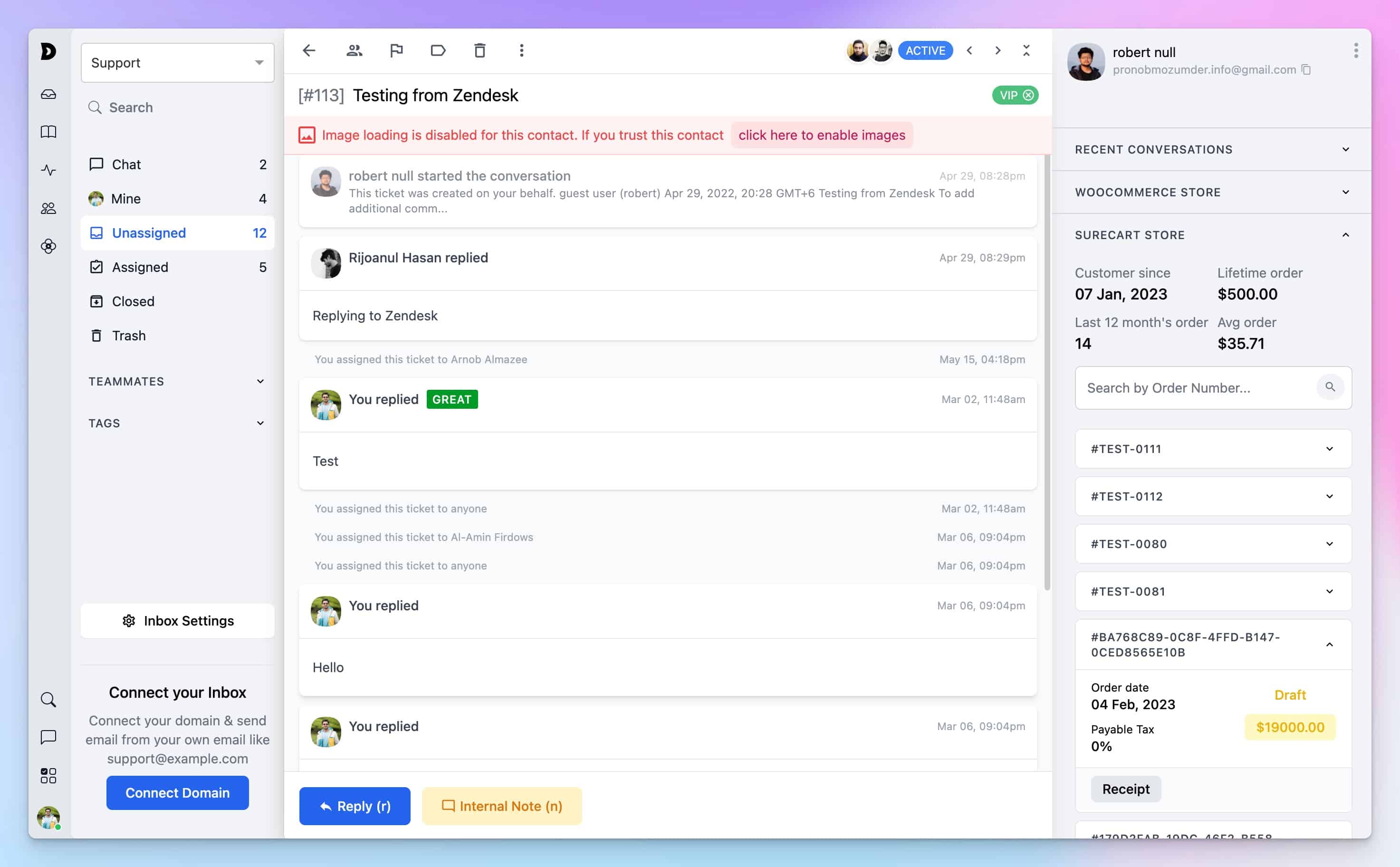
A customer asks “where is my order?”. Your agent opens the ticket and the order is already there: shipping status, payment, purchase history, and the buttons to refund or cancel it. No second tab, no copying order numbers, no extra plugin.
ThriveDesk is customer support software built for WordPress and WooCommerce from day one. It puts live chat, an AI chatbot, a shared inbox and a support ticket system in one place, and this plugin connects it to your site in under five minutes. Rated 4.8/5 on G2 and 4.7/5 on Capterra.
Start your free 7-day trial – no credit card required.
Live chat for WordPress and WooCommerce
Add the live chat widget to any page without touching code, and talk to visitors from the web app or the mobile apps. The widget is 20 KB and loads only on the pages you enable it on.
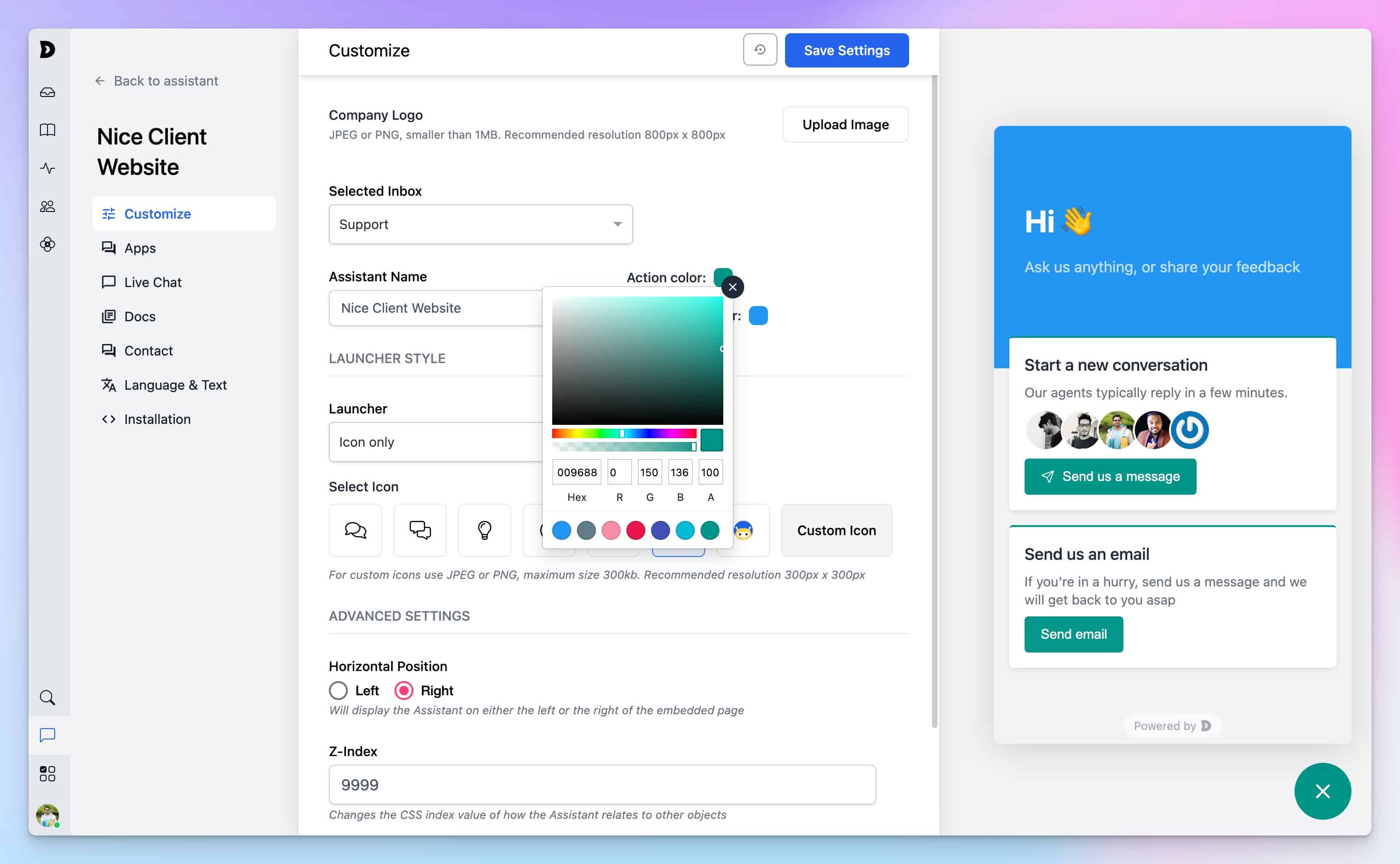
- Match the widget to your brand: colors, launcher, position and welcome text
- Several agents can help the same customer at once
- Customers can drop screenshots and files straight into the chat
- Ask for the right details with a custom pre-chat form
- Business hours and holiday notices, so nobody waits on an empty office
- Hide the widget on the pages where you do not want it
- Sound and push notifications, so no chat goes unanswered
- WooCommerce stores see the customer’s order history beside the chat
AI chatbot that answers from your own content
NEO, the ThriveDesk AI chatbot, learns from your knowledge base, your documents and your website. It answers the routine questions on its own and hands the rest to a person with the whole conversation attached.
- Auto-replies to common questions, 24/7
- Drafts replies for agents to review before sending
- Tags and prioritizes incoming tickets
- Hands off to a human agent with full context
- Picks up new training content the moment you add it
- Test it in the AI Playground before you switch on auto-reply
AI Copilot helps the humans too: it summarizes long threads, writes a first draft from the conversation history and suggests the next step.
We are honest about what AI customer support can do. In the first months, expect NEO to resolve 20–45% of first-tier requests. A well-trained setup reaches up to 90%. It supports your team; it does not replace them.
Helpdesk and support ticket system
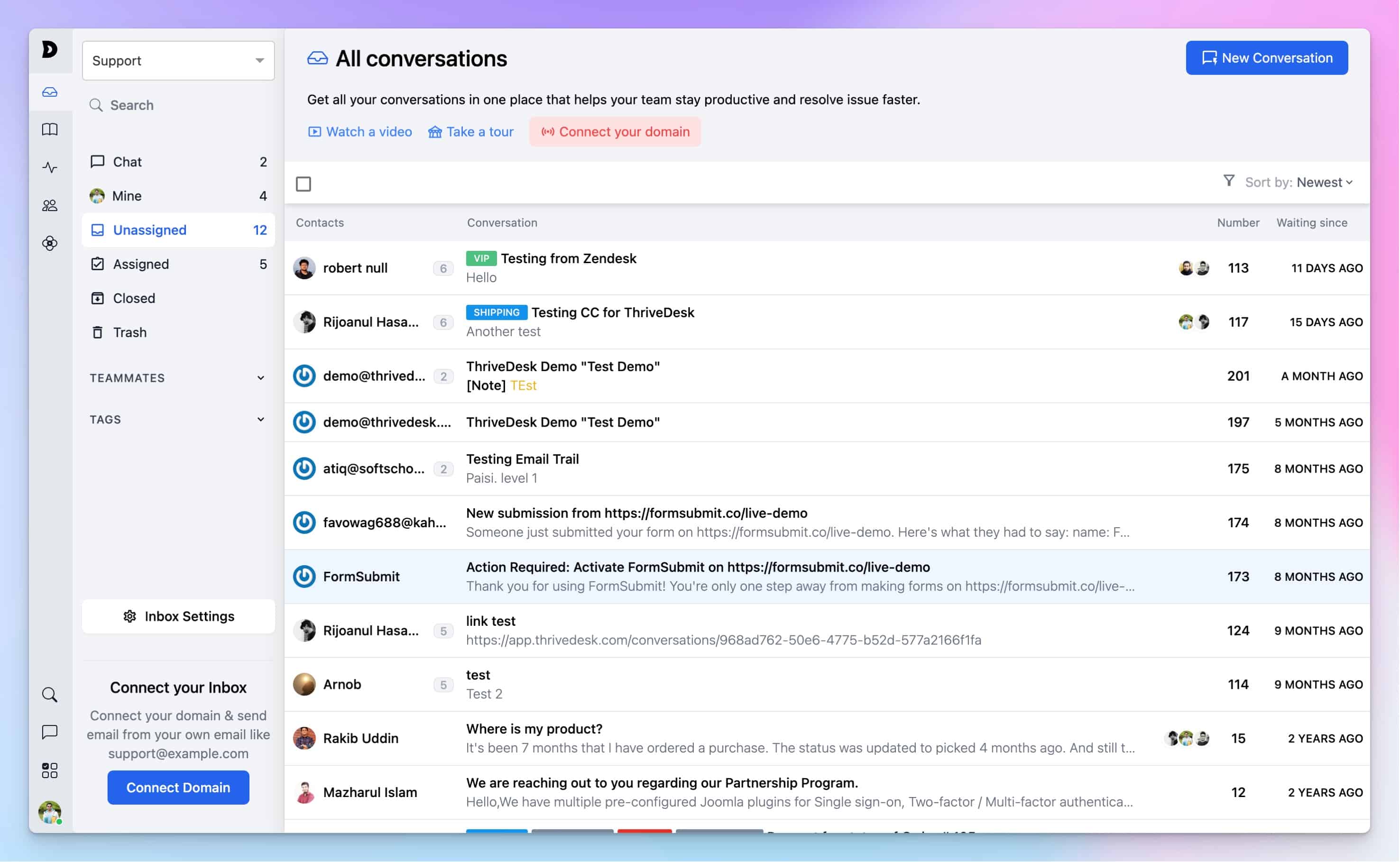
Every email, live chat and contact form submission becomes a trackable ticket in a shared inbox, so nothing is lost in a personal mailbox. Sales, billing and technical support can each have their own inbox, and the ticketing system scales from one person to a customer service team.
- Collision detection: two agents never answer the same ticket
- @mentions and private notes your customers never see
- Canned responses for the answers you give every day
- Tags, labels and custom fields for routing and reporting
- Snooze, schedule a reply, and undo send
- Split a ticket in two, or merge duplicates
- Bulk assign and bulk close
- Automation rules: route by keyword, assign round-robin, escalate after a set time, enforce SLAs
- Reports for volume, response time, resolution rate and customer satisfaction (CSAT)
The WooCommerce help desk: orders, refunds and subscriptions inside the ticket
The WooCommerce integration is built and maintained by ThriveDesk, not a third-party connector. From inside any ticket or chat, an agent can:
- See the customer’s complete order history and lifetime value
- Check shipping status without opening a tracking link
- Cancel or refund an order
- Add, edit or remove order items
- View and cancel subscriptions, with WooCommerce Subscriptions and WPSubscription
- Only do what their role allows: refunds and cancellations can be limited to the agents you choose
Store data is fetched from your site on demand and cached locally. It is not copied to ThriveDesk servers.
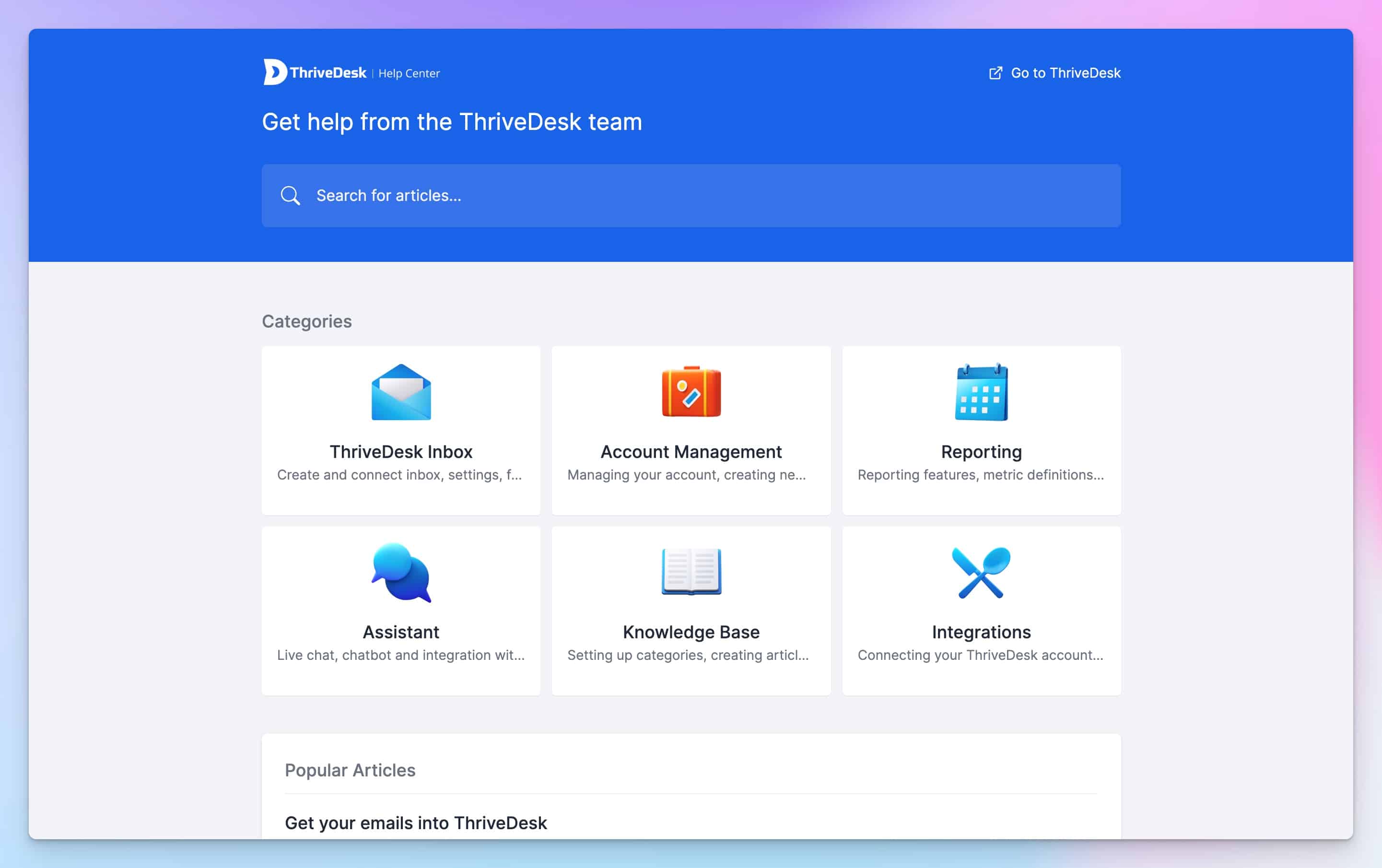
Customer portal and knowledge base on your own site
- WPPortal – put the
[thrivedesk_portal]shortcode on any page and customers can open tickets, follow replies and search your help articles without leaving your site - WooCommerce My Account – add a Support tab to My Account, so customers find their tickets next to their orders
- Search before you ask – require a search of your help center and chosen post types before the new-ticket button appears; a good help center cuts email volume by up to 30%
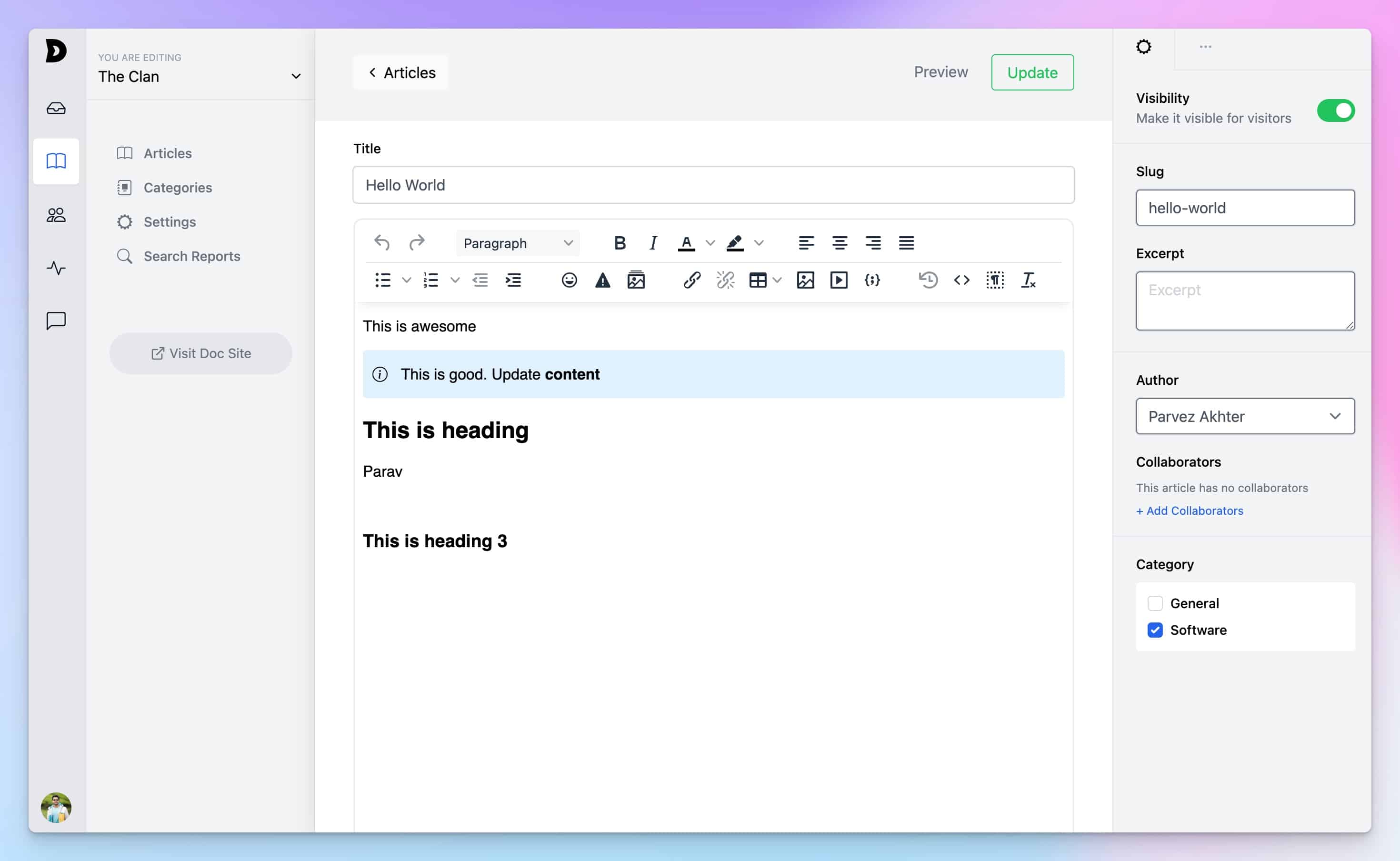
- Knowledge base – a public help center with your own domain, AI-assisted writing, nested categories, version history and search that understands “can’t log in” means the password reset article
Support from anywhere
Agents can reply, assign, tag and chat from the ThriveDesk iOS and Android apps, with real-time updates and dark mode.
Works with
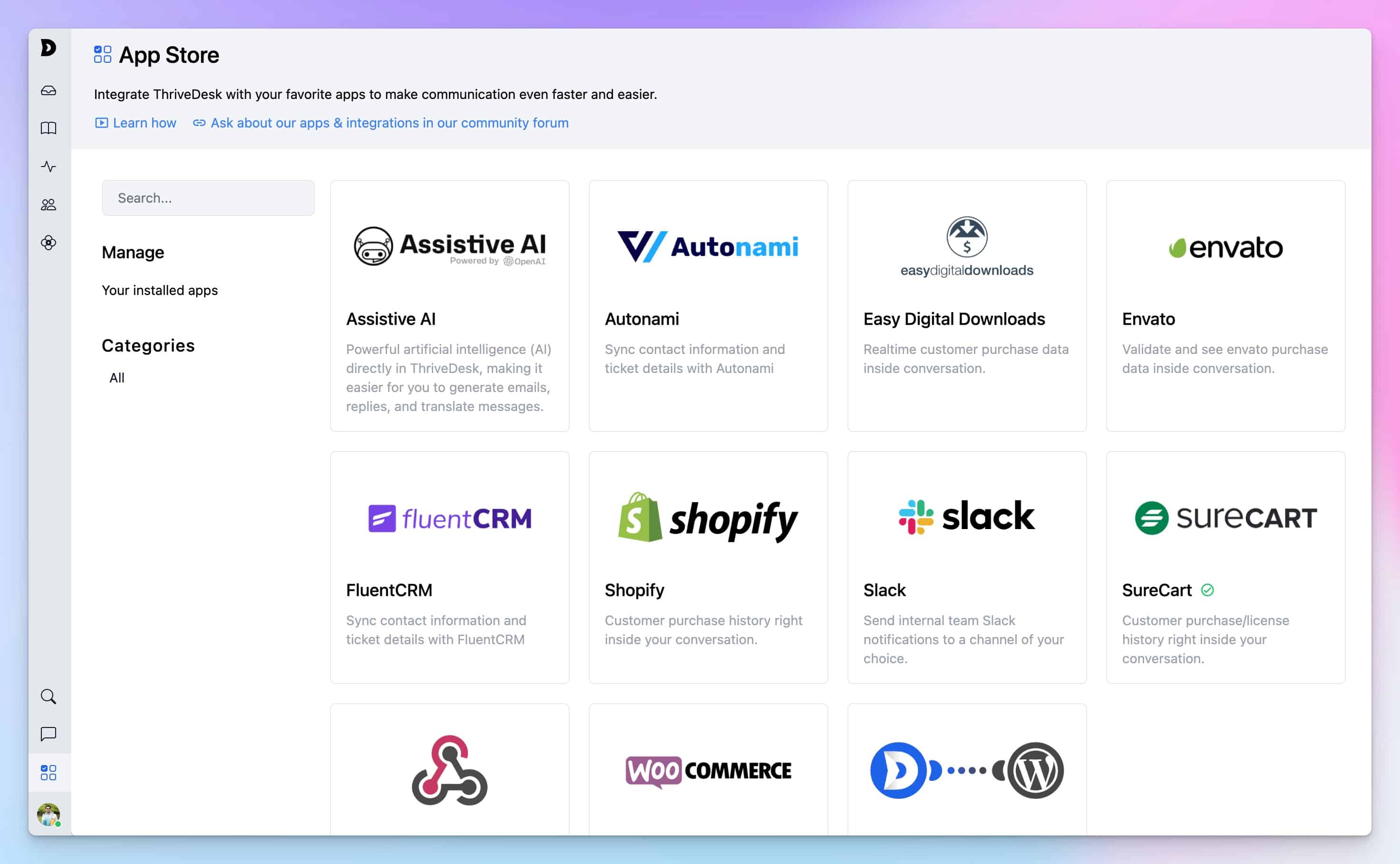
- Ecommerce – WooCommerce, WooCommerce Subscriptions, WPSubscription, Easy Digital Downloads, SureCart, Freemius, Envato, Stripe, Paddle
- CRM and automation – FluentCRM, FunnelKit, Zapier, Pabbly Connect, FlowMattic
- Forms – any contact form plugin can create tickets, and the plugin recognizes Contact Form 7, WPForms, Fluent Forms, Forminator, Ninja Forms, Formidable Forms, SureForms, MetForm, JetFormBuilder, Everest Forms, Jotform and more
- Team tools – Slack, GitHub, plus an API, webhooks and SmartApp for connecting any external data source without code
- Any theme – works with every theme that follows WordPress standards; no page builder required
Switching from Zendesk or Help Scout
Migration from Zendesk and Help Scout is free and handled by the ThriveDesk team: conversations, contacts and history come across intact. Themesgrove saves $4.2K a year since moving from Help Scout.
What customers say
“I’ve been using ThriveDesk for a while now to manage my online store’s customer service, and the experience has been incredibly smooth.”
alamin2002, WordPress.org review, April 2026“ThriveDesk is the best live chat we’ve ever used.”
Crypto Cloud, WordPress.org review
Pricing
The plugin is free. Every ThriveDesk plan includes live chat, and every plan starts with a 7-day free trial and no credit card. See plans and pricing.
Documentation and support
- Help center – setup guides for the plugin, live chat, the AI chatbot and every integration
- Support forum – ask here and the ThriveDesk team will answer
- Status page
Screenshots
Installation
- Install ThriveDesk from the WordPress plugin directory, or upload the ZIP to
/wp-content/plugins/and activate it. - Open ThriveDesk in the admin menu and connect your account on the Overview tab. Don’t have one? Start a free trial.
- Integrations tab: connect WooCommerce, Easy Digital Downloads, FluentCRM or FunnelKit.
- Live Chat tab: pick an assistant and choose where the widget appears.
- Portal tab: add
[thrivedesk_portal]to a page, or turn on the WooCommerce My Account Support tab.
Setup takes under five minutes. Settings save as you change them.
FAQ
-
Is the plugin free?
-
Yes. The plugin is free and open source. It connects to a ThriveDesk account, which starts with a 7-day free trial and no credit card.
-
Does ThriveDesk slow down my site?
-
No. The plugin loads its scripts only on the pages that need them, adds no extra database queries to normal page loads, and caches everything it fetches from ThriveDesk.
-
Can I use ThriveDesk without WooCommerce?
-
Yes. ThriveDesk is a complete help desk for any WordPress site: SaaS, digital products, memberships, agencies. WooCommerce is an integration, not a requirement.
-
Can agents refund orders and cancel subscriptions from a ticket?
-
Yes. With WooCommerce connected, agents can view order history, check shipping, refund or cancel orders, edit line items and cancel subscriptions from inside the ticket. Each of those actions can be restricted to the agents you choose.
-
Does ThriveDesk store my WooCommerce customer data?
-
No. Store data is read from your site when an agent opens a ticket and cached locally. It is not copied to ThriveDesk servers.
-
How does the AI chatbot work?
-
NEO is trained on your knowledge base, documents and website. It can auto-reply to customers, draft answers for agents and classify tickets. New content takes effect immediately, and you can test replies in the AI Playground before turning auto-reply on.
-
Can customers open tickets from my site instead of by email?
-
Yes. Put the
[thrivedesk_portal]shortcode on a page, or turn on the Support tab in WooCommerce My Account. Any contact form plugin can create tickets too: point the form at your ThriveDesk inbox address, which the Portal tab shows with a copy button. -
Is ThriveDesk a Zendesk or Help Scout alternative?
-
Yes. It covers the shared inbox, ticketing, live chat, AI and knowledge base, adds native WooCommerce support that those tools need add-ons for, and costs less. Migration from either is free.
-
Is ThriveDesk GDPR compliant?
-
The plugin uses nonce verification and capability checks on every form and request, and sends data to ThriveDesk only after you connect it. ThriveDesk’s own privacy policy covers the service.
-
Does it work with my theme?
-
Yes. The portal and the chat widget work with any theme that follows WordPress standards. No page builder is required.
-
Is there a mobile app?
-
Yes. iOS and Android apps let agents reply to tickets, chat with customers and assign work from anywhere.
-
Where do I get help?
-
Post in the support forum for anything about the plugin, or read the help center for the ThriveDesk service.
Reviews


Contributors & Developers
“ThriveDesk – Live Chat, AI Chatbot, Helpdesk & Customer Support Ticket System” is open source software. The following people have contributed to this plugin.
Contributors

“ThriveDesk – Live Chat, AI Chatbot, Helpdesk & Customer Support Ticket System” has been translated into 1 locale. Thank you to the translators for their contributions.
Interested in development?
Browse the code, check out the SVN repository, or subscribe to the development log by RSS.
Changelog
2.7.0
2026-08-30 – version 2.7.0
* feat: The plugin screen has been rebuilt around four tabs – Overview, Integrations, Live Chat and Portal – so each part of the setup has a place of its own instead of one long page.
* feat: Settings save as you change them. The Save button is gone, and a change on the Portal tab clears the portal cache for you rather than leaving you to find the button.
* feat: The plugin screen works before there is an account. Connecting happens on the Overview tab, and everything that needs a connection is shown locked rather than hidden, so you can see what you are about to get.
* feat: Overview shows your workspace, your plan, and which parts of the ThriveDesk API your key can actually reach – so a feature your plan does not cover is visible here instead of turning out to be missing later.
* feat: You can disconnect this site from the plugin screen.
* feat: Business hours from your ThriveDesk workspace can be shown on the portal: a live countdown beside the ticket filters saying whether support is online and how long until that changes, and an announcement when a holiday is on. Both say you can still open a ticket, so nobody is turned away outside hours.
* feat: Searching can be made compulsory before a ticket is opened. With a ThriveDesk Help Center and some WordPress post types selected, anyone opening a ticket is asked to search first, and the new ticket button stays hidden until they have. The ones who find their answer never open the ticket.
* feat: The Portal tab names the form plugins already installed on this site and links straight into each one’s builder, so building the ticket form does not start with a hunt for the right screen.
* feat: Your ThriveDesk inbox addresses are shown on the Portal tab with a copy button, beside the field that needs them – that address is what a ticket form has to submit to.
* feat: The Support tab on the WooCommerce My Account page is set from the Portal tab now, and is only offered once WooCommerce is connected to ThriveDesk. With it on, the portal shortcode is not needed anywhere.
* feat: The Live Chat tab previews the assistant beside its settings, and switching assistant takes effect without a save.
* feat: “Hide on these pages” and the portal’s content sources are dropdowns that list pages by title rather than by URL.
* feat: The setup screen has been redesigned, and the IP addresses to allowlist can be copied rather than retyped.
* fix: Integration categories on the Integrations tab were shipping as untranslated slugs.
* fix: The plugin can now actually be translated. It pointed at a translations folder that has never existed, never loaded the bundled translations at all, and gave WordPress no path for the JavaScript ones – so every string was marked up correctly and not one of them could have been translated. Translations now live in /languages, where WordPress looks for them.
* feat: Ships with translations for French, German, Spanish (Spain, Mexico, Argentina, Chile, Colombia and Venezuela), and British and Canadian English. Translations installed from WordPress.org still take precedence over these, so a language pack always wins.
* dev: A local WordPress bench (scripts/dev.sh) that boots a real site and runs both test suites in Docker, dependency updates across the build toolchain, translation sniffs enforced across the whole plugin rather than the fraction of it the formatting ruleset reaches, and the test suite grown to 429 tests covering every change above. None of it ships in the plugin.
2.6.0
2026-08-06 – version 2.6.0
* fix: Connecting a store, and loading customer and order details inside a conversation, keep working when another plugin on the site adds its own parameters to the page URL. Product filter plugins such as HUSKY/WOOF, along with caching, analytics, or multilingual plugins, previously made the store reject these requests as unauthorized.
* fix: The customer portal’s ticket list is scoped to the customer viewing it. A crafted page link could previously make the site ask ThriveDesk for someone else’s tickets and show them to whoever was logged in.
* fix: Replying from the portal checks the ticket id before contacting ThriveDesk, so a crafted id can no longer point that request somewhere else.
* fix: A ticket’s messages are cached per customer, so a ticket someone else just opened is no longer shown to whoever asks for it by id. Sending a reply clears only your own cached copy instead of every customer’s.
* fix: The portal’s reload button refreshes the page of your own ticket list you are looking at, instead of clearing every customer’s cached view, and now actually returns fresh tickets rather than the cached ones.
* fix: Order actions taken from a ThriveDesk ticket (status change, subscription cancel, quantity change, coupon, add or remove item) now verify the order belongs to the customer on that ticket before changing anything.
* fix: Store requests are rejected when the integration has no API token or has not finished connecting, so a half-connected or disconnected store can no longer be driven.
* fix: The connect token is generated from a cryptographic random source instead of a hashed timestamp.
* fix: The settings screen’s background requests (system info, inbox list, assistant list, portal check, connect, disconnect, API key verify) require an administrator instead of any logged-in user.
* fix: The conversation sync writes only the fields it owns. Anything else in the payload is dropped instead of reaching the database.
* fix: Deactivating the plugin keeps your settings. Only deleting it removes the conversations table and the plugin’s options.
* fix: Activating with WP-CLI creates the conversations table. Before this, activation only completed from the dashboard.
* fix: Schema changes shipped in an update apply on load, so stores that never re-activate are no longer left on an old schema.
* fix: Doc search on the customer portal returns published content only and caps its result set.
* fix: The API key, the connect nonce, and full API responses are no longer written to the PHP error log.
* fix: The assistant snippet escapes the logged-in user’s display name and email before writing them into the page.
* fix: Knowledge base requests use the API key they are given instead of falling back to the stored one.
* fix: Setting an order line to a quantity of zero or less returns a clear error instead of silently doing nothing.
* fix: The FluentCRM ticket list shows each conversation’s stored submission time.
* fix: A saved API key keeps working after the site moves to a new domain. The plugin re-checks the key it already has instead of sending you back through the connect screen, and a network or server hiccup no longer marks a working key as invalid.
* fix: An unexpected reply from the API (an error page from a proxy, an empty body) no longer breaks the settings screen.
* dev: Removed the unused SmartPay integration and the confetti animation dependency. Hooks/ and database/ are linted under the full WordPress coding standard, and the suite covers every change above.
2.5.0
2026-07-05 – version 2.5.0
* feat: Cancelling or fully refunding an order from a ThriveDesk ticket now cancels the related subscription, so recurring billing actually stops. Works with both WooCommerce Subscriptions and WPSubscription (the “Subscription for WooCommerce” plugin).
* feat: Fully refunding a renewal order cancels the subscription it belongs to. Cancelling a single renewal order leaves the subscription running, so one skipped invoice never kills a customer’s plan.
* fix: Order status updates from ThriveDesk resolve custom order numbers now (WebToffee, SkyVerge, Tyche and friends). Before this the update reported success while changing nothing on stores with custom numbering, and a miss now returns a proper 404 instead of a blind success.
* fix: ThriveDesk API requests are processed on wp_loaded instead of init. Running inside init could fatal mid-request on stores where another plugin (WooCommerce Subscriptions among them) had not finished its own setup yet.
* dev: CI provisions WooCommerce and WPSubscription so the integration tests for both run on every build instead of skipping. WooCommerce Subscriptions is exercised through a lightweight test double since the extension can’t be redistributed.
Older releases are listed in changelog.txt inside the plugin.