
Description
Conversion tracking on WordPress usually means pasting snippets into a theme, hoping the form plugin fires something useful, and finding out weeks later that the purchase tag broke. TagEasy makes the setup a few clicks and keeps watching it afterwards.
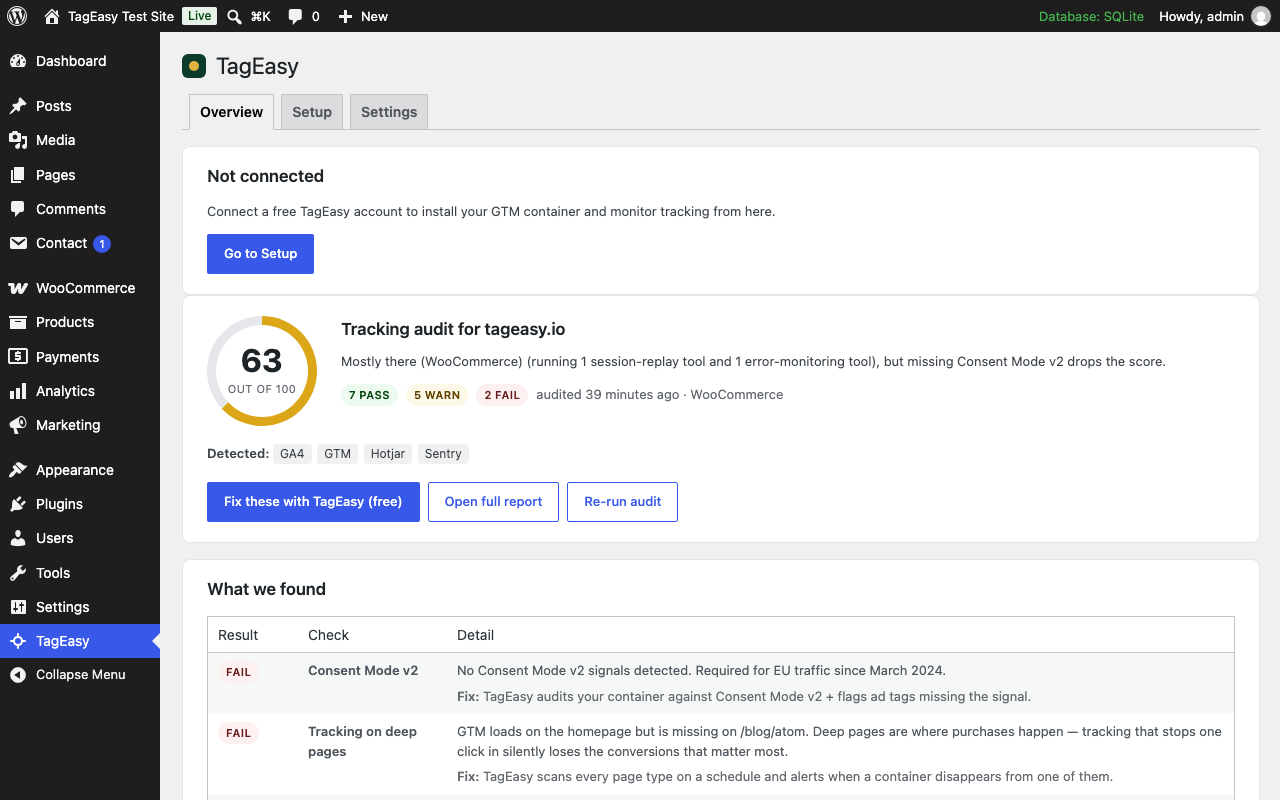
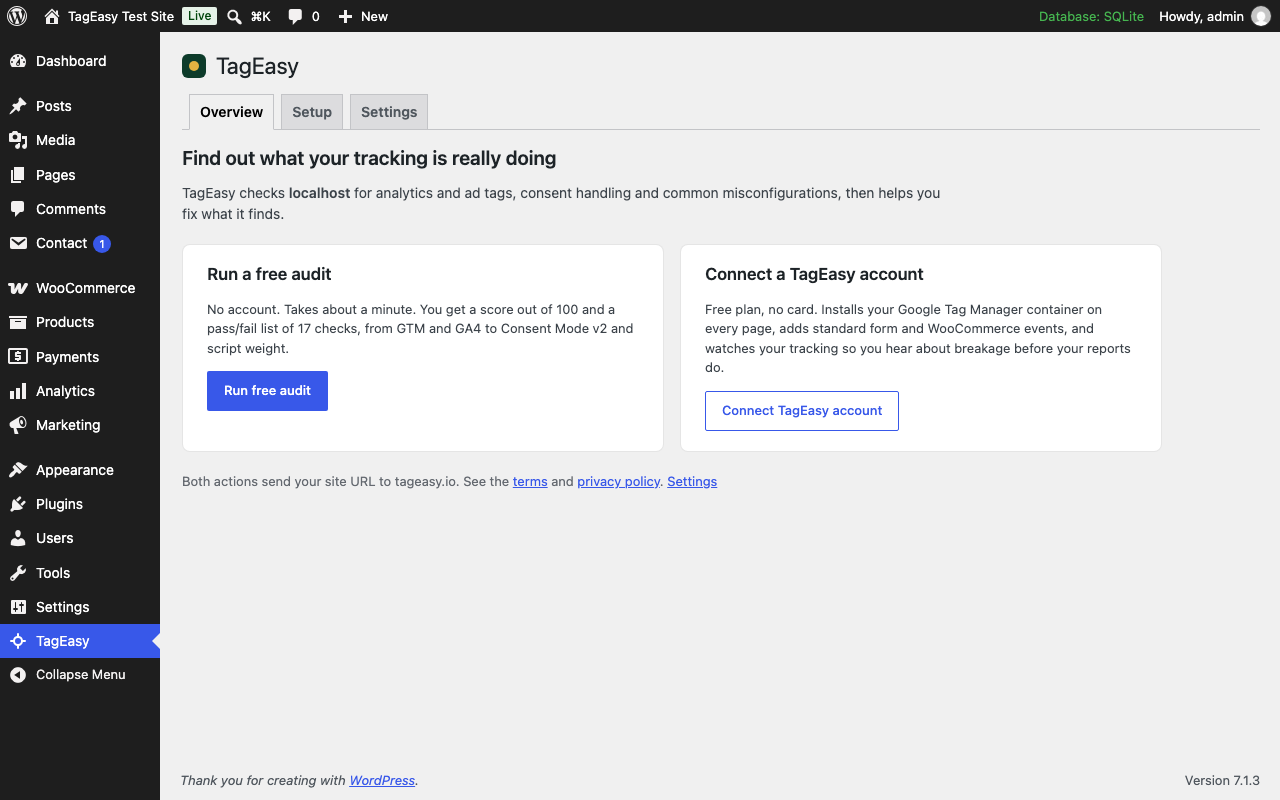
Start with a free audit, no signup. From the plugin’s Overview tab, audit your site and get a score out of 100 with a pass/fail list: Google Tag Manager, GA4, Consent Mode v2, ad pixels, PII in URLs, script weight, HTTPS, duplicate GA4 properties and more, each with the fix.
Install Google Tag Manager without touching your theme. Connect a free TagEasy account and the plugin loads your container on every page, excludes logged-in administrators, and refuses to double-load when Site Kit, GTM4WP, WPCode or your theme already has a container.
Get events worth tagging. The plugin pushes standard GA4-schema events to the dataLayer:
generate_leadon successful submits from Contact Form 7, WPForms, Gravity Forms, Elementor Pro Forms and Fluent Forms- WooCommerce:
view_item,view_item_list,add_to_cart,remove_from_cart,begin_checkout,add_payment_info,purchase(once per order), for both the classic and the Blocks cart and checkout phone_clickandemail_clickon tel: and mailto: links
Respect consent. Google Consent Mode v2 defaults are set before any tag loads: denied for visitors in the EEA, UK and Switzerland until they consent, granted elsewhere. If Complianz, CookieYes or Cookiebot is active, TagEasy leaves consent to them; with any banner that supports the WP Consent API, consent choices are forwarded to Google.
Send WooCommerce orders server-side (optional). On TagEasy plans with server-side tracking, turn on “Send WooCommerce orders server-side” and each paid order, refund and cancellation is sent from your server to TagEasy, which forwards it to the destinations you connect there. Purchases are then counted even when a browser blocks tags or the shopper never reaches the thank-you page. Works with the classic and the block checkout and with High-Performance Order Storage.
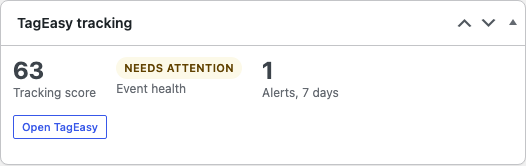
Know when it breaks. With a connected account, the Overview tab and a dashboard widget show your tracking score, which events have fired in the last 7 days, open alerts and plan usage, with one click through to the full TagEasy dashboard.
The plugin is a bridge to the TagEasy service. Every feature in the plugin works on the free plan; paid plans on tageasy.io add more sites, higher event volume, container audits, server-side tagging and alerting. Nothing in this plugin is locked behind a payment.
External services
This plugin connects to the following services.
Google Tag Manager
Used to load the Google Tag Manager container configured in your TagEasy account. When a container ID is set, every front-end page view loads https://www.googletagmanager.com/gtm.js (and the ns.html noscript iframe for visitors without JavaScript). Google receives the visitor’s IP address, user agent, page URL and referrer, plus any data the tags in your container collect. Consent Mode v2 defaults are set before GTM loads, unless Complianz, CookieYes or Cookiebot manages consent on the site. Logged-in administrators are excluded by default. Nothing loads until an account is connected and GTM is enabled in Settings.
Provided by Google LLC: Terms https://policies.google.com/terms, Privacy https://policies.google.com/privacy
TagEasy
Used for the free tracking audit, the account connection and tracking monitoring. The service runs at https://www.tageasy.io. Every request your server makes to it carries a User-Agent header with the plugin version, your WordPress version and your home URL. What is sent, and when:
- Running the free audit (admin, when you click “Run free audit” or “Re-run audit”): the host name of your home URL. No account is needed.
- Connecting an account (admin, when you click “Connect TagEasy account”): your home URL, the connecting administrator’s email address, and your WordPress and plugin versions. In return the plugin receives a token that identifies this one site. It is stored encrypted and can be revoked from the plugin or from your TagEasy account at any time.
- While connected (your server, twice a day and when you open the Overview tab or press “Refresh data”): the site token, to read your site’s Google Tag Manager container ID, tracking health, alerts and plan usage. Disconnecting, or deleting the plugin, sends one request to revoke the token. Your visitors’ browsers send nothing to tageasy.io through these requests.
- Server-side WooCommerce orders (your server, only when “Send WooCommerce orders server-side” is turned on in Settings): about three minutes after an order is paid, and when it is refunded or cancelled, your server sends the order to tageasy.io: order number and totals, line items, coupon, currency, the billing email, phone, name and address, the customer IP address and browser user agent recorded at checkout, the landing page, advertising and analytics identifiers read from first-party cookies on your site at checkout (such as the Google Analytics client id and session id, the Meta
_fbp/_fbccookies and ad click ids likegclid), and the consent choices recorded at checkout. tageasy.io forwards these events to the analytics and advertising services connected in your TagEasy account, such as Google Analytics, Google Ads, Meta, TikTok, Pinterest or Snapchat, under your account’s settings. When this is on, the plugin’s front-end script also stores ad click ids from landing URLs in a first-party_te_idscookie (only after advertising consent; otherwise for the browser tab only) and mirrors the visitor’s Consent Mode choices into a_tageasy_consentcookie. When WooCommerce erases an order’s personal data, the plugin asks tageasy.io to erase its copy, sending the order id and a SHA-256 hash of the billing email, never the address itself. - Event verification (front end, connected accounts on plans that include health monitoring): every front-end page view loads a small script from tageasy.io, at a per-site URL with a short-lived token that your account provides. As with any script load, tageasy.io receives the visitor’s IP address, user agent and page URL. The script reports which of your configured event names fired, with the page URL. It does not send form contents, order details, or any identifier of the visitor. It is only loaded when the container loads, so it respects the same administrator exclusion and the
tageasy_tracking_allowedfilter.
The Google Tag Manager conflict check on the Setup tab fetches your own site’s home page from your server. That request goes to your site only, not to a third party.
Provided by Hexcorp: Terms https://www.tageasy.io/terms, Privacy https://www.tageasy.io/privacy
Screenshots


Installation
- Install from the Plugins screen, or upload the
tageasyfolder to/wp-content/plugins/. - Activate the plugin.
- Open TagEasy in the admin menu.
- Click Run free audit to see how your tracking is doing, or Connect TagEasy account to install Google Tag Manager and turn on monitoring.
- Review the Settings tab: administrator exclusion, Consent Mode defaults, and which events to send.
FAQ
-
Do I need a TagEasy account?
-
No. The free audit works without one. A free account is needed for the Google Tag Manager install and the monitoring features, because those read your site’s configuration from tageasy.io. No payment card is required.
-
I already load Google Tag Manager from another plugin or my theme.
-
The plugin detects containers from Site Kit, GTM4WP, WPCode, the legacy Insert Headers and Footers option, and anything hard-coded in your theme, and warns you on the Setup tab instead of loading a second container. You can override this in Settings if the two containers are intentionally different.
-
Does the plugin track my visitors for TagEasy?
-
No. It places your own Google Tag Manager container and pushes events into your own dataLayer. With a connected account on a plan that includes health monitoring, a verification script reports only which configured event names fired, so TagEasy can tell you when one stops.
-
Those plugins set Consent Mode themselves, so TagEasy does not add its own defaults and says so on the Setup tab. With any banner that supports the WP Consent API, the plugin forwards consent choices to Google as updates.
-
Which WooCommerce events are sent?
-
view_item, view_item_list, add_to_cart, remove_from_cart, begin_checkout, add_payment_info and purchase, in the GA4 ecommerce schema. Purchase fires once per order, guarded by order meta, and is skipped for failed or cancelled orders.
-
What does “Send WooCommerce orders server-side” do?
-
It sends each paid order from your server to TagEasy, which forwards it to the server-side destinations in your account (GA4 Measurement Protocol, Meta Conversions API, Google Ads and others). The browser purchase event carries the same
woo-order-<id>event id, so destinations that deduplicate count the order once. It needs a TagEasy plan with server-side tracking and a site connected with plugin 0.2.0 or later; sites connected earlier are asked to reconnect once. Refunds and cancellations follow unless you turn “Send refunds and cancellations” off. -
What happens if tageasy.io is unreachable?
-
Order events are queued with Action Scheduler (part of WooCommerce) and retried after 1, 5 and 15 minutes, then 1, 3 and 6 hours. While tageasy.io reports that it cannot record orders yet, they stay queued for up to 7 days without using up those retries. The Overview tab shows the last send, failures in the last 7 days and the queue length. Nothing is sent during the shopper’s checkout request.
A personal-data erasure is only treated as done when tageasy.io confirms it. If the site’s key was revoked or tageasy.io keeps failing, the erasure (order ids and a hash of the email, never the address) is kept and sent again when the site reconnects.
-
Can I change or drop events?
-
Yes. Filter
tageasy_datalayer_pushto edit or drop any push,tageasy_woocommerce_itemto adjust item fields,tageasy_gtm_container_idto override the container, andtageasy_tracking_allowedto skip output on specific requests. -
What happens when I delete the plugin?
-
The site token is revoked at tageasy.io and removed. Settings and cached results are kept unless you tick “Remove all plugin data when the plugin is deleted” in Settings first. Your TagEasy account keeps its site and history.
Reviews
There are no reviews for this plugin.
Contributors & Developers
“TagEasy – Conversion Tracking Setup & Monitoring” is open source software. The following people have contributed to this plugin.
Contributors
Translate “TagEasy – Conversion Tracking Setup & Monitoring” into your language.
Interested in development?
Browse the code, check out the SVN repository, or subscribe to the development log by RSS.
Changelog
0.2.0
- New, off by default: send WooCommerce orders, refunds and cancellations server-side to TagEasy, queued with Action Scheduler and retried with backoff. Identifiers and consent are captured at classic and block checkout.
- Click ids are kept in a first-party
_te_idscookie after advertising consent, and Consent Mode choices are mirrored for the server, only while server-side orders are on. - WooCommerce personal-data erasure also erases TagEasy’s copy of the order’s identifiers.
- The browser purchase push carries
event_id: woo-order-<id>while server-side orders are on, for deduplication. - Declares compatibility with High-Performance Order Storage and the cart and checkout blocks.
0.1.2
- Values embedded in inline scripts (consent defaults, GTM loader, events configuration) are JSON-encoded with HTML-safe escaping, and the regulated-regions filter only accepts ISO 3166-1 alpha-2 codes.
0.1.1
- All scripts go through the WordPress script API: Consent Mode defaults, the GTM loader and dataLayer pushes are inline scripts on an enqueued handle, and the verification script is enqueued with the async strategy.
- Plugin header and readme list Hexcorp as the author and describe every external service in detail.
0.1.0
- Free tracking audit from the admin, no account needed.
- Account connection with a site-scoped, revocable token.
- Google Tag Manager install with detection of existing containers.
- Consent Mode v2 defaults and WP Consent API bridge.
- dataLayer events for five form plugins, WooCommerce and contact links.
- Overview tab and dashboard widget with health, alerts and plan usage.
- Privacy policy suggestion and opt-in data removal on uninstall.