
Description
A no-code video player for self-hosted and streamed video – trusted by 2,000+ websites.
Super Video Player | Documentation | Pricing | Support | Demo | Video Tutorial
Super Video Player is a lightweight, accessible HTML5 video player for WordPress. Play self-hosted MP4, HLS (.m3u8) and MPEG-DASH (.mpd) video from a Gutenberg block or a shortcode, with playlists, captions and quality switching included in the free version.
It is built for sites that host or stream their own video: courses and tutorials, clubs and organisations, product demos, documentation and business sites.
What’s free
Everything below is included in the free version, with no limit on the number of players.
- MP4, HLS and MPEG-DASH playback – self-hosted MP4 (H.264/AAC) and adaptive HLS (.m3u8) and DASH (.mpd) streams from one player.
- Playlists – several videos in one player, in the Default or Horizontal layout, each with its own title, description and poster.
- Quality switching – add the same video at several resolutions and let viewers choose.
- Captions and subtitles – add WebVTT files in as many languages as you need, and style the caption text and background.
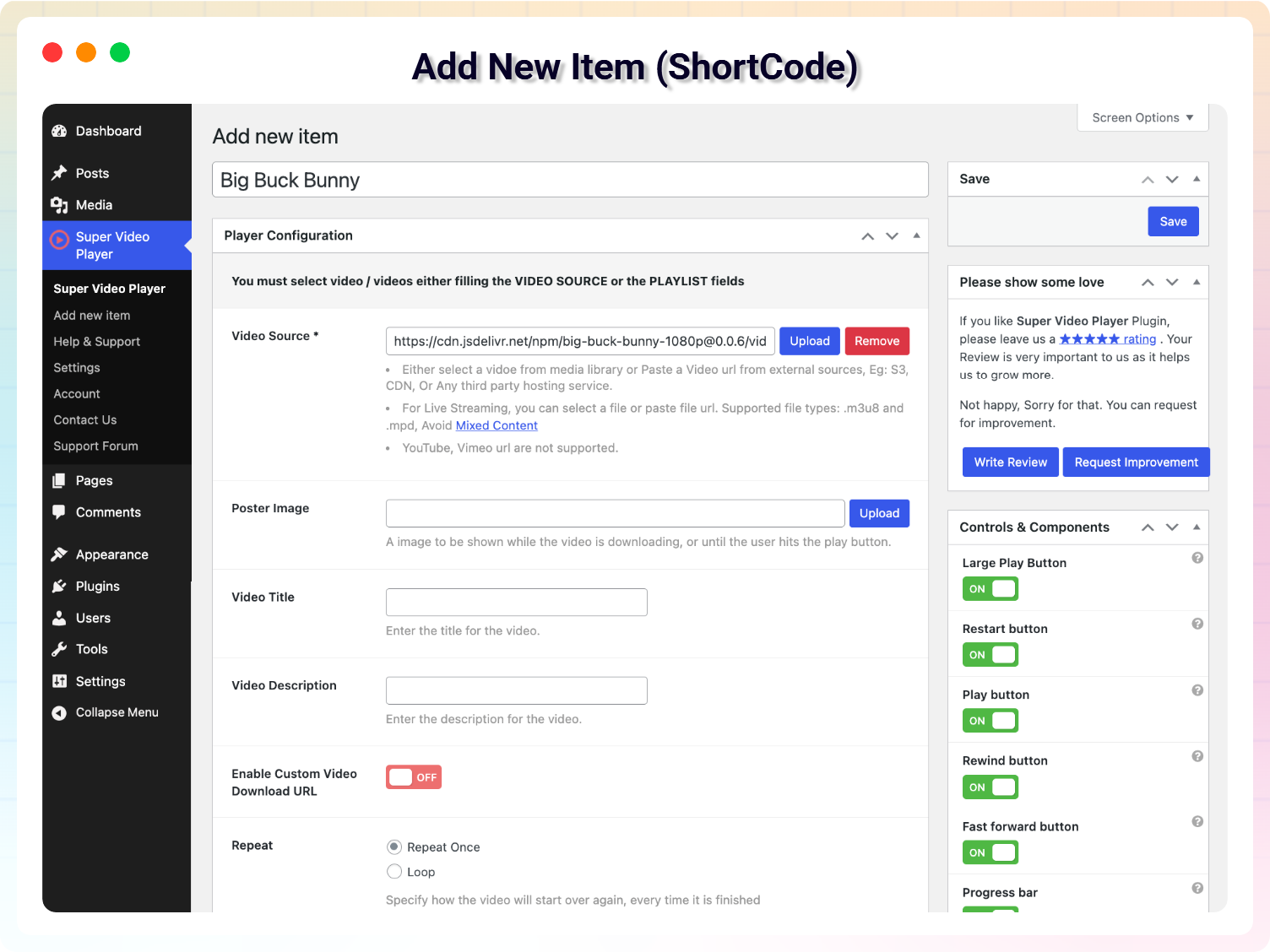
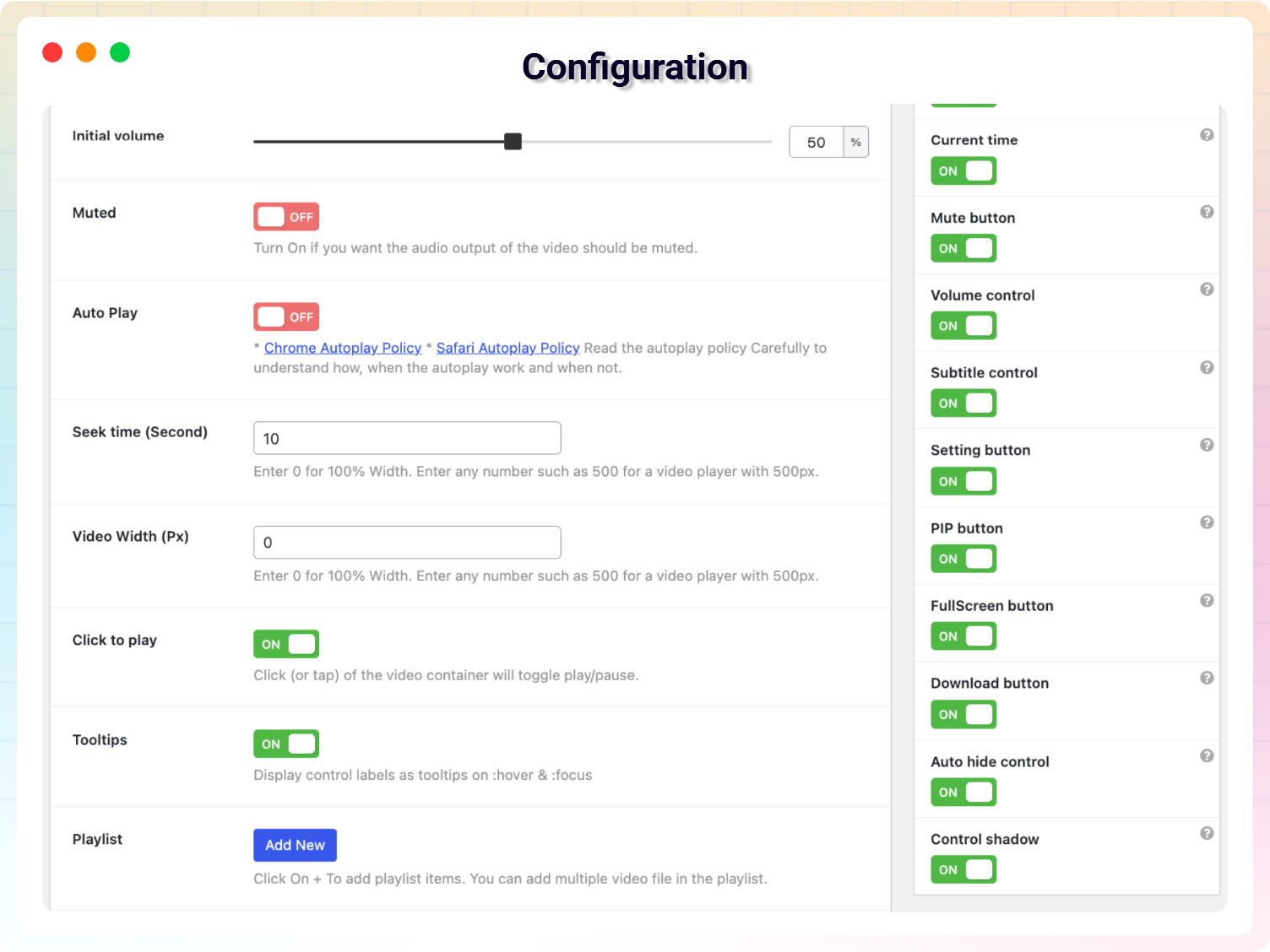
- Choose your controls – show or hide the large play button, play, restart, rewind, fast-forward, progress bar, current time, mute, volume, settings (speed and quality) and fullscreen. Controls hide automatically while the video plays.
- Playback options – autoplay (muted autoplay works in every browser), loop, muted start, click-to-play, tooltips, initial volume and seek time.
- Playlist titles and descriptions – each playlist video shows its title and description, with typography and colour settings.
- Styling – player width, border, playlist colours and caption styles.
- Search engine friendly – every player adds VideoObject structured data so your videos can appear in search results.
- Accessible – full keyboard control, including choosing playlist videos, with screen-reader labels.
- Gutenberg block and shortcode – build players in the block editor, or create them once and place them anywhere with
[vplayer id="…"], including classic editor content and page builders. - Lightweight – a page with a player loads about 170 KB of player assets; a page without one loads none. No jQuery.
What Pro adds
- Vertical and Grid playlist layouts.
- Continuous playlist playback – the next video starts automatically.
- Extra controls – captions toggle, share button, picture-in-picture, download button (with an optional custom download URL) and control-bar shadow.
- Social sharing – a share button that links straight to the video on your page.
- Global player settings – set your brand colours, custom CSS and translated player text once for every player on the site.
- Video widget – place a player in any widget area.
See Pro pricing – a 7-day free trial is available.
Updates keep your players working
Players created with older versions keep their videos, settings and controls when you update – nothing needs to be re-saved.
Loved by WordPress Users
⭐⭐⭐⭐⭐ So simple to use. Excellent!
❛❛A very neat and efficient way of playing self-hosted videos via WordPress.❜❜
– Did you like this plugin? Dislike it? Have a feature request? Please share your feedback with us
Getting Started
With the block editor
- Open any post or page and click +.
- Search for Super Video Player and add the block.
- Choose your video, then adjust controls and styling in the block settings.
- Publish.
With a shortcode
- Go to Super Video Player Add new Player.
- Choose your video and configure the player.
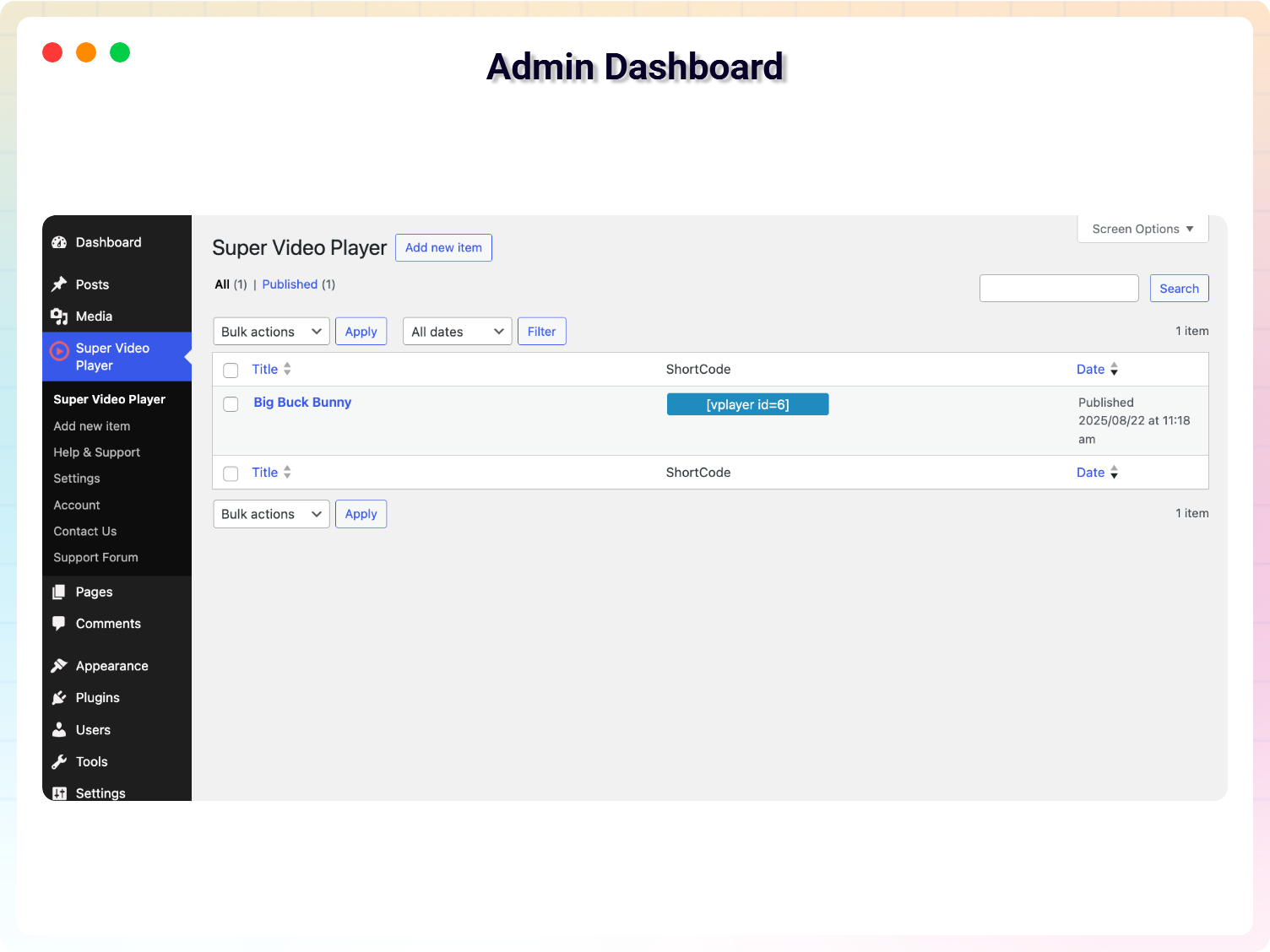
- Copy the shortcode from the All Players list, e.g.
[vplayer id="123"]. - Paste it into any post, page or widget and publish.
Screenshots
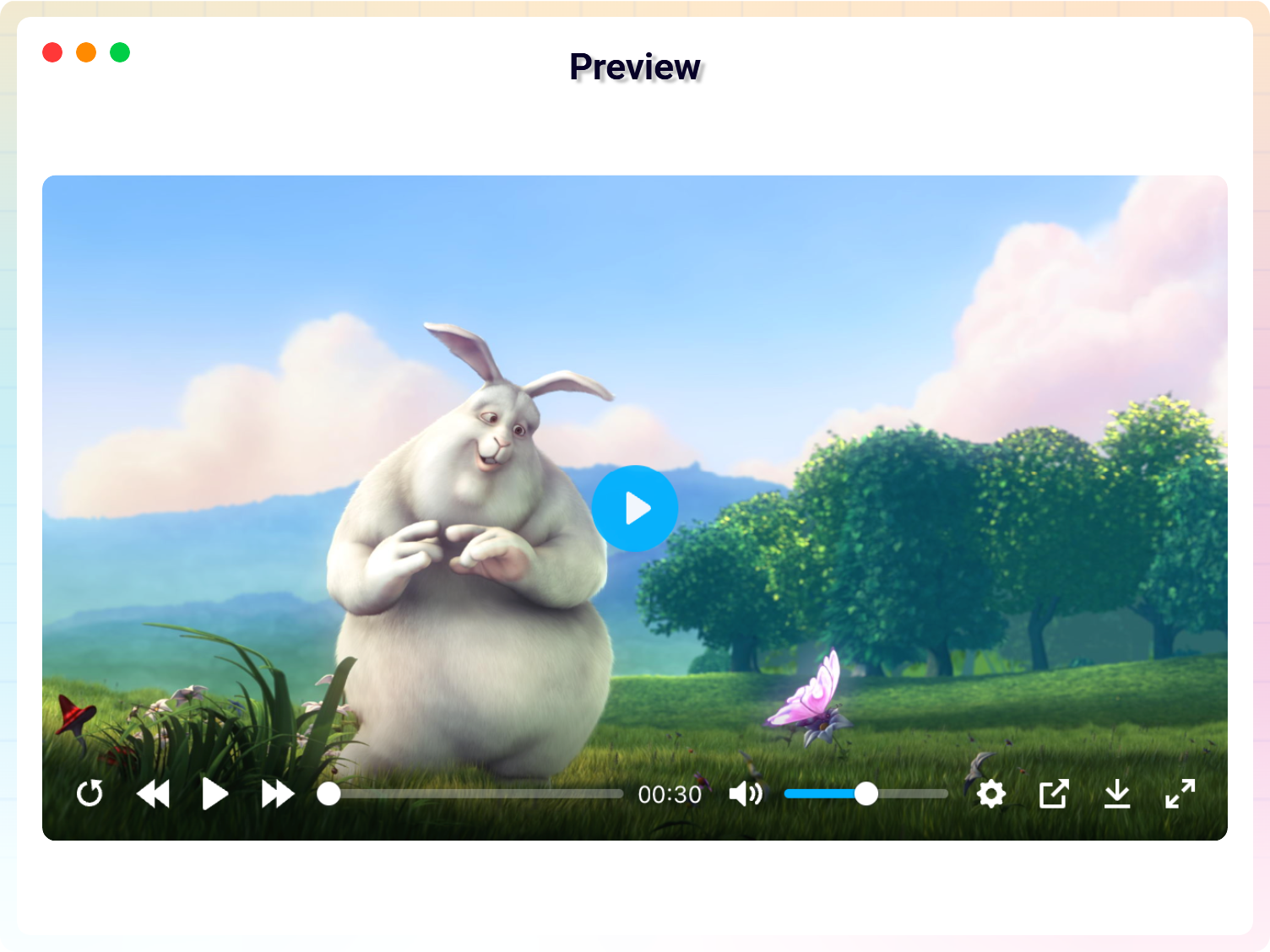
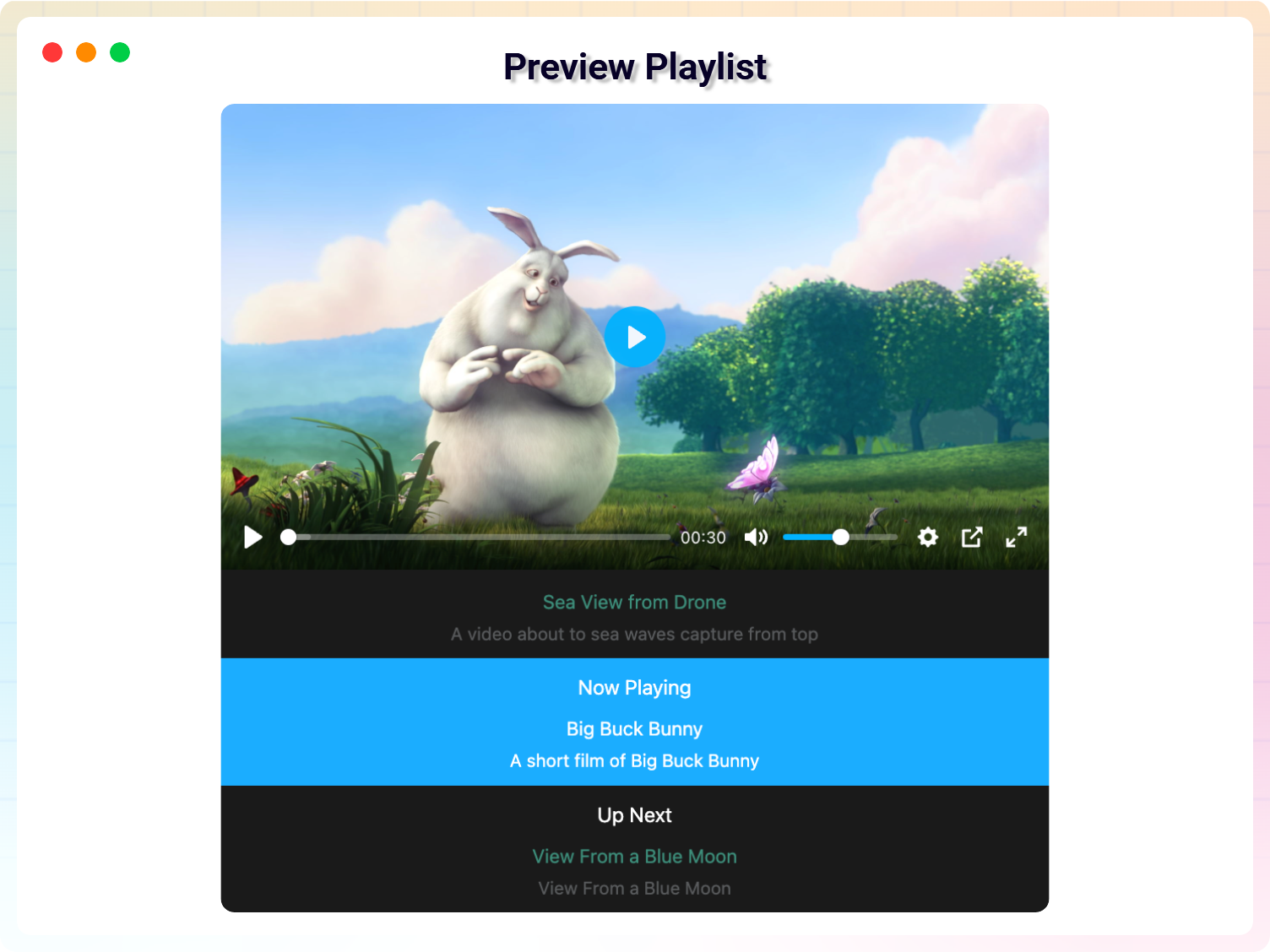
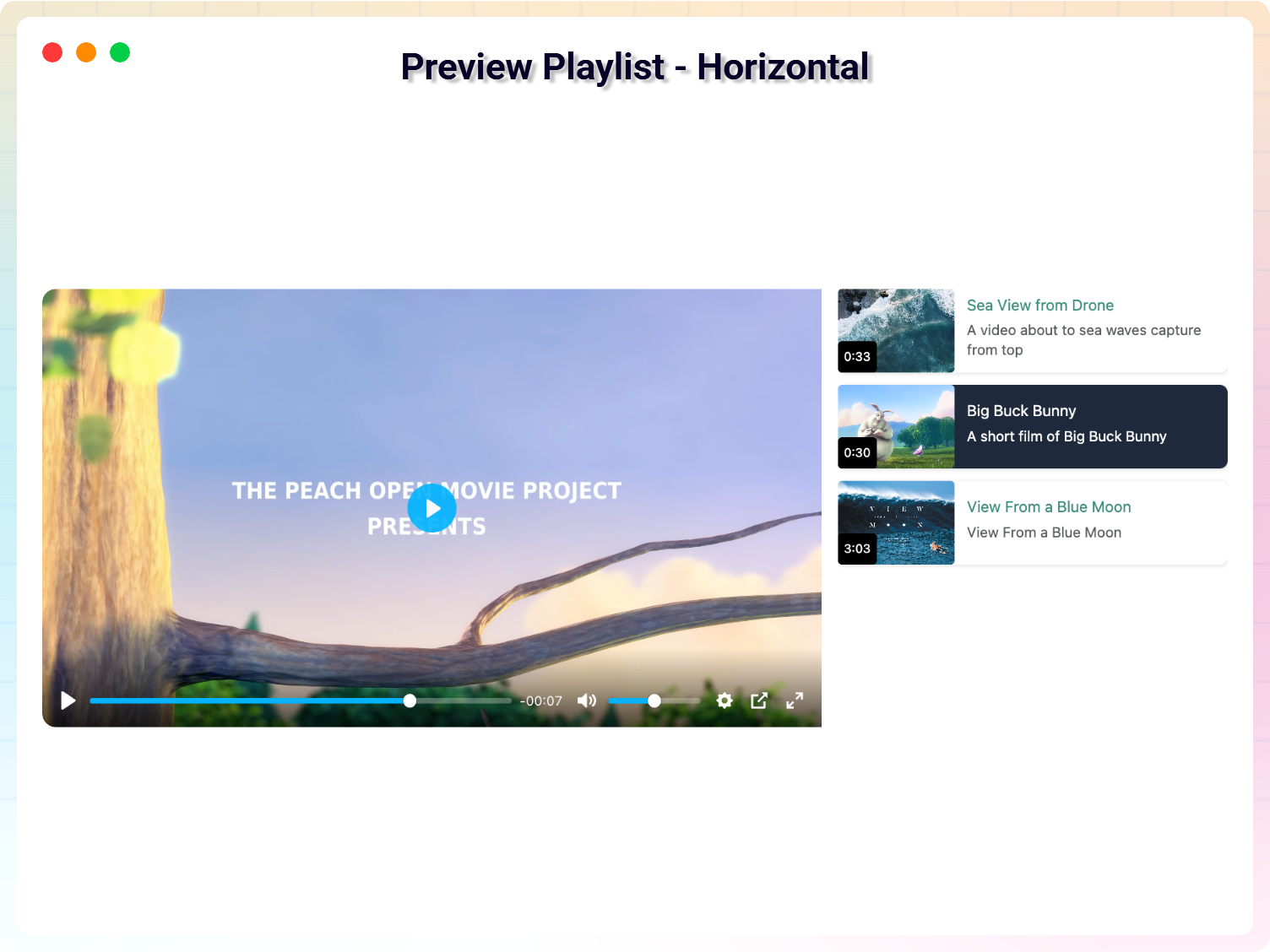
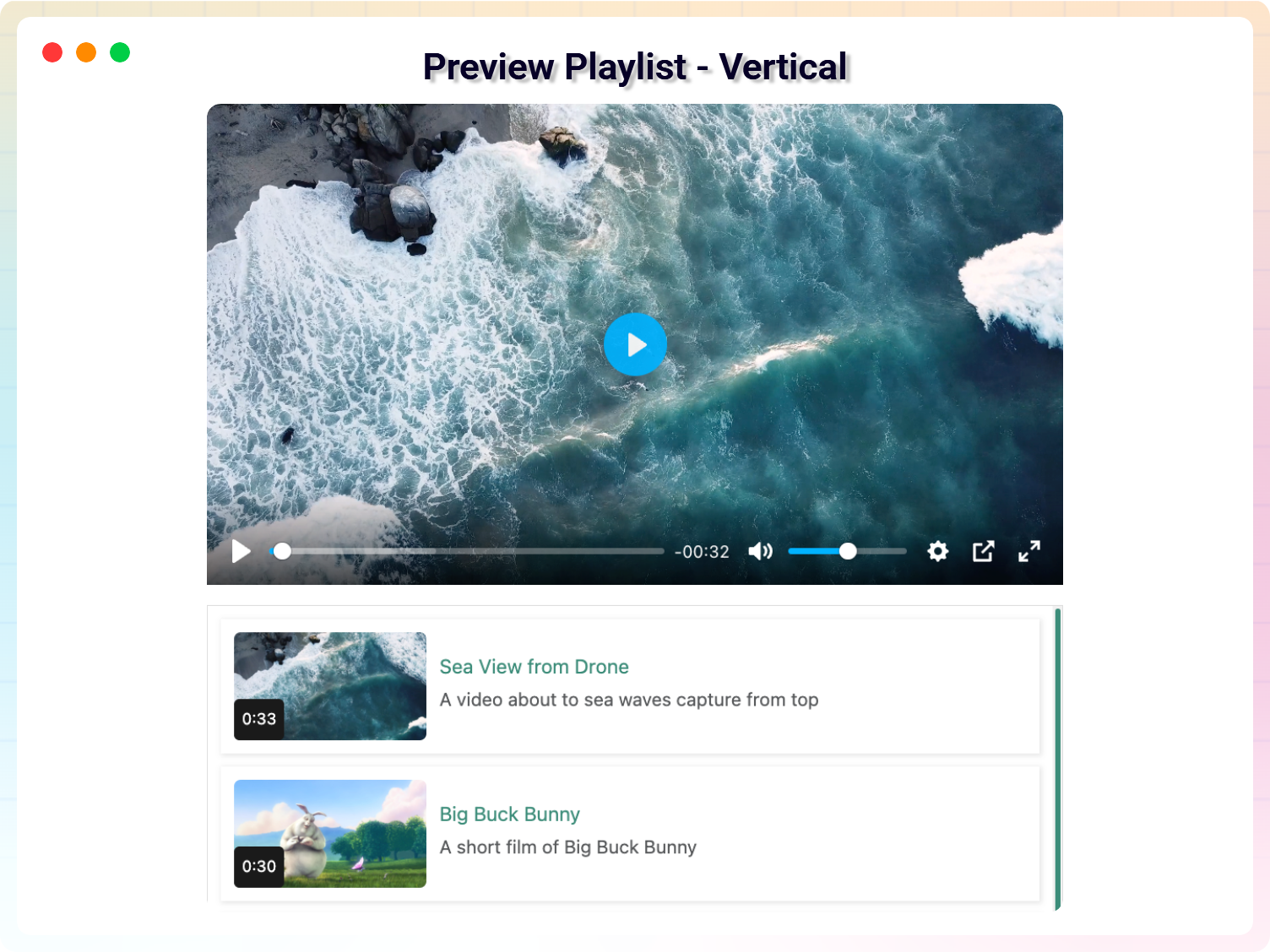
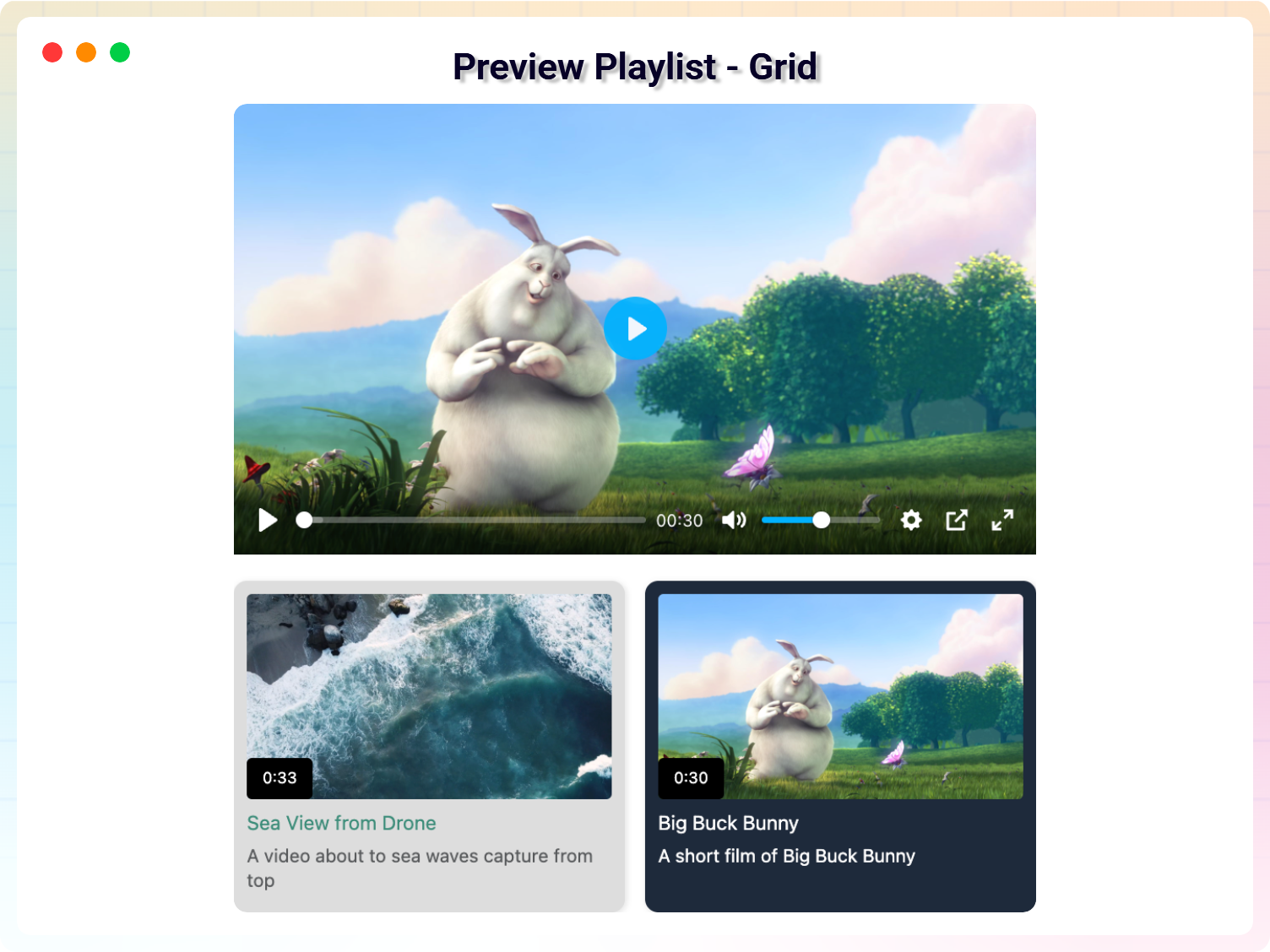
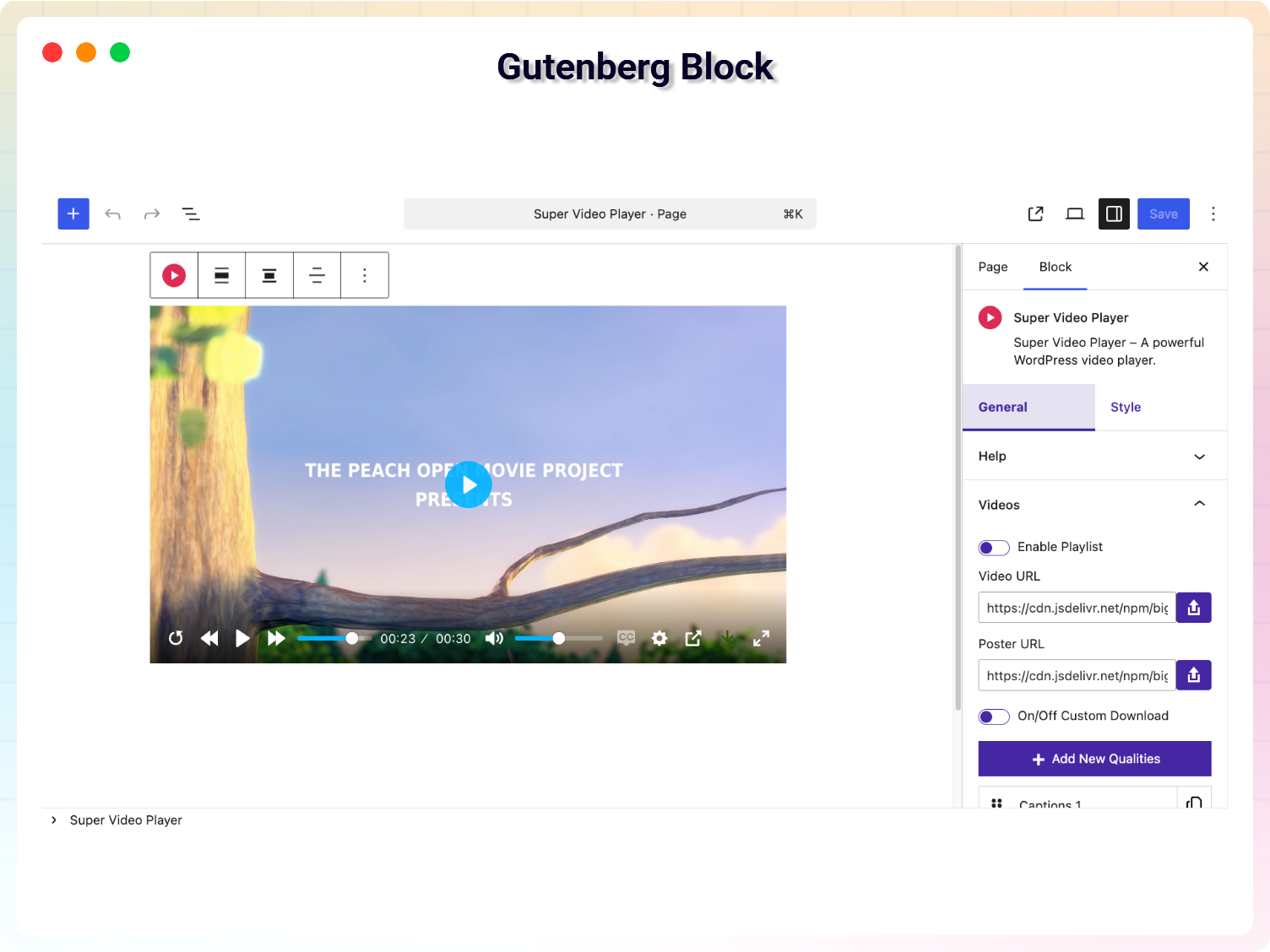
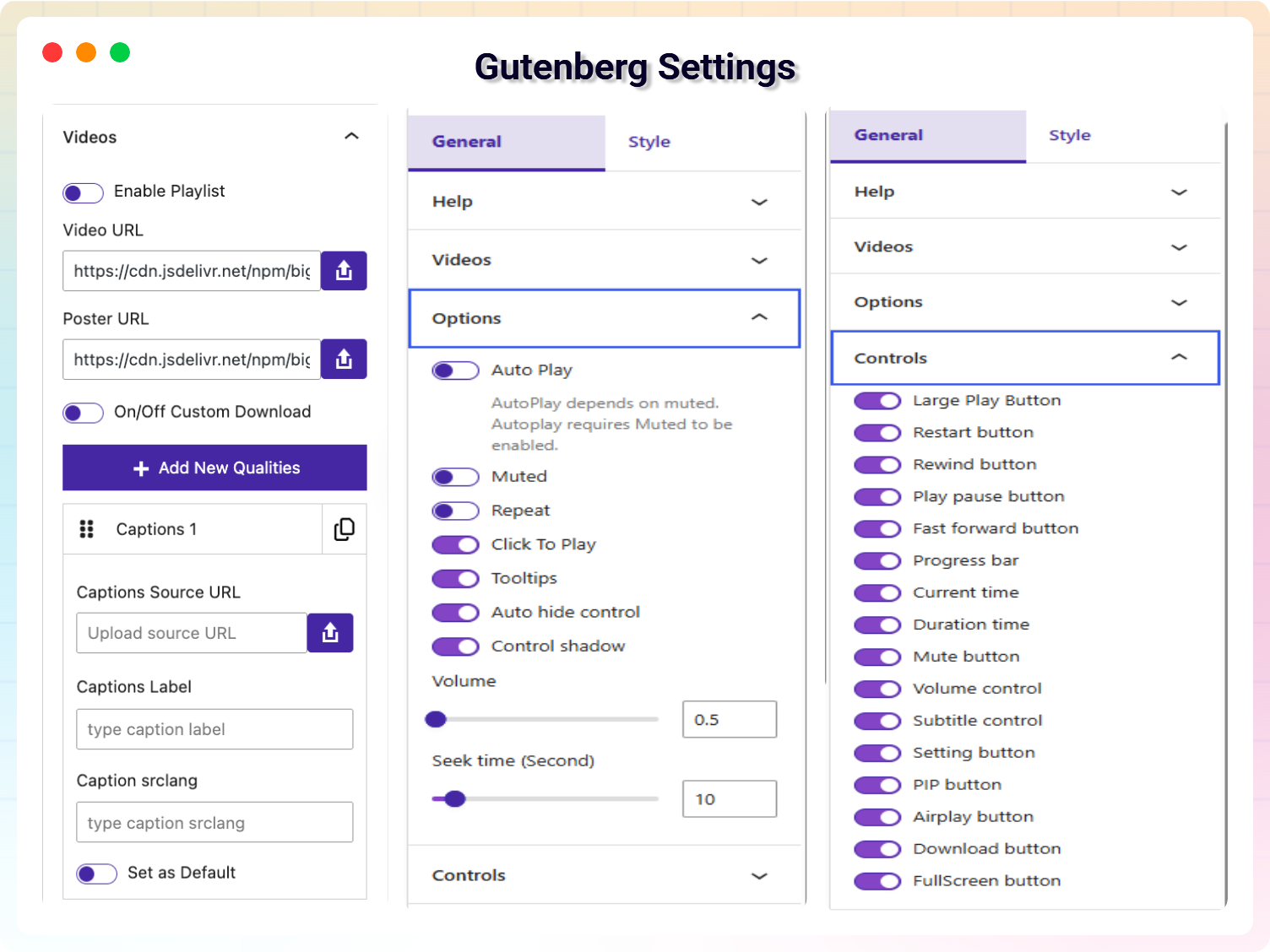
Blocks
This plugin provides 1 block.
- Super Video Player Super Video Player – A powerful WordPress video player.
Installation
- In your WordPress admin, go to Plugins Add New, search for Super Video Player and click Install Now, or upload the plugin folder to
/wp-content/plugins/. - Activate the plugin.
- Add the Super Video Player block to a page, or create a player under Super Video Player Add new Player and use its shortcode.
FAQ
-
What is free and what is Pro?
-
Playback of MP4, HLS and DASH, playlists in the Default and Horizontal layouts, quality switching, captions, most player controls and structured data are all free. Pro adds the Vertical and Grid layouts, continuous playlist playback, the captions toggle, share, picture-in-picture and download buttons, and site-wide colour, CSS and translation settings. The full lists are in the Description above.
-
Can I make playlists in the free version?
-
Yes. Playlists are free with the Default and Horizontal layouts. The Vertical and Grid layouts, and automatically playing the next video, are Pro.
-
What video formats are supported?
-
MP4 (H.264 video, AAC audio), HLS (.m3u8) and MPEG-DASH (.mpd). The video must be reachable at a URL – from your Media Library, your own server or a CDN.
-
Why doesn’t my video autoplay with sound?
-
Browsers block autoplay with sound until the visitor has interacted with the site. Turn on Muted as well as Auto Play and the video will start in every browser; visitors can then unmute it.
-
Can I create unlimited video players?
-
Yes. There is no limit in either version.
-
Does it work with the block editor and page builders?
-
Yes. There is a dedicated Gutenberg block, and every player created under Super Video Player has a shortcode you can use in the classic editor, widgets and page builders such as Elementor.
-
Will updating break players I made with an older version?
-
No. Players created with earlier versions keep their video, settings and controls after an update, and do not need to be re-saved.
-
Does it add video structured data?
-
Yes. Each player adds VideoObject JSON-LD using its title, poster and description. If your SEO plugin already outputs video schema, turn ours off by adding
add_filter( 'svp_video_schema', '__return_false' );to your theme or a code snippets plugin. -
Where do I report security bugs found in this plugin?
-
Please report security bugs found in the source code of the Super Video Player plugin through the Patchstack Vulnerability Disclosure Program. The Patchstack team will assist you with verification, CVE assignment, and notify the developers of this plugin.
Reviews


Contributors & Developers
“Super Video player – Fully Customizable Video Player with Playlist” is open source software. The following people have contributed to this plugin.
Contributors


Translate “Super Video player – Fully Customizable Video Player with Playlist” into your language.
Interested in development?
Browse the code, check out the SVN repository, or subscribe to the development log by RSS.
Changelog
1.8.12 – 28 September, 2026
- Fix: The Pro Settings page now takes effect. The primary and secondary colours, custom CSS and player text translations apply to every player; before, changing them had no effect.
- Fix: Playlists can be used from the keyboard. Every playlist item can be reached with Tab and chosen with Enter or Space, a focus outline shows where you are, and screen readers announce which video is playing.
- Fix: With several playlists on one page, choosing a video in one playlist no longer starts a video in another.
- Fix: The “Auto hide control” setting now works. It was ignored and controls always hid during playback; players with it turned off now keep their controls visible. Players that never changed it are unaffected.
- Fix: All of the plugin’s admin text can now be translated. Settings fields, menus and labels were previously outside the plugin’s translation domain.
- Fix: A newly added Super Video Player block shows a working sample video again. The previous sample link had stopped working, so new blocks showed an empty player.
- Update: Videos can now appear in search results. Every player adds VideoObject structured data using your video’s title, poster and description, falling back to the page title and featured image. Turn it off with the svp_video_schema filter if your SEO plugin already adds video schema.
- Update: Clearer admin labels: “Add new Player”, “All Players”, “Edit Player” and more, instead of generic wording.
- Update: The plugin description, FAQ and the Pro lists in the dashboard and block editor now show exactly what is free and what is Pro. Playlists, quality switching, captions and most controls are free; they were wrongly listed as Pro.
- Update: A “Help & Demos” link on the Plugins screen, and a new Pro overview image on the Help & Demos page.
1.8.11 – 27 September, 2026
- Fix: Players created in earlier versions play again. Players that had never saved their control settings showed no controls and could not be started; they now show the controls they had before, exactly as saved players always have.
- Fix: Players created with versions 1.0–1.2 load their video, poster, subtitles and settings again.
- Fix: A player can always be started. If a player has no controls, no click-to-play and no autoplay the browser allows, clicking the video now plays it.
- Fix: Autoplay works again for players that are not muted, where the browser allows it.
- Fix: Visitors never see a Pro notice in place of a video. A Pro-only playlist layout without an active licence now shows the default layout instead.
- Fix: One misconfigured player no longer stops the other players on the same page from loading.
- Fix: Starting a trial or activating a licence on the free version no longer causes a fatal error.
1.8.10 – 5 September, 2026
- Security: Fixed a DOM-based XSS in the share modal. A crafted share URL or page title could inject executing markup into any page containing a player.
- Fix: Restored PHP 7.4 compatibility. A PHP 8-only function call caused a fatal error on every admin page for sites on the declared minimum PHP version.
- Fix: Playlists no longer leak a player, and its HLS or DASH engine, on every item switch.
- Fix: Escaped all widget and block output.
- Performance: Plyr is no longer loaded twice on every page, and no longer loads at all on pages without a player.
- Performance: Removed 506 KB of unused Video.js that was loaded in the header of every page.
- Performance: The plugin no longer requires jQuery on the front end.
- Update: Corrected the supported-format list, the install count, and the player-controls description in the readme.
1.8.9 – 22 July, 2026
- Update: Added the latest Bplugins admin dashboard with an improved settings experience.
- Update: Improved video playback reliability and media format detection.
- Update: Optimized HLS/DASH asset loading for better performance.
- Update: Enhanced security, stability, and WordPress coding standards compliance.
- Update: Cleaned up unused code and improved overall performance.
- Fix: Fix Auto Full screen on iOS Safari player.
1.8.8 – 9 March, 2026
- Update: Latest Modern Dashboard, Pro Alert modal Added.
- Update: CodeStar create new structure of General, Controls, Settings.
- Update: Some pro features convert to unlock for the free version.
- Fixed: Playlist add video URL, submit issue fixed on the block editor.
1.8.7 – 29 Dec, 2025
- Caption custom styles features added
1.8.6 – 17 Nov, 2025
- Share button features added
1.8.5 – 3 Nov, 2025
- Customization Horizontal Layout
- Added new features: Continuous Playback on Playlist option
1.8.4 – 03 Oct, 2025
- Added a modern dashboard
- Fix the mpd, hls file on the video
1.8.3 – 10 Sep, 2025
- Fix the text_domain issue in admin
1.8.2 – 07 Sep, 2025
- Add demo on dashboard
- Change the plugin display name
1.8.1 – 03 Sep, 2025
- Fixed the some issue for phlox theme
- Add default video url
1.8.0 – 26 Aug, 2025
- Added new version
1.7.6 – 04 Aug, 2025
- Just Testing
1.7.5 – 19 Sep, 2024
- Update: Codestar Framework
- Update: Freemius WordPress SDK
1.7.3 – 7 Aug, 2024
- Fixed: Removed unexpected exe file
1.7.2 – 27 June, 2024
- Improved: code refactored
1.7.1 – 30 March, 2024
- Improved: code refactored
1.7.0 – 23 Sep, 2023
- Improved: code refactored
1.6.12
- Fixed: add inline style to block
1.6.11
- Update Freemius WordPress SDK
1.6.9
- Fixed Security issue
- update library
1.4.1
- Enabled live streaming for Free users.
- Fixed a minor bug on mixed content.
1.4.0
- Fixed a css issue.
- Improvement on live streaming
1.3.2
- Added player translation option in settings
- Added Playlist options
- Added Live stream support for PRO user (.mpd and .m3u8 file support)
1.3.1
- Fixed the large play button issue
- Fixed click to play option
1.3
- Add support for Gutenberg Block
1.2
- Fix an issue.
- add support for external source
1.1
- Fix Multiplayer issue.
- Added How to use Article
- Improved Performance
1.0
- Initial Release