
Description
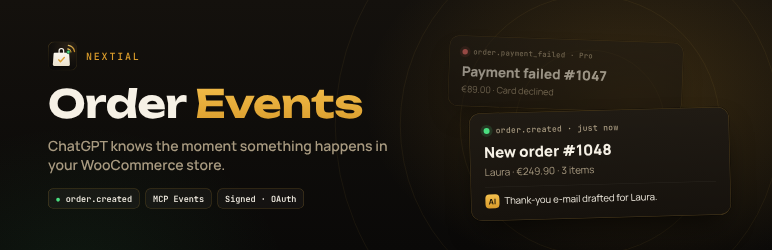
Nextial Order Events is a WooCommerce MCP server and ChatGPT integration built on MCP Events, the new way for ChatGPT to react when something changes in a connected app. Instead of waiting for you to ask, your store sends ChatGPT a signed new order notification and ChatGPT acts on it.
Once connected, you just tell ChatGPT what you want, in plain language:
- “Tell me here whenever a new order arrives, with the total and the products.”
- “When an order over 200 € comes in, draft a personal thank-you e-mail for the customer.”
- “Every evening, sum up today’s orders for me.”
ChatGPT subscribes to the event, your store notifies it the moment it happens, and ChatGPT does the rest. No Zapier, no polling, no code.
Events
- order.created – a new order was placed. Fully featured and free, no limits.
Nextial Order Events Pro
An optional, separate add-on (nextial.it/order-events, sold outside WordPress.org) tells ChatGPT when something goes wrong or needs you – the moments where a store loses money:
- order.payment_failed – a payment did not go through.
- order.refunded – a full or partial refund was issued.
- order.status_changed – an order changed status, optionally to a specific one.
- order.stalled – an order has waited in Pending payment or On hold for over 24 hours (e.g. a bank transfer nobody paid).
- product.low_stock – a product reached its low-stock threshold or went out of stock.
- review.created – a customer left a review, optionally only at or below a rating.
- customer.created – a new customer account was registered.
- store.daily_summary – today’s orders, revenue, refunds, failed payments, new customers and best sellers, once a day.
- order.not_shipped – a paid order is still in Processing after a number of days you choose (default 3).
- customer.vip_order – a returning customer above your order count or total spent placed a new order.
- payments.failed_burst – many failed payments in a few minutes, a typical sign of card testing.
- get_sales_report tool – ChatGPT reads revenue, orders, refunds and best sellers for today, yesterday, the last 7 or 30 days, or a month, when you ask.
- Order filters – only notify for orders above a total, or by product, category, country or payment method (fewer, more useful ChatGPT runs).
Nextial Order Events works on its own and is not limited in any way without it.
Read-only tools
ChatGPT can also look things up when it needs more detail: get_order, list_recent_orders, list_low_stock_products. Nextial Order Events never changes your store.
Secure by design
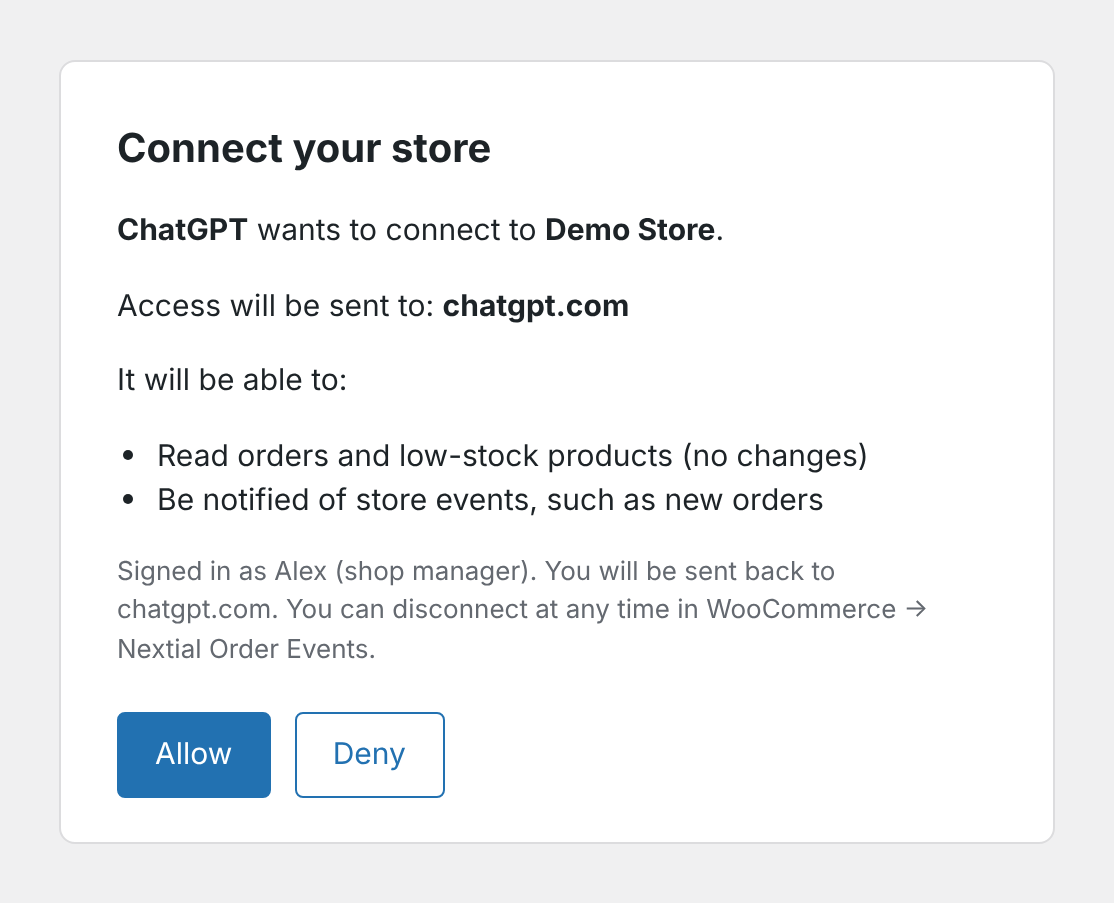
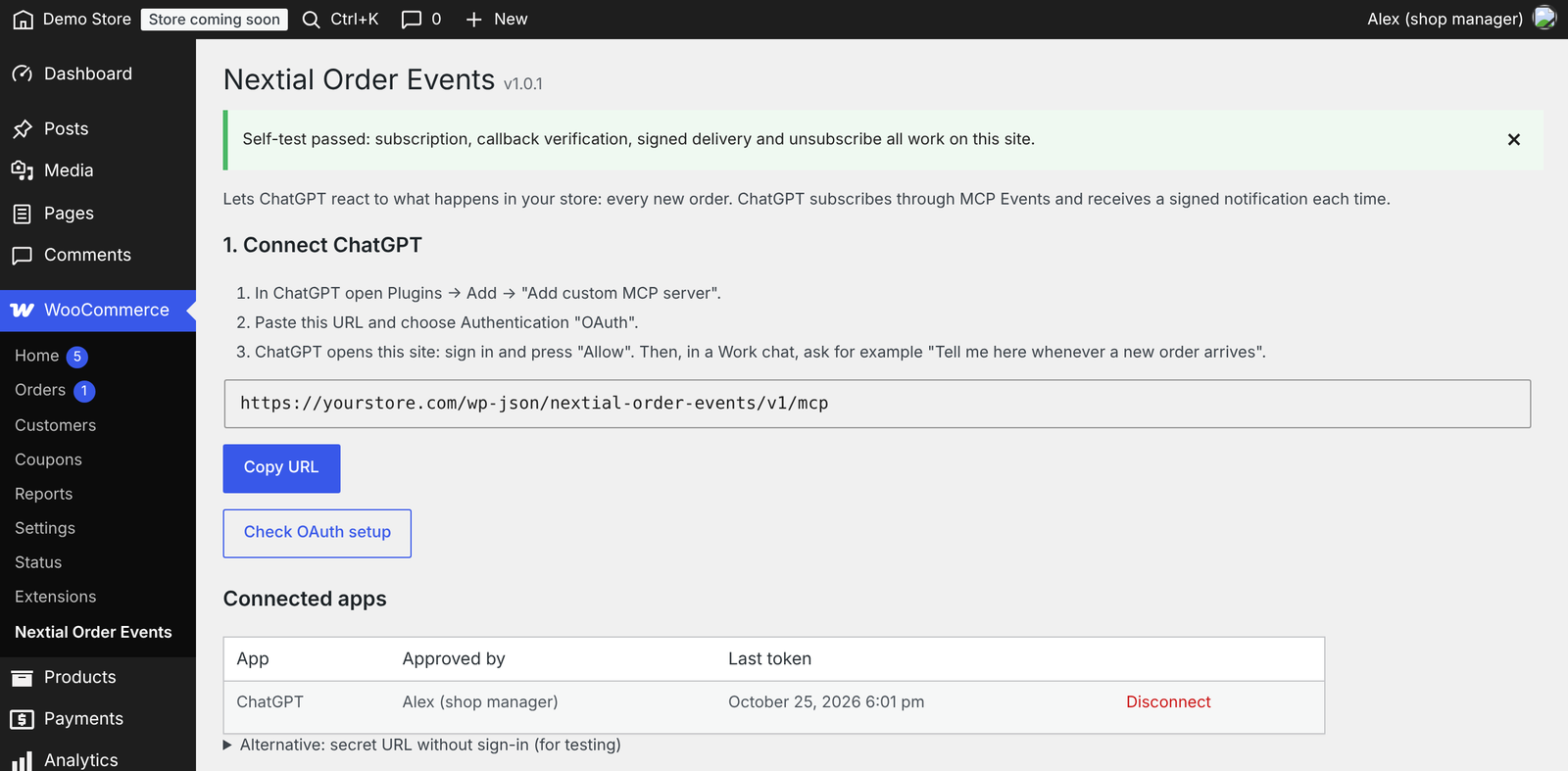
- Sign in with OAuth: ChatGPT opens your site, you log in and press Allow. You can disconnect at any time from WooCommerce Nextial Order Events; its tokens and subscriptions are removed at once.
- Only shop managers and administrators can connect the store, and the same people can see and disconnect every connection.
- Revoking access (Disconnect, new secret URL, or removing a user’s shop-manager role) also stops that connection’s event notifications.
- Every notification is signed (Standard Webhooks, HMAC-SHA256). Callbacks are verified with a challenge before any data is sent.
- Notifications contain no customer e-mail, phone or address – only the order number, totals, products, first name and payment method.
- Outgoing requests go only to public HTTPS addresses (no private networks, no redirects).
- Tokens are stored hashed. Access tokens last one hour, refresh tokens rotate.
Built-in tests
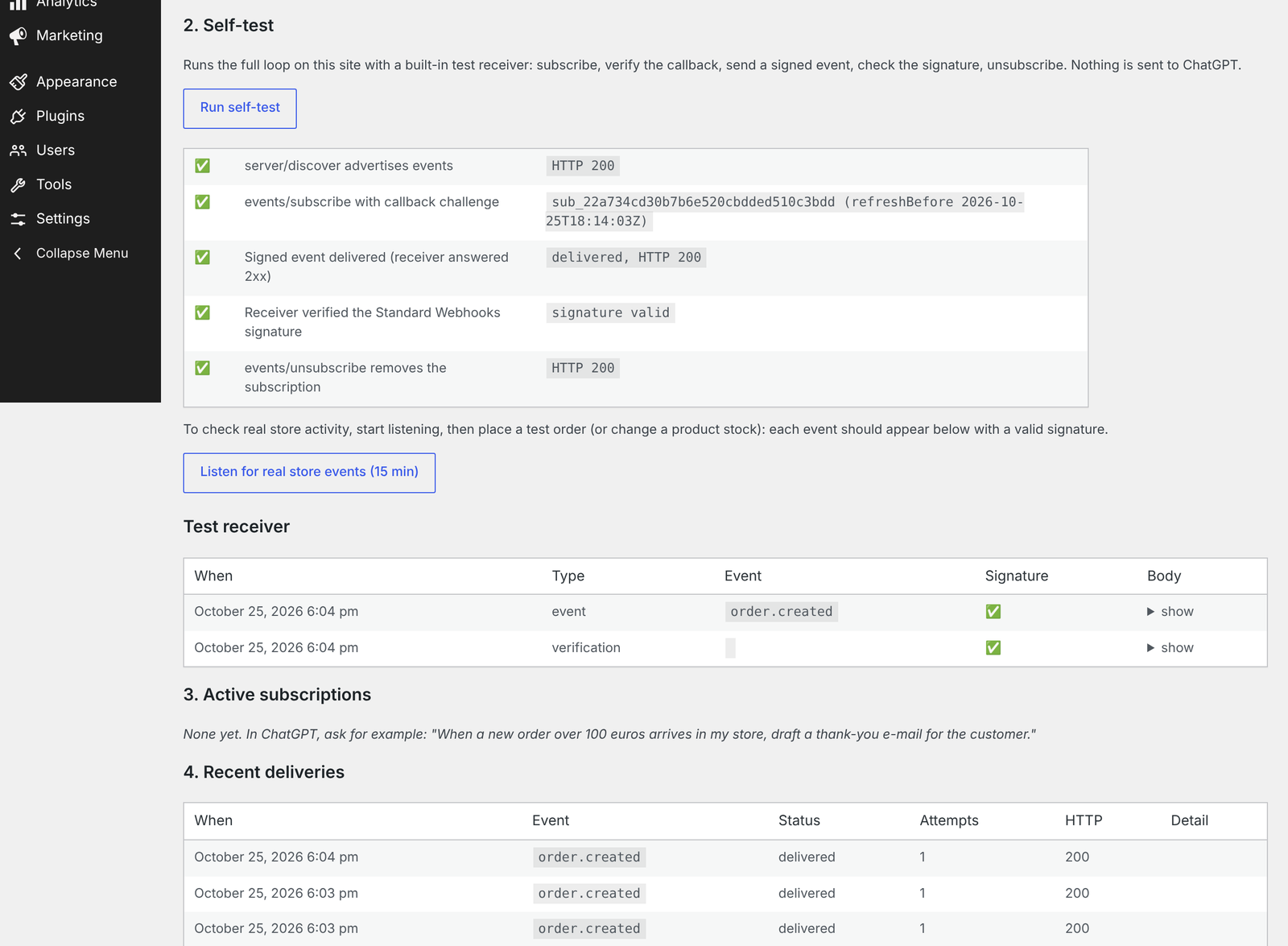
The settings page has a self-test (full subscribe verify signed delivery unsubscribe loop on your own site), a “listen for real store events” mode to watch a real test order go through, an OAuth check, and a delivery log.
Requirements
- WooCommerce.
- A ChatGPT plan that includes Work chats and custom MCP servers (developer mode). At the time of writing that means ChatGPT Plus or higher. On the free plan ChatGPT can use the read-only tools, but cannot subscribe to events.
- For OAuth sign-in: pretty permalinks (any setting other than “Plain”). Without them you can still connect with a secret URL.
- Your site must be reachable over HTTPS.
External services
Nextial Order Events does not contact any service on its own. It only talks to the AI assistant (MCP client) that you connect and approve:
- Event notifications. When ChatGPT – or another MCP client you connected – subscribes to an event, it gives Nextial Order Events a webhook URL (for ChatGPT, on
connectors.api.openai.com). Each time the event happens Nextial Order Events sends that URL a signed JSON message with: order ID and number, status, totals, currency, product names and quantities, the customer’s first name, payment method, creation date and a link to the order in your admin. Before the first message the URL is verified with a signed challenge. - Read-only tools. When the assistant calls
get_order, the response also includes the billing e-mail, shipping city and customer note of that order. - Client identification. When an assistant connects with OAuth and identifies itself with a Client ID Metadata Document (ChatGPT uses
https://chatgpt.com/oauth/client.json), Nextial Order Events downloads that public JSON file to check the app’s name and allowed redirect addresses. Nothing about your store is sent in that request.
No data is sent until a shop manager connects an assistant and it subscribes to events or calls a tool. You can stop everything at any time with Disconnect (OAuth) or Create a new secret URL in WooCommerce Nextial Order Events.
When you connect ChatGPT, OpenAI’s terms and privacy policy apply to the data it receives: Terms of use, Privacy policy.
Trademarks
WooCommerce is a trademark of Automattic Inc. ChatGPT is a trademark of OpenAI. Nextial Order Events is an independent plugin by nextial and is not affiliated with, endorsed or sponsored by Automattic or OpenAI.
Screenshots
Installation
- Install and activate the plugin, then open WooCommerce Nextial Order Events.
- Copy the connection URL.
- In ChatGPT open Plugins Add Add custom MCP server, paste the URL and choose OAuth as authentication.
- ChatGPT opens your site: sign in and press Allow.
- Switch to a Work chat, type
@and pick your store, then ask for example: “Tell me here whenever a new order arrives.” - Place a test order (cash on delivery or bank transfer): ChatGPT writes in the chat by itself, usually within a few minutes (your store notifies ChatGPT within seconds; ChatGPT then runs the task).
FAQ
-
ChatGPT says the plugin has no events, or doesn’t see new ones
-
ChatGPT keeps a copy of the plugin’s tools and events. After installing or updating Nextial Order Events (or an add-on), open ChatGPT Settings Plugins your store Refresh tools, then start a new Work chat. If needed, mention the events explicitly, for example: “@YourStore use the plugin’s MCP events: tell me here whenever a new order arrives.”
-
Which ChatGPT plan do I need?
-
Event-triggered tasks run in ChatGPT Work chats, which are available on paid plans (Plus and above). On the free plan the read-only tools work, but ChatGPT cannot subscribe to events.
-
Does it work outside the US?
-
Yes. It was tested end to end from Italy (EU). Note that ChatGPT “dots” (always-on agents) are not available everywhere; Nextial Order Events works with Work chats.
-
Does Nextial Order Events send my customers’ data to ChatGPT?
-
Notifications contain the order number, status, totals, products, the customer’s first name and the payment method. No e-mail, phone or address. If ChatGPT needs more it calls
get_order, which also returns the billing e-mail and shipping city – you decide what you ask it to do. -
Can ChatGPT change orders or products?
-
No. All tools are read-only.
-
Notifications arrive late
-
Deliveries are sent in the background by WooCommerce’s Action Scheduler (WP-Cron), usually within a minute. On sites with little traffic, consider a real server cron for wp-cron.php.
-
The OAuth check fails
-
Your server must let WordPress answer
/.well-known/oauth-protected-resource/...and/.well-known/oauth-authorization-server/.... Some hosts reserve/.well-known/. Meanwhile you can use the secret URL option. -
WooCommerce is moving its built-in MCP endpoint to the MCP Adapter. Does this plugin still work?
-
Yes. Nextial Order Events has its own endpoint and does not use WooCommerce’s built-in MCP endpoint or REST API keys. The MCP Adapter lets an assistant read store data when you ask; Nextial Order Events adds events, so the assistant is told when something happens (for example a new order). The two can be used side by side.
-
Other assistants?
-
Nextial Order Events implements the open Model Context Protocol (2026-07-28, with compatibility for 2025 revisions) and the MCP Events webhook delivery, so any compatible client can connect.
Reviews
There are no reviews for this plugin.
Contributors & Developers
“Nextial Order Events – WooCommerce MCP Server for ChatGPT Order Alerts” is open source software. The following people have contributed to this plugin.
Contributors
Interested in development?
Browse the code, check out the SVN repository, or subscribe to the development log by RSS.
Changelog
1.0.5
- Add-ons can provide their own read-only tools (filter nextial_oe_tool_call).
1.0.4
- Clearer plugin name in the directory. No code changes.
1.0.3
- Link to the optional Pro add-on page on the Plugins screen and the settings page (shown only while no add-on is active).
1.0.2
- The settings page now lists every available event, including those added by add-ons.
1.0.1
- First public release.
- MCP server (protocol 2026-07-28, compatible with 2025 revisions) with the MCP Events order.created event and hooks for add-ons (nextial_oe_event_definitions, nextial_oe_event_matches, nextial_oe_event_payload, nextial_oe_sample_payload, Nextial_OE_Events::enqueue).
- Read-only tools: get_order, list_recent_orders, list_low_stock_products.
- OAuth 2.1 sign-in (PKCE, Client ID Metadata Documents, Dynamic Client Registration, RFC 9207) or secret URL.
- Signed webhooks (Standard Webhooks), callback verification, retries with backoff.
- Settings page with OAuth check, connected apps, self-test, live event listener and delivery log.