

Description
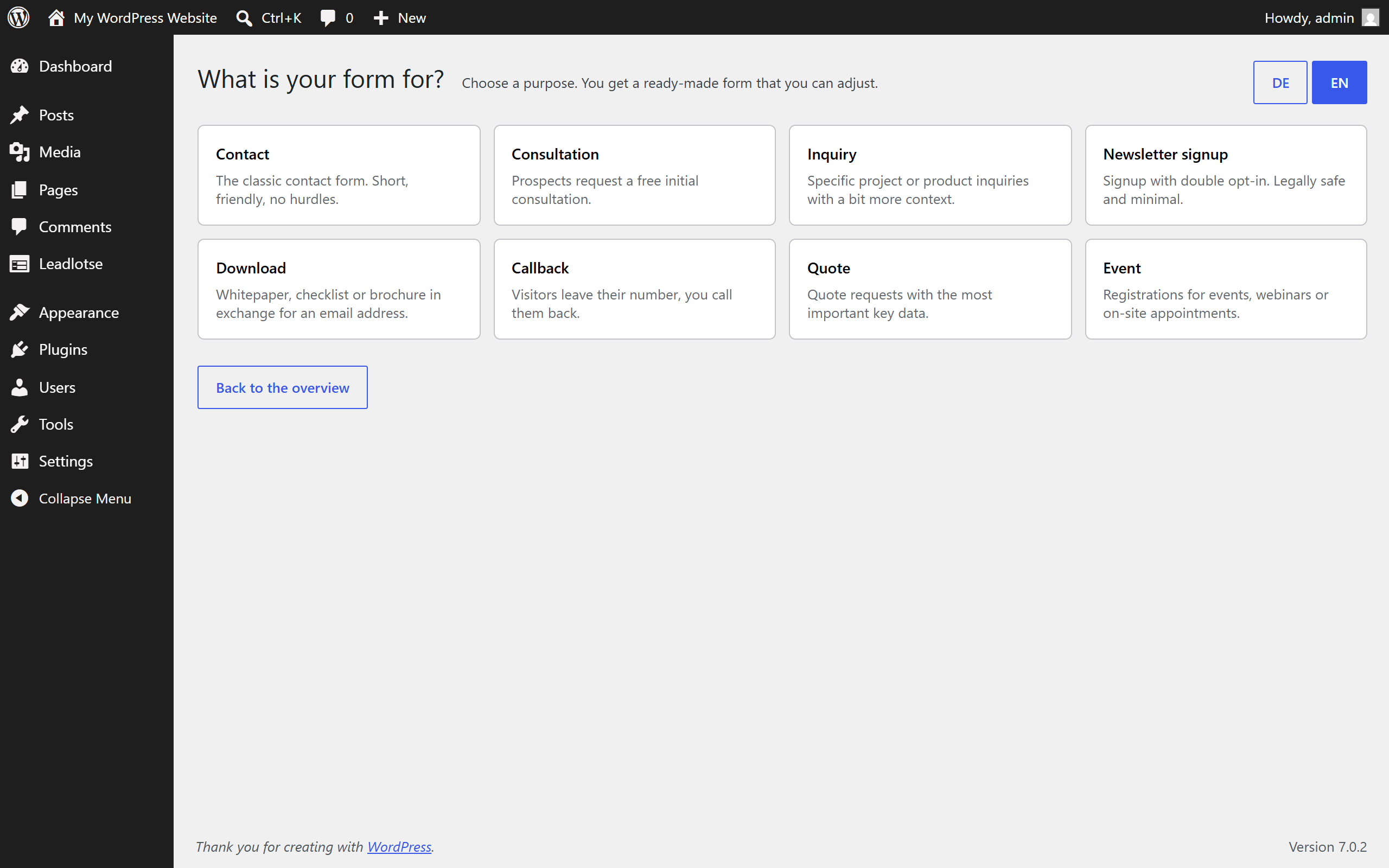
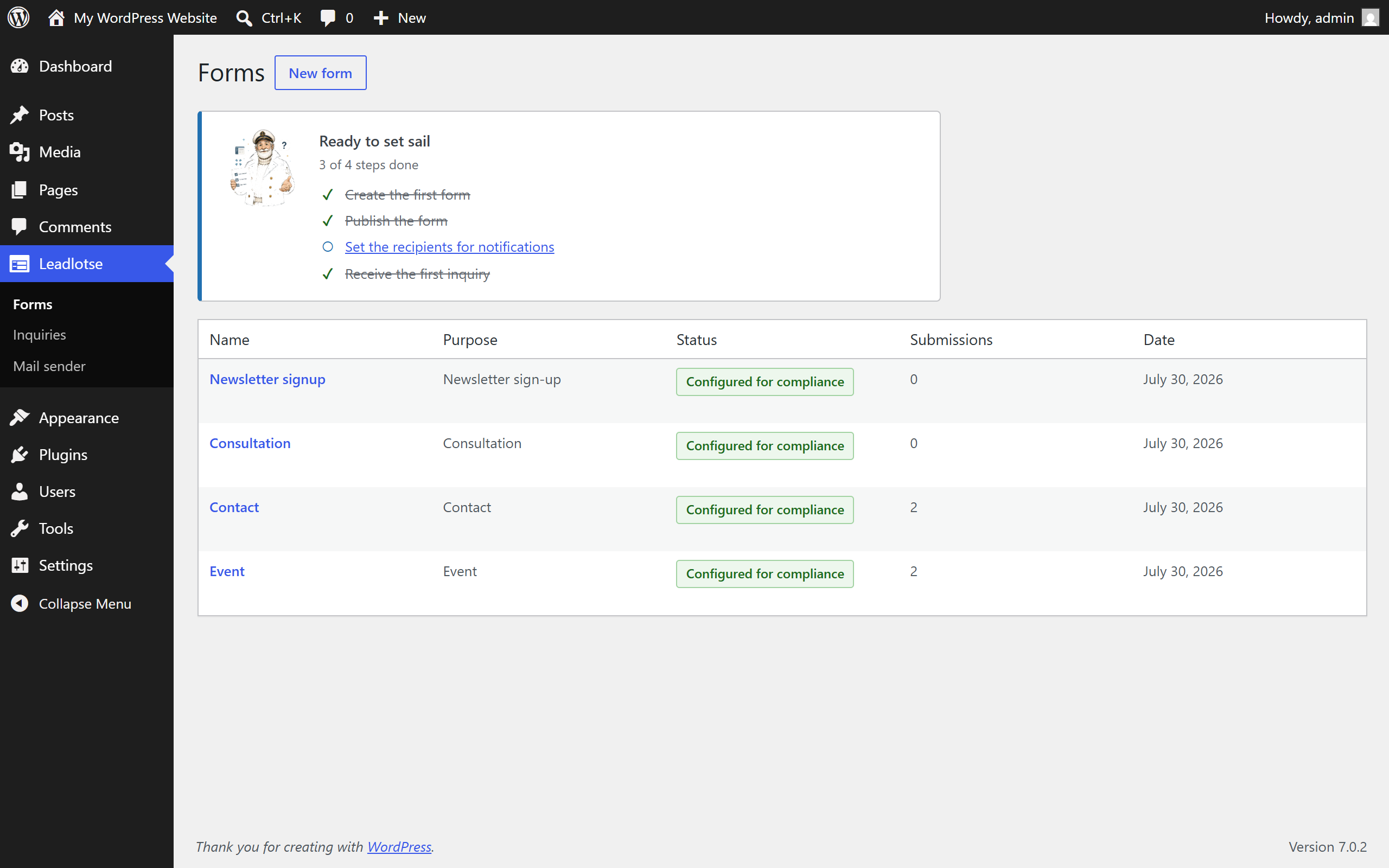
Leadlotse starts from the goal, not from an empty canvas. You pick a purpose – contact, consultation, inquiry, newsletter, download, callback, quote or event – and get a form that already has sensible fields, a consent text and a confirmation email. Your first form is live in minutes.
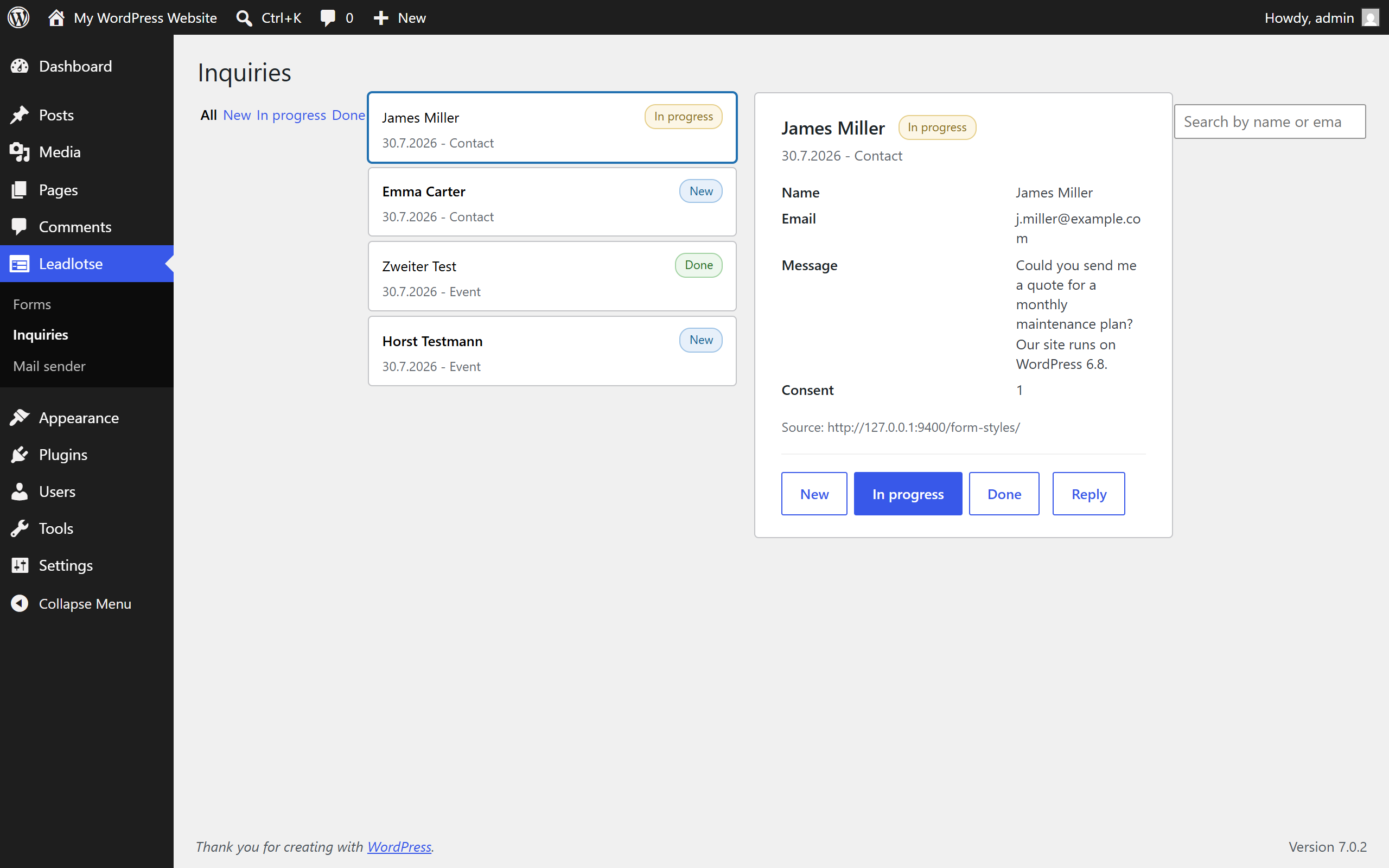
Every submission lands in a tidy inbox inside WordPress. No shared mailbox where inquiries drown. Each entry carries a status (new, in progress, done), and the plugin points it out when entries have been waiting too long for an answer.
What you get
- Purpose templates in English and German instead of an empty form builder
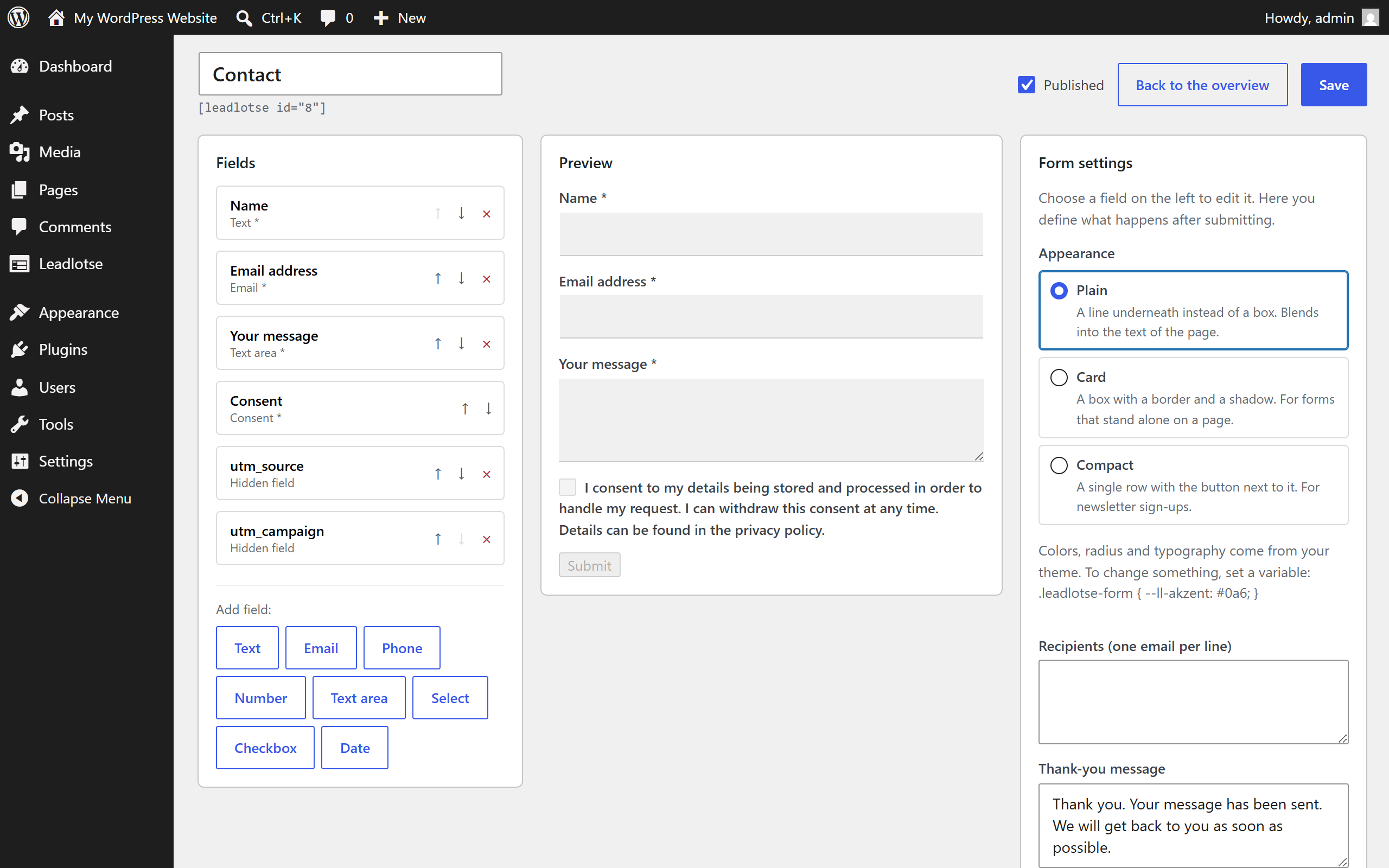
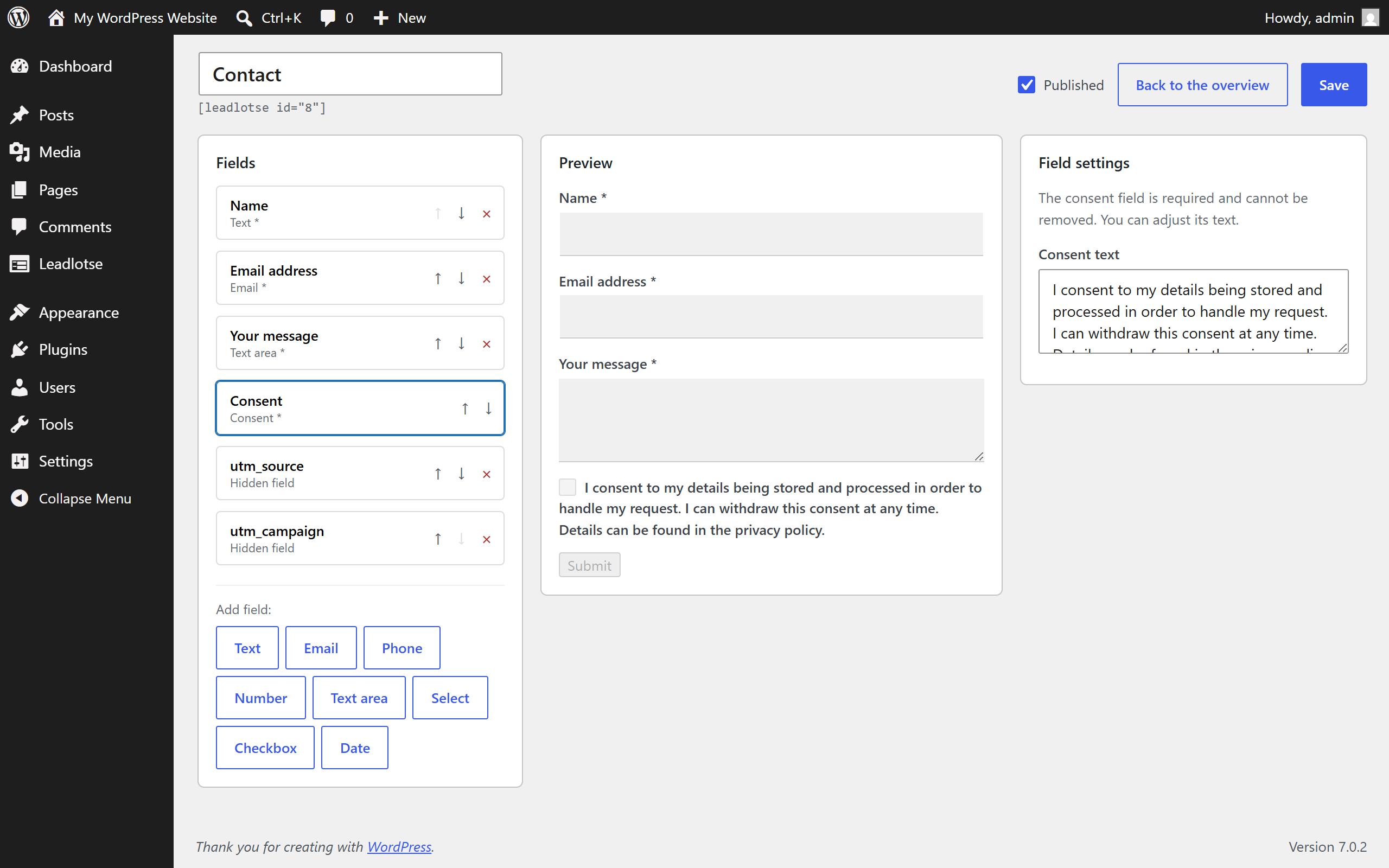
- Form builder with live preview: fields, preview and settings on one screen
- Inbox with status, search and filters
- Conditional fields: show a field only when another one has a certain value
- Double opt-in for newsletter sign-ups, with a signed confirmation link
- Spam protection without a captcha: honeypot, time trap and rate limiting per IP and form
- Field types for text, email, phone, number, date, select, radio, checkbox, consent and hidden attribution values
- GDPR tools: consent records with the exact text and version, data minimisation, retention period, and hooks into the WordPress data export and erasure requests
- Works without JavaScript: the form falls back to a classic POST and no submission is lost
- Accessible markup: every field has a label, errors sit at the field and are wired up with aria-describedby and aria-invalid
- Gutenberg block and shortcode
- Your data stays on your server
No external services
Leadlotse processes submissions on your own server and sends email through the delivery path your WordPress installation already uses. It does not call any third-party API, loads no remote fonts, scripts or images, and collects no telemetry.
Who it is for
Small and medium businesses, local service providers, coaches and consultants who want to collect inquiries and lose none of them, without a large CRM or paid add-on services.
Leadlotse is part of the Hafenstudios fleet; it works on its own and cooperates with the other fleet plugins once they are active. An extended edition with event registration, ticketing and messenger replies is available at hafenstudios.com.
Screenshots
Blocks
This plugin provides 1 block.
- Leadlotse Form Embeds a Leadlotse form into the page.
Installation
- Upload the plugin under Plugins, Add New, or install it from the plugin directory.
- Activate it.
- Open the Leadlotse menu, choose “create first form” and pick a purpose.
- Embed the form with the “Leadlotse Formular” block or the shortcode.
FAQ
-
Does it call external services?
-
No. Leadlotse processes submissions on your own server and uses your WordPress installation for sending email. There is no third-party API call, no remote asset and no telemetry.
-
Can I use it in a GDPR-compliant way?
-
Leadlotse brings the tools: a consent record that stores the exact wording and version that was shown, data minimisation, an optional retention period, double opt-in for newsletter sign-ups, and integration with the WordPress data export and erasure requests. The legal wording, for example your privacy policy, remains your responsibility.
-
Do I need to write code?
-
No. You pick a purpose, adjust the fields and embed the form.
-
Does the form work without JavaScript?
-
Yes. Without JavaScript the form submits over a classic POST and shows the same result message.
-
Where do submissions go?
-
Into a custom database table, listed in the Leadlotse inbox. Notification and confirmation emails are sent through WordPress. Uninstalling can remove the table and the options again.
-
Can I change how the form looks?
-
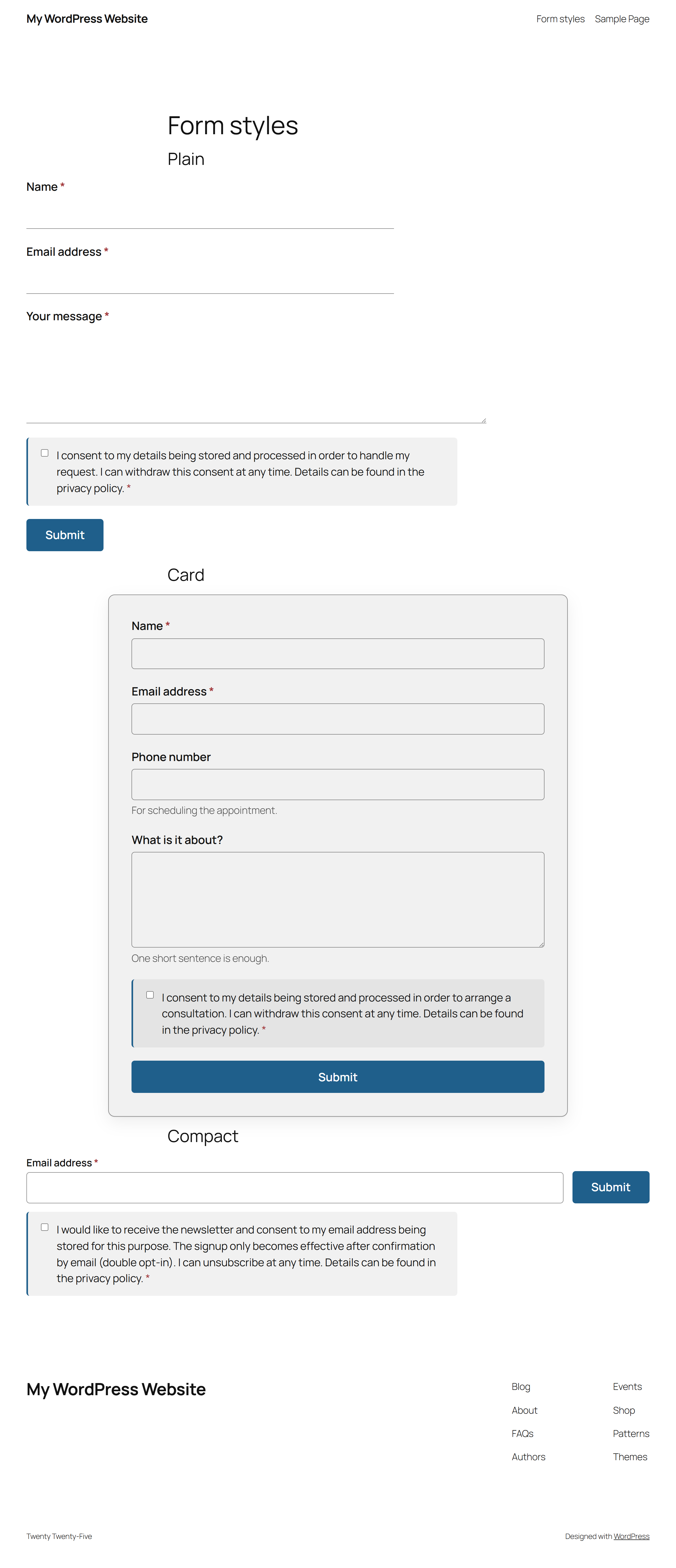
Yes. Choose one of three appearances per form, and the form inherits colours, radius and typography from your theme. To adjust something you set a CSS variable rather than overriding rules.
Reviews


Contributors & Developers
“Hafenstudios Leadlotse – Form & Lead Manager” is open source software. The following people have contributed to this plugin.
Contributors
Translate “Hafenstudios Leadlotse – Form & Lead Manager” into your language.
Interested in development?
Browse the code, check out the SVN repository, or subscribe to the development log by RSS.
Changelog
1.4.3
- Improved: every submitted value is sanitised centrally, before any extension sees it. The request snapshot handed to spam filters is now a sanitised excerpt of the request headers instead of the raw server environment.
- Improved: HTML returned by the leadlotse_form_fields filter is limited to input elements before it is printed.
- Improved: longer prefixes for stored data. The form post type, the entries table and the plugin transients now carry the plugin name; existing installations are migrated on update.
- Improved: source strings are English. German is delivered as a translation, and other languages can be contributed on translate.wordpress.org.
1.4.0
- New: three appearances per form – plain (a bottom line instead of a box), card (border and shadow) and compact (single row, for newsletter sign-ups). Selected in the builder, the preview follows.
- New: the form inherits colours, radius and typography from your theme without a line of CSS. To change something you set a variable instead of a rule, for example .leadlotse-form { –ll-akzent: #0a6; }.
- New: a visible sending state on the submit button (ring, label, disabled) so nobody clicks twice on a slow connection.
- New: error messages sit at the field instead of only being collected at the top, including the ones from the browser, and are wired up with aria-invalid and aria-describedby. They disappear as soon as the input is valid.
- New: the consent field gets its own calm row instead of being small print between two fields.
- New: attribution values (ref and utm_*) survive a detour over other pages. Somebody who arrives on a blog post through ?ref=partner and only then clicks to the form is attributed correctly. This is remembered for the session only, without a cookie, and can be switched off.
- New: the empty state offers the three most common purposes as tiles and leads into the builder with one click.
- New: the label of the submit button is stored again. It was read when rendering but silently dropped when saving.
- New: every field id of a submission can be used as a {fieldid} placeholder in the subject and body of the notification and confirmation email, next to {name}, {first_name}, {form} and {site}.
- Fixed: if a form definition cannot be stored, the editor now reports an error instead of showing success while the change is gone. The value is read back after writing and compared.
- Improved: German field names are recognised. A field named “vorname” or “nachname” now yields a contact with a name; if no name field exists, the display name is built from first and last name.
- Improved: hidden fields store up to 500 instead of 200 characters, so long campaign ids are no longer truncated.
- Improved: table names in database queries use the %i identifier placeholder throughout.
- Improved: borders and error colours follow the page rather than the operating system and meet the contrast requirements in both light and dark.
1.2.0
- New: number field with an optional minimum and maximum.
1.1.0
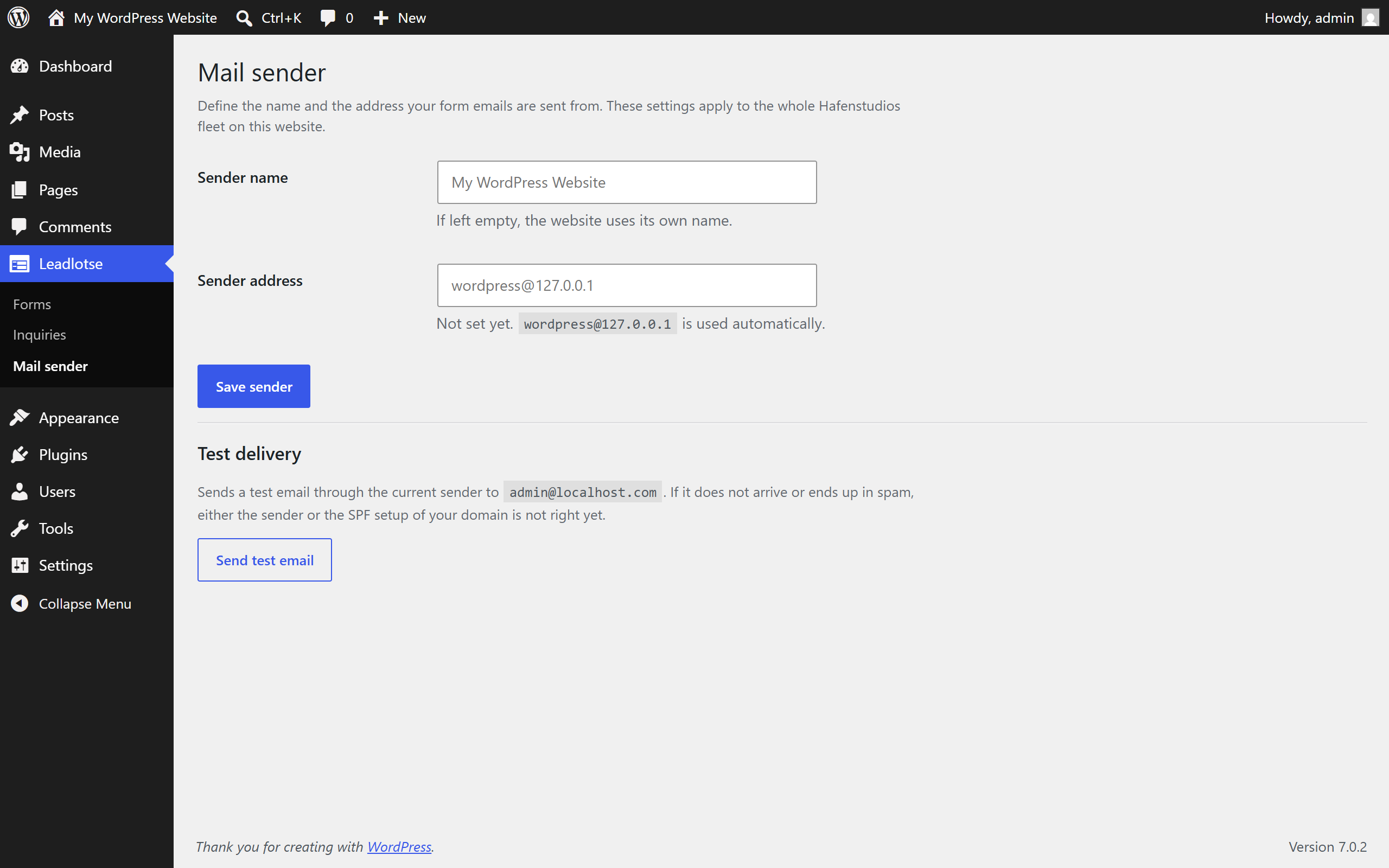
- New: mail sender settings page with a test mail and deliverability hints.
- Improved: stricter phone number validation.
1.0.0
- First release: form builder, purpose templates in English and German, inbox, conditional fields, double opt-in, spam protection, GDPR tools, Gutenberg block and shortcode.