
Description
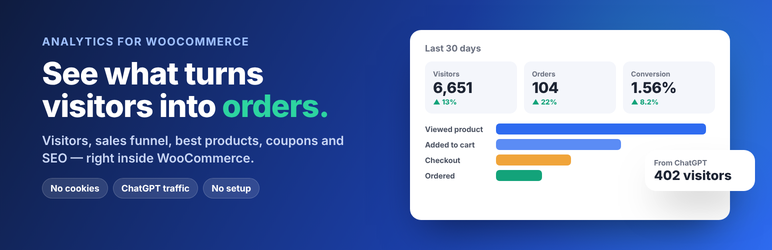
Laghavi Performance Insight for WooCommerce by Laghavi Digital gives you a quick look at how your site and store are doing, right inside WordPress.
What you get, free
- Any period — today, yesterday, 7 or 30 days, this or last month, this year or your own dates, always compared with the period before.
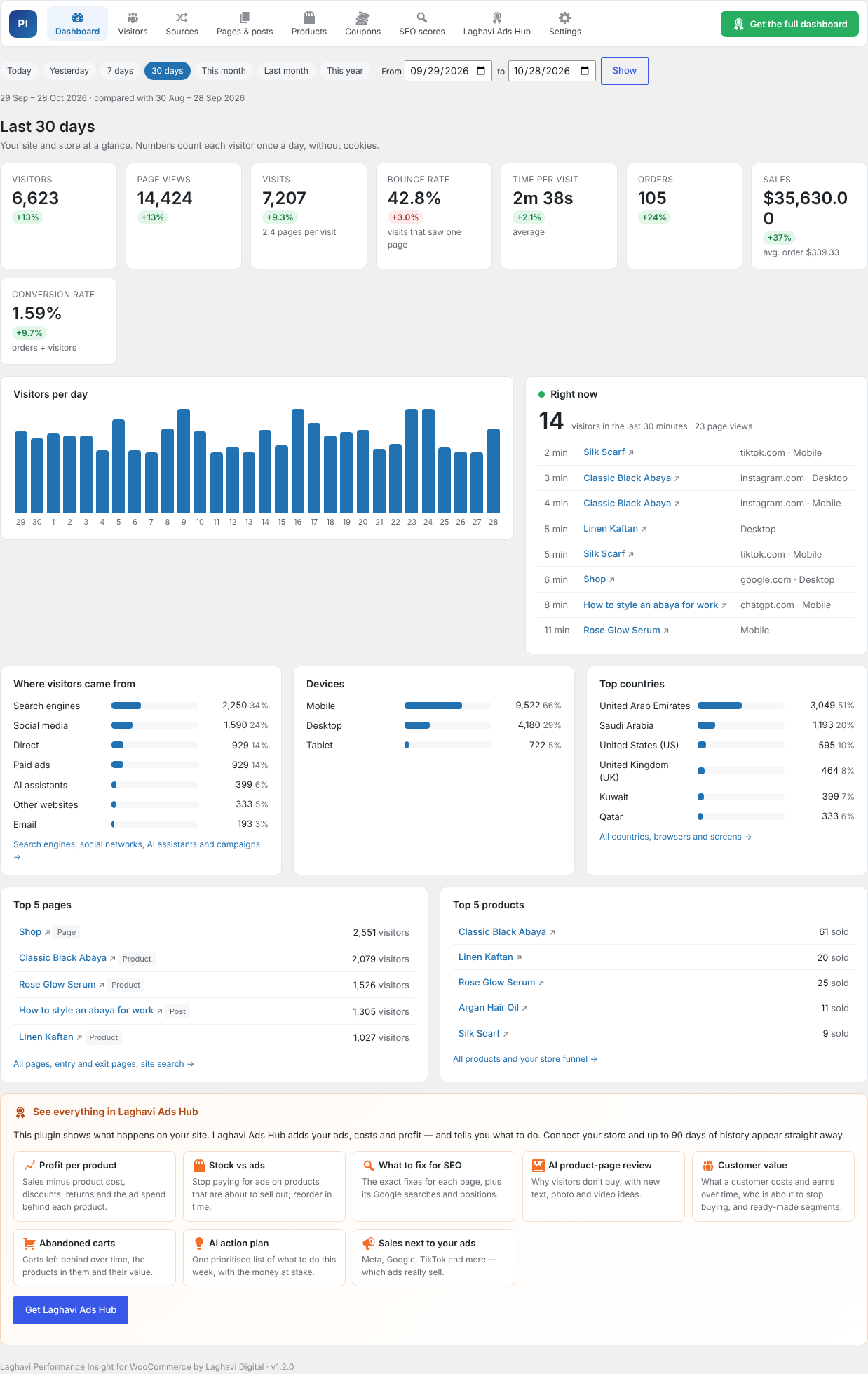
- Dashboard — visitors, page views, visits, bounce rate, time per visit, pages per visit, orders, sales and conversion rate, visitors per day, top countries, devices and sources.
- Real time — who is on your site in the last 30 minutes and the pages they are reading.
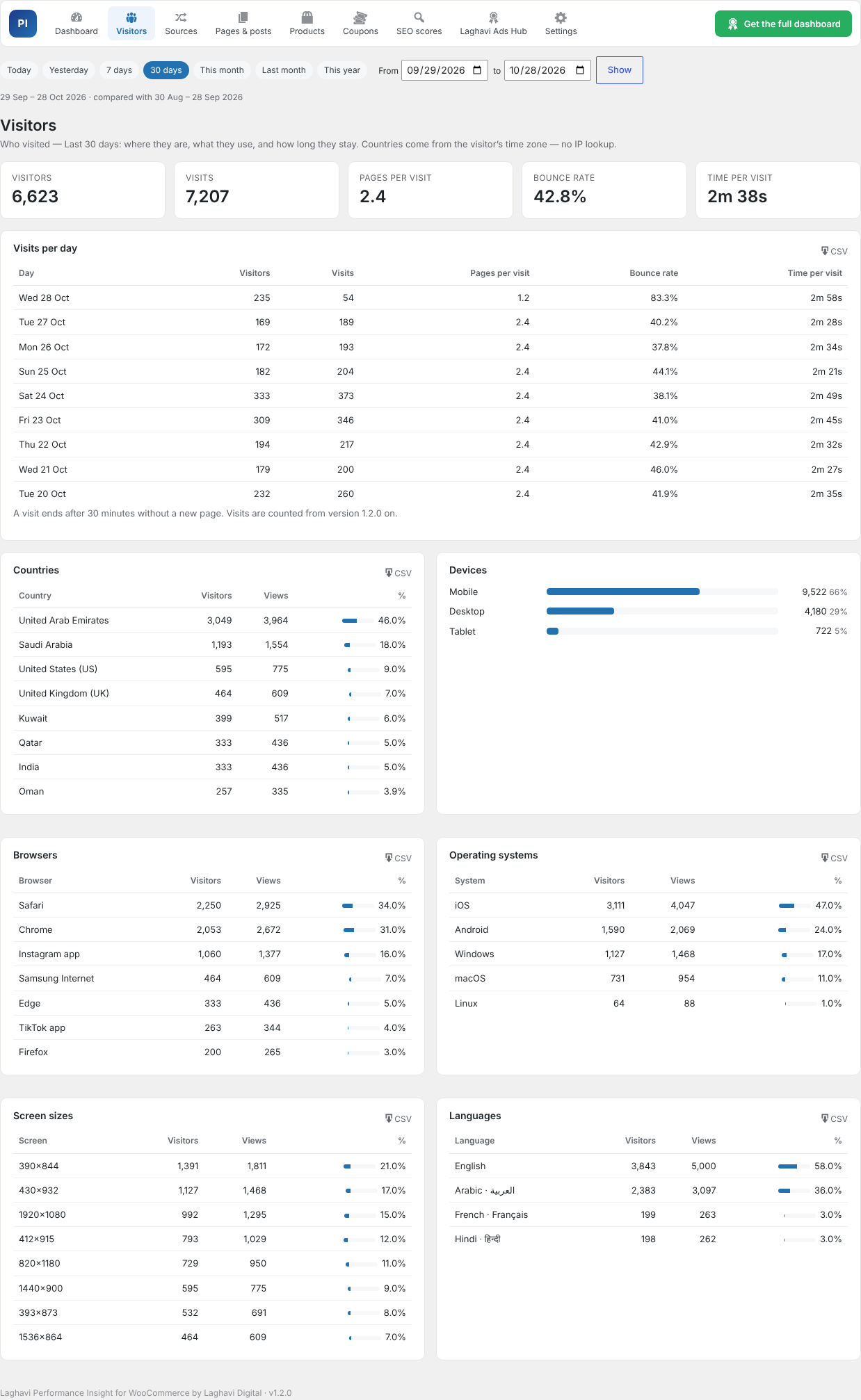
- Visitors — countries (from the visitor’s time zone, no IP lookup), devices, browsers, operating systems, screen sizes and languages, plus visits, bounce rate and time per visit for every day.
- Traffic sources — search engines, social networks, AI assistants (ChatGPT, Perplexity, Gemini, Copilot, Claude…), other websites, campaigns (utm_campaign) and source / medium, with orders and sales per channel from WooCommerce order attribution.
- Pages & posts — the 100 most visited, entry pages (where visits start), exit pages (where they end), site search terms and pages not found (404) with how often they were asked for.
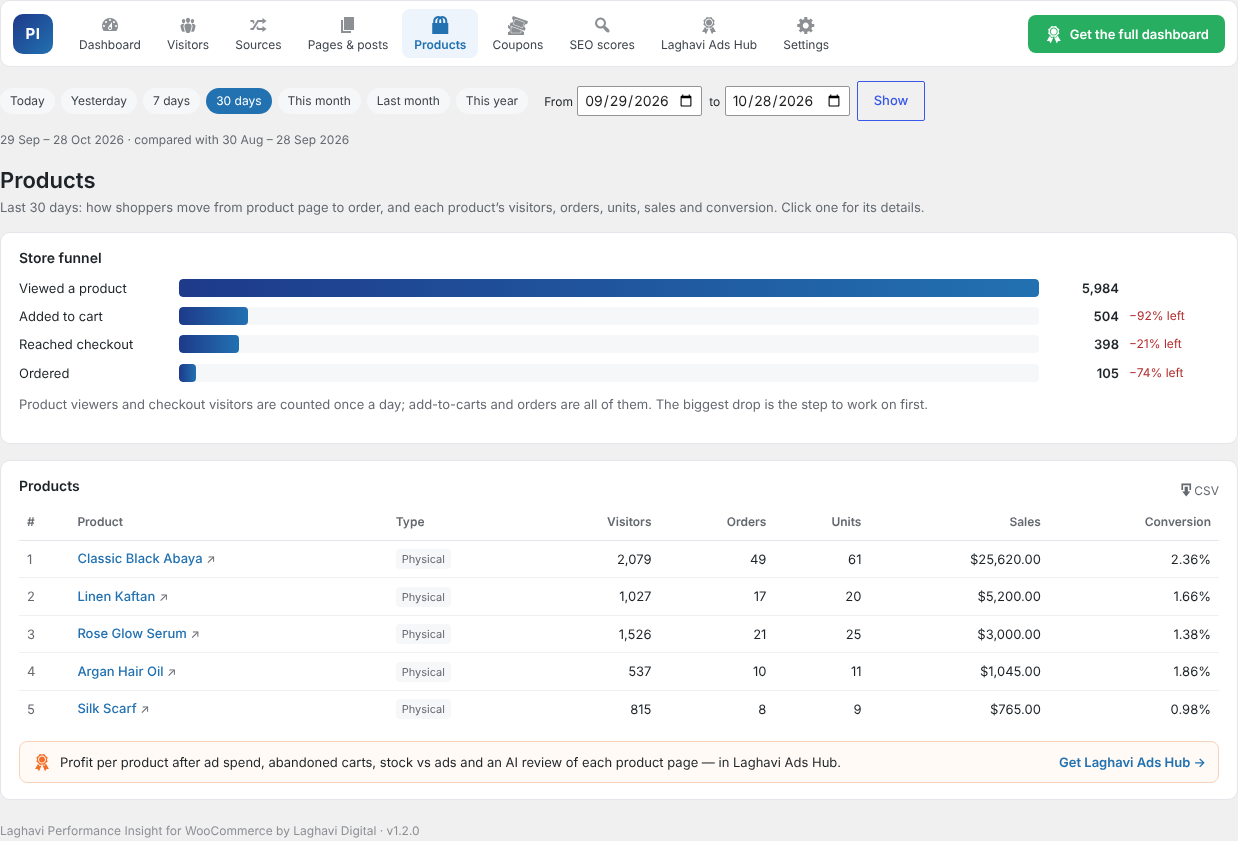
- Products and store funnel — product views added to cart checkout orders, and the 100 best products with visitors, orders, units, sales and conversion (physical, digital and subscription products).
- A detail screen for every page and product — visitors per day, where they came from (search, social, ads, email, other sites), mobile vs desktop, sales and add-to-carts, and the SEO problems found on it.
- Coupons — orders and sales with a coupon, average order with vs without, and for the top 10 codes: sales, discount given, discount % of sales, new vs returning customers and top countries. Plus the active coupons nobody used in the period.
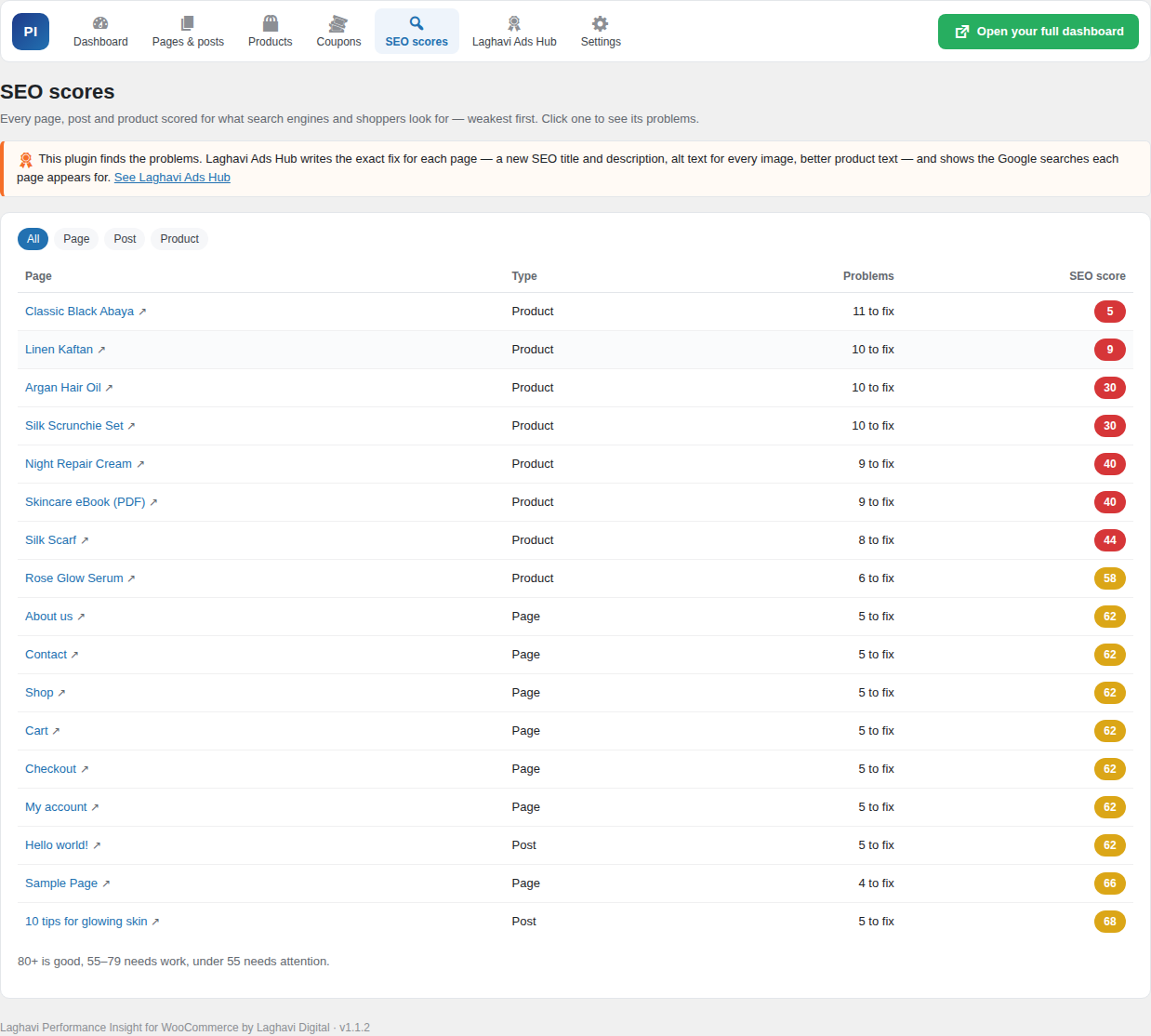
- SEO score and problem list for every page, post and product — weakest first, with a checklist (title, meta description, text length, image alt text, headings, links, photos, reviews, SKU, stock). Works with Yoast SEO, Rank Math, All in One SEO, SEOPress and Elementor pages.
- CSV export of every report, for any period.
- Exclude logged-in roles and IP addresses (your office), and choose which roles may see the reports.
Privacy friendly
- No cookies and no IP addresses stored. A visitor is counted once per day using a one-way code that changes every day.
- The country comes from the browser’s time zone — no IP lookup and no outside service.
- To work out visits, entry and exit pages and the real-time view, each page view is kept for 4 days with that daily code only; after that only daily totals remain.
- Logged-in staff (administrators, shop managers, editors — you choose) are not counted.
- “Do Not Track” is respected by default, and bots are filtered out.
- Everything is stored in your own WordPress database. This plugin does not send data anywhere.
The full dashboard: Laghavi Ads Hub (paid)
Laghavi Ads Hub is a separate paid service by Laghavi Digital. With a plan you receive the Performance Insight Pro add-on, which connects your store to your Hub dashboard. There you see:
- Profit per product after ad spend, stock vs ads, customer value and segments.
- Your store next to your ads on Meta, Google, TikTok and more, and which ads really sell.
- Exactly what to fix for SEO on each page, with its Google searches and positions.
- AI review of each product page (text, photos, video) with what to change so more visitors buy.
- Coupons and discount codes, and abandoned carts.
- AI action plans, alerts and benchmarks.
This free plugin is complete on its own and never sends data. Only the Pro add-on, installed separately, connects to Laghavi Ads Hub. Learn more at https://laghavi.site/performance-insight/
Screenshots


Installation
- Install the plugin from Plugins Add New (search for “Laghavi Performance Insight for WooCommerce”) or upload the ZIP.
- Activate it.
- Open Performance Insight in the admin menu. Counting starts with the next visit.
FAQ
-
Do I need WooCommerce?
-
Yes, the plugin is made for WooCommerce stores: orders, sales, products, the store funnel and coupons come from WooCommerce.
-
Does it slow my site down?
-
No. Pages are not changed. A tiny script (about 1 KB) sends one small request after the page has loaded, and one more with the time spent when the visitor leaves. Raw page views are deleted after 4 days.
-
Will numbers match Google Analytics?
-
Not exactly. Every analytics tool counts a little differently (ad blockers, bots, consent banners, staff visits). Use these numbers to compare your own pages and products with each other.
-
The plugin sets no cookies and stores no IP addresses. Check your local law and your own privacy policy, but this plugin is built to need no consent for counting.
-
Is my data sent anywhere?
-
No. This plugin keeps everything in your WordPress database. Only the separate Performance Insight Pro add-on (part of a paid Laghavi Ads Hub plan) sends data, and only after you connect it.
-
How long is data kept?
-
Daily totals are kept as long as you choose in Settings (default 400 days). Raw page views are kept for 4 days only.
-
Where do AI assistant visits come from?
-
When someone clicks a link to your site inside ChatGPT, Perplexity, Gemini, Copilot, Claude or similar, the visit is counted under AI assistants with the assistant’s name.
-
What happens when I delete the plugin?
-
By default all its tables and settings are removed. You can switch that off in Settings.
Reviews
There are no reviews for this plugin.
Contributors & Developers
“Laghavi Performance Insight for WooCommerce” is open source software. The following people have contributed to this plugin.
Contributors
Translate “Laghavi Performance Insight for WooCommerce” into your language.
Interested in development?
Browse the code, check out the SVN repository, or subscribe to the development log by RSS.
Changelog
1.2.0
- Any period (today, yesterday, 7 / 30 days, this / last month, this year, custom dates) on every report, compared with the period before.
- Dashboard: visits, bounce rate, time per visit and pages per visit; visitors per day; real-time visitors; top countries.
- New Visitors screen: countries (from the browser time zone, no IP lookup), devices, browsers, operating systems, screen sizes, languages and visits per day.
- New Traffic sources screen: search engines, social networks, AI assistants (ChatGPT, Perplexity, Gemini, Copilot, Claude…), websites, campaigns and source / medium, with orders and sales per channel.
- Pages & posts: top 100, entry pages, exit pages, site search terms and pages not found (404).
- Products: store funnel (product views cart checkout orders) and the top 100 products.
- CSV export of every report.
- Settings: exclude IP addresses; choose which roles can see the reports.
1.1.2
- For the Pro add-on’s conversion reports: orders also carry the device type, the landing page path and which ad click IDs the visit had (names only), from WooCommerce’s own order attribution. Add-to-cart events report the device type to add-ons.
1.1.1
- Fix: variable products whose variations are all virtual or downloadable now show as Digital, not Physical.
- Subscription products made with YITH, SUMO, WP Swings or WebToffee subscriptions are now recognised as Subscriptions.
- New
lgpi_product_kindfilter to correct a product’s kind.
1.1.0
- New: a detail screen for every page, post and product — visitors per day, sources, devices, sales and its SEO problem list.
- New: richer Coupons screen — new vs returning customers, top countries, discount % of sales, average order with vs without a coupon, and unused coupons.
- The visit counter also sends the visitor’s time zone (for visits by country in add-ons) and notes checkout-page visits. Still no cookies and no personal data.
- New
lgpi_hitaction for add-ons.
1.0.0
- First release.