

Description
Infinite Uploads is the all-in-one media library for WordPress, reimagined to keep your site fast and your growing library simple to manage. It optimizes every image you upload automatically, frees up space on your hosting, keeps your media organized, and takes the work out of managing it as your site scales, without complicated cloud setup or a separate plugin for every job.
Quick Links:
- Test Your Site – See how much faster we can make your site.
- Documentation – Get help, read tutorials, and contact support.
- See Your Savings – See how much Infinite Uploads can save you.
A WordPress media library shouldn’t slow your site down or turn into a mess as it grows. But that’s what usually happens: images pile up, pages get heavier, hosting storage fills, and suddenly you have 4 of the same image. Most plugins fix only one piece of that. Infinite Uploads rethinks the whole experience, so your media library makes your site faster and easier to manage instead of holding it back.
It starts the moment you upload. Every image is automatically optimized and delivered in modern formats, resized to the sizes your site actually uses, and stripped of unnecessary metadata, so pages load faster and score better on Core Web Vitals. As your library grows, Infinite Uploads scales with it: reclaim server space, deliver every file worldwide, organize everything, and even host and stream video, all from one plugin with no API keys, buckets, or cloud configuration to manage.
Faster: Automatic Image Optimization
New in 3.3.0. Infinite Uploads now optimizes and compresses images for you automatically at the edge, so your pages load faster without any manual work. Every image is compressed and converted to modern next-gen formats like AVIF and WebP, resized to a maximum width you choose, and stripped of unnecessary metadata before it reaches your visitors.
You stay in control. A simple Image Optimization panel lets you turn optimization on or off, set the optimization level, toggle AVIF and WebP, choose a maximum image width, strip metadata, and exclude specific paths that should be left untouched. There are no queues to run and no originals to lose. Your source files stay safe while your visitors get lighter, faster images and better Core Web Vitals scores.
Easier to Manage: Your Whole Media Library, Organized
As your library grows, finding and managing files should get easier, not harder. Infinite Uploads brings real organization to the WordPress Media Library.
- Unlimited nested folders with drag-and-drop, color coding, and bulk actions.
- Upload directly into a specific folder, including full folder structures from your computer.
- Sort files by date added, date modified, title, filename, author, file type, extension, or file size, and sort folders by name, date, or size.
- Search across title, filename, alt text, description, caption, and folder name in the grid and modal views.
- Folders appear in the media picker inside Elementor, Divi, Bricks, Gutenberg, Beaver Builder, Oxygen, Brizy, and WooCommerce.
- Manage everything right from the WordPress dashboard, with no FTP client, server names, ports, or credentials to juggle.
Scales as You Grow: Storage, Delivery, and Video
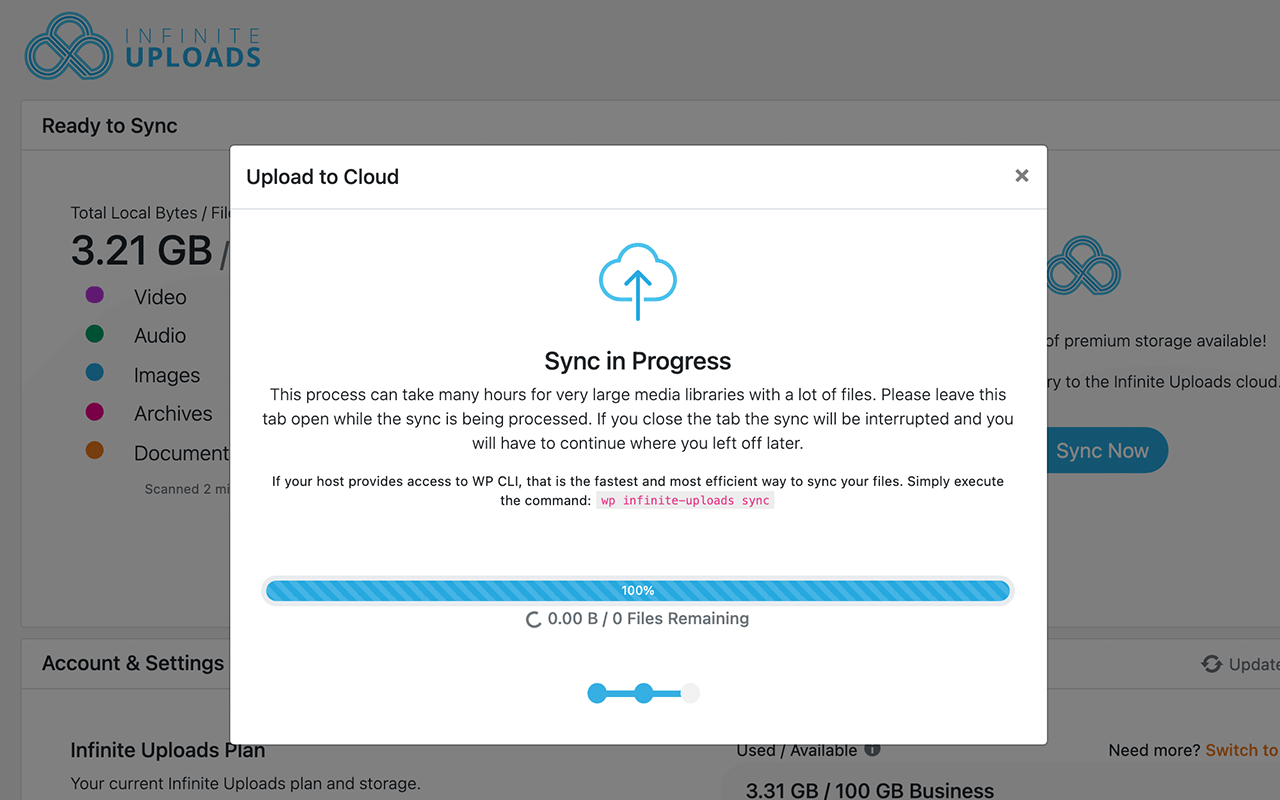
When your media outgrows your hosting, Infinite Uploads grows with it, without turning you into a cloud architect. Offload your media to fully managed cloud storage, reclaim server space, and serve every file fast from a worldwide content delivery network with 50+ points of presence. Connect an unlimited number of sites and pay only for the storage and bandwidth you use, with no per-site or per-file license fees.
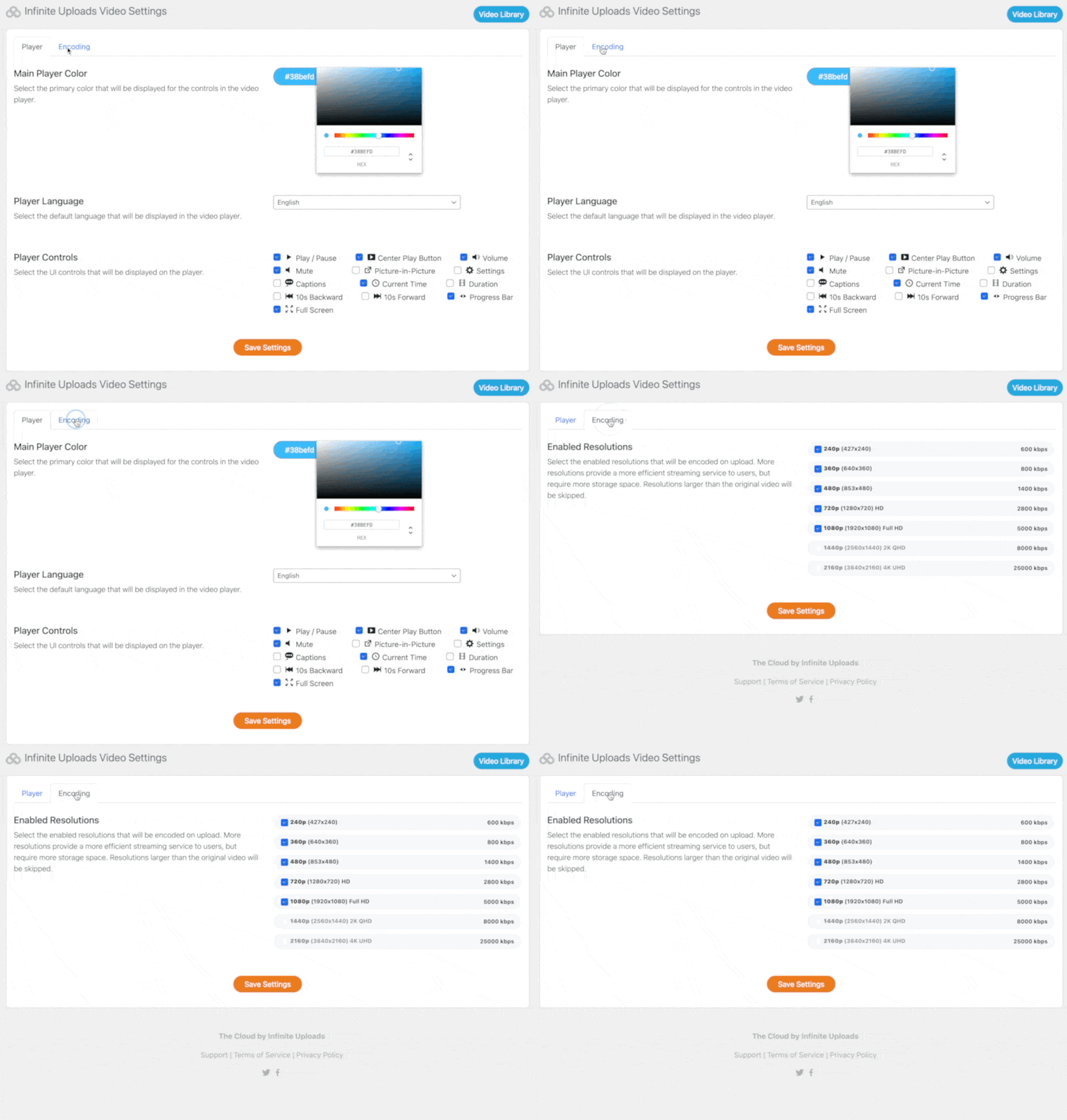
Need more than images? Upload any size video straight from your WordPress dashboard, have it encoded into multiple resolutions, and stream it through a clean, unbranded, GDPR-friendly player, all from the same media library. Store and deliver large digital downloads and other files the same way.
Unlike plugins that ask you to configure Amazon S3, Cloudflare R2, Google Cloud Storage, DigitalOcean Spaces, or Azure Blob yourself, Infinite Uploads handles the infrastructure. No API keys, no IAM policies, no CloudFront distribution setup. One click connects your site.
See Where Your Storage Goes
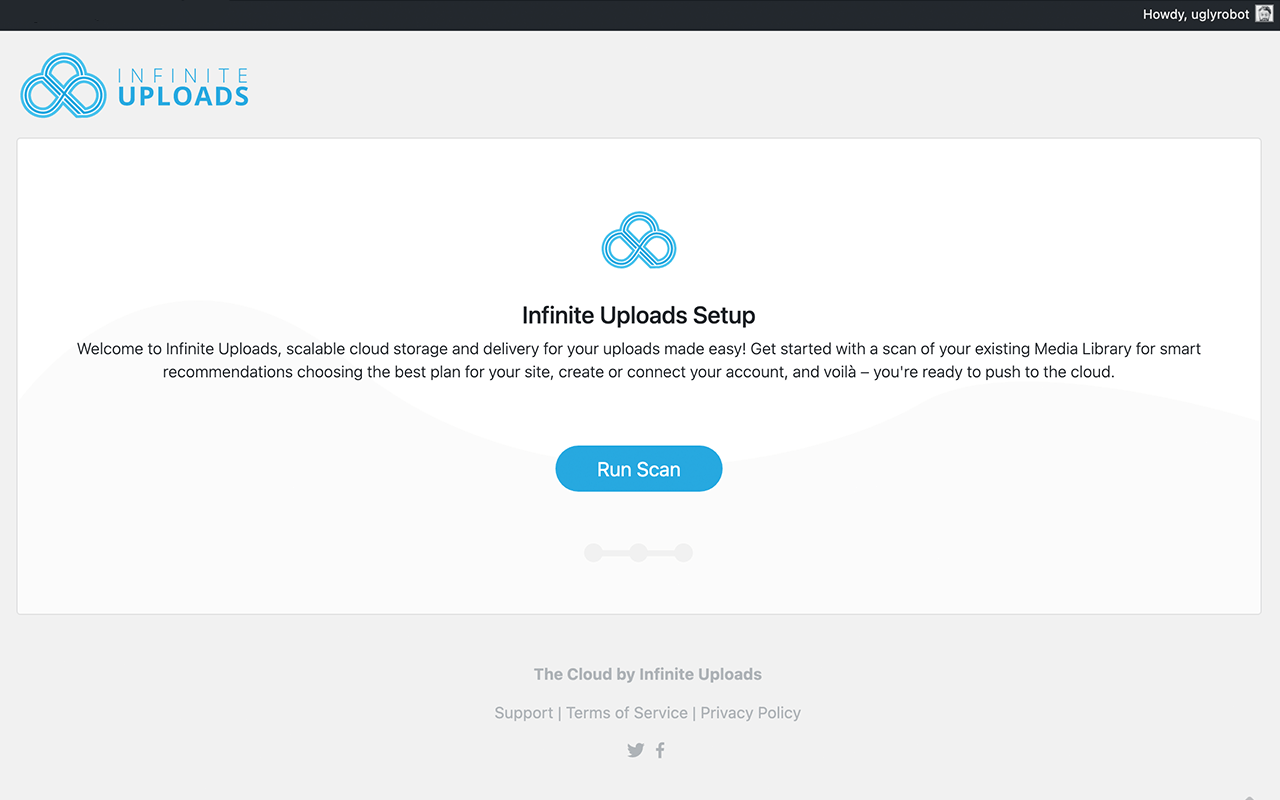
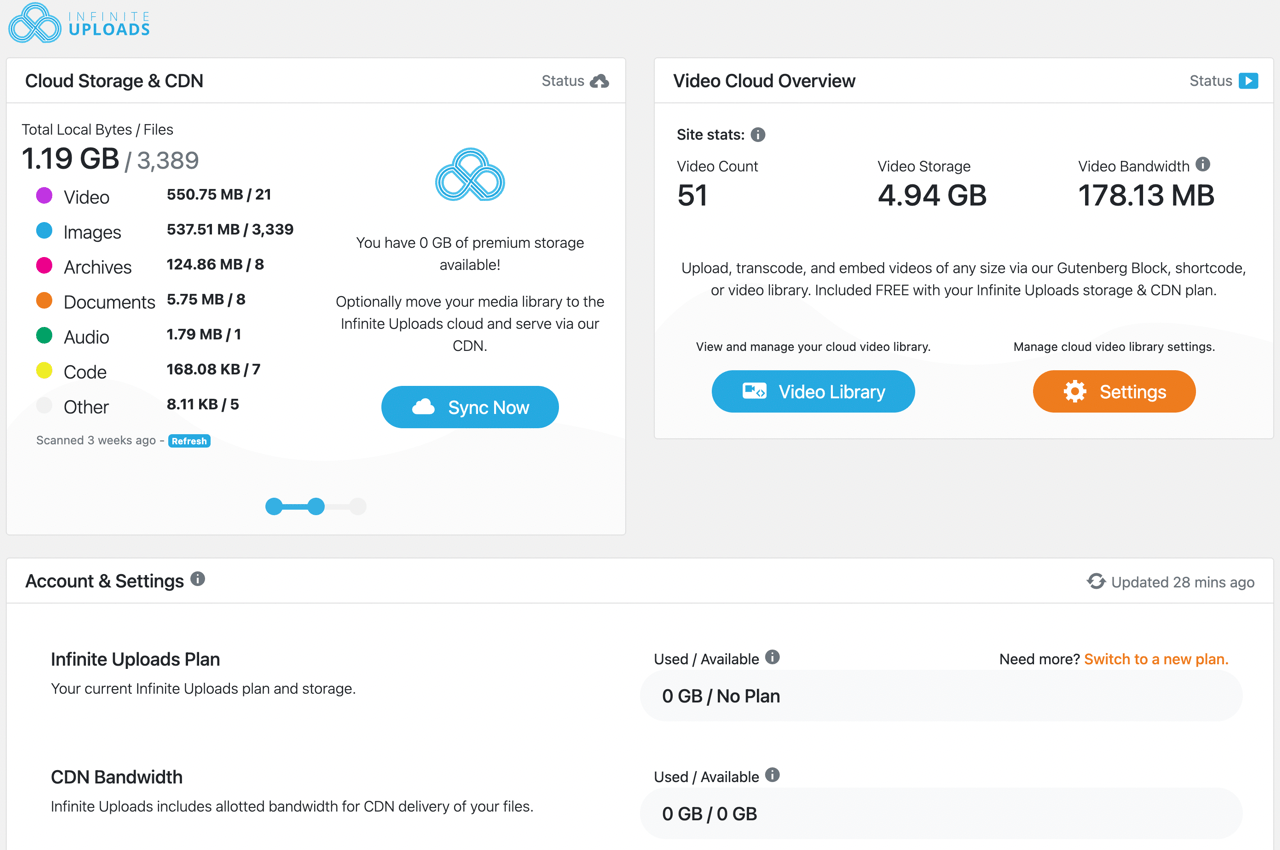
Not sure what’s filling up your hosting? Scan your Media Library for a clear breakdown of your files by type and size, so you can see exactly how many images, videos, archives, documents, and audio files you have and how much space they’re taking up, then move the biggest offenders off your server with a click.
Ecommerce Ready
Deliver high-quality product images and videos fast, and store large digital download files in the cloud.
Widely Compatible
Infinite Uploads is built to work flawlessly with the widest variety of your favorite themes and plugins, and has been tested with:
- WooCommerce
- Easy Digital Downloads
- Divi Theme and Page Builder
- LearnDash
- WordPress Download Manager
- WP Smush & Smush Pro (not CDN)
- WP Retina 2x
- Elementor Page Builder
- WPML
- WP Rocket
- NextGen Gallery
- FileBird
- ACF
- EWWW Image Optimizer
- ShortPixel
- And many, many, more!
Fast and Incredibly Secure
Files are transferred over encrypted SSL and stored with 99.999999999% (11 x 9s) durability. All API tokens and credentials are hashed, encrypted, segmented per customer and site, and rotated automatically. For low latency and legal compliance with laws like GDPR, you can choose a USA or Europe (Germany) storage location for each site you connect.
★★★★★
“This plugin does exactly what it promises for images, files, and video. It outperformed other cloud-based plugins we tested against. It’s very simple to set up.” – theinnographer
★★★★★
“This plugin is super easy to use. It scans your WordPress install and lets you know exactly how much will be moved to cloud storage. It was a life-saver for us as our web hosting accounts were getting full, now we can offload media to free up space, and the support is very responsive. So far, a great experience!” – authenticmedia
What about Multisite?
Use Infinite Uploads to optimize, store, and manage the media for your entire Multisite network with one account. Settings and syncing are network-wide, so you never have to worry about running out of storage.
Privacy
This plugin does not collect or share data other than your uploaded files to your public cloud storage location. We are fully GDPR-compatible and you can choose to store all data in European data centers. Read our Privacy Policy for more information.
Check Out Big File Uploads
Big File Uploads lets you upload large media files directly to the media library with the WordPress media uploader. Increase your maximum upload size to any value, as large as your available disk space allows, and add file chunking to avoid server timeout errors.
Check out Big File Form Uploads
Big File Form Uploads is a paid add-on that extends the maximum WordPress file upload size to your favorite form plugins, including Contact Form 7, Gravity Forms, Fluent Forms, Elementor Forms, and Forminator. Set the limit in Big File Uploads and it carries over to your forms. Learn more about Big File Form Uploads!
About Us
Infinite Uploads builds WordPress plugins and provides fully managed media optimization, storage, and delivery for WordPress. Learn more here:
infiniteuploads.com
Learn how to get the most out of your media library on our blog:
Infinite Uploads Blog, Tips, Tricks, How-tos, and News
Enjoy!
Contact and Credits
Built by the WordPress engineers and media infrastructure team at Infinite Uploads.
Screenshots



Blocks
This plugin provides 2 blocks.
- IU Media Folder Gallery Display images from an Infinite Uploads media folder as a gallery.
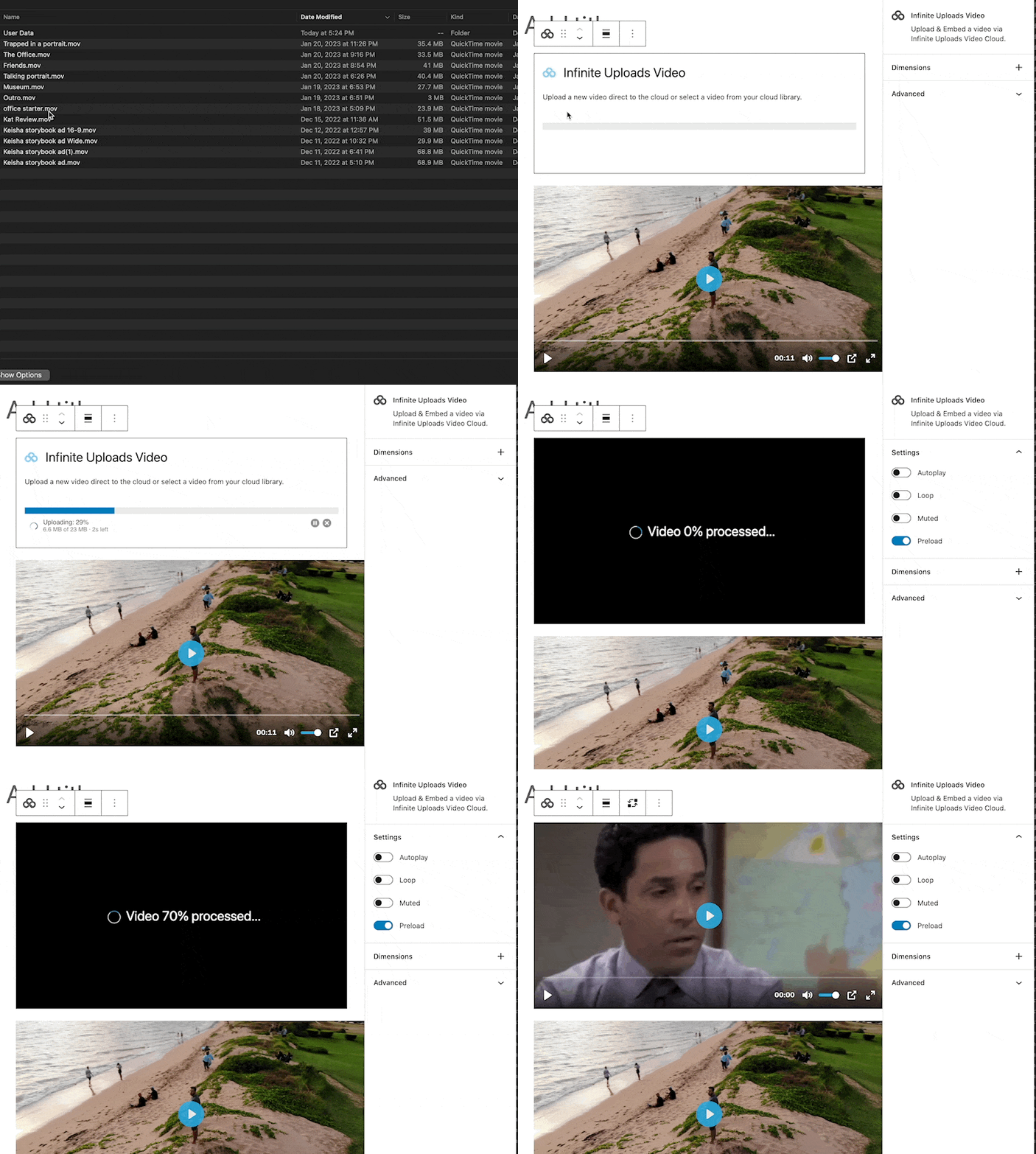
- Infinite Uploads Video Upload & Embed a video via Infinite Uploads Video Cloud.
FAQ
Does Infinite Uploads optimize my images automatically?
Yes. With image optimization enabled (requires business plan), every image is automatically compressed and converted to next-gen formats like AVIF and WebP, resized to your chosen maximum width, and stripped of unnecessary metadata at the edge, before it reaches your visitors. There are no queues to run and nothing to do manually.
Will optimization change or delete my original images?
No. Your original source files stay safe. Optimization happens at the edge on the versions delivered to visitors, so you always keep your originals and can turn optimization off or adjust it at any time.
Do I need an account, and is the plugin free?
The plugin is free. Image optimization, cloud storage, CDN delivery, media library folders, and video hosting are powered by an Infinite Uploads account. You can connect an unlimited number of sites with no per-site or per-file license fees, and only pay for the storage and bandwidth you use.
Will Infinite Uploads work without connecting to the cloud?
Yes. Use the built-in storage scanner to analyze your media library and see what’s taking up space. To use image optimization, cloud storage, and CDN delivery, you’ll connect your Infinite Uploads account.
Will this let me upload large files like videos to WordPress?
Our video hosting feature lets you upload directly from the WordPress dashboard, bypassing host limits. For other media types, our free plugin Big File Uploads removes server upload size limits.
How many websites can I connect to one account?
An unlimited number, at no extra cost. You only pay for your total storage and bandwidth usage.
Why can’t I just use AWS S3, Google Cloud Storage, or Azure myself?
You can, but those plugins are bring-your-own-bucket: you configure the cloud provider and CDN yourself, then pay for storage, per-request API costs, and egress bandwidth, which often costs several times more than the storage itself. Infinite Uploads includes optimization, storage, delivery, and video in one managed service with flat, predictable pricing and no infrastructure to configure.
Can I access my files directly, outside of WordPress?
Yes, and you’re never locked in. Nearly everyone manages their media right inside the WordPress Media Library and never needs anything else. But if you (or your developer) ever want to work with your files directly, Business plans include S3-compatible access that plugs into popular file tools, so your media stays open and portable.
How can I report security bugs?
You can report security bugs through the Patchstack Vulnerability Disclosure Program. The Patchstack team helps validate, triage, and handle any security vulnerabilities. Report a security vulnerability.
Reviews


Contributors & Developers
“Infinite Uploads – Offload, Optimize & Organize Your Media Library” is open source software. The following people have contributed to this plugin.
Contributors
“Infinite Uploads – Offload, Optimize & Organize Your Media Library” has been translated into 1 locale. Thank you to the translators for their contributions.
Translate “Infinite Uploads – Offload, Optimize & Organize Your Media Library” into your language.
Interested in development?
Browse the code, check out the SVN repository, or subscribe to the development log by RSS.
Changelog
3.4.0
- New: Manage your media by chatting with an AI tool such as WPVibe, Novamira or Respira. It can move your library to the cloud, find media (alt text included), upload files into folders and organize your folders, with the same permissions and plan rules as the plugin. Needs WordPress 6.9 or later.
- New: Connect a site from your AI tool with one approval at infiniteuploads.com. The site then scans and syncs on its own, and your AI tool asks before switching it over to the cloud.
- Fixed: Creating, renaming, moving or deleting folders in the Media Library could leave two folders with the same name side by side. Folder names are now unique within each folder, and you see a message instead.
- Fixed: The “Search In” menu in the Media Library’s grid view opened empty. It now shows its options.
- Fixed: Uncached pages on WordPress.com-hosted sites could take about a minute to load because of hundreds of image file checks. They now load normally.
- Fixed: Image uploads in Image Upload for bbPress Pro (BerryPress) could hang on sites using Infinite Uploads.
3.3.5
- Fixed: The background sync no longer requeues itself in a tight loop on files that cannot be uploaded (unusually large files, permission issues, or files removed after the scan finished). Previously, affected sites saw Action Scheduler saturated and CPU pinned by repeated 5-second retries.
- Fixed: The 5-second reschedule now only fires when the previous tick actually moved work forward, so a stuck queue quiets down instead of spinning.
- Fixed: The pending action-scheduler backlog is cleared on subsites the plugin cannot currently reach, rather than piling up jobs that will never run.
- Fixed: The “prune already-processed rows” flag is per-site and only an administrator can trigger it — previously it could bleed across sites on a multisite network.
3.3.4
- Improvement: Broader compatibility with popular plugins that use the uploads folder as their working directory. Log files, lock files, temporary exports, plugin caches, and generated PHP fragments stay on local disk automatically — no manual configuration needed.
- Fixed: WP All Export product-catalog exports run cleanly on Infinite Uploads-enabled sites.
- Fixed: Comment attachments in the wp-comment-fields plugin upload correctly. Previously chunked uploads submitted through comment forms could fail partway through.
- Fixed: Google Fonts render correctly in themes built on the Nuxy framework.
- Fixed: Checkout order-locking works for WT Sequential Order Numbers, Woo Vipps, and Stripe payment integrations. Previously order coordination could race on high-traffic stores.
- Fixed: “Free Up Local Storage” correctly skips files Infinite Uploads keeps local, and the “deletable files” counter on the settings page is now accurate.
- Fixed: The exclusion tree in Settings correctly saves and restores selections on sites with a mix of local and cloud files, and cloud-only files now appear under expanded subfolders so you can exclude them.
- Fixed: The “restore excluded files” download queue no longer mangles file paths on some hosting layouts, and no longer starts scheduled downloads when the queue is empty.
- Improvement: Cleanup after interrupted large-file uploads is more thorough, so no leftover fragments linger in your cloud storage.
3.3.3
- Improvement: The Media Library grid loads faster on sites with the File Exclusions feature enabled.
- Improvement: Every WordPress admin AJAX request (heartbeat, autosave, media picker actions) now runs 200-500ms faster on sites with page-builder plugins active.
- Update: Compatibility with WordPress 7.1.
3.3.2
- Fixed: Missing media after initial setup. Images uploaded between the plugin’s initial scan and its sync running could previously be missed entirely, later appearing as broken links on the front-end. New uploads are now registered and synced automatically the moment WordPress creates them.
- New: A daily background pass now walks your uploads folder and picks up any files that never made it to the cloud — including files created by page builders that write directly to disk, and files that had previously failed to sync repeatedly and were retired. When it finds new work, it kicks off a sync immediately instead of waiting for the next scheduled run.
- Improvement: Large sync jobs are now significantly faster. Files stream continuously through the upload pipeline, so a single slow file no longer stalls an entire batch of fast files.
- Fixed: Sync requests now stay well under common host gateway timeouts (Cloudflare, nginx). Requests that used to get silently cut off mid-transfer — surfacing to users as “Too many server errors. Please try again.” with nothing in the logs — now finish cleanly.
- Fixed: A hidden crash when resuming an interrupted multipart upload. This was another cause behind repeated “Too many server errors” reports.
- Fixed: Settings Files to exclude no longer hangs on “Loading…” on large libraries. Previously the tree loaded every synced file into memory on each request — a 400k-file library ran the request out of memory before the tree could be rendered. The tree now only queries the folder being expanded, and caps each folder at 2,000 entries with a marker node prompting the user to exclude the parent folder instead when the cap is reached.
- Improvement: Sync failures are now written to the standard PHP error log automatically. A failing sync leaves a diagnosable trail without needing to turn on the plugin’s debug mode first.
- Fixed: Koko Analytics compatibility — Koko now works alongside Infinite Uploads out of the box. Previously, Koko couldn’t locate its stats endpoint when Infinite Uploads was enabled.
- Fixed: Elementor Website Templates now install cleanly with Infinite Uploads enabled. Previously template imports could fail with an “Unable to download the Website Template” error.
3.3.1
- Fixed: A rare crash that could stop the plugin from loading on some installations after an update.
- Fixed: Upload and download operations now recover gracefully when a specific file can’t be transferred. Previously, one missing or unreachable file could halt the whole batch. Problem files are automatically skipped and the rest of your library continues syncing.
- Fixed: The
wp infinite-uploads downloadcommand no longer stops on the first missing file. Missing files are logged as warnings and the download runs to completion. - Fixed: The daily background sync no longer errors out on sites that haven’t connected to Infinite Uploads yet, or that have disconnected. It now waits for a valid connection before running.
- Fixed: Compatibility with the Ajax Load More plugin — its repeater templates and cache files now load correctly, and the plugin activates without errors.
- Fixed: “Free Up Local Storage” no longer deletes local copies of files you’ve excluded from CDN delivery. Excluded files stay on disk so the local URLs served for them keep working. The “deletable files” count on the settings page now reflects only files that will actually be removed.
- Fixed: Removing a single file from your exclusion list now correctly re-uploads it to the cloud. Previously it was silently skipped and stayed local.
- Fixed: Files you’ve added to your exclusion list are now respected during a full re-scan, so excluded files won’t get re-uploaded when scanning from scratch.
- Fixed: The Media Folders sidebar no longer overlaps the media library toolbar. The “All media items” filter dropdown is fully visible again.
3.3.0
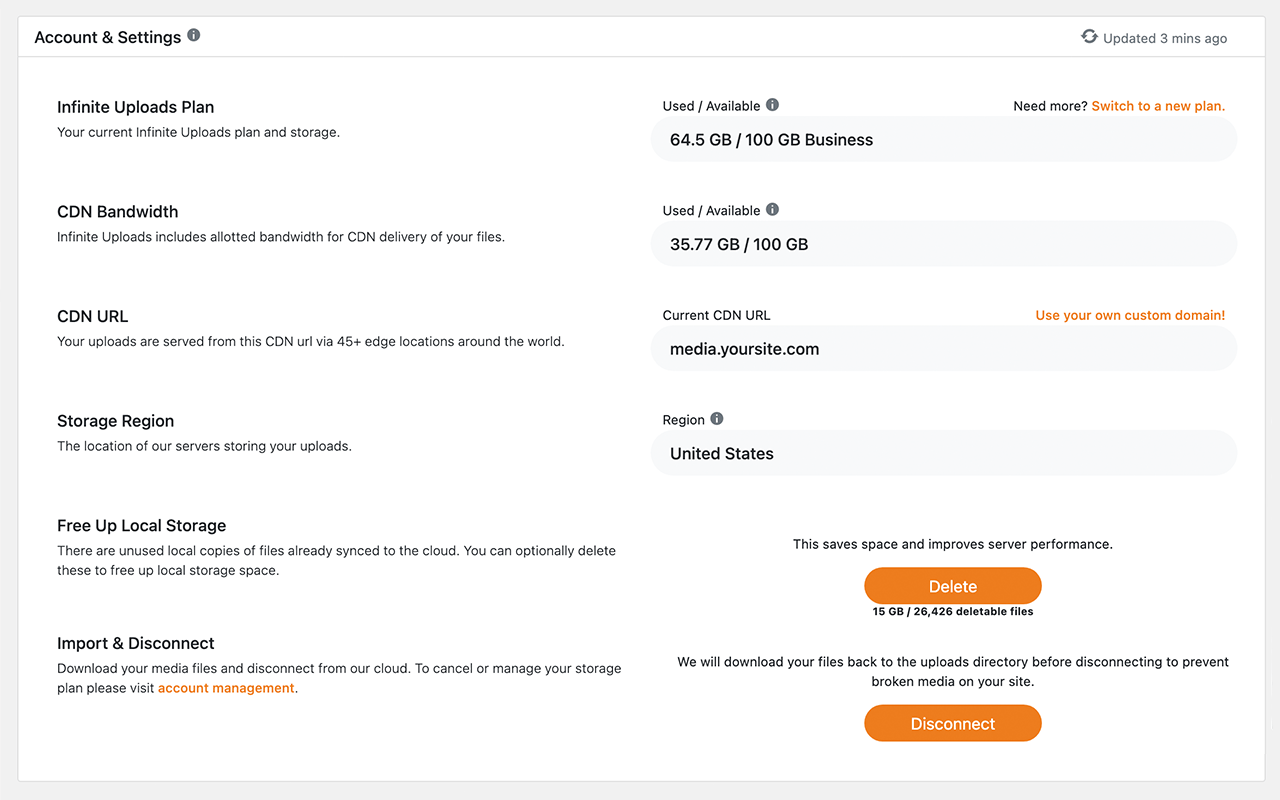
- New: Image Optimization section on the Account & Settings page. Each site can enable the native edge image optimizer with per-option controls — master on/off, optimization level, AVIF/WebP toggles, max width (up to 2560px), strip metadata, and path exclusions. Settings are pushed to the Infinite Uploads cloud so the edge CDN picks them up automatically.
- Fixed: File exclusion tree — saving no longer dropped exclusions that lived in unexpanded branches. The exclusion tree lazy-loads one directory level per request, so the previous
jstree('get_selected')snapshot only covered rendered nodes; the save handler now diffs the posted list against the stored one so unrendered exclusions are preserved. - Fixed: WP Webhooks Pro compatibility — the plugin’s PHP integration loader
require_once()s modules from awp_upload_dir()-based path, which IU rewrites to theiu://stream wrapper. PHP refuses to include through a URL wrapper (allow_url_include=0), producing a fatal on activation. IU now routes those specific includes through the local disk instead.
3.2.6
- Fixed: PHP fatal
Class "ClikIT\InfiniteUploads\Error" not foundin the stream wrapper’s debug logger — the unqualifiednew Errornow resolves to PHP’s global\Errorclass. - Fixed: PHP 8.4 deprecation notice.
- New: GD image editor wrapper for cloud storage. When Imagick isn’t available — or its stream-wrapper branch trips WordPress core’s
Cannot use output buffering in output buffering display handlersbug — image edits and sub-size generation now fall through to a GD-backed editor that writes to a local temp file and copies the result to the cloud. Mirrors the existing Imagick wrapper.
3.2.5
- Update: Added support to get the IU CDN url and prefix for the EWWW Image Optimizer so its JS WebP and Picture WebP rewriting modes pick up the Infinite Uploads CDN automatically — no more manually enabling “Force WebP” or pasting the CDN domain into EWWW’s settings.
3.2.4
- Fixed: Cropped images created by Beaver Builder in
bb-plugin/cache/are now offloaded to the cloud and served via CDN. - Fixed: A blank front-end page that could occur when the IU Media Folder Gallery module was active in Beaver Builder.
- Update: Query performance improvements for the Beaver Builder gallery module dropdown and BB cache sync state lookups.
- Update: Code refactoring and stability improvements for sites using Beaver Builder with the Media Folders feature.
3.2.3
- Update: WordPress 7.0 compatibility
3.2.2
-
Image Optimizer Compatibility
- EWWW Image Optimizer now works with images stored in the cloud. Both regular and WebP versions are saved and delivered correctly.
- Imagify now works end-to-end with cloud-hosted media. Optimized images and their WebP / AVIF versions are kept in sync automatically.
- ShortPixel: fixed the “Could not create backup. Please check file permissions” error when optimizing cloud-hosted images.
- Smush Pro: fixed broken WebP / AVIF image links that appeared as
https:/smush-webp/...and resulted in missing images.
-
Page Builder Compatibility
- Elementor, Beaver Builder, and Brizy now load their stylesheets from the correct location when the folder is excluded from cloud sync.
- Hardened how Infinite Uploads cooperates with other plugins so its URL fixes always reach the browser.
-
Folder Exclusion Tree
- Fixed an issue where folders appeared as files (and couldn’t be expanded) after running “Free Up Local Storage”.
- Folders that exist only in the cloud now expand correctly so you can browse their contents.
-
Missing Image Fallback
- If a local copy of an image is missing, the plugin now serves it from the cloud automatically instead of showing a broken image. Fixes random 404s after a sync or after freeing up local storage.
3.2.1
- Fixed an issue where the exclusion file tree was not showing.
- Fixed a bug causing Infinite Uploads to corrupt plugin ZIP installations from the WordPress admin.
3.2.0
-
What’s New
- This release adds full folder management, improved filtering, and enhanced search to the WordPress Media Library, included with all paid Infinite Uploads subscriptions.
-
Core Folder Management
- Unlimited nested folder creation in the WordPress Media Library
- Drag-and-drop to move files into folders, including bulk selection
- Direct upload into a specific folder, including full folder structures from your computer
- Rename folders inline
- Color-code folders for visual distinction
- Bulk folder actions: select multiple folders, then move or delete in one step
- Files in deleted folders automatically move to Uncategorized
- Auto-enables on active paid plans (toggle to disable in settings)
- Full revert to standard WordPress behavior when disabled
- Resizable folder sidebar
-
Sorting and Enhanced Search
- Sort files by date added, date modified, title, filename, author, file type, extension, and file size
- Sort folders by name, date created, date modified, and folder size
- Search files and folders across title, filename, alt text, description, caption, and folder name in the Media Library grid and modal
-
Page Builder Compatibility
- Folders appear in the media picker across all major page builders and plugins:
- Elementor
- Divi
- Bricks
- Gutenberg / FSE
- Beaver Builder
- Oxygen
- Brizy
- WooCommerce product galleries
- Folders appear in the media picker across all major page builders and plugins:
-
Notes
- Folder data is stored in a custom table. Core WP tables are not modified.
- Folder actions respect user roles: admins manage all, editors manage their own.
- Disabling Media Library features in settings will flatten folders to Uncategorized with a confirmation prompt if folders are in use.
- Folders are removed in an unlicensed state, but no media files are deleted.
- Enabled by default on all sites with Infinite Uploads, disabling is possible via Infinite Uploads settings.
3.1.7
- Update: Added
PlayerVersionto API requests to ensure the latest video player is used for streaming videos.
3.1.6
- Update: Minor UI enhancements in the video library and settings pages.
3.1.5
- Fix: Enable/Disable Direct Play video settings not saving properly.
- Fix: Enable Video Cloud Storage setting not saving properly.
3.1.4
- Fix: Enable/Disable Direct Play video settings not saving properly.
3.1.3
- Fix:
Fatal error: Uncaught Error: Class "ClikITInfiniteUploadsPharData" not found.
3.1.2
- Fix: Compatibility issue with Smush Image Optimization and EWWW Image Optimizer WordPress plugins.
- Update: UI improvements.
- Translations: Updated .POT file for new translations.
3.1.1
- Update: Compatibility support for the Big File Uploads plugin.
- Update: Settings UI to conditionally show/hide directory tree options.
- Fix: Infinite Uploads CLI command not executing as expected.
- Fix: An issue with the directory tree not loading properly.
- Translations: Updated .POT file for new translations.
3.1.0
- New: Added custom folder exclusions that let you select specific directories inside
wp-content/uploadsto keep files local instead of syncing them to Infinite Uploads - Update: Performance Improvements
- Update: Reliability & Error Handling
- Update: Default Log & Temp Exclusions. Common log and temporary files are now excluded automatically,
- Update: Security Improvements
- Update: WordPress 6.9.1 compatibility
3.0.6
- Fix: ShortPixel integration issue.
3.0.5
- New: Added support to access videos directly via URL
- Update: WordPress 6.8.3 compatibility
3.0.4
- Fix: Multisite issue
- Update: Upload big files
- Update: WordPress 6.8.2 compatibility
- Update: wpForo, wpDiscus & Content Videos exclusions
3.0.1 – 2025-06-03
- Upgraded PHP version to 8.0
- Added privacy policy before connect
3.0 – 2025-06-02
- Upgraded PHP AWS SDK for 10-20% faster performance and lower RAM utilization
- Updated namespace
- Increased WordPress minimum to 6.0
- Increased PHP version minimum to 7.4
- Added Imagify compatibility
2.0.10 – 2025-05-29
- Fix for the Complianz Plugin
2.0.9 – 2025-05-23
- Added Exclusion the WooCommerce Log file
- Added Exclusion For WooCommerce Product CSV Export
- Added Complianz Plugin Compatibility
2.0.7 – 2025-01-30
- Fix for video container CSS
- Preload + Autoplay updates for infinite-uploads-vid video shortcode
2.0.6 – 2025-01-14
- @wordpress/scripts ^27.9.0
2.0.5 – 2025-01-14
- @wordpress/scripts set to ^30.8.1
- Added configuration for react-jsx-runtime polyfill
2.0.4 – 2025-01-07
- Copyright update
2.0.3 – 2025-01-07
- FAQ updated for security bug reporting
2.0.2 – 2024-07-03
- Fix rewriting of URLs until initial sync is complete
2.0.1 – 2023-10-24
- Fix corrupt unzipping errors on manual plugin upgrades
- Fix incorrect error log entries when disconnecting from cloud
- Speed up head objects
- Fix aws config error message in PHP safe mode
2.0 – 2022-01-22
- Initial release of our new cloud video upload, encode, and streaming feature!
1.1.6 – 2022-12-13
- Fix error handling on sync for specific error types that were breaking syncs
- Support for very large directory file counts: Allow filescan via WP CLI before connecting site to cloud
- Add an ‘infinite_uploads_sync_exclusions’ filter to exclude files from sync
- BuddyBoss/BuddyPress workaround: Bypass cloud storage for BuddyBoss media files
1.1.5 – 2021-10-27
- Fix problems replacing urls in some multisite subsites
- Add an ‘infinite_uploads_replacement_urls’ filter to customize url replacements
- Cache attachment size to improve performance of media grid and some frontend editing themes
- Compatibility fix for WooCommerce CSV importing
1.1.4 – 2021-9-22
- Fix compatibility issues with some plugins that used media_handle_sideload() function.
- Add compatibility overrides for WP Contact Form 7 and WP Migrate DB Pro.
1.1.3 – 2021-6-12
- Improve error handling for transient API outages to avoid breaking site images.
- Prevent deactivation of plugin until download & disconnect is completed to avoid data loss.
1.1.2 – 2021-3-15
- 2x speed increase when uploading and processing new media items.
- Fix files not deleting from cloud storage when deleting attachments.
- Improved debug logging for identifying plugins causing unnecessary disk access.
1.1.1 – 2021-2-26
- Prefix and filter the AWS SDK and dependencies to prevent code conflicts with other plugins and shrink plugin package size.
1.1 – 2021-2-22
- WordPress Multisite support (subdir, subdomain, and pre-WP3.5 networks)
1.0.2 – 2021-2-12
- Resumable large file uploads. If the sync times out, server errors, or is stopped midway, it will continue the large file where it left off. This should support syncing multi-GB files.
- Progress bar percent is now tracked by bytes not file count, this makes it much more accurate when you have some big files.
- Progress bar is now updated every 15s minimum, and shows the progress of big files as they are uploaded.
- Added a new error log display and retry sync button in enable modal.
1.0.1 – 2021-2-8
- Fix table installation routine that broke on some older MySQL configurations
1.0 – 2021-2-7
- Initial release after a year of hard work!