

Description
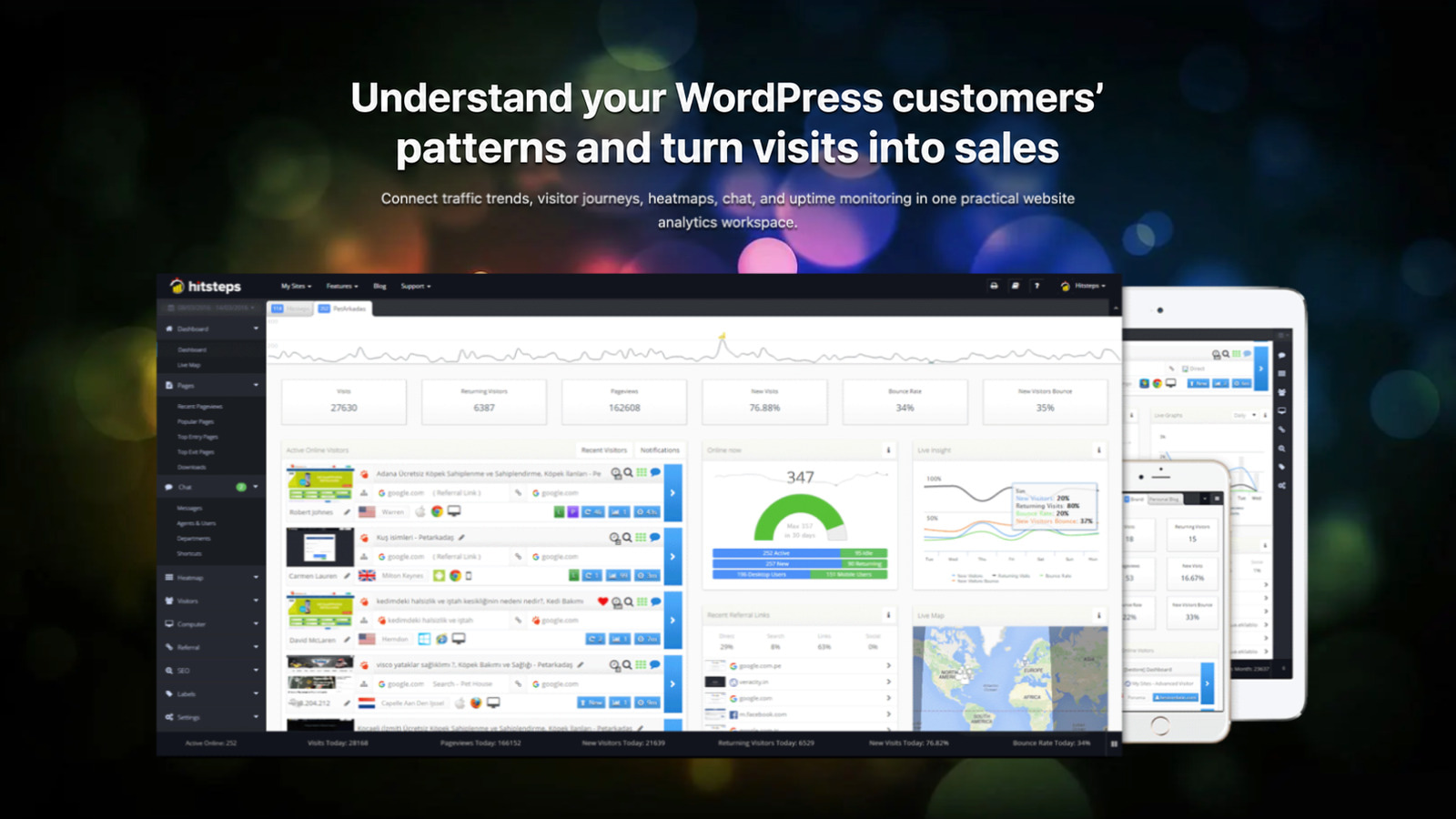
Hitsteps is a real-time WordPress analytics plugin for visitor tracking and behavior analysis. Watch live visitors, follow page-by-page journeys, and connect behavior to referrers, campaigns, devices, approximate locations, and returning visitor profiles.
Add visitor tracking without editing your theme. Connect an account in the plugin settings, save the API key, then verify real-time tracking as soon as the first live visit arrives.
See more than aggregate pageview totals by following the journeys behind them.
Use Hitsteps to answer practical questions:
- Who is visiting my WordPress site right now, and which page are they viewing?
- Which referrers, traffic sources, UTM campaigns, and landing pages bring engaged visitors and conversions?
- Which Google Search Console queries and pages bring clicks, impressions, and ranking opportunities?
- What did a visitor view before placing an order, submitting a form, or starting live chat?
- Where do WooCommerce shoppers leave their carts or drop out of checkout?
- Which products sell, which orders are linked to visitor journeys, and how do refunds affect order value?
- Which links, buttons, menus, products, and page sections receive clicks in heatmaps?
- Did traffic stop after a deployment, cache change, or outage?
WordPress Analytics Dashboard
Use Hitsteps from the WordPress administrator dashboard with summary, recent-visitor, map, live-path, and pageview widgets. Posts and Pages can also show a Daily Pageviews graph that opens the relevant Hitsteps detail view.
Real-Time Visitor Tracking for WordPress
Hitsteps adds the tracking code after you connect an account and API key. The live dashboard shows active and recent visitors without a next-day wait.
Live Visitors and Page-by-Page Journeys
Follow activity page by page. See current and entry pages, session duration, browser, device, country, region, and available approximate IP-based city context.
Visitor Profiles and Returning Visitors
Visitor profiles connect repeat browser visits and journey history. Optional aliasing can associate a known identifier supplied after login, form submission, chat, or purchase. Anonymous visits do not reveal a person’s identity automatically.
Referrer Analytics and Traffic Sources
Connect journeys to available referrers, search engines, campaigns, landing pages, and entry sources. Browsers, privacy controls, apps, and copied links can omit referral data.
Google Search Console and SEO Analytics
Connect a verified Google Search Console property to review clicks, impressions, click-through rate, average position, queries, and pages alongside Hitsteps traffic sources and visitor journeys. Search Console data is read from Google after authorization; it is separate from browser referrer and on-site search signals.
WordPress Heatmaps and Page Analysis
Click heatmaps and Page Analysis show which links, buttons, menus, products, and page sections receive attention, helping explain where journeys stall.
WooCommerce Analytics: Orders, Carts and Checkout
Follow shoppers from product views and cart changes through checkout and orders. Explore abandoned carts, checkout drop-offs, product performance and the visitor journeys connected to purchases in the Hitsteps Commerce dashboard.
On WooCommerce storefront pages, the plugin can also report product and product-list views, cart views, add/remove and quantity changes, checkout steps, and purchase signals with item context such as product ID, variation ID, SKU, category, quantity, currency, and provisional amounts. This browser context is behavioral and does not replace the authoritative order and refund data collected by the separately activated WooCommerce Commerce integration described below.
Activate the WooCommerce Commerce integration in Hitsteps to collect new order activity, payment status and refunds, with item details and order-to-visitor linkage when visitor attribution is available. Review order values, recorded refunds and net order values in your store currency. Order value is separate from confirmed payment or captured revenue. Collection starts when the integration is activated; no historical orders are imported.
Classic checkout, Checkout Blocks and WooCommerce High-Performance Order Storage (HPOS) are supported. Commerce reports require an eligible Hitsteps account and setup. Cart, Checkout and Ordered Segments can be configured automatically, with a checkout-to-order Funnel when your account plan supports Funnels.
WordPress Order and Form Conversion Analytics
Hitsteps can record WooCommerce order conversions with order values and successful submissions from Contact Form 7, Gravity Forms, Ninja Forms, and Jetpack Contact Form. The WordPress conversions report groups these events by integration and connects them to visitor journeys and first-touch UTM campaigns when visitor attribution is available. Order conversion events use WooCommerce processing/completed status and order totals; they are not proof that payment has been received, including for cash-on-delivery orders. Order emails and supported form notifications can still include recent visitor journeys for operational context.
More Hitsteps Features
- Live chat and support-button options.
- Bot detection and referral-spam filtering.
- Invisible tracking with no public counter badge.
- Real-visitor page-speed reporting.
- Uptime monitoring and alert channels, depending on plan and configuration.
- WordPress dashboard summaries, visitor maps, recent graphs, Online Visual live visitor paths, and pageview widgets.
- Privacy-safe WordPress context dimensions for page type, post type, locale, signed-in state, and theme type when Custom Dimensions are enabled.
- WooCommerce cart-state Dimensions for whether a cart has items, total cart units, and a bounded store-currency value bucket when Custom Dimensions are enabled; customer type and membership level can be supplied through site-owned filters.
- Active memberships from Paid Memberships Pro, WooCommerce Memberships, MemberPress, Restrict Content Pro, Paid Member Subscriptions, and s2Member can map to bounded customer type and membership level Dimensions; site-owned filters can override or clear the automatic values.
- Privacy-safe WordPress business Actions for successful logins, registrations, logouts, comments, password-reset flows, and form submissions from Elementor Forms, WPForms, and Formidable Forms; arbitrary custom forms can opt in without sending field values.
- Internal Search coverage for classic WordPress searches plus WooCommerce Blocks/Store API and search-like AJAX requests, with bounded terms sent through the existing visitor-linked search pipeline.
- Google Search Console reports for search performance, queries, pages, clicks, impressions, CTR, and average position.
- First-touch UTM attribution across source, medium, campaign, term, and content, plus WordPress conversion summaries for WooCommerce and supported forms.
- Goals, campaigns, funnel and conversion reports, downloadable PDF/CSV reports, and scheduled email reports, depending on plan and configuration.
- Hitsteps AI and MCP-compatible analytics assistance for questions about traffic, pages, campaigns, goals, live visitors, and tracking health, depending on account access.
- Optional registered-user aliasing across devices when your site has the required permission or consent.
Learn more on the Hitsteps features page.
External Service and Privacy
This plugin connects WordPress to the hosted Hitsteps analytics service. An account and API key are required. It sends analytics data such as page URLs and titles, referrers, browser and device information, IP-derived approximate location, and interactions. Optional aliasing, WooCommerce, or form integrations can also send identity or journey context.
Site owners are responsible for providing any notice and obtaining any consent required for their use of analytics, cookies, identity features, chat, and related integrations. Review the Hitsteps Terms of Service and Hitsteps Privacy Policy before enabling the service.
Security Policy
Reporting Security Bugs
Please report security issues in the Hitsteps plugin through the Patchstack Vulnerability Disclosure Program. Patchstack can assist with verification, CVE assignment, and developer notification.
Support, translations, and reviews
For help, use the Hitsteps support page or the WordPress.org support forum. If you can help improve a translation, contribute through the WordPress translation project. If Hitsteps is useful on your site, an honest WordPress.org review helps other WordPress users find it. Please use support for problems so the team can help before reviewing.
Screenshots


Installation
- Install and activate Hitsteps Web Analytics.
- Open the Hitsteps settings page in WordPress.
- Connect an existing Hitsteps account or create one, then save the website API key.
- Visit the site once and open the Hitsteps dashboard to confirm live visitor tracking.
- Review visitor journeys, UTM campaign attribution, Search Console performance, WordPress conversions, heatmaps, goals, campaigns, and configured alerts as data arrives.
- For WooCommerce Commerce reports, activate the integration in Hitsteps and confirm new order and storefront activity appears in the Commerce dashboard.
FAQ
-
How do I see live visitors on my WordPress site?
-
Activate Hitsteps, open Settings > Hitsteps, connect your account and API key, then visit the site in another tab. The live dashboard shows the test visit, page, available referrer, device, approximate location, and journey.
-
Can Hitsteps track WordPress visitors in real time?
-
Yes. Hitsteps sends tracked page activity to its hosted dashboard as it happens. Follow active and recent visits, page changes, entry pages, and returning visits.
-
Does Hitsteps create visitor profiles and track returning visitors?
-
Yes. Profiles connect returning browser visits and page history. They represent browser or session activity unless your site supplies a known identifier after login, a form, chat, or purchase. Anonymous visitors are not identified automatically.
-
Does the WordPress plugin include heatmaps?
-
Yes. Enable click tracking to build heatmaps and Page Analysis reports showing which links, buttons, menus, products, and page sections receive clicks.
-
Can I see which referrers and traffic sources send each visitor?
-
Hitsteps records available referrers, landing pages, campaigns, search-engine signals, and entry sources. Browsers, privacy settings, apps, redirects, and copied links can remove referrer data, making visits direct or unattributed.
-
Does Hitsteps integrate with Google Search Console?
-
Yes. Authorize a verified Google Search Console property in Hitsteps to review clicks, impressions, CTR, average position, queries, and pages alongside traffic sources and visitor journeys. Google may need time to prepare data after a new property is verified.
-
Can I use Hitsteps for WordPress goals and conversion analysis?
-
Yes. Configure Hitsteps goals and use available conversion, funnel, campaign, and WordPress conversion reports to evaluate orders and successful form submissions. WooCommerce order values and supported form events can be grouped with first-touch UTM source, medium, campaign, term, and content when visitor attribution is available.
-
Does Hitsteps provide WordPress reports and AI assistance?
-
Depending on your account and plan, Hitsteps provides PDF or CSV exports, scheduled email reports, WordPress dashboard summaries, and AI or MCP-compatible assistance for analytics questions, campaigns, goals, pages, live visitors, and tracking health.
-
Does Hitsteps work with WooCommerce and WordPress forms?
-
Yes. Hitsteps supports WooCommerce storefront behavior, visitor-linked orders and refunds through the separately activated Commerce integration, and order conversion summaries with order values. It also records successful submissions from Contact Form 7, Gravity Forms, Ninja Forms, and Jetpack Contact Form, while adding visitor context to supported order emails and form notifications. The integrations use stable event keys to avoid double-counting repeated hooks. Order conversions and order values are separate from confirmed payment.
-
How do I enable WooCommerce Commerce analytics?
-
Connect your Hitsteps account and website API key in the WordPress plugin settings, enable the WooCommerce integration, then activate WooCommerce Commerce for the site in Hitsteps. Commerce reports require eligible account access and a configured integration. Browse the storefront and place a new test order to verify product, cart, checkout and order activity. Classic checkout, Checkout Blocks and HPOS are supported.
-
Does Hitsteps import existing WooCommerce orders?
-
No. Commerce collection starts when the integration is activated and records order activity from that point forward. It does not import your existing order history. Reports describe the data collected so far; a newly connected store will build its coverage as new activity arrives.
-
Does WooCommerce order value mean payment has been received?
-
No. Order value describes the order total. The separate WordPress conversion summary can record processing or completed orders, including cash-on-delivery orders that are still unpaid. Commerce keeps order values, payment status and refunds separate, and does not treat processing or completed status alone as evidence of received payment.
-
Is Hitsteps a replacement for Google Analytics?
-
Use it alone or beside Google Analytics. Hitsteps focuses on live visitors, individual journeys, returning profiles, referrers, heatmaps, chat context, and website monitoring.
-
How do I verify that WordPress visitor tracking is working?
-
After saving the API key, clear WordPress or CDN caches, browse two or three pages in a separate window, and confirm the path appears live. If not, check the API key, consent settings, caching, content-security policy, and duplicate analytics installations.
For account-specific help, visit the Hitsteps support page.
Reviews


Contributors & Developers
“Hitsteps Web Analytics” is open source software. The following people have contributed to this plugin.
Contributors
Translate “Hitsteps Web Analytics” into your language.
Interested in development?
Browse the code, check out the SVN repository, or subscribe to the development log by RSS.
Changelog
5.98
- Corrected the first WordPress.org screenshot headline to reference WordPress and aligned the readme captions with the five-image gallery.
- Preserve activation and account hooks on older WordPress releases, avoid PHP 8 errors when the Hitsteps service is unavailable, and align proxy and IPv6 visitor-address handling with the Hitsteps API.
- Commerce browser events and order linkage are treated as essential analytics and no longer wait for the Hitsteps GDPR popup answer; the hitsteps_commerce_woocommerce_linkage_allowed filter remains available to site owners.
- Added item-level WooCommerce product, rendered product-list, cart, checkout, and purchase signals; parent/variation identity is preserved, rapid classic-cart updates are deduplicated, and a modern Commerce sender refusal never falls through to legacy Action events.
- Hardened repeat-purchase linkage, shop-specific cart state, plain-permalink Store API updates, Blocks payment steps, selected-variation prices, and non-Latin product names; thank-you reloads do not create extra checkout or cart events.
- Keep cash-on-delivery and other status-only orders without inventing a paid timestamp; processing or completed status alone is not evidence of received payment.
- WooCommerce Subscriptions renewal orders inherit the initiating checkout’s Hitsteps visitor attribution (visitor id only; the original checkout journey is never counted twice). Consent and privacy erasure rules are unchanged.
- Privacy-safe WordPress context dimensions for page type, post type, locale, signed-in state, and theme type when Custom Dimensions are enabled.
- Added bounded customer_type and membership_level mappings for active Paid Memberships Pro, WooCommerce Memberships, MemberPress, Restrict Content Pro, Paid Member Subscriptions, and s2Member memberships; provider IDs, roles, and subscription metadata stay out of analytics.
- Added privacy-safe WordPress business Actions for successful logins, registrations, logouts, comments, password-reset flows, and Elementor Forms, WPForms, and Formidable Forms submissions; arbitrary custom forms can opt in, while field values and other sensitive content stay out of analytics.
- Added the default-disabled, forward-only WooCommerce Commerce sender with a durable per-site outbox, signed delivery, HPOS-compatible order/refund snapshots, privacy fencing, bounded retries, and multisite cleanup. Commerce requires explicit activation in Hitsteps and does not import existing orders.
- Added automatic WooCommerce Segments for Cart, Checkout, and Ordered journeys, plus a checkout-to-order Funnel when the account plan supports Funnels; definitions use the store’s stable paths and remain manageable from Hitsteps.
- Added Internal Search coverage for classic WordPress navigation, WooCommerce Blocks/Store API product searches, and search-like AJAX requests without duplicate logging.
5.97
- Verified compatibility with WordPress 7.1 RC2, including the iframed post editor and persistent editor toolbar.
- Expanded WordPress.org discovery copy around WordPress analytics, Google Search Console, WooCommerce and form context, goals, campaigns, reports, and AI-assisted analysis.
- Added migration-backed UTM attribution and WordPress conversion events for WooCommerce orders and supported successful form submissions; events are deduplicated by integration event key.
5.95
- Refreshed the WordPress.org screenshot gallery.
- Reworked WordPress.org discovery copy around real-time visitor tracking, live visitors, heatmaps, visitor profiles, and referrers.
- Added query-focused FAQs for live visitors, profiles, heatmaps, referrers, integrations, and verification.
- Verified compatibility with WordPress 7.0.3; the WordPress.org
Tested up toheader remains7.0as required for the release branch. - Added the Online Visual live visitor-path widget to the WordPress administrator dashboard.
- Redesigned the Hitsteps settings page with responsive, accessible controls and high-resolution branding.
- Kept WordPress administrator notices in a dedicated area outside the branded hero.
- Restored a high-resolution Hitsteps dashboard preview to the settings sidebar.
- Added App Store and Google Play links below the dashboard preview.
- Removed the redundant disconnected Get an API key button from the header.
- Corrected the minimum PHP requirement metadata to 5.3 to match existing plugin syntax.
- Secured automatic account registration with HTTPS and validated returned API codes before saving them.
- Handled registration connection failures safely, retained legacy 32-character API keys, and stopped repopulating submitted passwords.
5.94
- Refreshed the WordPress.org description, search tags, service disclosure, and release metadata.
5.93
- WordPress compatibility update.
5.88
- Updated service endpoints.
5.87
- Confirmed Patchstack VDP enrollment.
- Fixed CVE-2023-45268 and CVE-2023-45057.
5.86
- Enrolled in the Patchstack Vulnerability Disclosure Program.
5.85
- Updated PHP 8.2 compatibility.
5.83
- Improved API-code validation.
5.81
- Improved Safari compatibility, WordPress 6 compatibility, and contact-form visitor detection.
Earlier release history remains available in the WordPress.org SVN repository.