
Description
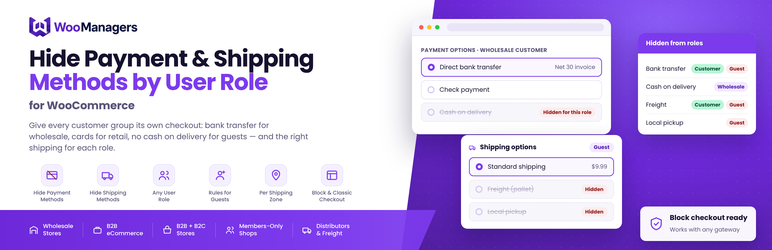
WMGRs Hide Payment & Shipping Methods by User Role for WooCommerce lets you decide which payment methods and which shipping methods each customer group is offered at checkout. Hide a payment gateway or a shipping method from any user role, or from guests who are not logged in, and WooCommerce simply stops offering it to them.
Different customers need a different checkout. Wholesale accounts on agreed terms should be able to pay by bank transfer or cheque, while retail customers pay by card. Cash on delivery is fine for repeat customers but risky for anonymous guests. Pallet freight is for trade buyers, not for someone ordering a single item. This plugin handles all of that from one settings screen, with no code and no rule builder to learn.
How it works
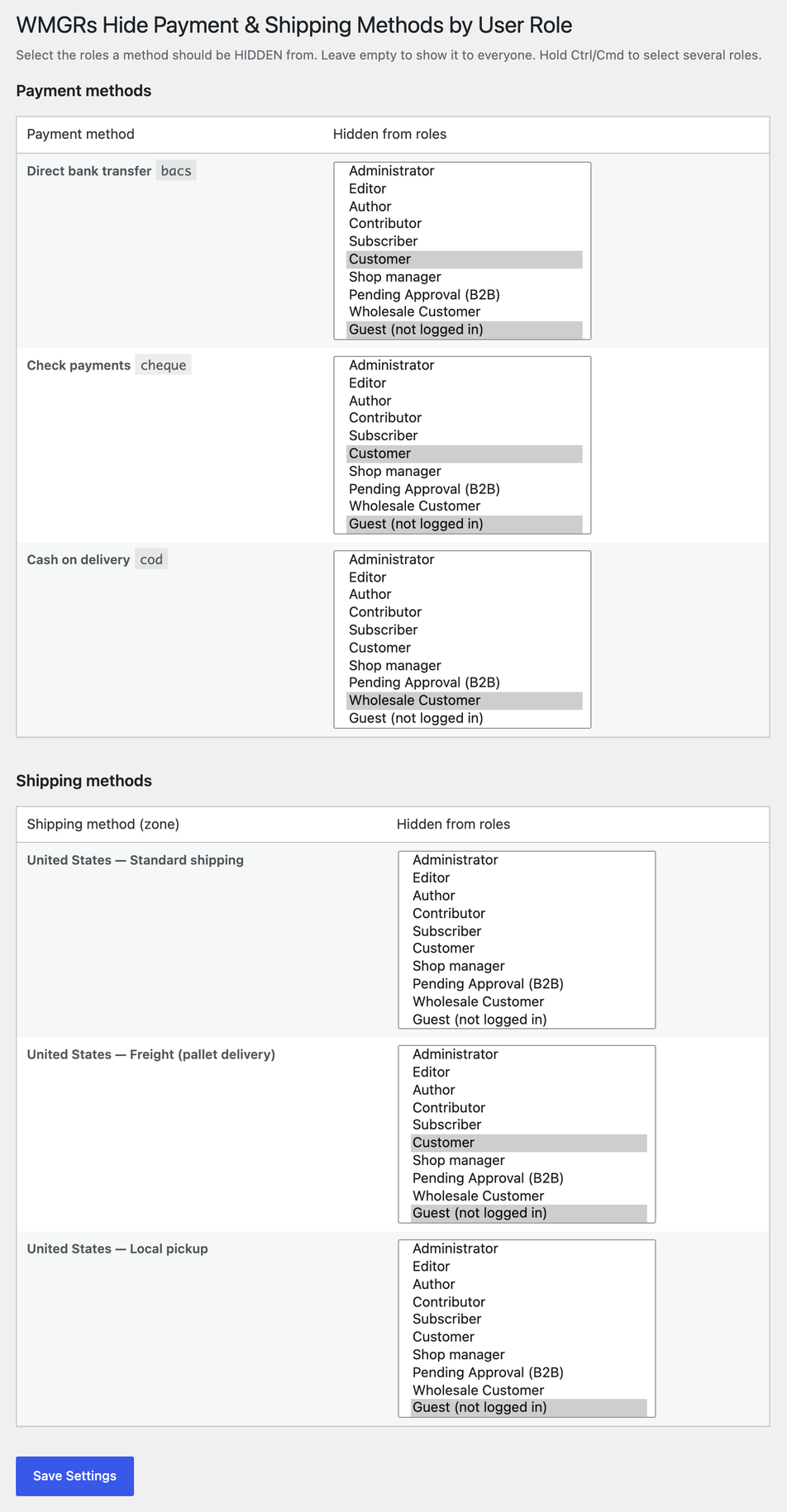
Go to WooCommerce Payment & Shipping by Role. The screen lists:
- Every payment method that is enabled in WooCommerce, with its gateway ID
- Every shipping method in every shipping zone, including the “Locations not covered by your other zones” zone
Next to each method, select the user roles it should be hidden from. Leave the list empty and the method stays visible to everyone. Save, and the rules apply to the cart and checkout straight away.
That is the whole configuration: one matrix of methods and roles.
Features
Hide payment methods by user role
* Hide or disable any enabled payment gateway for one or more user roles
* Works with any gateway plugin: direct bank transfer, cheque, cash on delivery, Stripe, PayPal, purchase order and any other gateway listed under WooCommerce Settings Payments
* Hide a payment method from guests (customers who are not logged in)
Hide shipping methods by user role
* Hide any shipping method (flat rate, free shipping, local pickup or a method added by another plugin) for selected roles or for guests
* Rules are set per shipping zone, so the same “Flat rate” can stay visible in one zone and be hidden in another
* Applies wherever WooCommerce calculates shipping rates, including the cart and the checkout
Any role, including custom ones
* Lists every role on your site: Customer, Subscriber, Shop manager and any custom role such as Wholesale Customer, Trade or Distributor created by a wholesale or membership plugin
* Guests are available as their own option, “Guest (not logged in)”
Classic checkout and block checkout
* Uses WooCommerce’s own payment gateway and shipping rate filters, which the classic checkout and the block-based Cart & Checkout (Store API) both respect
* Declares compatibility with block-based Cart & Checkout and with High-Performance Order Storage (HPOS)
Lightweight and safe
* Two WooCommerce filters and one database option. No custom tables, no scripts on the storefront, no external requests and no tracking
* The admin area is left alone, so you can still pick any payment method when creating an order manually
* Settings are saved with a nonce check and a capability check (manage_woocommerce), and every value is validated against the real list of roles
* Deleting the plugin removes its option from the database
Common use cases
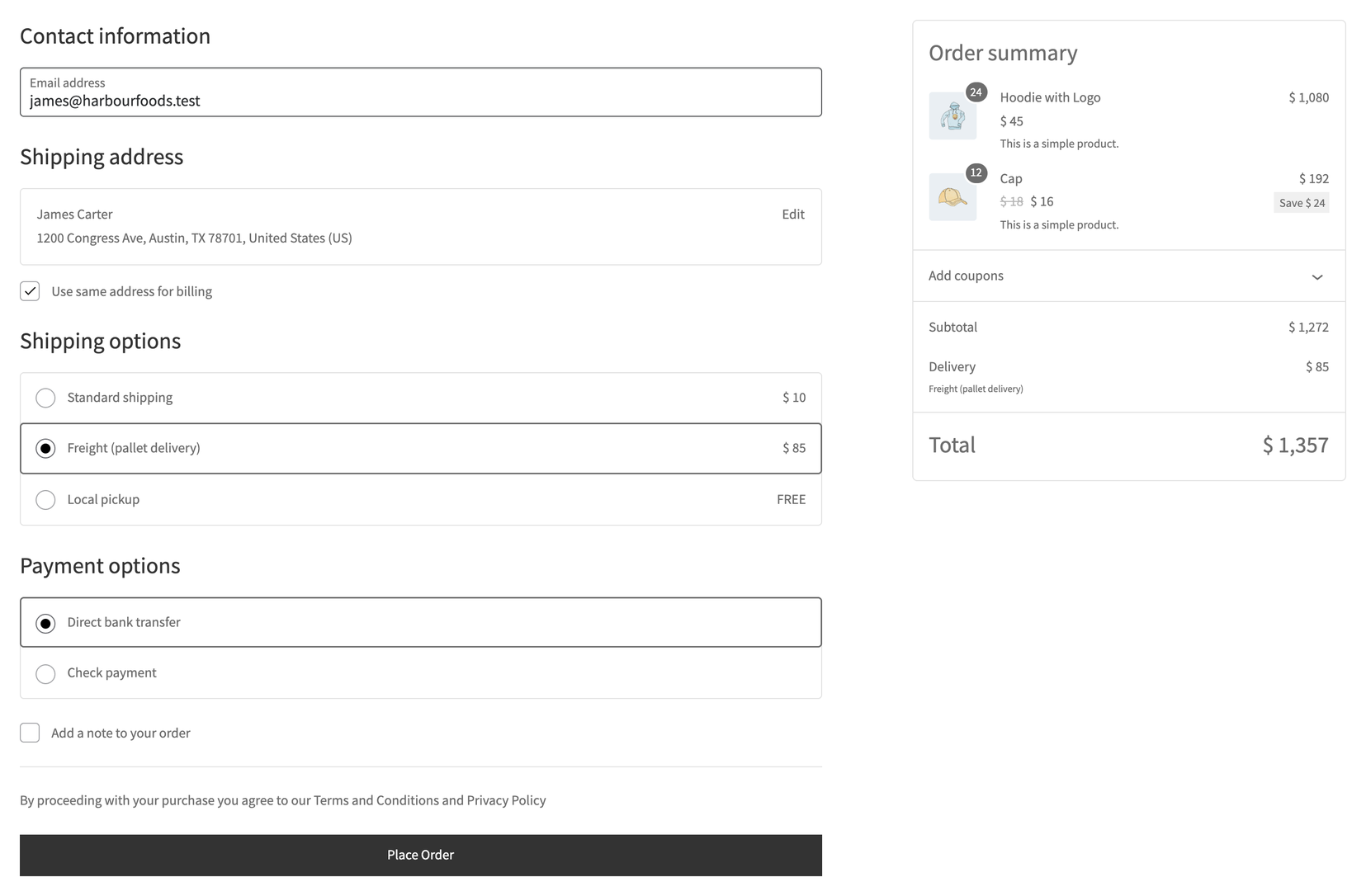
- Bank transfer or cheque for wholesale only. Offer Direct bank transfer and Check payments to your Wholesale Customer role and hide them from retail customers and guests.
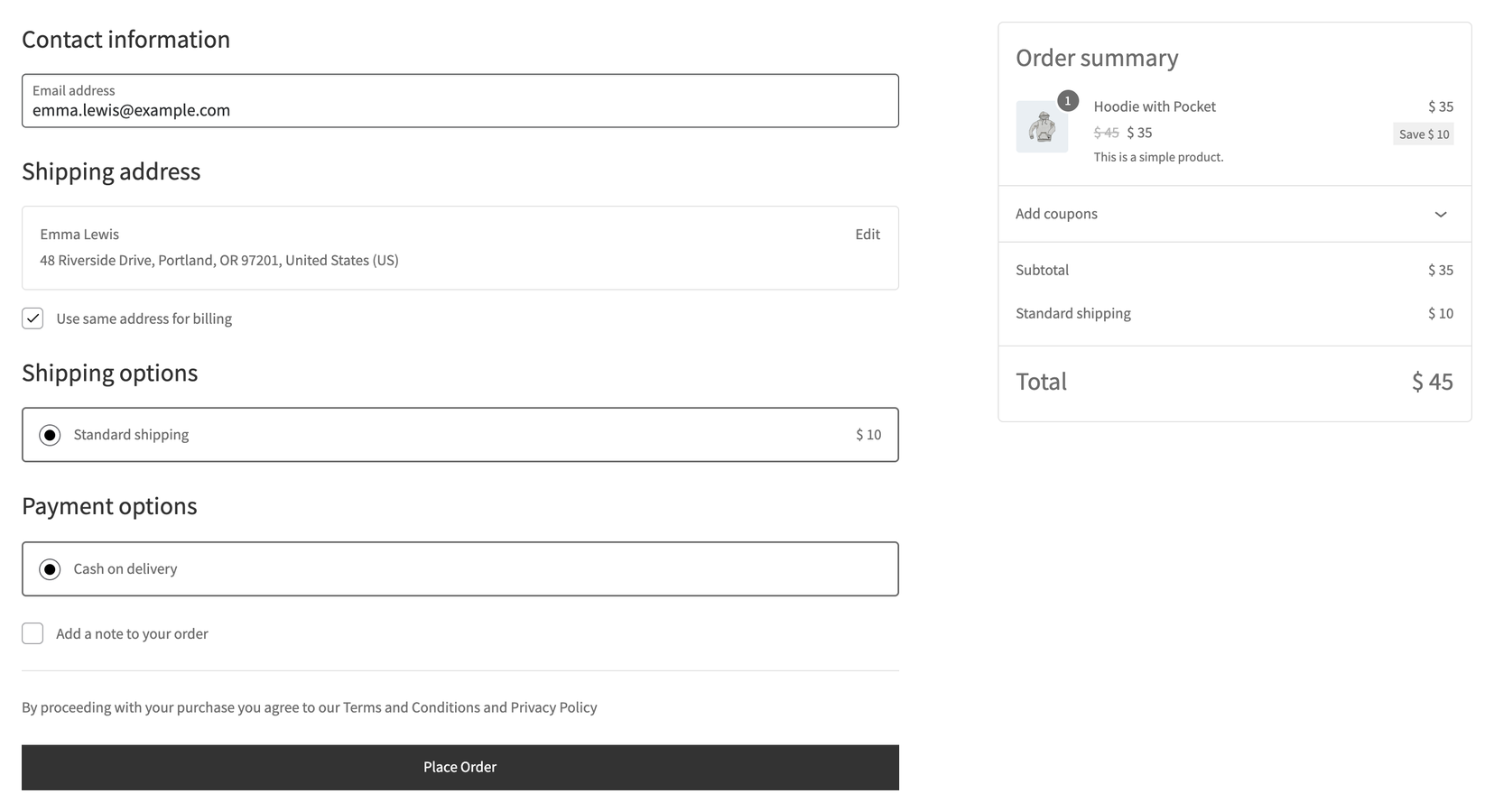
- No cash on delivery for guests. Hide Cash on delivery from guests so only registered, known customers can use it.
- Card payments for retail, invoice terms for trade. Hide your card gateway from trade accounts that pay on terms, and hide the invoice or purchase order gateway from everyone else.
- Freight for trade accounts. Show a pallet or freight shipping method only to B2B roles, and hide it from retail customers.
- Local pickup for selected customers. Keep local pickup for staff, wholesale or trade roles and hide it from the public.
- Free shipping for members. Show a free shipping method only to a members role.
Who is it for?
- Wholesale and B2B WooCommerce stores that sell to trade and retail customers from the same shop
- Hybrid B2B + B2C stores that need a different checkout for each customer group
- Distributors and manufacturers that offer freight or pallet delivery to trade accounts only
- Membership and members-only stores
- Any store that wants to limit risky payment methods, such as cash on delivery, to known customers
Free and Pro
Everything described on this page is included in this free plugin, with no limits on roles, payment methods or shipping methods.
For stores that need more than role-based rules, Payment & Shipping by Role Pro for WooCommerce is available from WooManagers. It adds:
- Conditions on the basket and the address, such as cart total, product category in the cart, country, or a named customer account
- “Offered only here” rules, so a method appears only where you allow it
- A surcharge or a discount on a payment method, for example a card fee or a bank transfer discount
- The same conditions for shipping methods
Pro reads the same settings, so your existing role rules carry over when you upgrade. The free plugin works on its own and does not require Pro.
Part of the WMGRs B2B range
This plugin is part of the free WMGRs range of B2B and wholesale tools for WooCommerce. Each plugin works on its own and they work well together:
- WMGRs Role Based Pricing for WooCommerce — wholesale and trade prices per user role.
- WMGRs Tiered Pricing for WooCommerce — quantity-based bulk discounts.
- WMGRs Catalog Access Rules for WooCommerce — hide products or categories from guests or selected roles.
- WMGRs Minimum Order Quantity & Amount for WooCommerce — minimum quantities, pack sizes and a minimum order amount.
- WMGRs Request a Quote for WooCommerce — let customers request a quote instead of checking out.
- WMGRs Tax and VAT Exempt for WooCommerce — VAT number field and tax-exempt customers.
- WMGRs Registration Form & Account Approval for WooCommerce — custom registration fields and manual approval of new customer accounts.
- Hide Price and Add to Cart for WooCommerce — hide prices and the Add to Cart button from guests or roles.
Documentation and support
Documentation, setup guides and the full WooManagers extension catalog are on woomanagers.com. For questions about this plugin, visit the plugin page or use the wordpress.org support forum.
Screenshots
Installation
- In your WordPress admin, go to Plugins Add New, search for “WMGRs Hide Payment & Shipping Methods” and click Install Now. You can also upload the plugin folder to
/wp-content/plugins/. - Activate the plugin through the Plugins screen. WooCommerce must be installed and active.
- Make sure the payment methods you want to control are enabled under WooCommerce Settings Payments, and that your shipping zones and methods are set up under WooCommerce Settings Shipping.
- Go to WooCommerce Payment & Shipping by Role.
- For each payment method and shipping method, select the roles it should be hidden from. Hold Ctrl (Windows) or Cmd (Mac) to select more than one role. Choose “Guest (not logged in)” to hide a method from visitors who are not logged in.
- Click Save Settings. The rules apply to the cart and checkout immediately.
FAQ
-
How do I hide a payment method for a specific user role in WooCommerce?
-
Go to WooCommerce Payment & Shipping by Role, find the payment method in the Payment methods table, select the role (or roles) it should be hidden from and click Save Settings. Customers with that role will no longer see the method at checkout.
-
How do I hide a shipping method by user role?
-
Use the Shipping methods table on the same screen. Each shipping method is listed with its zone, for example “United States — Flat rate”. Select the roles it should be hidden from and save.
-
Can I hide a payment or shipping method from guests only?
-
Yes. Every list includes “Guest (not logged in)”. Select it to hide a method from visitors who are not logged in, while logged-in customers still see it.
-
Does it work with the WooCommerce block checkout?
-
Yes. The plugin uses WooCommerce’s standard payment gateway and shipping rate filters, which the block-based Cart & Checkout respects through the Store API. The classic checkout and the block checkout behave the same way, and the plugin declares compatibility with block-based Cart & Checkout.
-
Does it work with my payment gateway plugin?
-
It works with any payment gateway that is enabled in WooCommerce, including Stripe, PayPal, Square, bank transfer, cheque, cash on delivery and purchase order gateways. Only enabled gateways are listed. If a gateway is missing, enable it under WooCommerce Settings Payments first.
-
Can I hide a shipping method in one shipping zone but not in another?
-
Yes. Rules are stored per shipping method instance, so each method in each zone has its own setting. The same “Flat rate” can be visible in one zone and hidden in another.
-
Does it work with custom user roles such as Wholesale Customer?
-
Yes. The settings screen lists every role registered on your site, including roles added by wholesale, membership or B2B plugins.
-
What happens if a customer has more than one role?
-
If any of the customer’s roles is in a method’s hidden list, the method is hidden for that customer.
-
What happens if I hide every payment method from a role?
-
Customers with that role will not be able to place an order, because WooCommerce has no payment method to offer them. Make sure each role and guests always keep at least one payment method and, for orders that need shipping, at least one shipping method.
-
Yes. The rules only apply on the storefront. In the WordPress admin every enabled payment method stays available, so you can still create manual orders with any method.
-
How can I test what a customer with a certain role sees?
-
Log in with a test account that has that role, or open your store in a private browser window to see what guests see. As an administrator you see the checkout for the Administrator role.
-
No. A newly added method is visible to everyone until you select roles for it on the settings screen.
-
Does the plugin change prices or add fees?
-
No. It only shows or hides payment and shipping methods. Payment method surcharges and discounts are available in Payment & Shipping by Role Pro.
-
Is it compatible with HPOS?
-
Yes. The plugin does not read or write order data and declares compatibility with WooCommerce High-Performance Order Storage.
-
What happens to my settings if I delete the plugin?
-
Deleting the plugin from the Plugins screen removes its single option (wmpsr_settings) from the database. Deactivating the plugin keeps your settings.
Reviews
There are no reviews for this plugin.
Contributors & Developers
“WMGRs Hide Payment & Shipping Methods by User Role for WooCommerce” is open source software. The following people have contributed to this plugin.
Contributors
Translate “WMGRs Hide Payment & Shipping Methods by User Role for WooCommerce” into your language.
Interested in development?
Browse the code, check out the SVN repository, or subscribe to the development log by RSS.
Changelog
1.0.0
- Initial release.
- Hide payment methods by user role or for guests.
- Hide shipping methods per shipping zone by user role or for guests.
- Compatible with the classic checkout, the block-based Cart & Checkout and HPOS.