
Description
Gridly connects your WooCommerce store to Claude, so you can run your shop by asking questions in plain English.
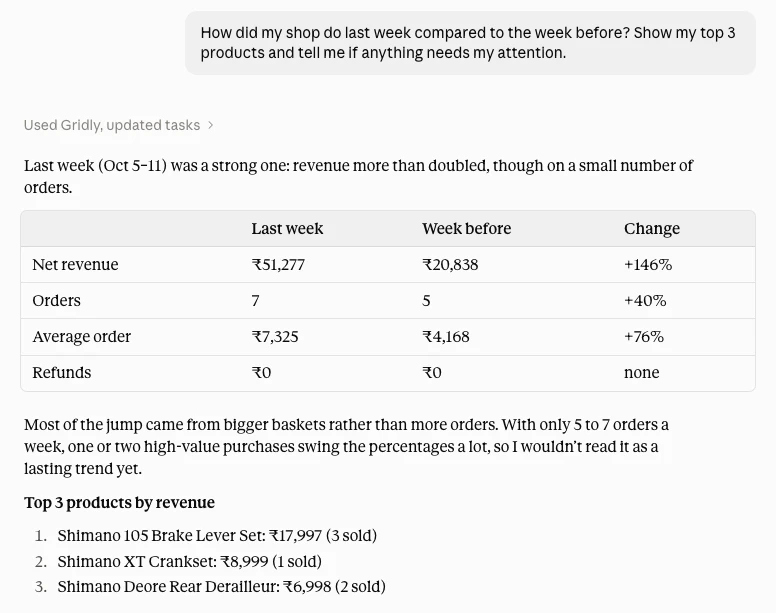
Ask how sales did last week compared with the week before, which products sell best, what is running low, which orders are stuck, or what needs fixing in your catalogue. Gridly reads your live store data and answers in a sentence or a short table.
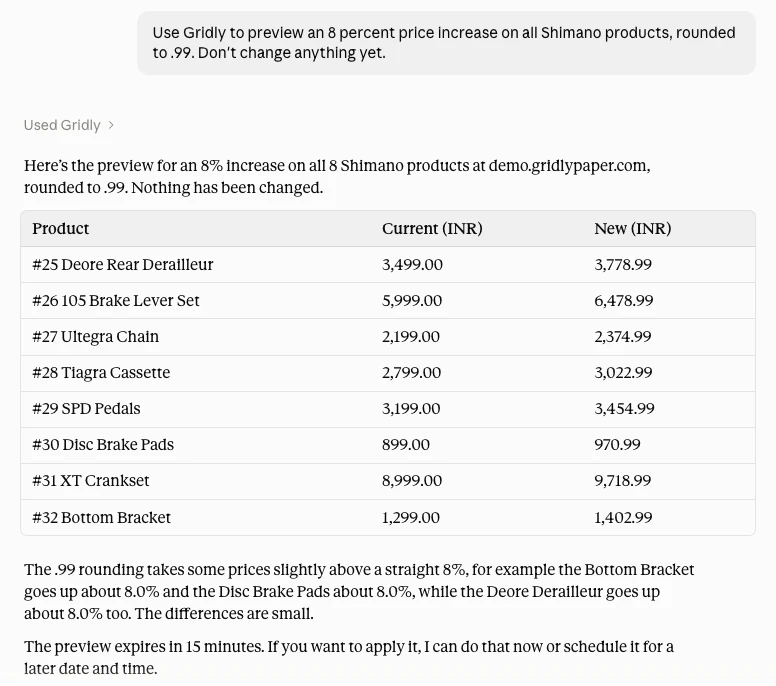
Need to change something? Bulk-edit prices, rewrite product descriptions, update orders or create coupons. Gridly always shows a preview of exactly what will change and waits for your “yes”. Every change gets a number, and “undo change 12” puts it back.
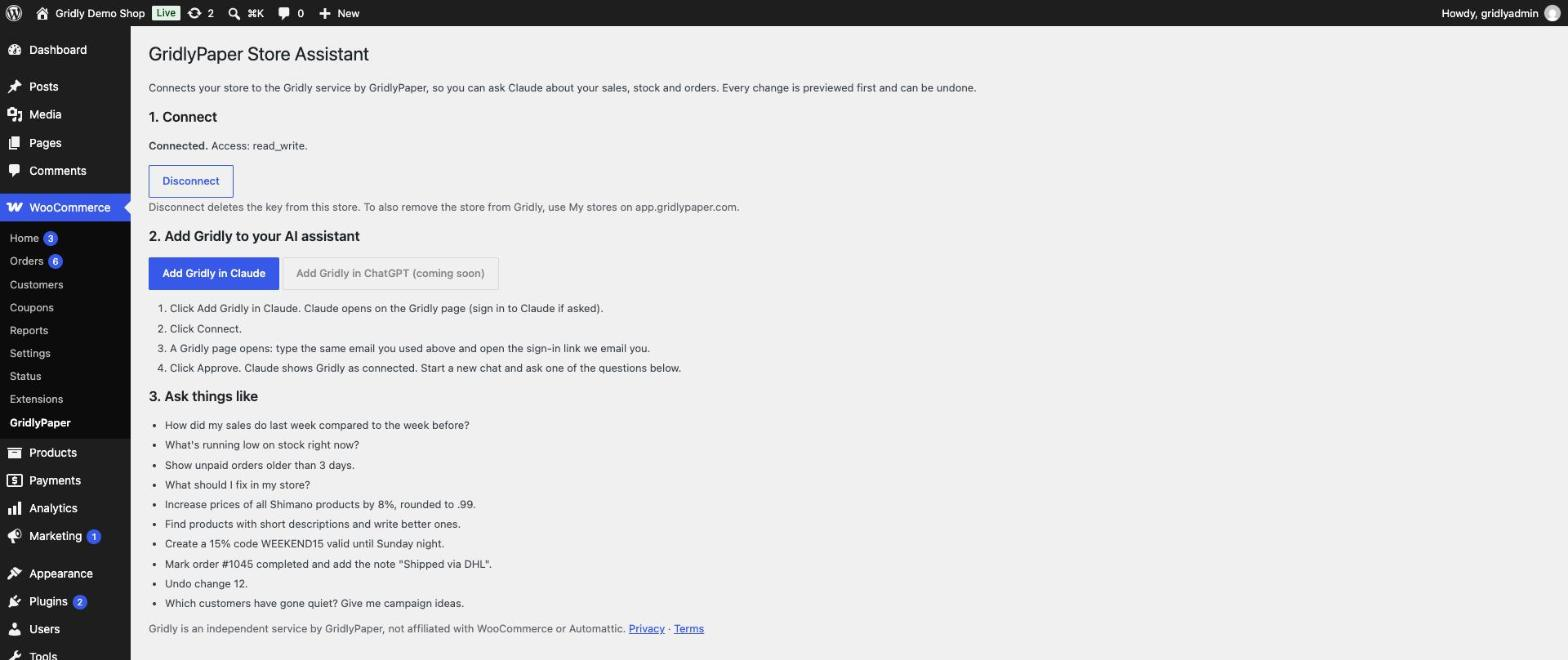
Inside WordPress, this plugin adds WooCommerce GridlyPaper: a Connect to Gridly button that sets up the access key for you, a connection status line, a Disconnect button that deletes that key from your store, and example questions. The plugin reads one table (WooCommerce’s own API-key list) to show status and to delete Gridly’s key on Disconnect.
Example questions
- How did my sales do last week compared to the week before?
- What’s running low on stock right now?
- Show unpaid orders older than 3 days.
- Increase prices of all Shimano products by 8%, rounded to .99.
- Undo change 12.
Gridly has a free plan. Paid plans (full history, bulk edits, more stores) are billed on gridlypaper.com. The plugin itself is free and has no locked features.
This plugin is made by GridlyPaper and connects your store to Gridly, GridlyPaper’s own service. GridlyPaper is an independent company and is not affiliated with WooCommerce or Automattic.
External services
This plugin connects your store to Gridly (https://gridlypaper.com), a third-party service run by GridlyPaper.
- When: only when you click “Connect to Gridly”.
- What is sent: your store address is sent to app.gridlypaper.com. After you sign in and click Approve on WooCommerce’s own screen, WooCommerce creates a REST API key and sends it to Gridly. Gridly then reads (and, only after your confirmation in the chat, changes) store data to answer your questions. Gridly does not keep copies of your orders, products or customers; keys are stored encrypted.
- Disconnect deletes the key from your store at any time.
- Terms of service: https://gridlypaper.com/terms
- Privacy policy: https://gridlypaper.com/privacy
The plugin sends nothing on its own, adds no tracking and sends no data until you click Connect.
Screenshots
Installation
- Install and activate the plugin (WooCommerce must be active).
- Go to WooCommerce GridlyPaper and click Connect to Gridly.
- Sign in with your email, then click Approve on the WooCommerce screen.
- Add Gridly in Claude: https://claude.ai/directory/connectors/gridly , then start asking.
FAQ
-
Does it work with ChatGPT?
-
ChatGPT support is coming soon. Gridly works with Claude today.
-
Is it safe?
-
Gridly never changes anything without showing you a preview and waiting for your “yes”. Every change can be undone.
-
Does Gridly store my orders?
-
No. It reads them live when you ask and keeps no copy.
-
How do I disconnect?
-
WooCommerce GridlyPaper Disconnect. This deletes the key from your store.
Reviews
There are no reviews for this plugin.
Contributors & Developers
“GridlyPaper Store Assistant for WooCommerce” is open source software. The following people have contributed to this plugin.
Contributors
Translate “GridlyPaper Store Assistant for WooCommerce” into your language.
Interested in development?
Browse the code, check out the SVN repository, or subscribe to the development log by RSS.
Changelog
1.0.1
- After you approve access, you are brought back to the plugin page by itself.
- Four plain steps for adding Gridly in Claude, and a Claude / ChatGPT (coming soon) button pair.
1.0.0
- First release: one-click connect, status, disconnect, example questions.