
Description
ForgeDBI Media Organizer adds a workspace under Media Media Organizer with three things WordPress’s own library does not have:
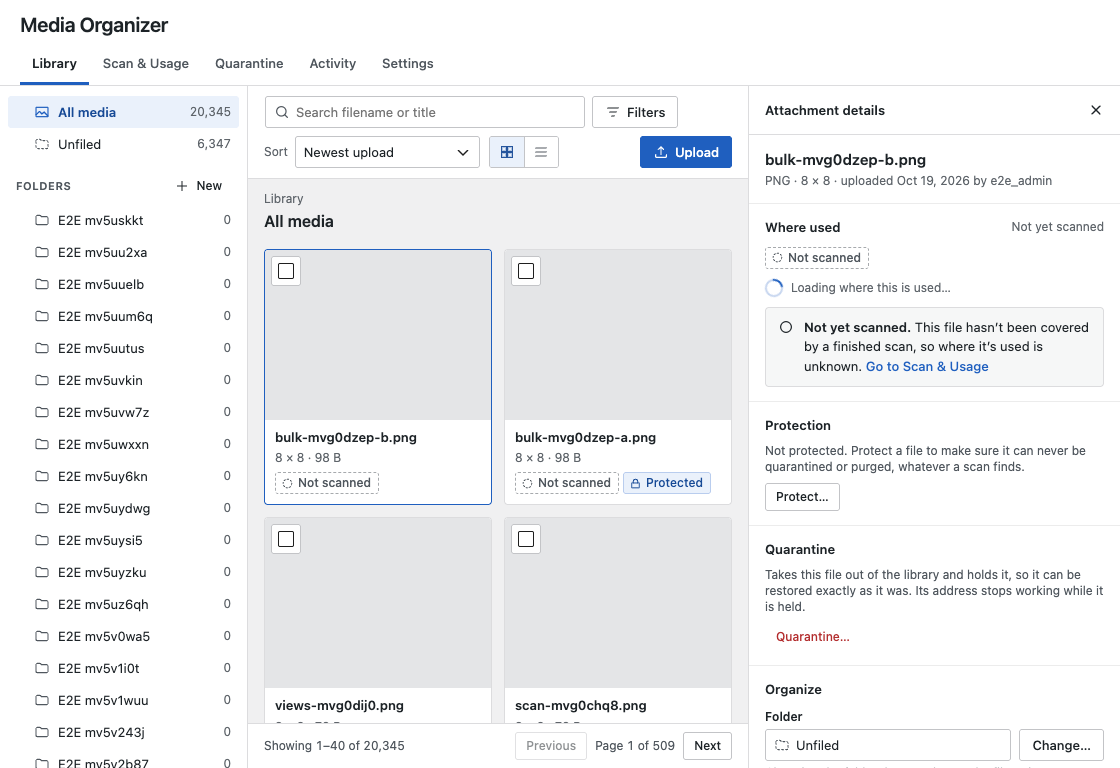
Folders that never move files. Nested folders, drag and drop, bulk moves, and folders inside WordPress’s own media picker. A folder is a label: moving a file between folders changes no URL and touches no file on disk.
Where used. A scan reads your content — the block and classic editors, featured images, galleries, site identity, core widgets, Elementor layouts and templates, and ACF image and gallery fields — and records every place each file is used, with a link to it. The scan says exactly what it checked and what it could not; “no references found” is reported as what it is, evidence from the sources read, never as proof a file is unused.
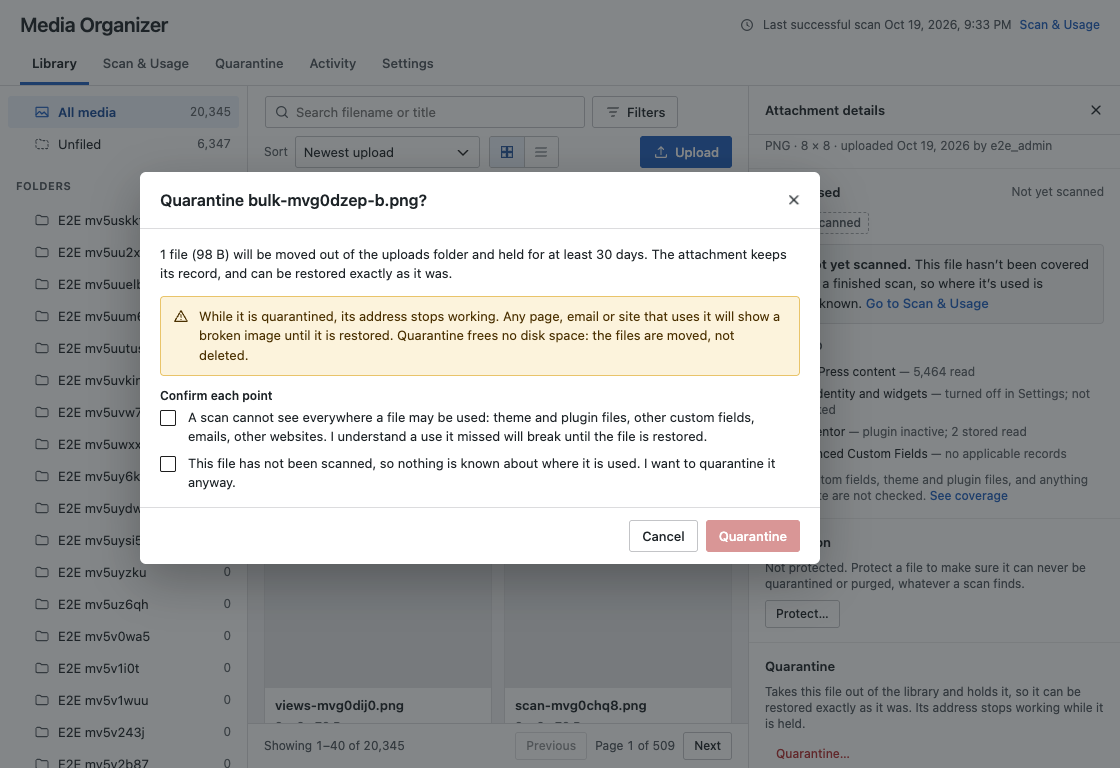
Cleanup you can take back. Instead of deleting, you quarantine: the file’s addresses stop working, the file and its record are held, and everything can be restored exactly as it was with one click. Nothing is ever deleted automatically. Permanent deletion is a separate, explicit, Administrator-only step after a recovery window, with the filename typed to confirm. Protect any file or folder and it can never be quarantined or deleted, whatever a scan finds.
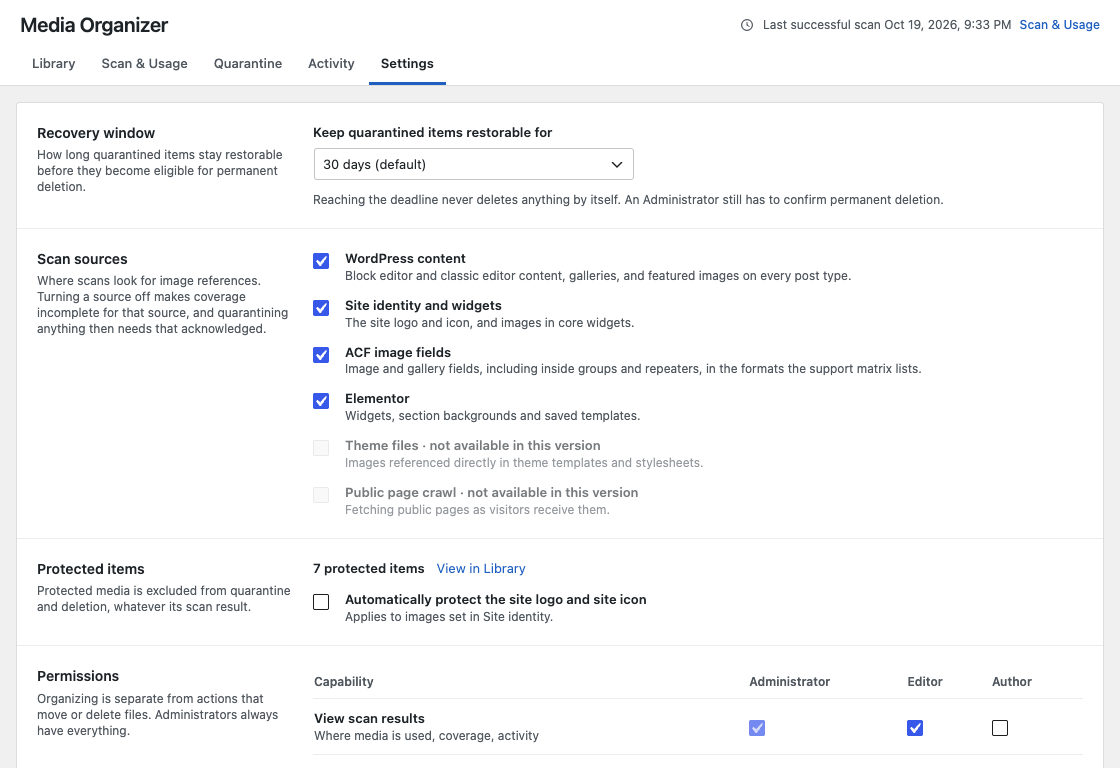
Also: exact duplicate detection by file contents, missing-file detection, smart views (saved filters, personal or shared), an activity log of every change and who made it, a Settings screen for the recovery window, scan sources and role permissions, and WP-CLI commands for all of it.
What it will not do
ForgeDBI Media Organizer never rewrites your content, merges or renames files, or deletes anything on its own. Those are deliberate. It reads; you decide.
Where quarantined files are kept
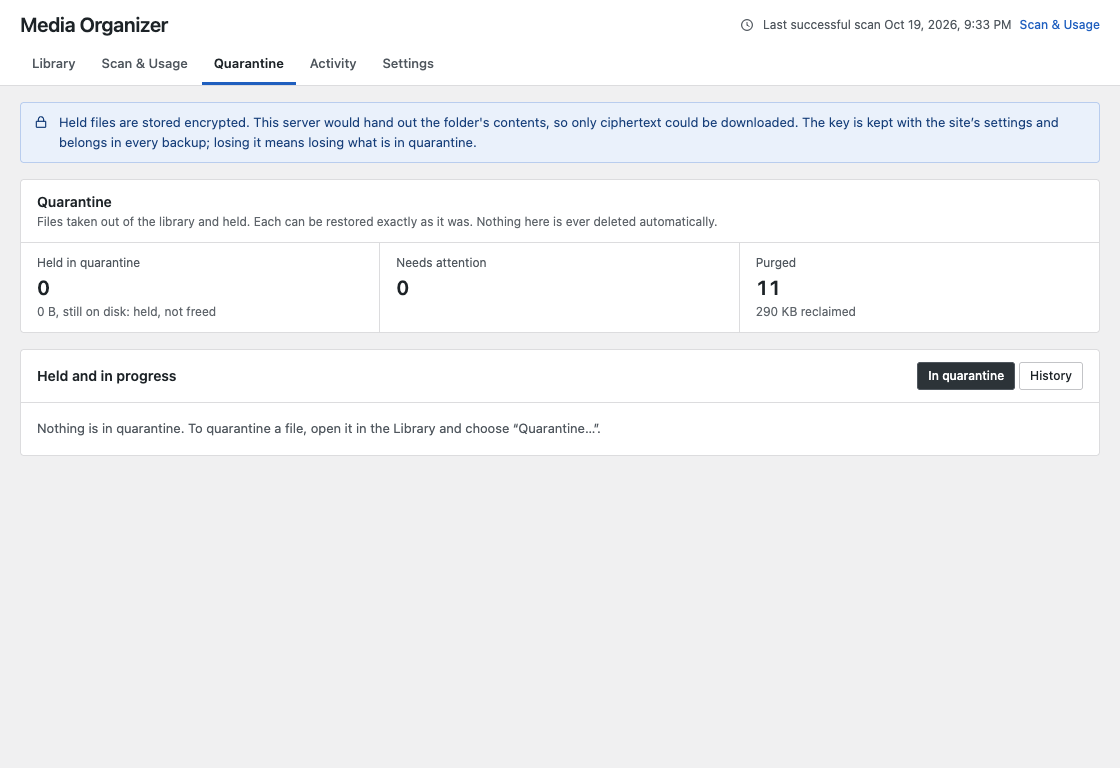
Quarantined files are moved into the plugin’s own folder in your uploads directory (uploads/forgedbi-media-organizer/, wherever WordPress says uploads are), under a randomly named subfolder. Many web servers serve everything in uploads, so every file held there is encrypted (libsodium, or OpenSSL where libsodium is missing), and so is the record of where each belongs. The encryption key is kept in your database, never in that folder, so the files cannot be read even if someone finds and downloads them. The folder also carries deny rules and an empty index for servers that honour them. If the server cannot encrypt, or the folder cannot be written, new quarantines are switched off and anything already held stays restorable.
Privacy
The plugin makes no request to any outside service. The only request it sends is from your site to itself, to check whether the web server would serve the quarantine folder (whose contents are encrypted either way). Nothing about your media leaves your server.
Source code and build
The admin interface in build/ is compiled from the TypeScript and React source shipped with the plugin in admin/src/. To rebuild it: install Node.js 24, run npm ci, then npm run build. PHP dependencies are declared in composer.json; the only runtime dependency is Action Scheduler (GPL-3.0), bundled in vendor/.
Screenshots

Installation
- Upload the plugin through Plugins Add New Upload Plugin, or copy the
forgedbi-media-organizerfolder towp-content/plugins. - Activate it. The plugin creates its own tables and grants Editors the organizing, protecting and scanning capabilities; quarantine and permanent deletion stay with Administrators.
- Open Media Media Organizer. Run a scan from Scan & Usage to see where your files are used.
Requires PHP 8.2 or newer and WordPress 6.8 or newer. Multisite is not supported in this version.
FAQ
-
Does moving a file to a folder change its URL?
-
No. Folders are labels in the database. No file is moved, renamed or copied by organizing.
-
Is “No references found” the same as unused?
-
No, and the plugin says so wherever it shows that result. A scan reads the sources listed under Scan & Usage Coverage. Theme templates, plugin settings, emails, other websites and anything else it does not read may still use a file. That is why cleanup is a quarantine you can undo, not a deletion.
-
What happens to a quarantined file?
-
Its files are moved out of the uploads folder and its addresses stop working — a page that used it shows a broken image until it is restored. Its record, metadata, folder and every reference stay as they were. Restoring puts the files back byte for byte, verified by checksum. A file is only ever permanently deleted when an Administrator asks for that, after the recovery window, by typing its name.
-
Does anything get deleted automatically when the recovery window ends?
-
No. Nothing in this plugin deletes a file on its own. The window ending only makes permanent deletion possible for an Administrator to request.
-
Why are quarantined files encrypted?
-
They are kept under uploads, which most web servers will serve to anyone who knows the address. Encrypted, they are useless to anyone without the key. The key is in your database (so in every database backup), or in
wp-config.phpif you defineFORGE_MEDIA_QUARANTINE_KEY. Keep your backups: without the key, held files cannot be restored. -
Can I use it with an offloading plugin (S3 and the like)?
-
Folders, scans, smart views and protection work. Quarantine, restore and permanent deletion are switched off while a known offloading plugin is active, because they move local files and the remote copy would keep being served.
-
Which page builders and custom fields are scanned?
-
The block and classic editors, featured images, galleries, site identity and core widgets, Elementor layouts and saved templates, and ACF image and gallery fields (including inside groups and repeaters). Others are not read, and the scan’s coverage screen lists what was and was not checked for each scan.
-
I installed an earlier build named “Forge Media Library”. What happens?
-
ForgeDBI Media Organizer is the same plugin under its new name. Deactivate the old copy first (activation is refused while it is active, and the old copy is left running); then activate this one, and your folders, settings, activity and quarantined files carry over as they are. Files quarantined by the earlier build stay where that build put them and can still be restored or permanently deleted from there; nothing new is written to the old folder. Then delete the old copy from the Plugins screen. Its uninstall routine removes nothing.
-
Does deleting the plugin remove my folders or quarantined files?
-
No. Deactivating or deleting the plugin leaves your folders, the activity log, quarantined files and their manifests in place, so nothing is lost by removing it. The runbook in the plugin’s documentation explains how to put held files back by hand.
Reviews
There are no reviews for this plugin.
Contributors & Developers
“ForgeDBI Media Organizer” is open source software. The following people have contributed to this plugin.
Contributors
Translate “ForgeDBI Media Organizer” into your language.
Interested in development?
Browse the code, check out the SVN repository, or subscribe to the development log by RSS.
Changelog
0.2.2
- An entry for the earlier build left in the active plugins list after its files were deleted no longer blocks activation.
0.2.1
- Activation checks every requirement first and is refused, with a message, while the earlier “Forge Media Library” build is active. The plugin never deactivates another plugin.
0.2.0
- Renamed to ForgeDBI Media Organizer (slug and text domain
forgedbi-media-organizer). Data from the earlier build carries over unchanged. - Quarantined files are now kept in the plugin’s own folder under uploads, found at runtime with
wp_upload_dir(), and are always stored encrypted, their manifests included. The key is never written to that folder. - When files cannot be held encrypted or the folder cannot be written, new quarantines are switched off; restoring and permanent deletion keep working.
- Quarantines made by the earlier build are restored and deleted from where they are.
0.1.0
- First release: folders, scans and where-used evidence, smart views, duplicates and missing files, protection, quarantine with restore and explicit permanent deletion, Settings, WP-CLI commands.