
Description
Fabio AI ChatBot Lite is a WordPress plugin that installs an AI-powered chatbot to help visitors quickly find accurate information on your website.
Unlike generic chatbots, Fabio AI ChatBot Lite answers exclusively from your WordPress content thanks to a complete and regularly updated site scan. The chatbot never uses external knowledge or the public internet.
Key principles:
- Answers based only on scanned website content
- Strongly limited to your scanned website content
- Manual or automatic site scanning
- Unlimited conversations
- Unlimited conversation download
Features
- Full scan of WordPress content (pages and posts)
- Manual scan or automatic daily scan
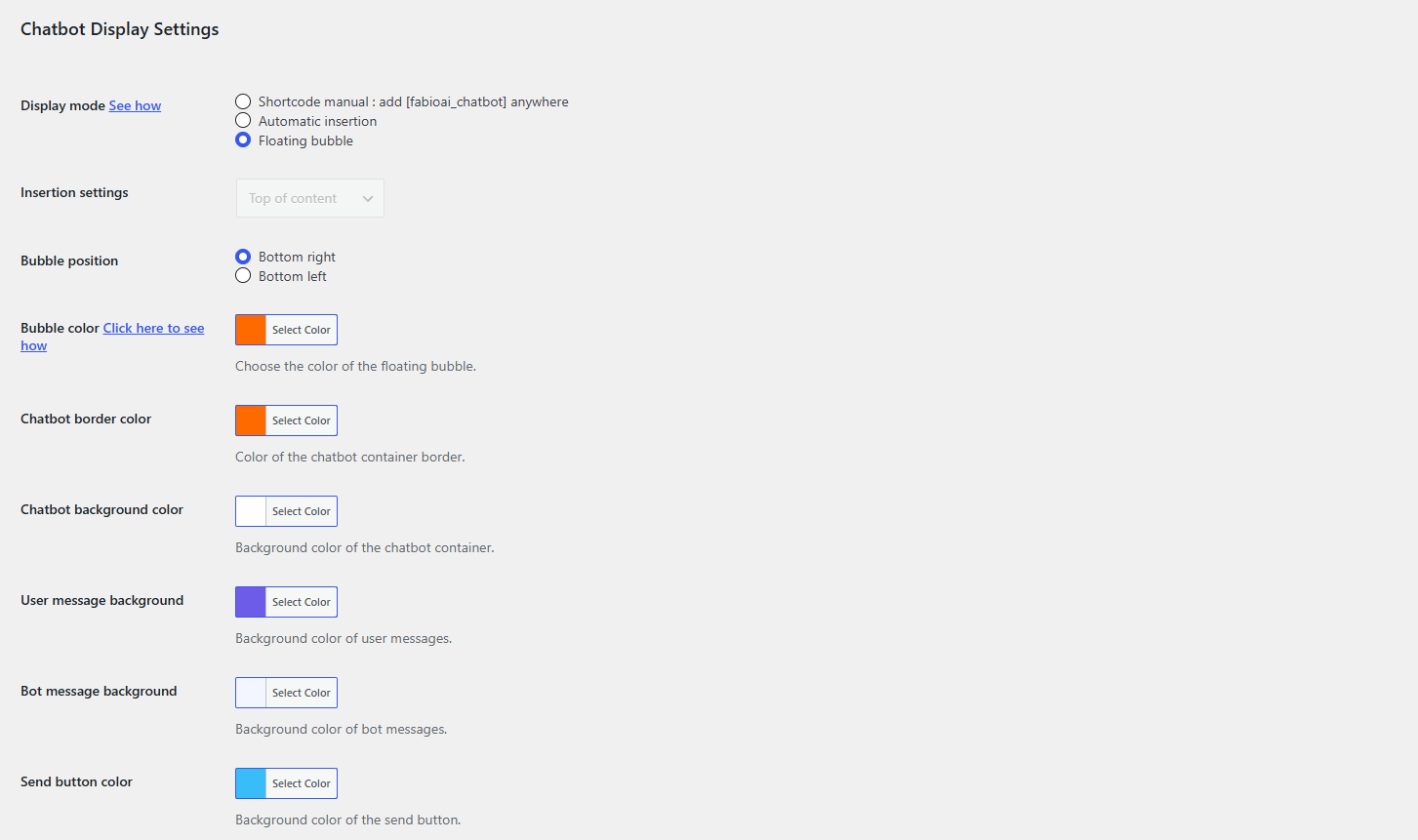
- Front-end chatbot via shortcode, pop up bubble or automatic insertion
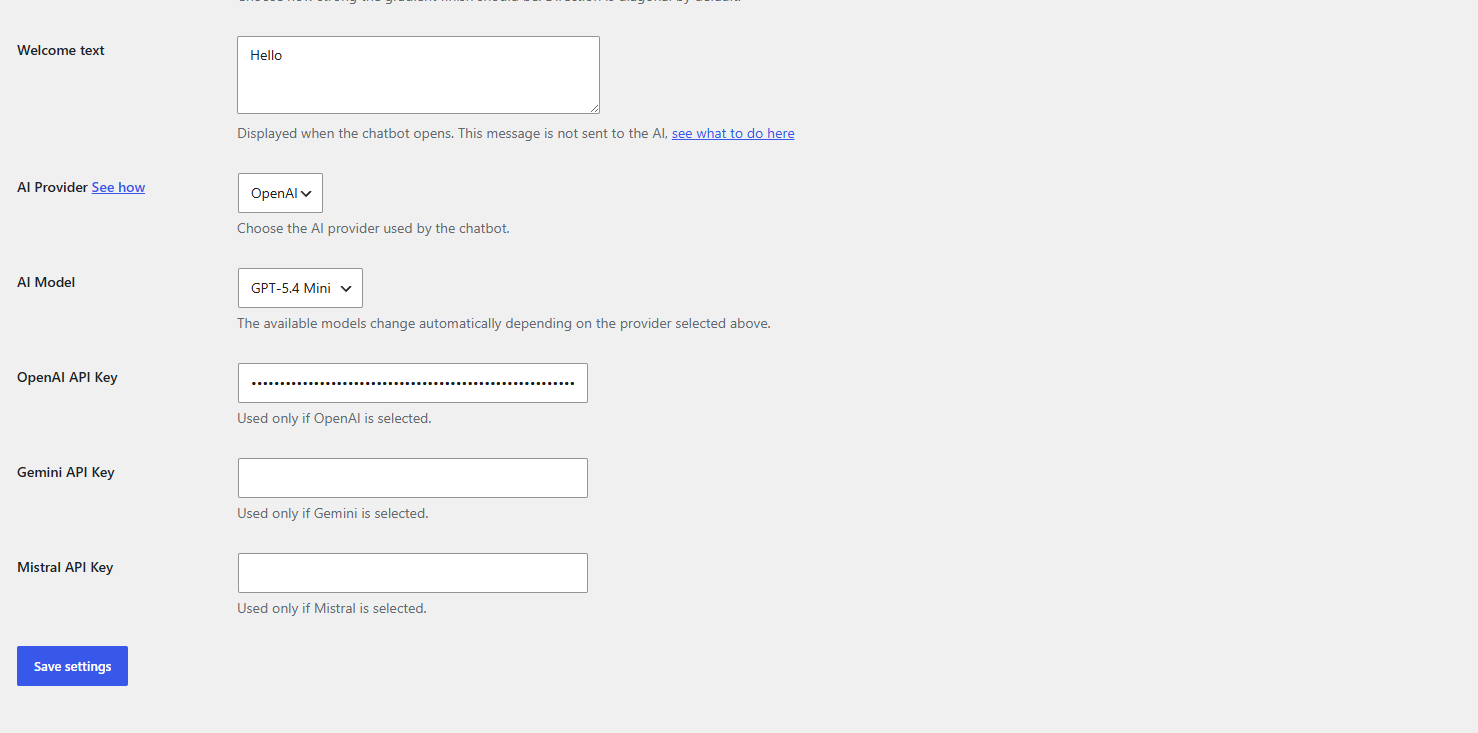
- Customizable welcome message
- Secure and reliable answer generation
- Support for multiple AI providers: OpenAI, Gemini and Mistral (bring your own API key)
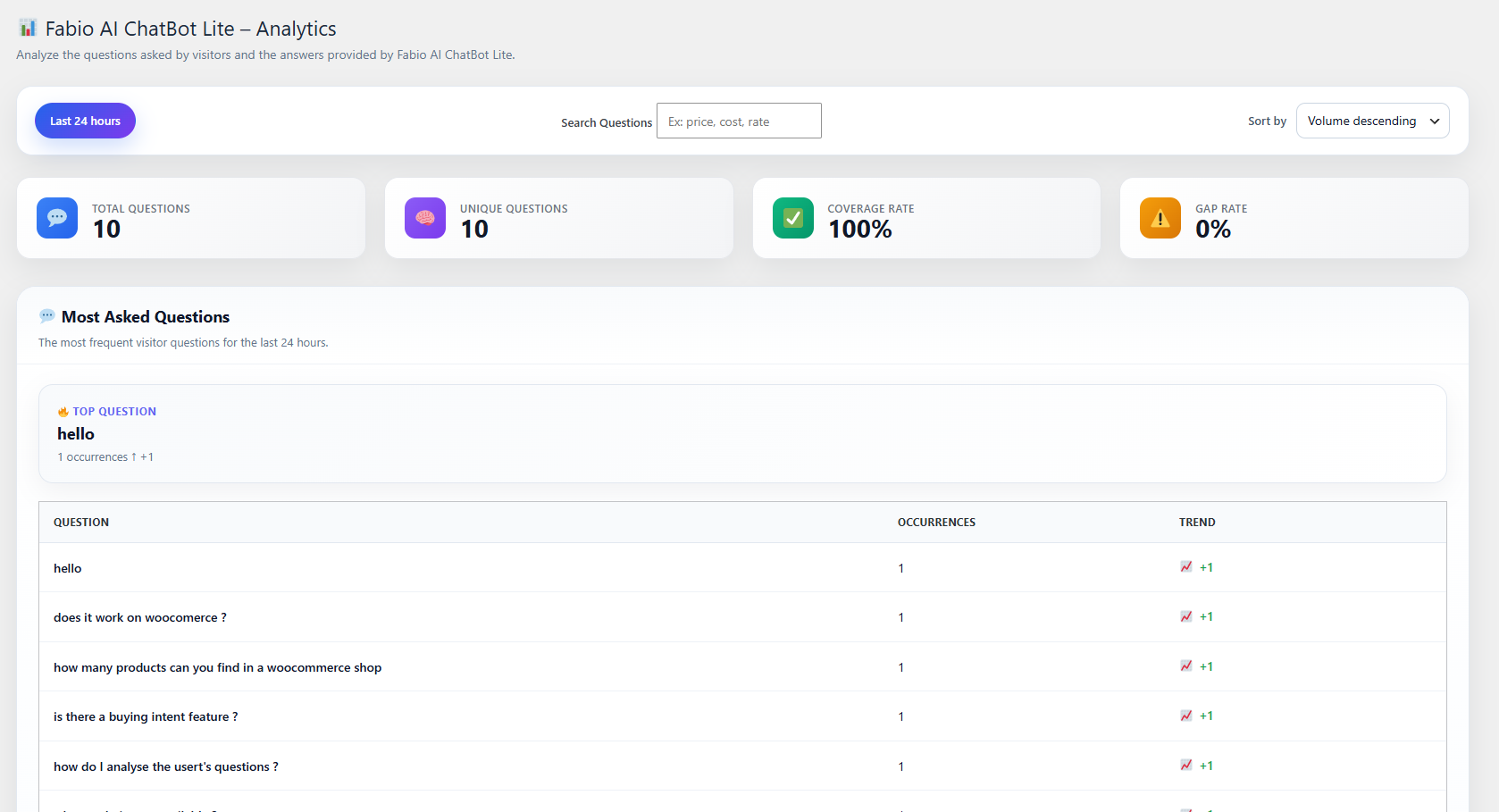
- Built-in analytics with keyword search
Usage
- Install and activate the plugin
- Configure your own API key in the settings (OpenAI, Gemini, or Mistral)
- A site scan runs automatically
- Choose how to display the chatbot: shortcode
[fabioai_chatbot], floating bubble, or automatic insertion
Settings
From the WordPress admin panel, you can:
- Launch a manual site scan
- Define the chatbot welcome message
- Configure the OpenAI, Gemini, and/or Mistral API key
- Customize the chatbot’s appearance (colors, gradients, bubble position)
Security & Reliability
- Responses are strictly limited to scanned site content
- No document uploads
- Automatic content cleaning and segmentation
- Protection against invented or out-of-scope answers
External services
This plugin connects to third-party AI providers to generate chatbot responses based on your website’s scanned content. You must provide your own API key for the provider you choose to use; no data is sent unless you configure a key.
— OpenAI —
* Usage: Generates chatbot responses when OpenAI is selected as the provider.
* Data sent: user questions (prompts), site content segments used as context, and your API key (for authentication).
* Terms of Use: https://openai.com/policies/row-terms-of-use/
* Privacy Policy: https://openai.com/policies/row-privacy-policy/
— Google Gemini —
* Usage: Generates chatbot responses when Gemini is selected as the provider.
* Data sent: user questions (prompts), site content segments used as context, and your API key (for authentication).
* Terms of Service: https://ai.google.dev/gemini-api/terms
* Privacy Policy: https://policies.google.com/privacy
— Mistral AI —
* Usage: Generates chatbot responses when Mistral is selected as the provider.
* Data sent: user questions (prompts), site content segments used as context, and your API key (for authentication).
* Terms of Service: https://legal.mistral.ai/terms/
* Privacy Policy: https://legal.mistral.ai/terms/privacy-policy
API keys are stored locally in your WordPress database and are only used to authenticate requests to the provider you selected. You are responsible for complying with the terms and policies of the AI provider you choose to use.
Author
Fabio-Plugins.com
Screenshots
Installation
- Upload the plugin folder to /wp-content/plugins/
- Activate the plugin from the Plugins menu
- Configure the plugin from the admin settings page
FAQ
-
Does the chatbot use the internet?
-
No. It only answers using your website content.
-
Do I need an API key?
-
Yes, you need your own API key from OpenAI, Gemini, or Mistral. This plugin does not include or provide API keys.
-
Are conversations stored?
-
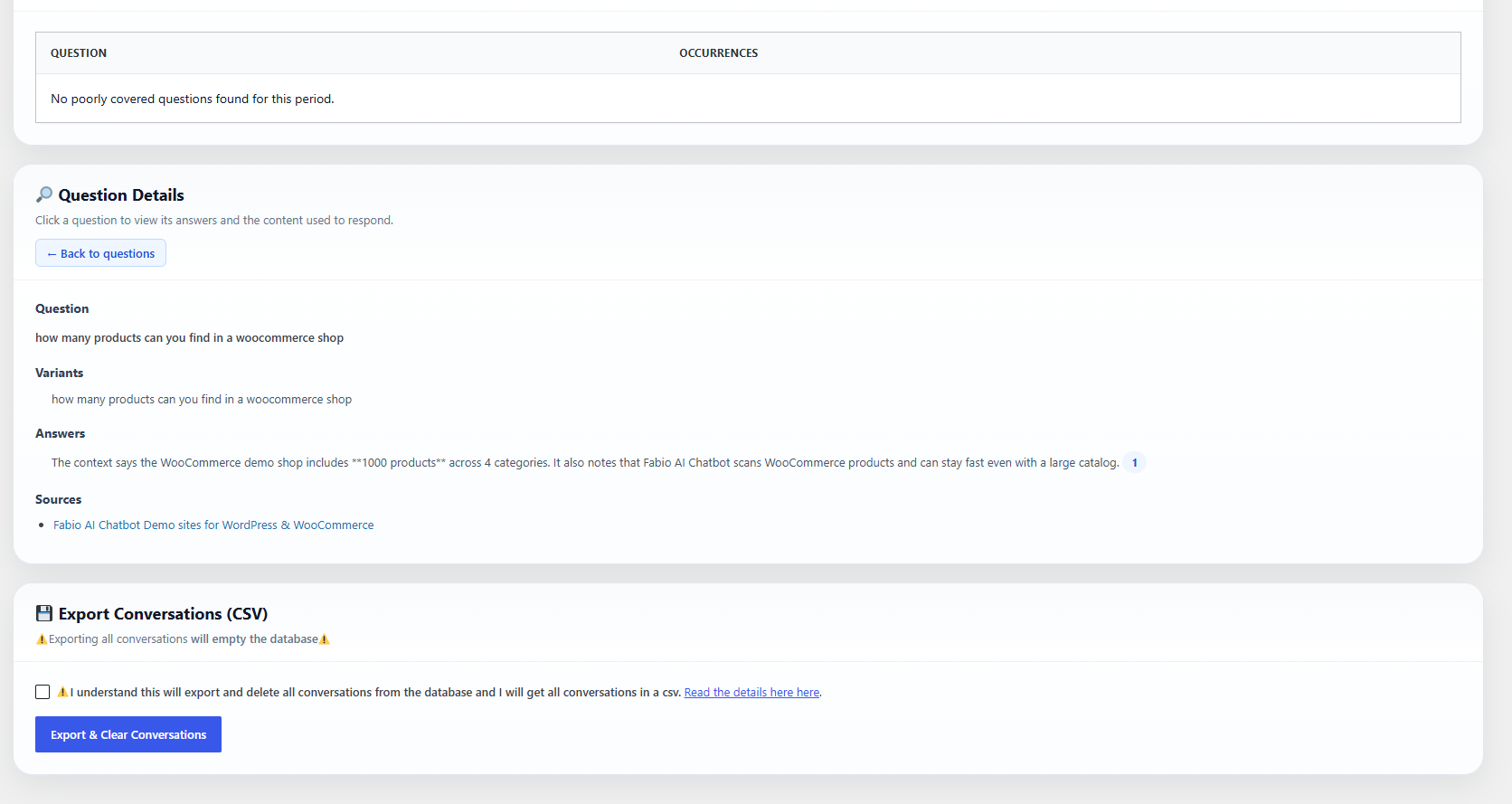
Yes. Conversation history is stored locally in your WordPress database and can be analyzed and downloaded as CSV.
-
Can I customize the chatbot’s appearance?
-
Yes. You can customize colors, gradients, bubble position, and the welcome message from the admin settings page.
Reviews
There are no reviews for this plugin.
Contributors & Developers
“Fabio AI ChatBot Lite” is open source software. The following people have contributed to this plugin.
Contributors
Translate “Fabio AI ChatBot Lite” into your language.
Interested in development?
Browse the code, check out the SVN repository, or subscribe to the development log by RSS.
Changelog
1.0.1
- Adding an option to download all conversations without emptying the table.
- Removing “powered by”.
1.0.0
- Initial submission of Fabio AI ChatBot Lite.