
Description
Embed Any Document WordPress plugin lets you embed your PDF, Word, PowerPoint and Excel documents easily in your WordPress website. The plugin integrates Google Docs Viewer and Microsoft Office Online to display your documents on your website.
Embed Any Document works just perfectly with Gutenberg as well as the classic editor. Support for more site builders are on its way! It also lets you add a Download link below your embed optionally.
🆕 NEW IN VERSION 2.7.0
-
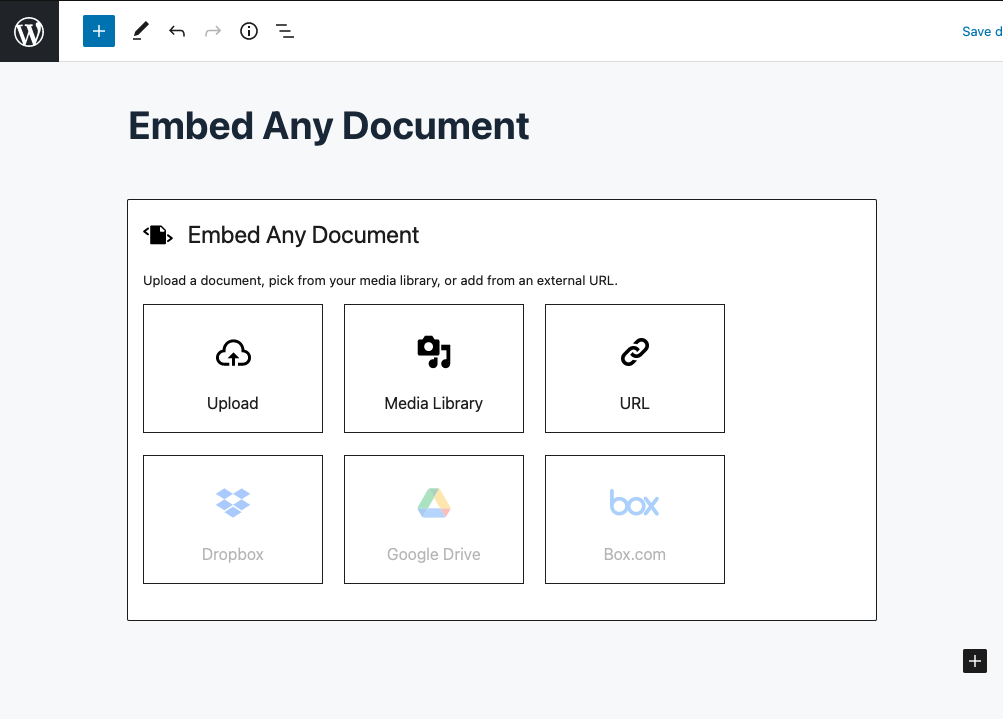
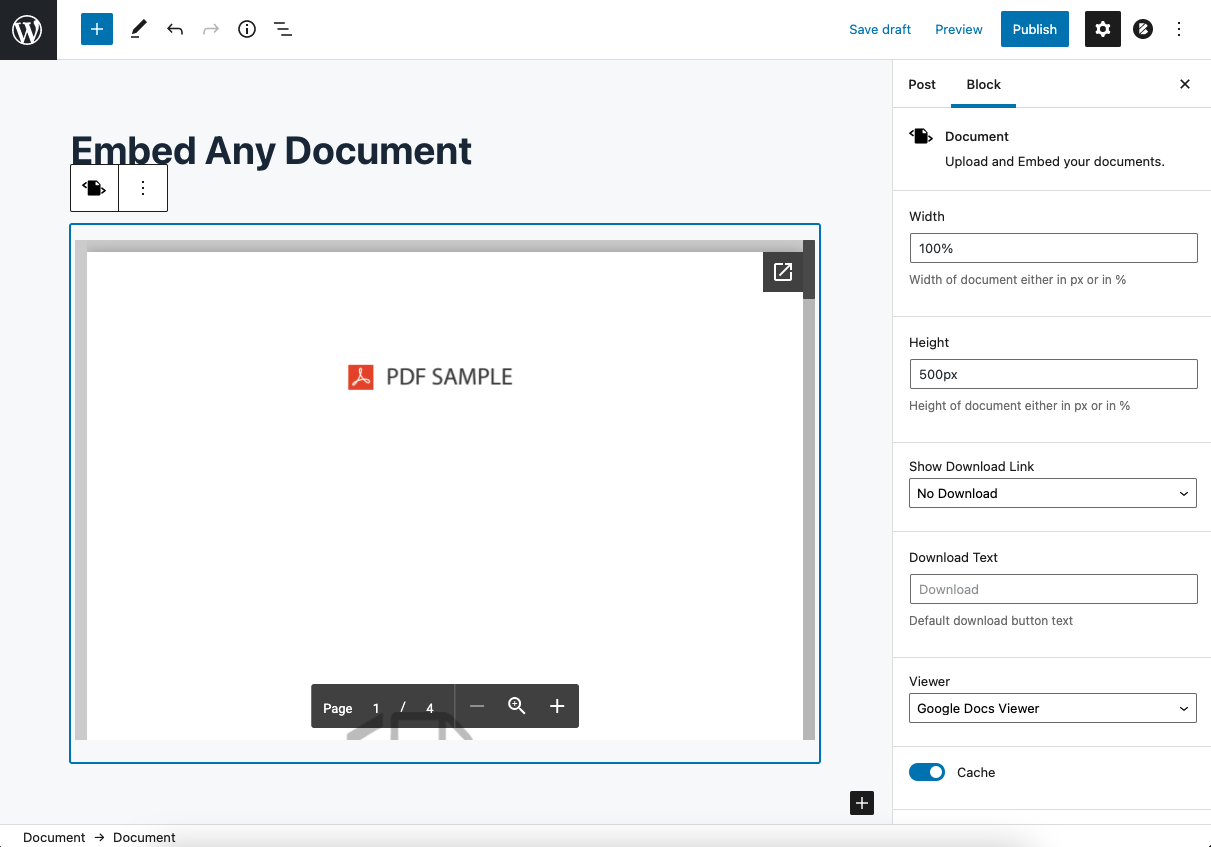
Embedding documents is now easier than ever in the block editor! The whole new Document block lets you embed the documents quicker than ever
-
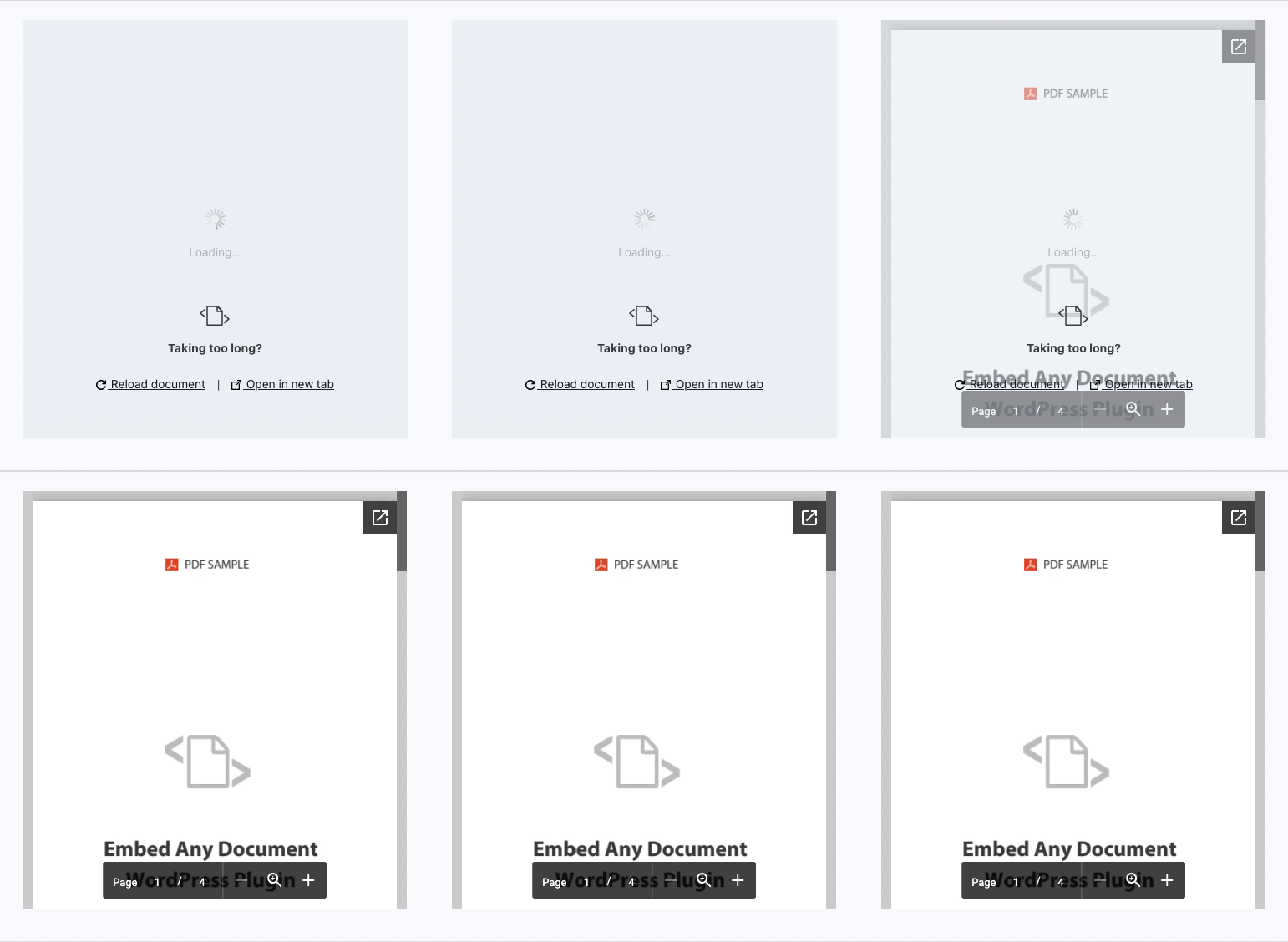
The EAD-Exclusive document pre-loader helps you with better performance and better User Experince
📂 Supported file types
- Microsoft Word (DOC, DOCX, DOCM, DOTM, DOTX)
- Microsoft Excel (XLS, XLSX, XLSB, XLSM)
- Microsoft PowerPoint (PPT, PPTX, PPSX, PPS, PPTM, POTM, PPAM, POTX, PPSM)
- Adobe Portable Document Format (PDF)
📋 Supported Viewers
- Google Docs Viewer (PDF & Office Documents)
- Microsoft Office Online (Office Documents Only)
- Browser Native (PDF Only)
- [PLUS VERSION] Google Drive Viewer (Stable and high performance viewer for documents hosted with Google Drive)
- [PLUS VERSION] One Drive Viewer (Document viewer for documents hosted in OneDrive)
- [PLUS VERSION] Box.com Viewer (Viewer for all documents hosted in Box.com with advanced security options to disable download button, add password, etc)
🔥 Key Benefits of Embed Any Document WordPress plugin
-
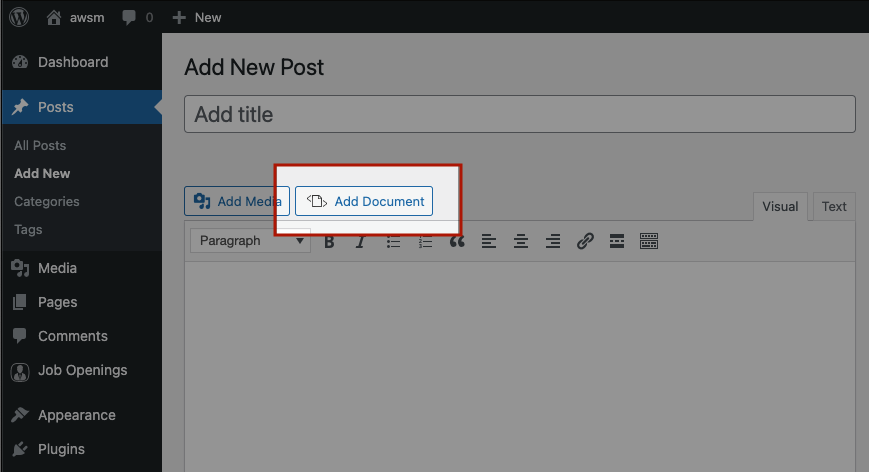
Easy to Upload and Embed. Embed Any Document is integrated seamlessly into the Classic Editor and the Block Editor. With a click of ‘Add Document’ button it lets you upload documents and embed them.
-
No 3rd party plugin needed. The plugin uses Google Docs Viewer and Microsoft Office Online’s services to display the documents in your website. You will not require any additional browser plugins to view the documents and you can expect maximum compatibility for your documents.
-
Option to choose the viewer. You can choose between Google Docs Viewer and Microsoft Office Online to display your document. If one service is down, you can switch to another easily. EAD also supports browser-based viewer for PDF files.
-
Cross-browser compatibility. The viewers are mobile-ready and cross-browser compatible.
-
Clean and Minimal UI. Embed Any Document comes with a clean and clutter-free UI.
🚀 Embed Any Document PLUS
The plugin comes with a premium version which allows you embed documents from Google Drive, Dropbox and Box.com.
By using Embed Any Document PLUS you can make use of the privacy options the cloud services (OneDrive, Google Drive, Dropbox and Box.com) offering you. You can remove download options, embed larger files, put passwords and even restrict the views.
⛔️ Limitations of the plugin
Being entirely depending on third-party cloud services (Google Docs Viewer and Microsoft Office Online), Embed Any Document has its own limitations.
-
The embedded display does not support video/audio playback and animations/transitions in the embedded documents
-
Your document has to be available online for the embed views to work. The viewers do not support local host, intranet and files hosted in any password protected environment
-
The viewers can handle files of a limited size only (Maximum 8MB for Google Docs Viewer and 10MB for Microsoft Office Online)
-
The download and pop-out buttons cannot be removed – Any feature that comes by default with the viewers cannot be removed or altered
Please read our FAQs for details.
This is an AWSM Project.
Disclaimer: This plugin is not authorized by, endorsed by or sponsored by Google or Microsoft. The plugin is just making use of the cloud services the respective companies provide to preview your documents.
Summary
Seamlessly embed and display PDF, Word, Excel and PowerPoint documents on your WordPress website.
Screenshots

Blocks
This plugin provides 1 block.
- Document
Installation
- Upload the entire
embed-any-documentsfolder to the/wp-content/plugins/directory. - Activate the plugin through the ‘Plugins’ menu in WordPress.
- Done.
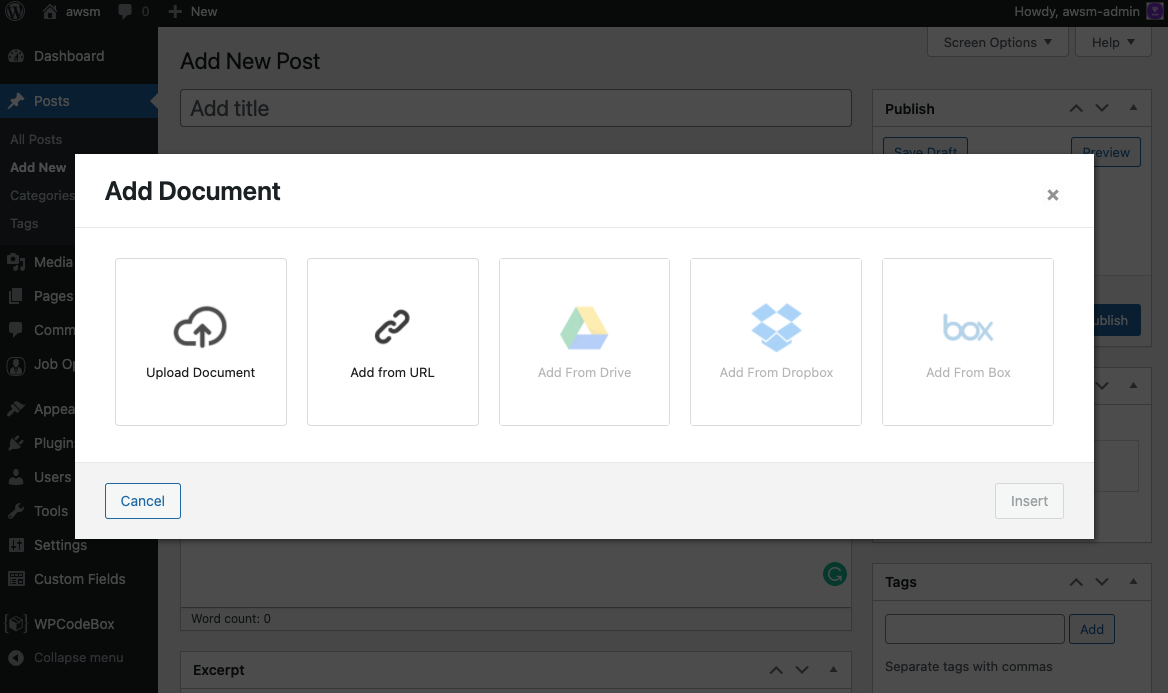
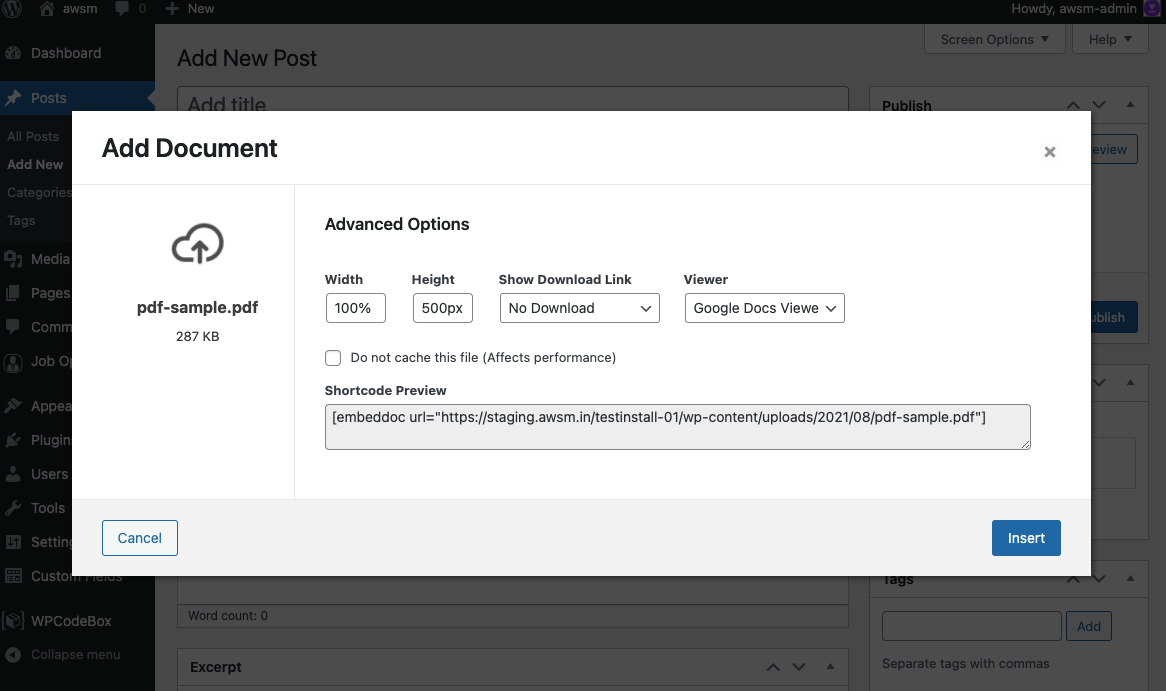
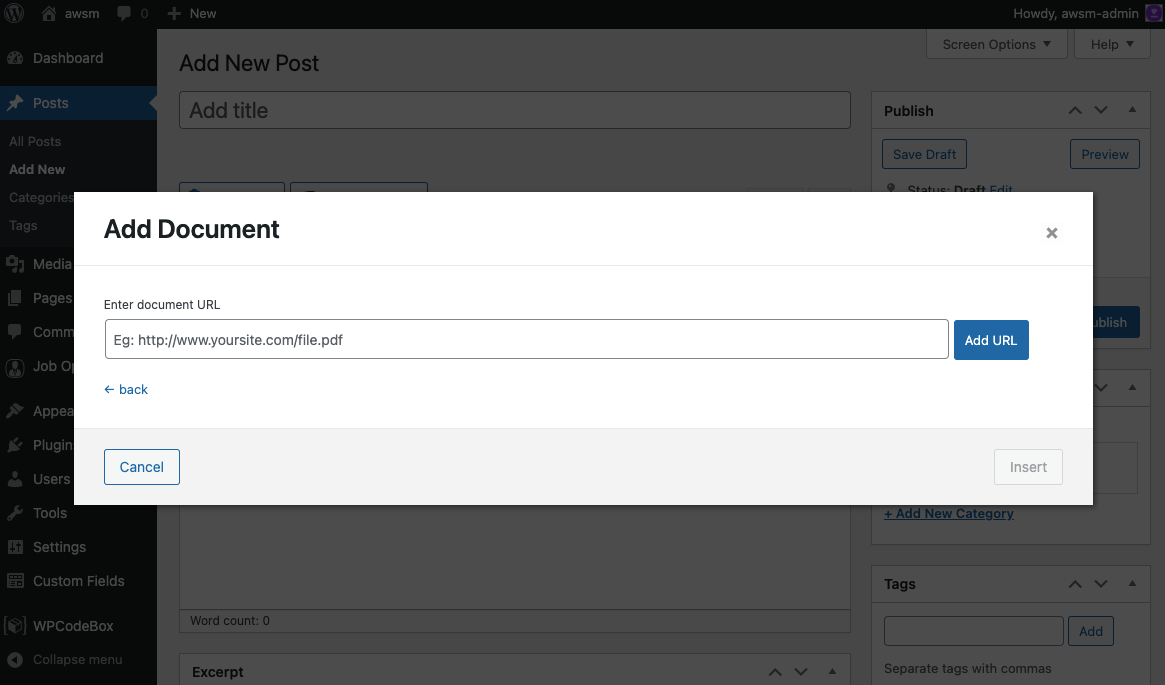
Upload or link the documents to your site using the ‘Add Document’ button in the Visual editor.
FAQ
-
How do I add documents?
-
Once the plugin is activated you can find ‘Add Document’ button in your WordPress visual editor. Just click on that and follow your heart.
-
File not found error in my localhost site!
-
The viewers (Google Docs Viewer and Microsoft Office Online) do not support locally hosted files. Your document has to be available online for the viewers to access.
-
I have another question that you must add in your FAQ.
-
Great. Send it to ead@awsm.in. We will answer it as soon as we can.
Reviews


Contributors & Developers
“Embed Any Document – Embed PDF, Word, PowerPoint and Excel Files” is open source software. The following people have contributed to this plugin.
Contributors
“Embed Any Document – Embed PDF, Word, PowerPoint and Excel Files” has been translated into 10 locales. Thank you to the translators for their contributions.
Translate “Embed Any Document – Embed PDF, Word, PowerPoint and Excel Files” into your language.
Interested in development?
Browse the code, check out the SVN repository, or subscribe to the development log by RSS.
Changelog
V 2.7.14 – 2026-08-07
- FIX: Stored XSS vulnerability in the bundled PDFObject library.
V 2.7.13 – 2026-07-15
- IMPROVED: Updated Block API version to 3.
- FIX: Google Drive upload issue with new API keys.
- Code improvements.
V 2.7.12 – 2025-12-04
- Code improvements.
V 2.7.11 – 2025-11-28
- FIX: Enhanced sanitization of document embed attributes to prevent XSS.
- Code improvements.
V 2.7.8 – 2025-09-30
- FIX: Security vulnerability in PDF embed sanitized.
V 2.7.7 – 2025-05-02
- Vulnerability fix.
- Corrected load_plugin_textdomain() for compatibility with WP 6.8+.
- Code improvements.
V 2.7.6 – 2025-02-14
- Improved security.
- Code improvements.