
Description
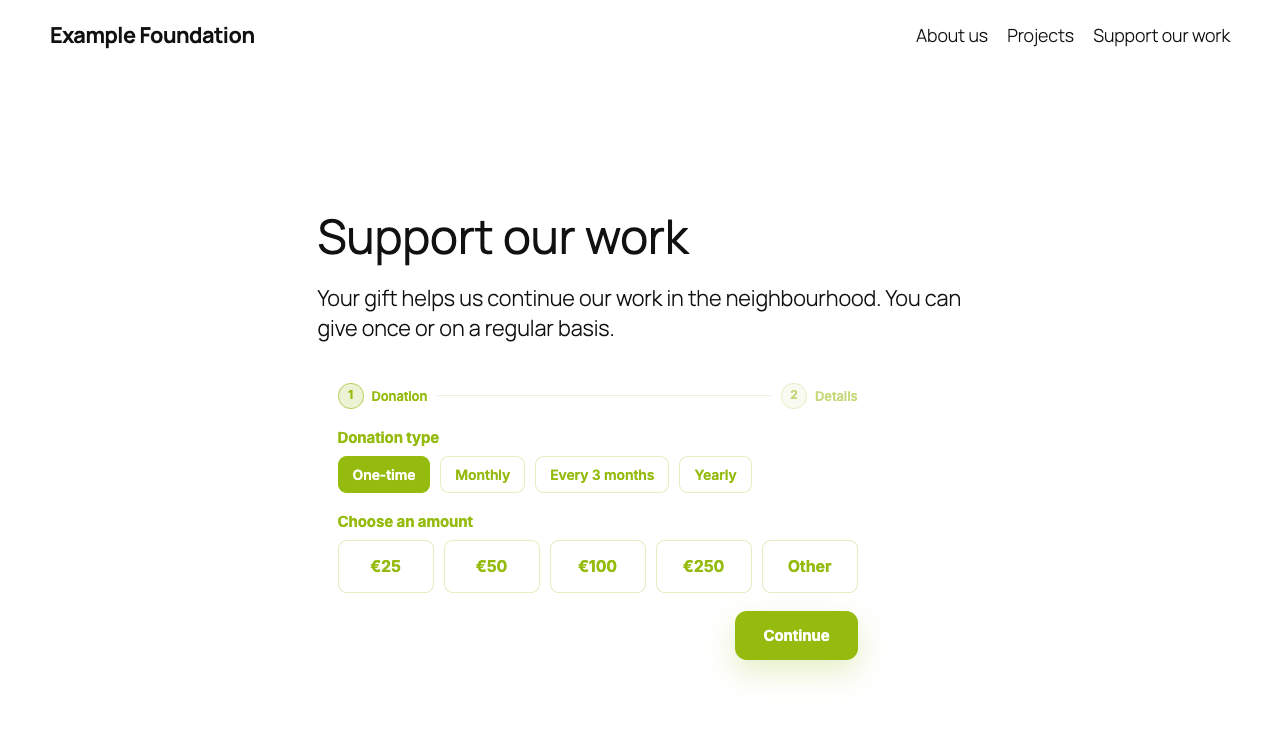
Dotatie is a donation platform for foundations, churches and associations in the Netherlands. This plugin shows a Dotatie widget on your WordPress site. You create the widget in your Dotatie dashboard and paste its embed code into a block or a shortcode.
You need a Dotatie account to use this plugin. You can create one for free from WordPress: after activating the plugin, go to Settings, Dotatie and click “Create a free account”. Dotatie charges a fee per donation, see the pricing page for the current rates.
What donors can do:
- Give once or every month, by card, Wero or SEPA direct debit. Donors in the Netherlands can also use iDEAL.
- Change or cancel their recurring donation themselves, through a link in their email.
Payments run through your organization’s own Mollie or Stripe account, so you choose the payment methods there.
Widgets you can place with this plugin include a donation form, a donate button that opens the form in a popup, a progress bar, a goal card, the amount raised, a list of recent donations, a donor count and a form where donors can stop their recurring donation. Most widgets belong to one of your donation pages in Dotatie.
How it works:
- In Dotatie, go to Settings, Widgets and create a widget.
- Copy the embed code.
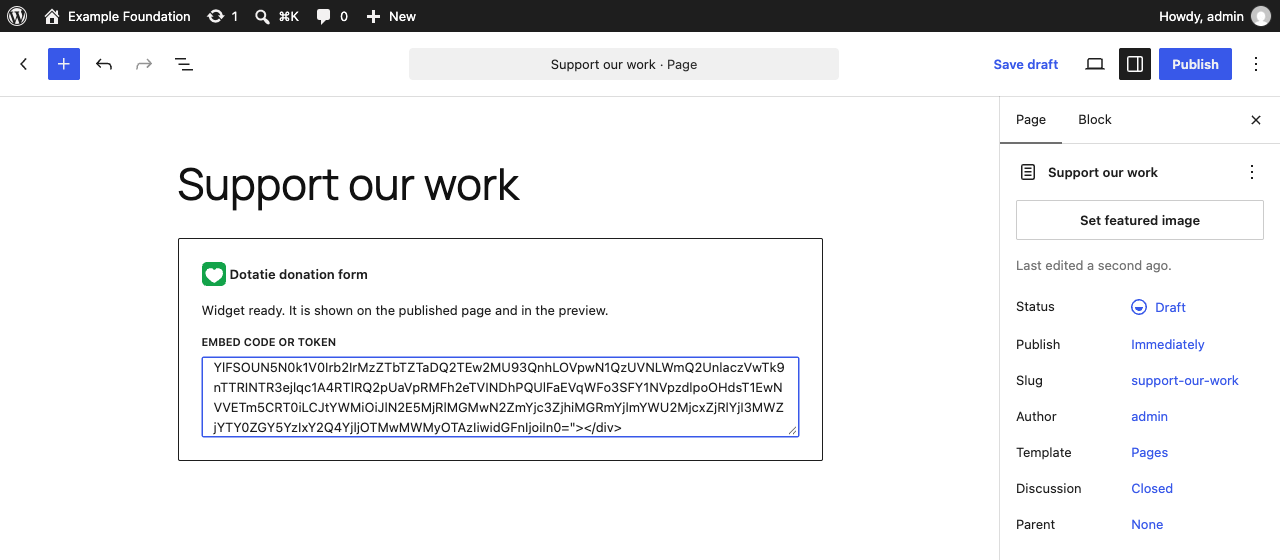
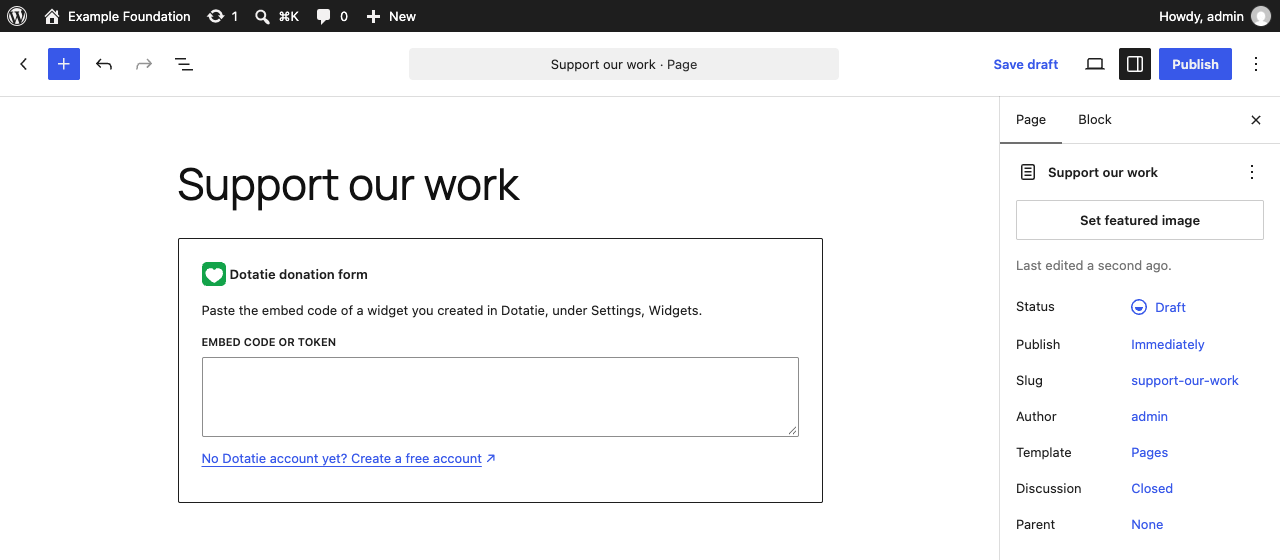
- In WordPress, add the Dotatie donation form block and paste the embed code into it. In the classic editor or a page builder you can use the shortcode
[dotatie token="..."]with the token from the embed code.
The plugin loads the Dotatie script only on pages that contain the block or the shortcode. It adds no settings to your database and does not track your visitors itself. See “External services” below for what the Dotatie script does.
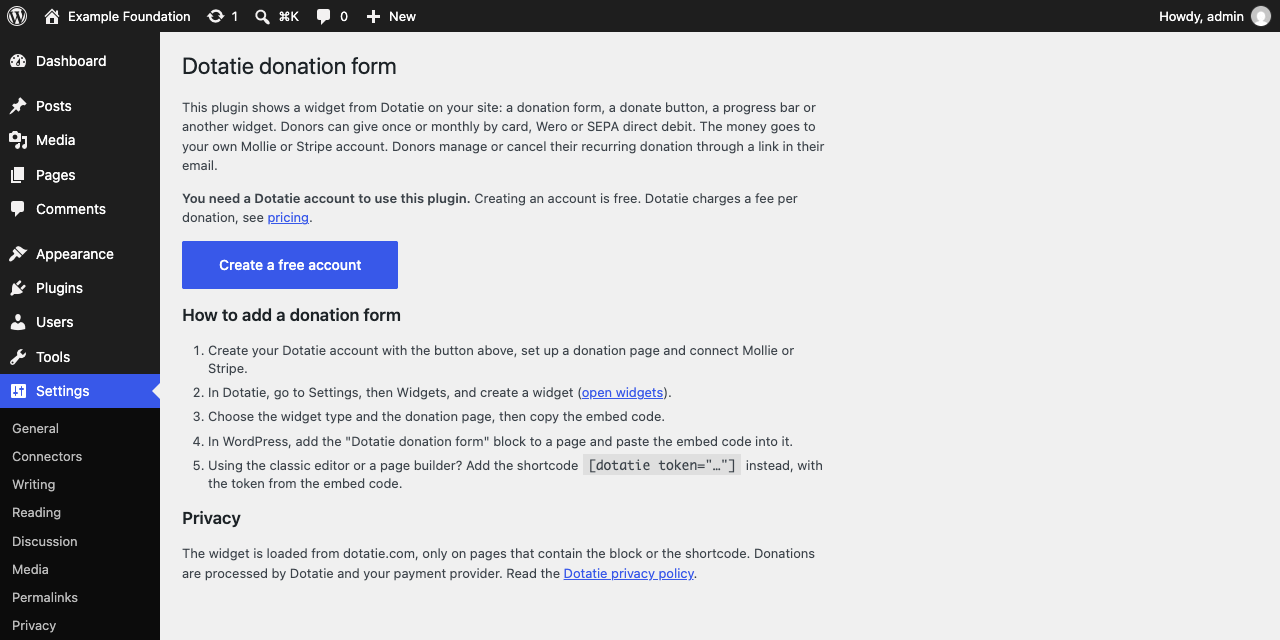
Under Settings, Dotatie you find step by step instructions and a link to create a free Dotatie account.
The plugin is available in English and Dutch.
External services
This plugin connects to Dotatie, a donation service run by Facturi B.V., trading as Dotatie, in the Netherlands. Dotatie shows the donation form and processes the donations. Without it the plugin has no function.
The plugin itself sends nothing to Dotatie. It does not contact Dotatie from the WordPress admin, does not set cookies and does not store visitor data in WordPress.
What happens on a page that contains the block or the shortcode (and only there):
- The visitor’s browser loads the script
https://dotatie.com/widgets/script.js. - The script requests the widget from
https://dotatie.com/widgets/render. The request contains the widget token from the embed code. As with any web request, the browser sends the visitor’s IP address and user agent. The script does not send cookies with this request. - The script passes
utm_sourceandutm_campaignfrom the address of the current page to Dotatie, so the organization can see which campaign a donation came from. Other query parameters are passed only when the organization has set this up for its donation page in Dotatie. - A donation form that is shown inside the page sends a visit count to Dotatie when it is displayed. This contains the donation page, the utm values above and a random ID that the script keeps in the browser’s session storage (
dotatie_visit_token). Session storage is cleared when the visitor closes the tab. - If the organization chose a custom font for the widget, the font is loaded from Google Fonts (
fonts.googleapis.comandfonts.gstatic.com) or from dotatie.com. - When a donor submits a form, the details they enter (such as name, email address and amount) are sent to Dotatie. The donor is then sent to Mollie to pay, or a Stripe payment form is loaded from
js.stripe.com, depending on the organization’s payment provider. - The donate button widget and some other widget types open the organization’s Dotatie donation page in an iframe. That page is served by Dotatie, on dotatie.com or on the organization’s own Dotatie address, and Dotatie’s privacy policy applies to it.
Links:
- Dotatie terms of use: https://dotatie.com/en/terms-of-use
- Dotatie privacy policy: https://dotatie.com/en/privacy-policy
- Dotatie donor terms: https://dotatie.com/en/donor-terms
- Mollie privacy policy: https://www.mollie.com/privacy
- Stripe privacy policy: https://stripe.com/privacy
- Google privacy policy (Google Fonts): https://policies.google.com/privacy
For donors’ personal data, the organization that owns the widget is the controller and Dotatie processes the data on its behalf.
Screenshots
Blocks
This plugin provides 1 block.
- Dotatie donation form Show a Dotatie donation form, donate button or goal widget. Paste the embed code from your Dotatie dashboard.
Installation
- In WordPress, go to Plugins, Add New, search for “Dotatie” and install the plugin. Or upload the zip file under Plugins, Add New, Upload Plugin.
- Activate the plugin.
- Go to Settings, Dotatie and click “Create a free account” if you don’t have a Dotatie account yet.
- Create a widget in Dotatie under Settings, Widgets and copy the embed code.
- Edit a page, add the Dotatie donation form block and paste the embed code.
FAQ
-
Do I need a Dotatie account?
-
Yes. The donation form and the payments run on Dotatie. The plugin places the form on your site. Create a free account in WordPress under Settings, Dotatie, or at dotatie.com.
-
What does it cost?
-
The plugin is free and creating a Dotatie account is free. Dotatie charges a fee per donation. The current rates are on the pricing page. Your payment provider (Mollie or Stripe) also charges its own transaction fees.
-
Which payment methods are supported?
-
Cards, Wero and SEPA direct debit, and iDEAL for donors in the Netherlands. Which ones your donors see depends on the payment methods you have enabled in your Mollie or Stripe account.
-
Where does the money go?
-
To your organization’s own Mollie or Stripe account, which you connect in Dotatie.
-
Can donors stop their monthly donation themselves?
-
Yes. Donors receive an email with a link where they can change or cancel their recurring donation.
-
I use the classic editor or a page builder.
-
Use the shortcode
[dotatie token="..."]. Put the token from your embed code between the quotes. That is the long value afterdata-donatie-token=. -
Why do I see a placeholder in the editor instead of the form?
-
The block editor shows a placeholder. The form itself appears on the published page and in the preview.
-
I changed my widget in Dotatie. Do I need to update WordPress?
-
Yes, if you changed the widget type, the donation page it belongs to or its look. Those settings are part of the embed code, so copy the new embed code from Dotatie and paste it into the block again. Changes to the donation page itself, such as its title or goal, and the amounts raised show up automatically.
-
Where do I find the embed code?
-
Log in to Dotatie and go to Settings, Widgets. Create a widget or open an existing one and copy the embed code.
Reviews
There are no reviews for this plugin.
Contributors & Developers
“Dotatie Donation Form” is open source software. The following people have contributed to this plugin.
Contributors
“Dotatie Donation Form” has been translated into 1 locale. Thank you to the translators for their contributions.
Translate “Dotatie Donation Form” into your language.
Interested in development?
Browse the code, check out the SVN repository, or subscribe to the development log by RSS.
Changelog
1.0.0
- First release: block, shortcode and instructions page.