

Description
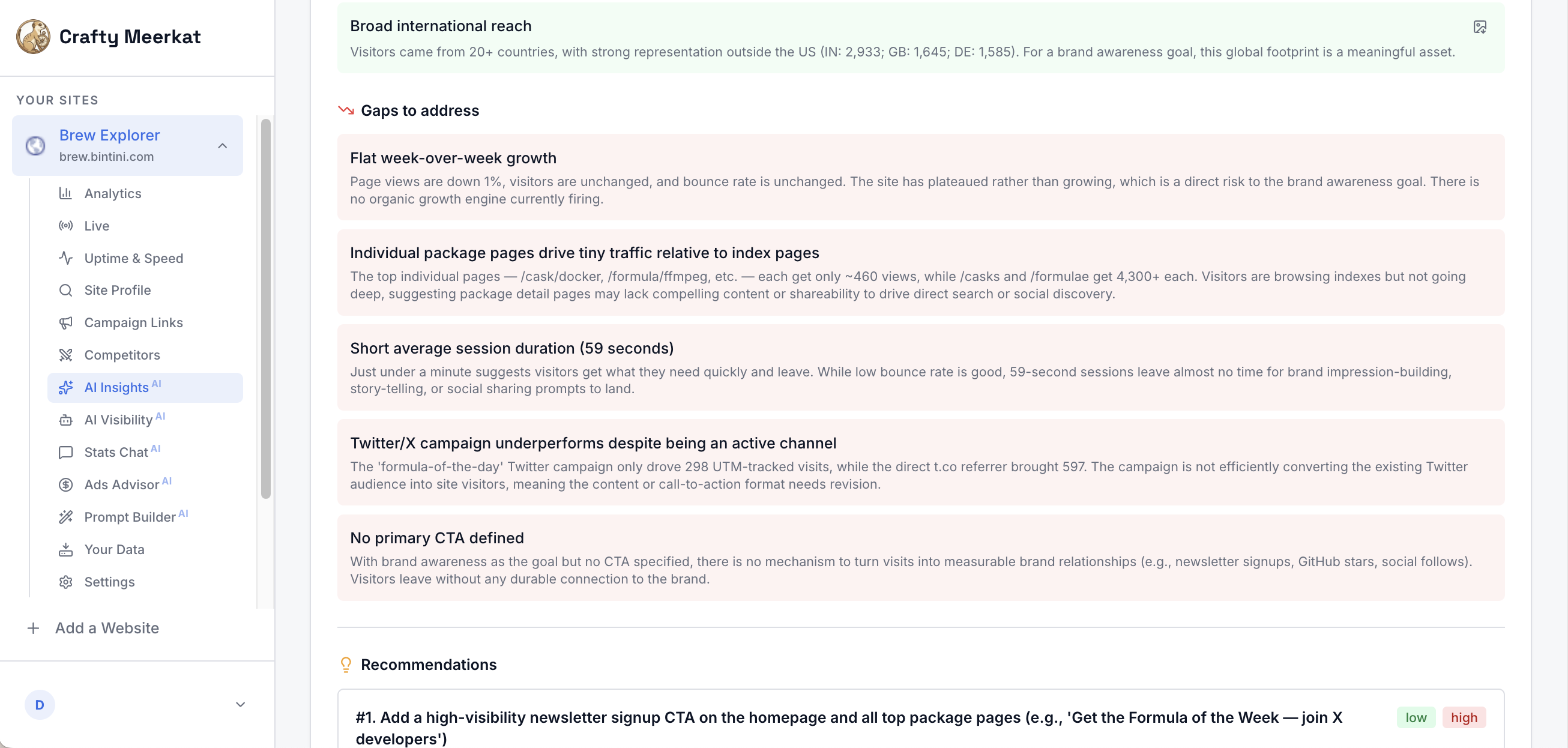
Crafty Meerkat is website analytics with an AI advisor built in. Instead of handing you 200 reports, it reads your data and sends you a prioritized weekly action plan: what to fix, what to double down on, and why.
This plugin adds the lightweight Crafty Meerkat tracking snippet to your WordPress site, with no code editing and no theme changes. The default tracking is cookieless.
What you get:
- A weekly AI action plan based on your real traffic
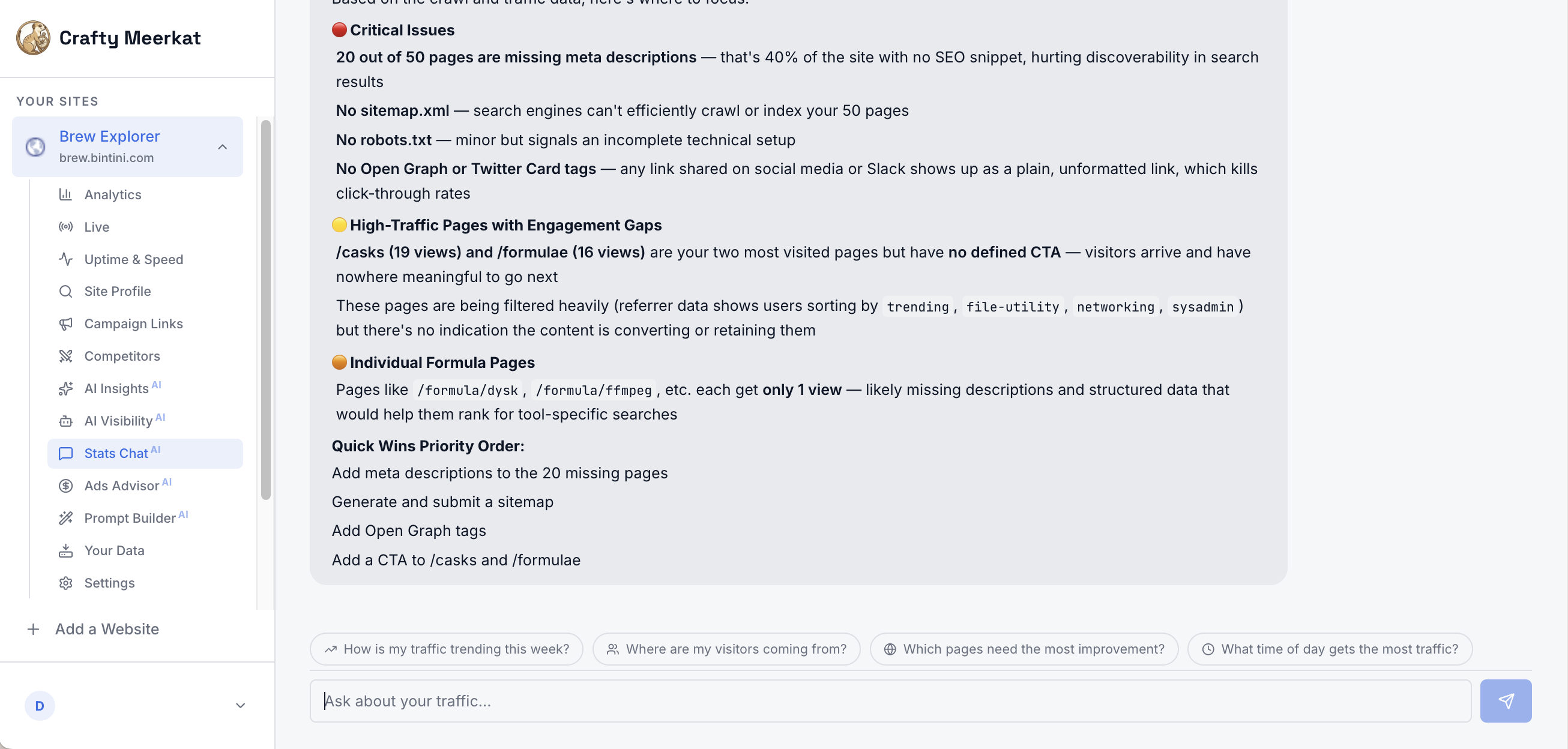
- Stats Chat: ask questions about your analytics in plain English
- Uptime monitoring with instant down/recovery alerts
- Page-speed tracking and broken-link detection
- AI-assistant traffic attribution (ChatGPT, Perplexity, and more)
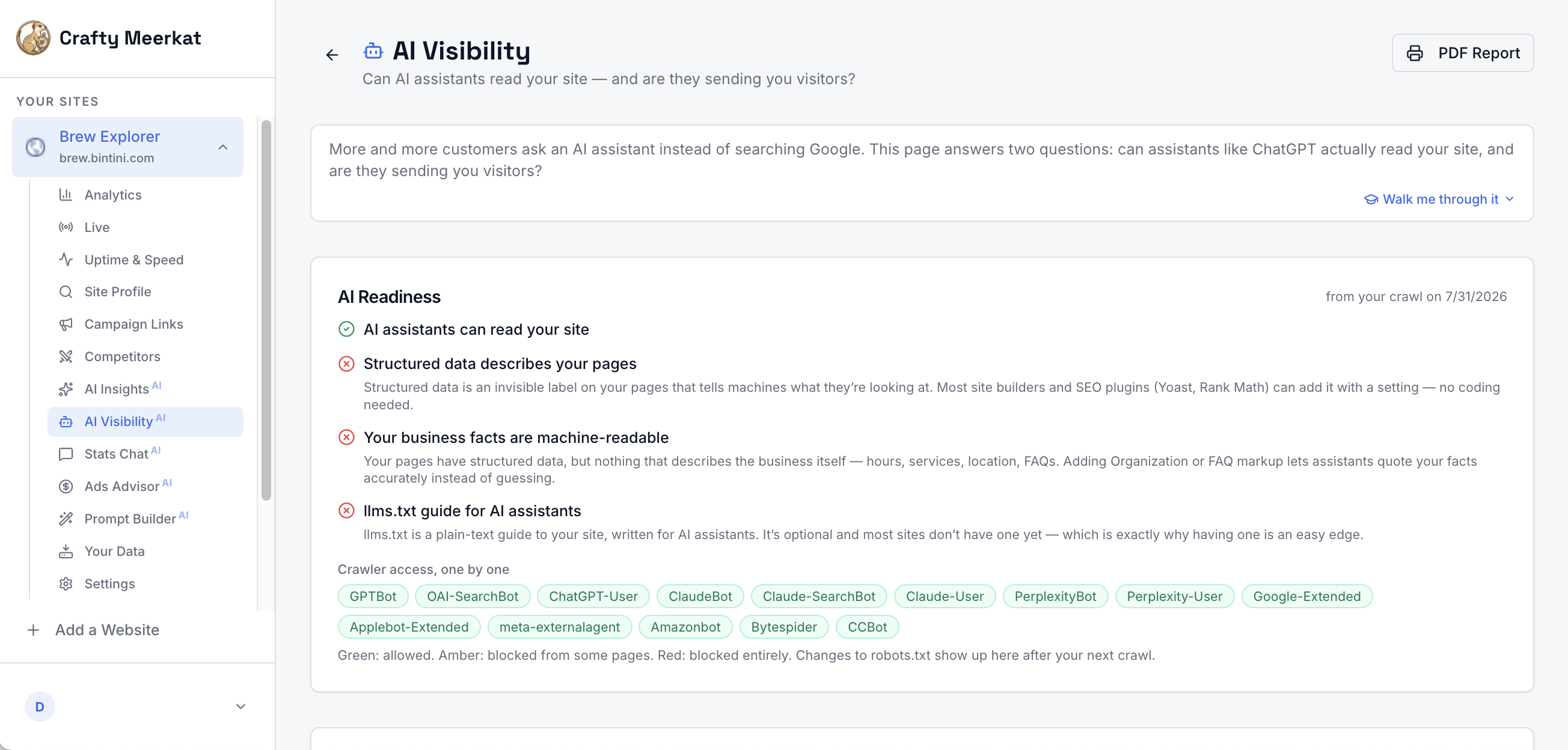
- AI crawler visibility: see when GPTBot, ClaudeBot, and friends read your pages
- One-click llms.txt hosting, so AI assistants can cite your business accurately
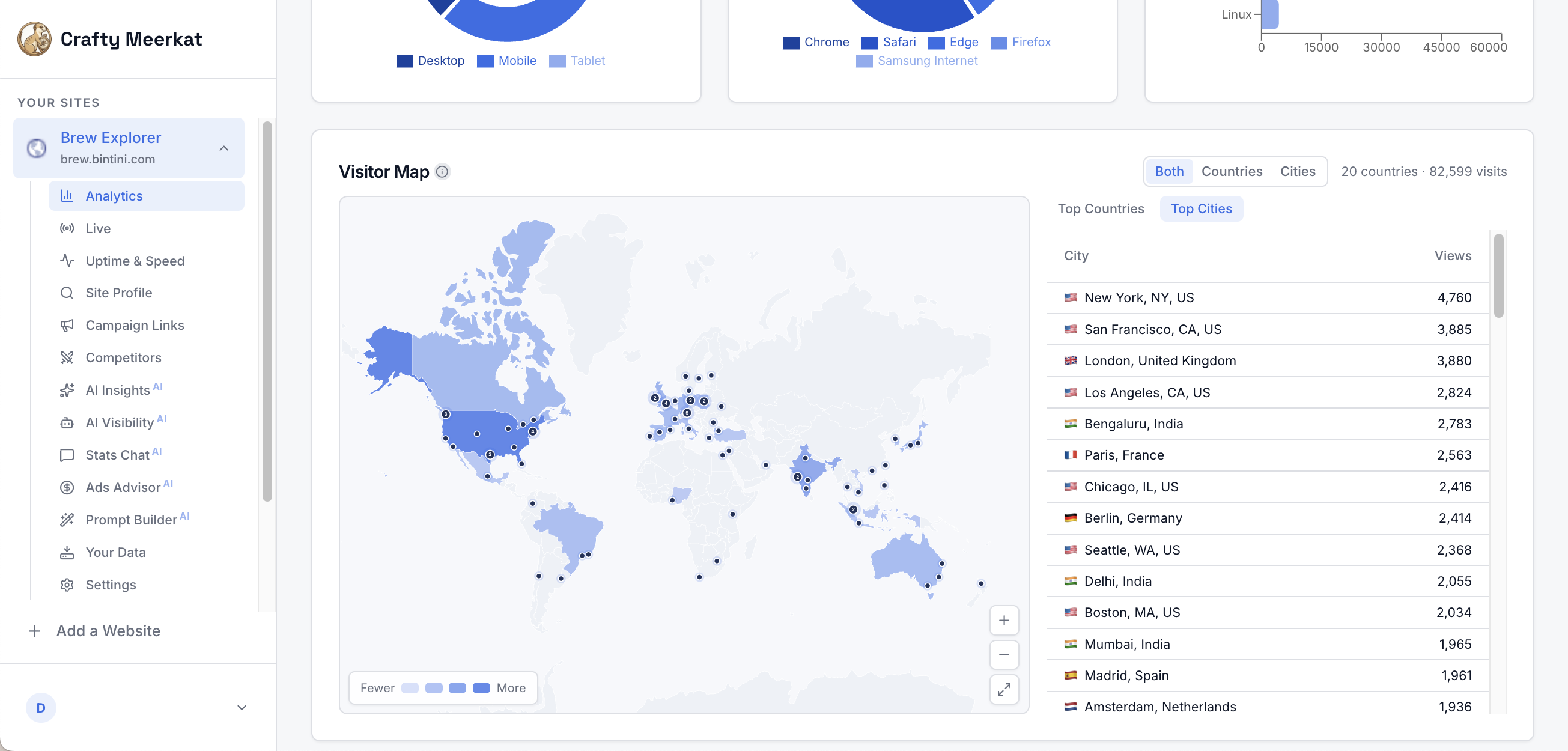
- Live visitor view with a world map and TV wallboard mode
Analytics you can actually act on
Most analytics tools answer “what happened” and leave “so what should I do” entirely to you. Crafty Meerkat’s AI advisor reads your numbers every week and sends a short, prioritized plan in plain English: what is working, what is broken, and the next thing worth doing. If you have ever opened an analytics dashboard, felt overwhelmed, and closed it again, this was built for you.
Simple by default, without losing the numbers
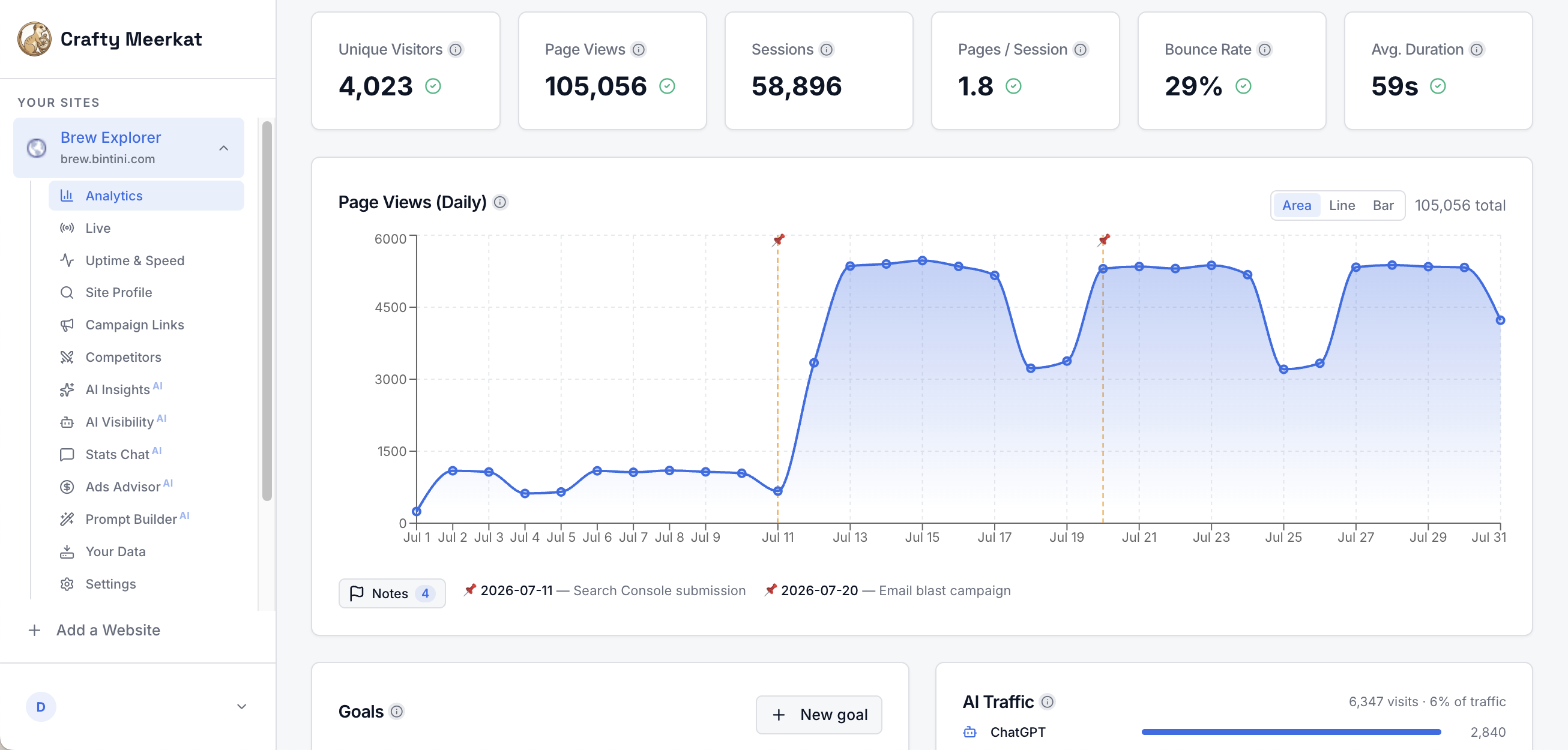
You still get the full toolkit you would expect: unique visitors, page views, sessions, bounce rate, referrers, campaign (UTM) tracking, goals and events, top pages, device and browser breakdowns, and a live world map of your visitors. Every chart has a plain-language explanation one click away, and every feature ships with a step-by-step walkthrough.
Cookieless, privacy-friendly tracking
The default snippet sets no cookies and stores no personal data in the browser, so in most jurisdictions you will not need a cookie consent banner for analytics. The script is also tiny (about 6KB) and loads async, so it will not slow your site down.
Built for the AI search era
More and more customers ask ChatGPT, Claude, or Perplexity instead of searching Google. Crafty Meerkat shows whether those assistants can actually read your site, counts their crawler visits (this plugin reports them server-side, since AI crawlers never run JavaScript), attributes the human visitors they send you, and hosts an llms.txt guide so assistants describe your business accurately.
Uptime and speed, watched for you
Your site is checked around the clock. If it goes down you get an alert, and another when it recovers. Page-speed tracking and broken-link detection run in the background and feed straight into your weekly action plan.
A Crafty Meerkat account is required. Every plan starts with a free 30-day trial at craftymeerkat.com.
External services
This plugin connects to Crafty Meerkat, a third-party analytics service, to measure traffic on your site. It loads the tracking script from https://t.craftymeerkat.com/v1/t.js, and that script sends anonymous pageview data from the site being measured (page URL, referrer, screen size, browser language, campaign parameters, and any events you configure) to https://t.craftymeerkat.com/v1/collect, tagged with your Site Key. The default tracking sets no cookies; a small localStorage entry is used for same-day campaign attribution. Data is sent on every public page load once a Site Key is configured; nothing is sent from the WordPress admin, and no data is transmitted until you enter a Site Key.
When “AI crawler visits” is enabled (the default), requests whose user-agent identifies a known AI crawler (such as GPTBot or ClaudeBot) are reported server-side to https://den.craftymeerkat.com/api/collect-bots; only the crawler name, the page path, and your Site Key are sent, never visitor data. When “Serve llms.txt” is enabled, the plugin fetches your generated llms.txt from https://den.craftymeerkat.com/api/llms-txt/public and serves it at your site’s /llms.txt.
The service is operated by Crafty Meerkat:
- Privacy policy: https://www.craftymeerkat.com/privacy
- Terms of service: https://www.craftymeerkat.com/terms
Screenshots
Installation
- Install and activate the plugin (search for “Crafty Meerkat Analytics” under Plugins, Add New).
- Go to Settings, then Crafty Meerkat.
- Paste your Site Key (from your Crafty Meerkat dashboard under Settings, then Install Snippet).
- Save. That’s it. Data appears in your dashboard within a few minutes.
FAQ
-
Do I need a Crafty Meerkat account?
-
Yes. The plugin connects your site to the Crafty Meerkat service, which does the measuring, monitoring, and AI analysis. Every plan starts with a free 30-day trial.
-
The default tracking is cookieless and does not store personal data in the browser, so in most jurisdictions an analytics consent popup is not required. Review your own compliance requirements.
-
Does it slow my site down?
-
The script is ~6KB, loads async, and is served from a CDN-backed endpoint. It has no measurable effect on page speed.
-
Can I use it alongside Google Analytics?
-
Yes. The snippet is independent and coexists with Google Analytics, Tag Manager, or any other tag. Many owners run both for a while, then keep the one they actually read.
-
Does it work with caching and page builders?
-
Yes. The snippet is a static script tag, so full-page caching serves it correctly, and it works with Elementor, Divi, Gutenberg, and other builders.
-
Where do I find my Site Key?
-
In your Crafty Meerkat dashboard under Settings, then Install Snippet. Paste it into Settings, then Crafty Meerkat in WordPress and save.
-
What are AI crawler visits?
-
Assistants like ChatGPT and Claude send crawlers (GPTBot, ClaudeBot, PerplexityBot, and others) to read websites. Those crawlers never run JavaScript, so browser-based analytics cannot see them. This plugin counts them server-side, so your dashboard shows which assistants are reading your pages and how often.
-
What is llms.txt?
-
llms.txt is a plain-text guide to your site written for AI assistants, similar in spirit to robots.txt or a sitemap. Crafty Meerkat generates one from your real content, and this plugin can serve it at your site’s /llms.txt with one checkbox.
-
What data does the plugin collect?
-
The default tracking is cookieless and anonymous: page URL, referrer, screen size, browser language, and campaign parameters. No personal profiles and no cross-site tracking, and nothing is sent until you enter a Site Key. See the External services section for the full details.
Reviews
There are no reviews for this plugin.
Contributors & Developers
“Crafty Meerkat Analytics” is open source software. The following people have contributed to this plugin.
Contributors
Translate “Crafty Meerkat Analytics” into your language.
Interested in development?
Browse the code, check out the SVN repository, or subscribe to the development log by RSS.
Changelog
1.1.1
- Initial release.