

Description
In most cases, this’ll be all you need to add Google Tag Manager to your WordPress site. If your site is complicated, then you’ll want a different solution that is sufficiently complicated to complete your idiom, but if you’re like me, and you just want to insert the GTM snippets on your site, this plugin is your huckleberry.
This plugin works on multisite installations as well as single installations. When used in a network, you have the option of specifying network default settings and allowing individual sites to override them or not.
Note: Google Tag Manager is a third-party service provided by Google. This plugin embeds code from that service onto your WordPress website.
Requirements
Your own Google Tag Manager account, as well as its Container ID. It probably looks something like: GTM-Z3V1L.
Plus, your theme should follow two particular WordPress standards. Those standards are two function calls:
- your theme calls
wp_head()from within the<head>element. - your theme calls
wp_body_open()right after the<body>element begins.
Questions and answers
What does Google Tag Manager do?
Google Tag Manager embeds snippets of HTML and Javascript on your website. It is often used to manage analytics tools on a website without changing the website’s code.
What does Così Tags do?
Così Tags embeds the snippets of HTML and Javascript that Google Tag Manager requires on your website — in the proper locations — without you having to manually change any code.
Does Google Tag Manager have terms of service or related policies?
Yes. See: Google Tag Manager Terms of Service for information on usage, privacy, and terms.
What does the plugin do if I activate it but don’t enter a Container ID?
Nothing. Well, nothing meaningful. If this is the case, disable the plugin until you’re ready to add a Container ID.
What’s “defer loading”?
It instructs the browser not to load GTM and everything that comes with it until the user interacts with the page. Interaction could be moving the cursor, a click, a key press, or something else. But if none of that happens, GTM doesn’t load.
What is the benefit of defer loading?
Your Page Speed scores will likely improve and you will reap all the associated benefits.
Will defer loading affect my analytics stats?
Probably. It’ll filter out bots and bounces which may lead to a drop in recorded pageviews and sessions. If you’re still leaning on those metrics and want to talk through options, contact me and we’ll talk it through.
Can I override defer settings on an ad hoc basis?
Yes, you can add cosi-tags=nodefer to the URL’s querystring and that’ll cause GTM to load when the rest of the page loads regardless of what the user does.
Can I load multiple GTM containers?
You can enter more than one ID, separate them by commas.
How do I track custom events like clicks and scrolling?
Manage those directly in Google Tag Manager.
Does Così Tags load Google Tag Manager in the admin panel?
No. Tag Manager is loaded on the front end of the website only.
Screenshots
Installation
- Install the plugin, either by uploading it to
/wp-content/plugins/or through the WordPress plugin directory. - Activate the plugin through the ‘Plugins’ menu in WordPress.
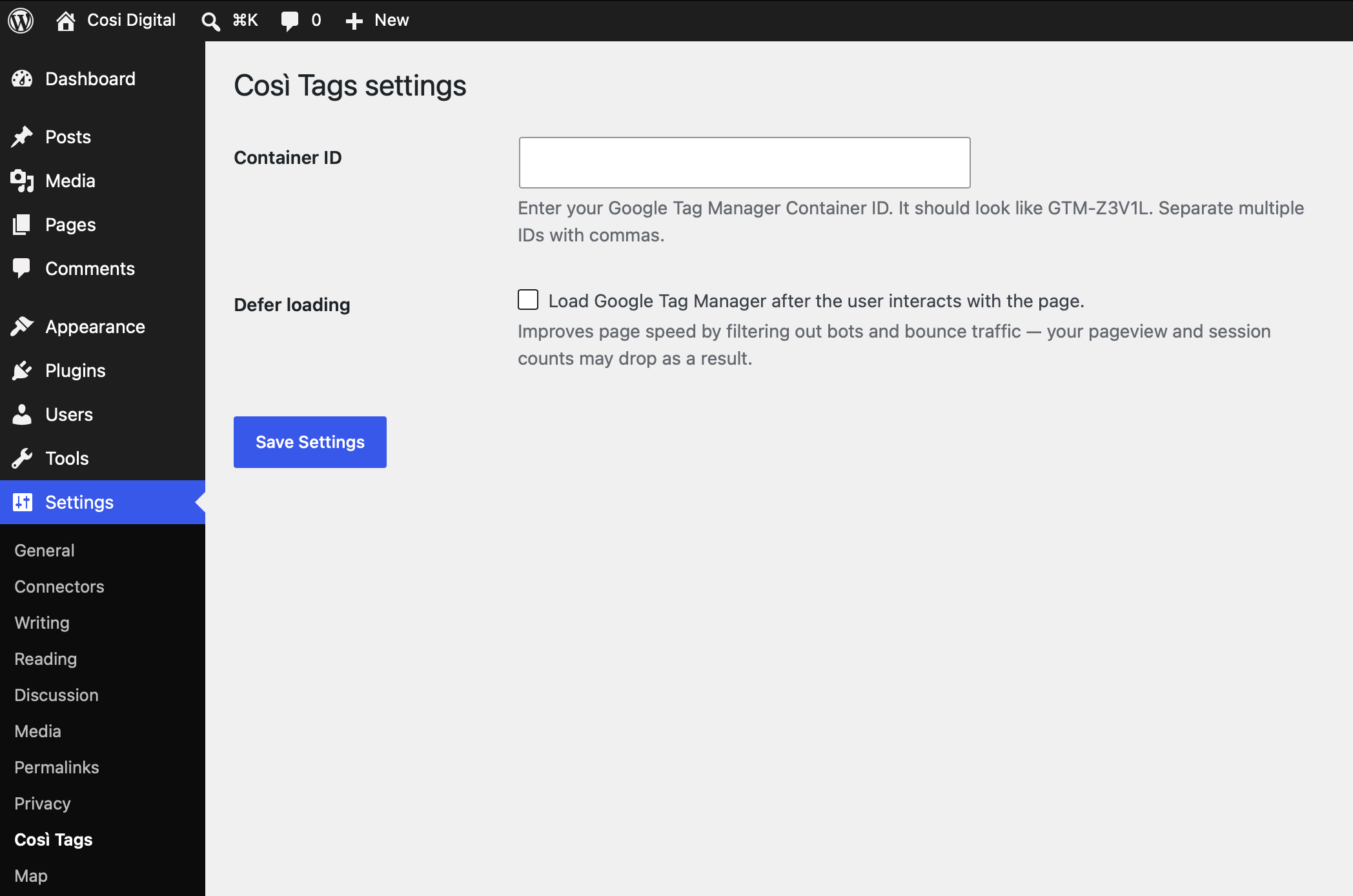
- Navigate to Admin -> Settings -> Così Tags and enter your Container ID. Important: without a Container ID, the plugin does nothing.
- Optionally choose to defer loading.
- Hit Save.
Multisite set up
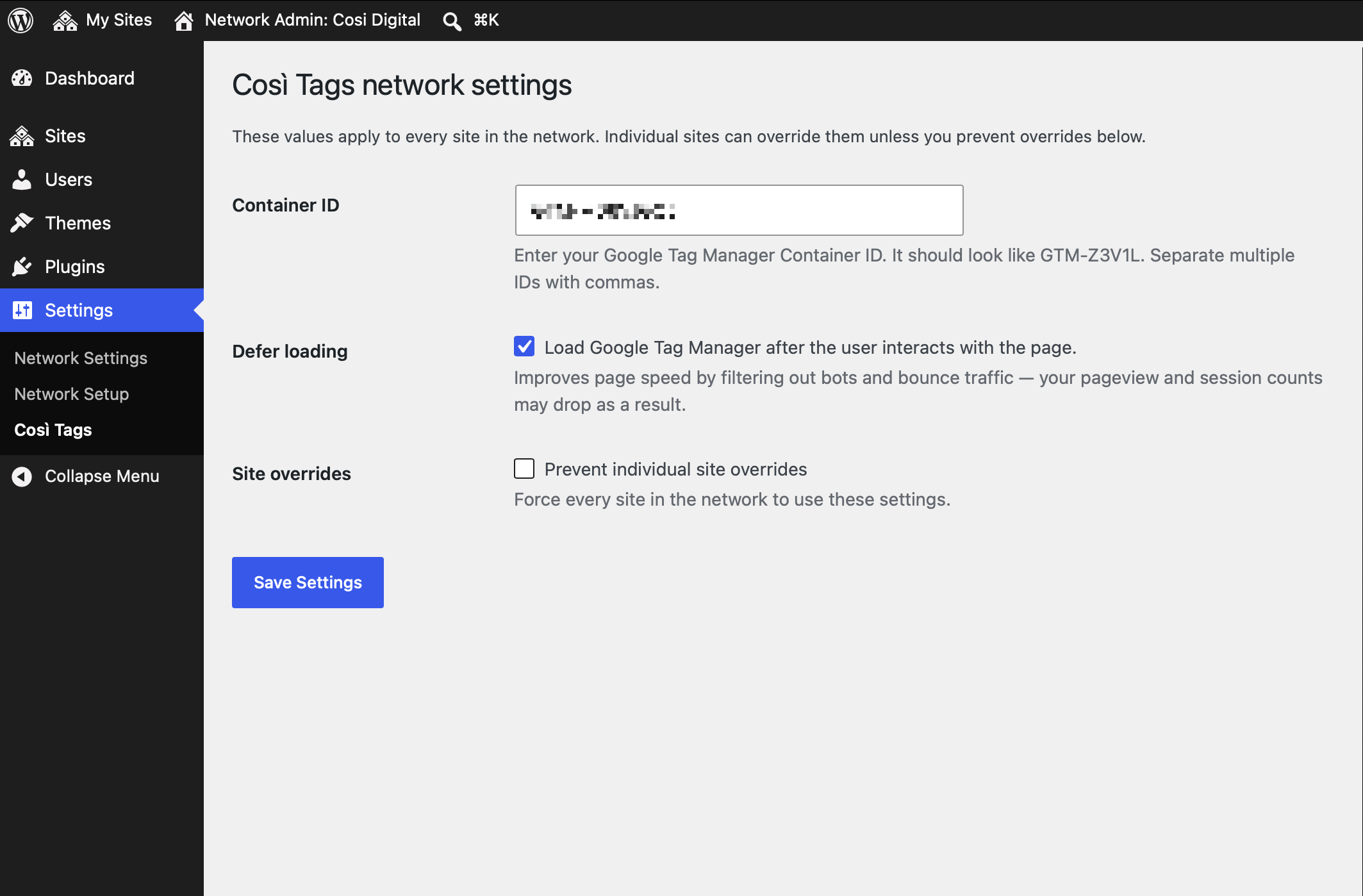
- As above, except you might choose to set up network default settings under Network Admin -> Settings -> Così Tags.
- By default, subsites can override network settings, but you can prevent that in the network settings if desired.
Validation
Load a WordPress page in your favorite web browser and view the source code. Search the code for “Così Tags”. You should find two snippets, one within the <head> and the other within the <body>. Each snippet should include your container ID(s). Or, doublecheck using Google Tag Manager’s own validation.
Reviews
There are no reviews for this plugin.
Contributors & Developers
“Così Tags” is open source software. The following people have contributed to this plugin.
Contributors
Translate “Così Tags” into your language.
Interested in development?
Browse the code, check out the SVN repository, or subscribe to the development log by RSS.
Changelog
1.0
- Initial release.