

Description
ConvertNow Analytics is a free, privacy friendly WordPress analytics and statistics plugin that counts real visitors only. Bots, AI crawlers, SEO scanners and headless browsers are filtered out and shown to you by name, so the numbers on your dashboard are people.
Here’s the problem it solves. Most web analytics tools count anything that runs JavaScript, and a lot of what reads the web does that now: screenshot services, uptime checks, SEO auditors, and a growing crowd of AI agents. A self hosted stats plugin can report several times the traffic a site really has.
ConvertNow counts people. A pageview has to render on screen, then somebody has to move, scroll, tap, or stay for two seconds. It also has to come from somewhere people actually read from, not a cloud data center. Everything refused is kept, named, and shown under Filtered Traffic, never quietly dropped.
AI traffic analytics: ChatGPT, Perplexity, Gemini, Claude, Copilot
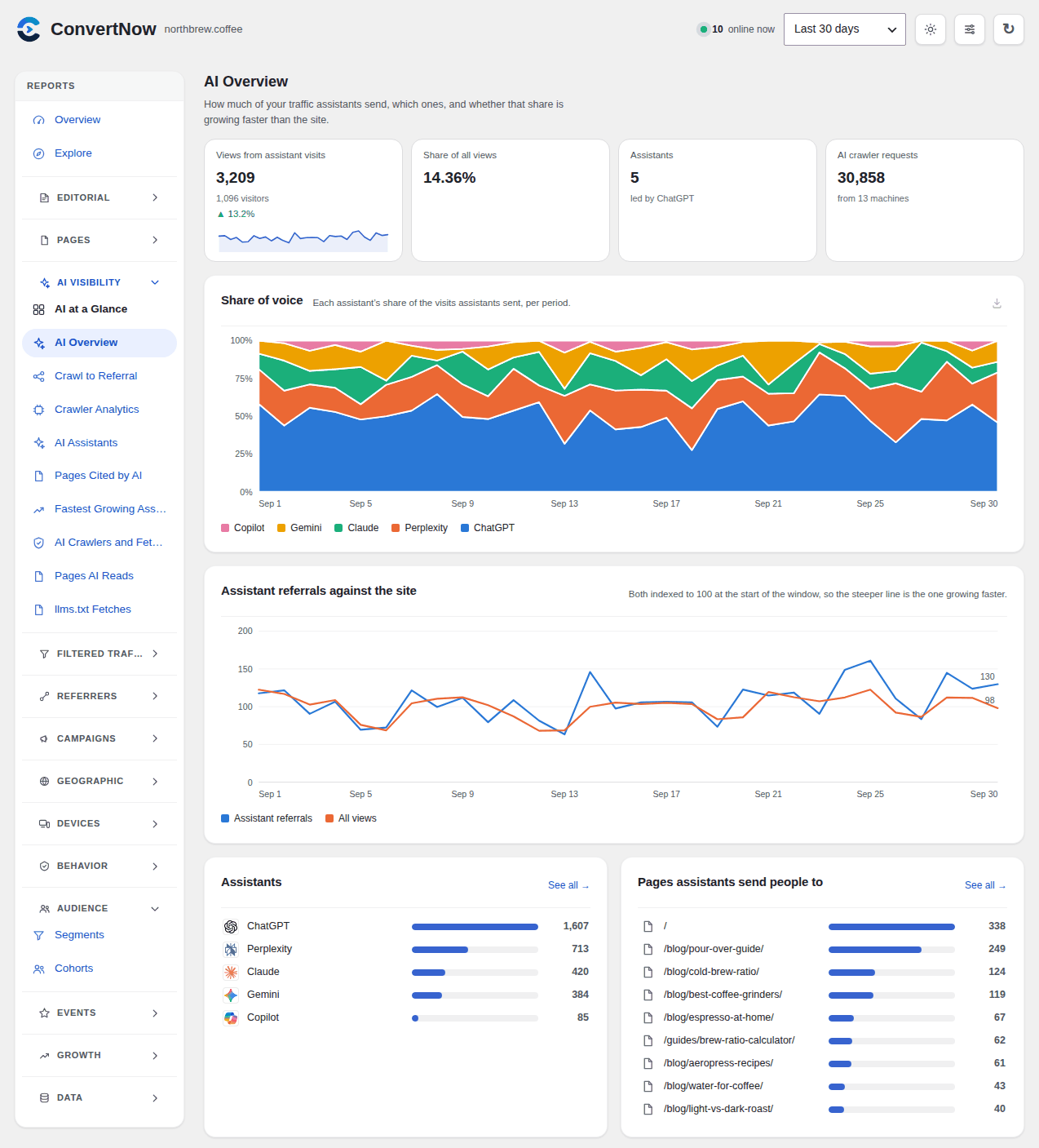
See which AI assistants send you real readers and which pages they cite. Track referral traffic from ChatGPT, Perplexity, Google Gemini, Claude, Microsoft Copilot, DeepSeek and more, each as its own channel. Next to that, see the pages GPTBot, ClaudeBot, PerplexityBot and other AI crawlers read most. A crawler is never counted as a visitor, and an assistant fetching a page on somebody’s behalf is interest, not attendance.
Bot detection and filtered traffic
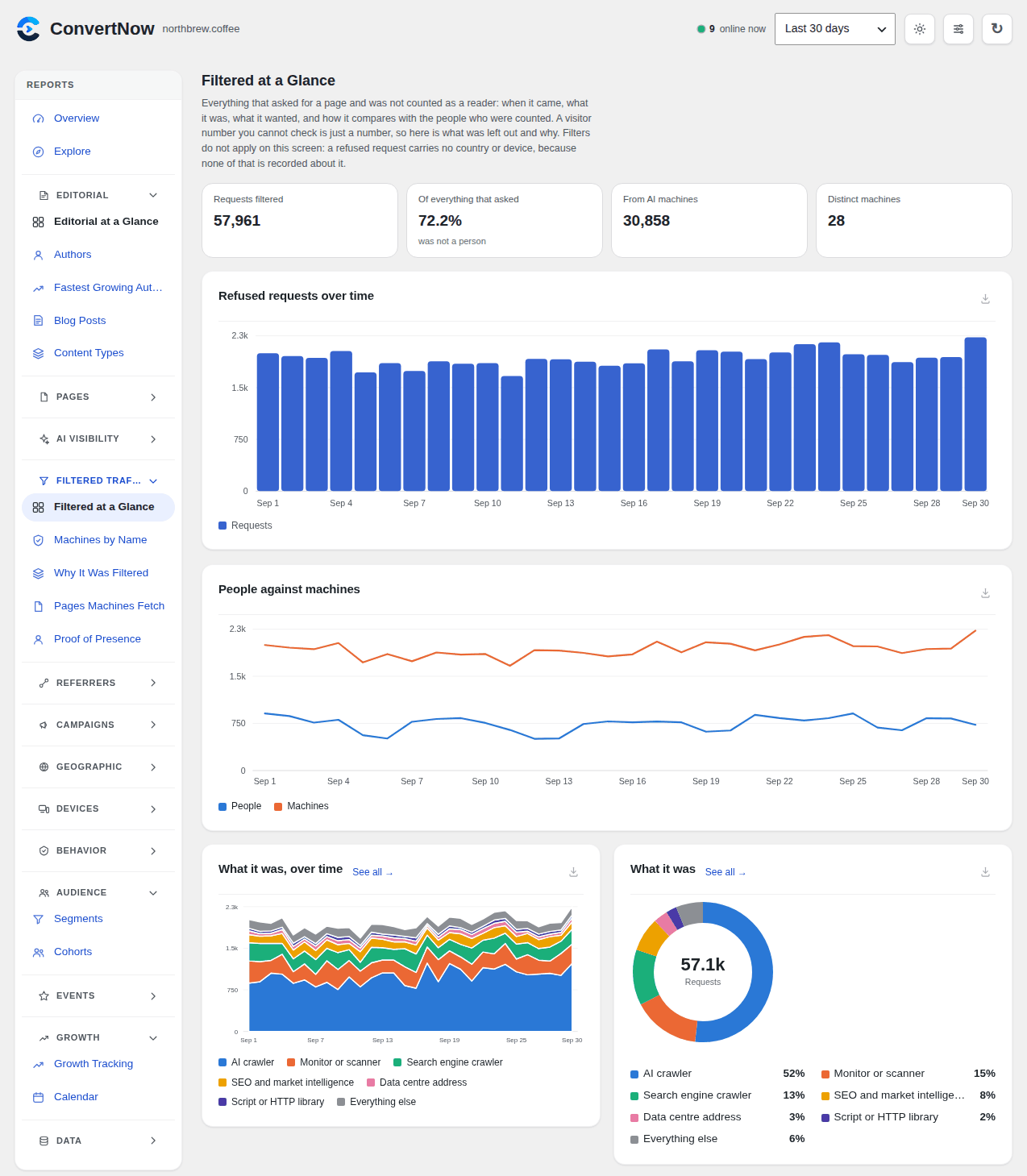
A chart of people against machines, every refused request by name and hour, and a Proof of Presence report that shows what convinced the plugin each counted view was real. Data centre addresses, headless Chrome, crawlers and monitors are refused before a row is written.
Every WordPress stat you expect
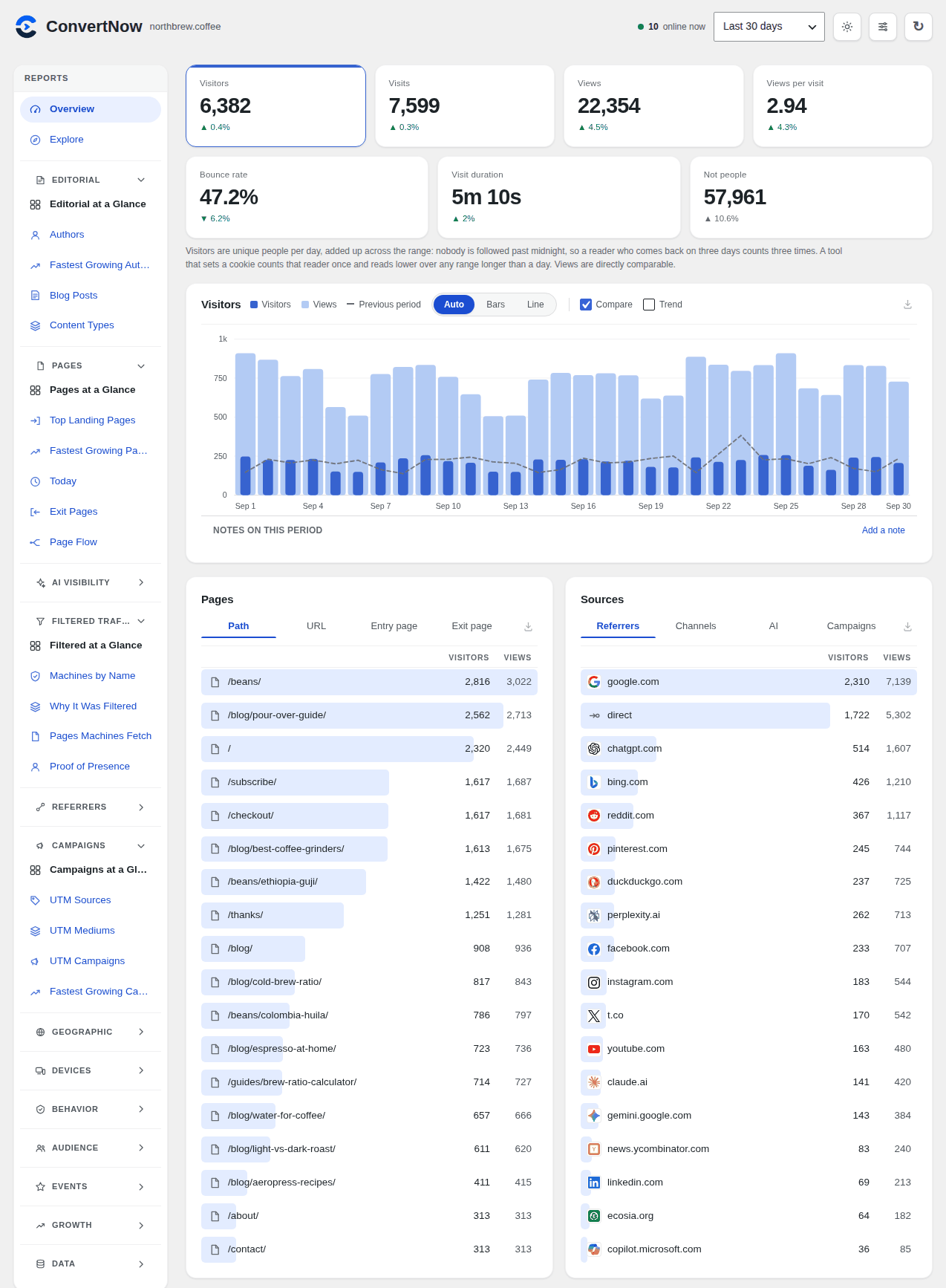
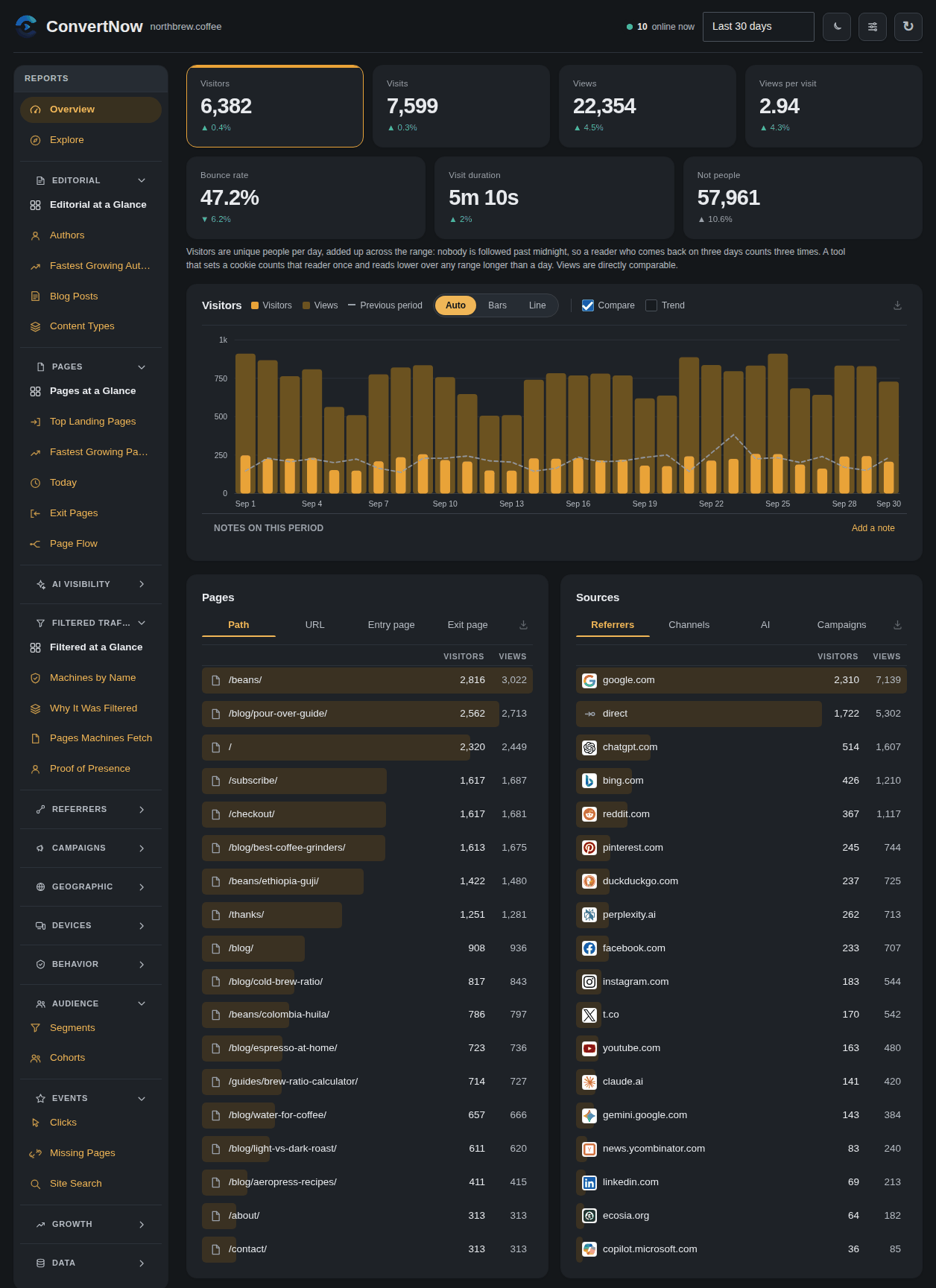
- Visitors, visits, pageviews, real bounce rate and time on page
- Top pages and posts, entry and exit pages, read depth
- Referrers, search engines, social networks, UTM campaigns
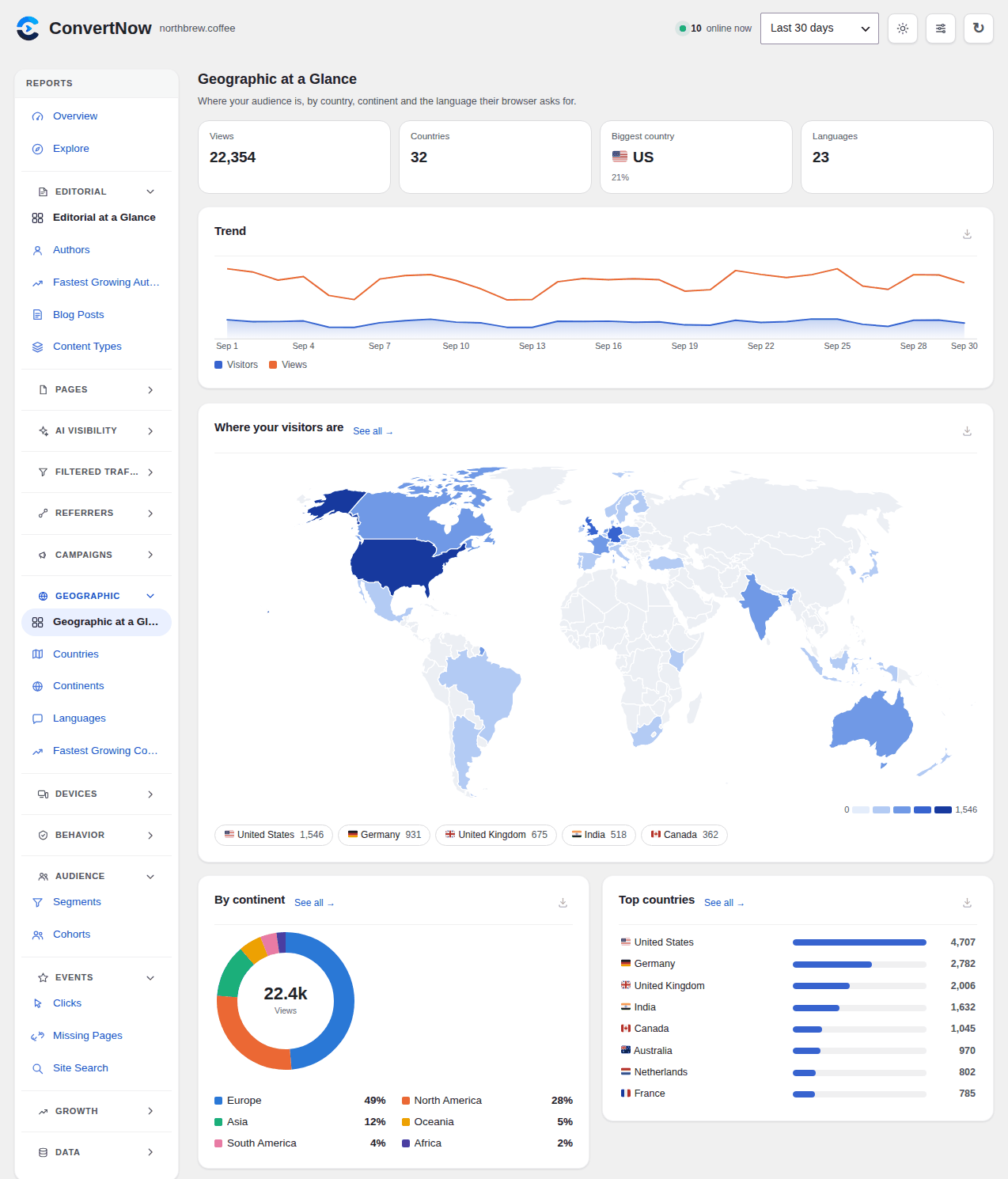
- Countries with a world map, languages, browsers, devices
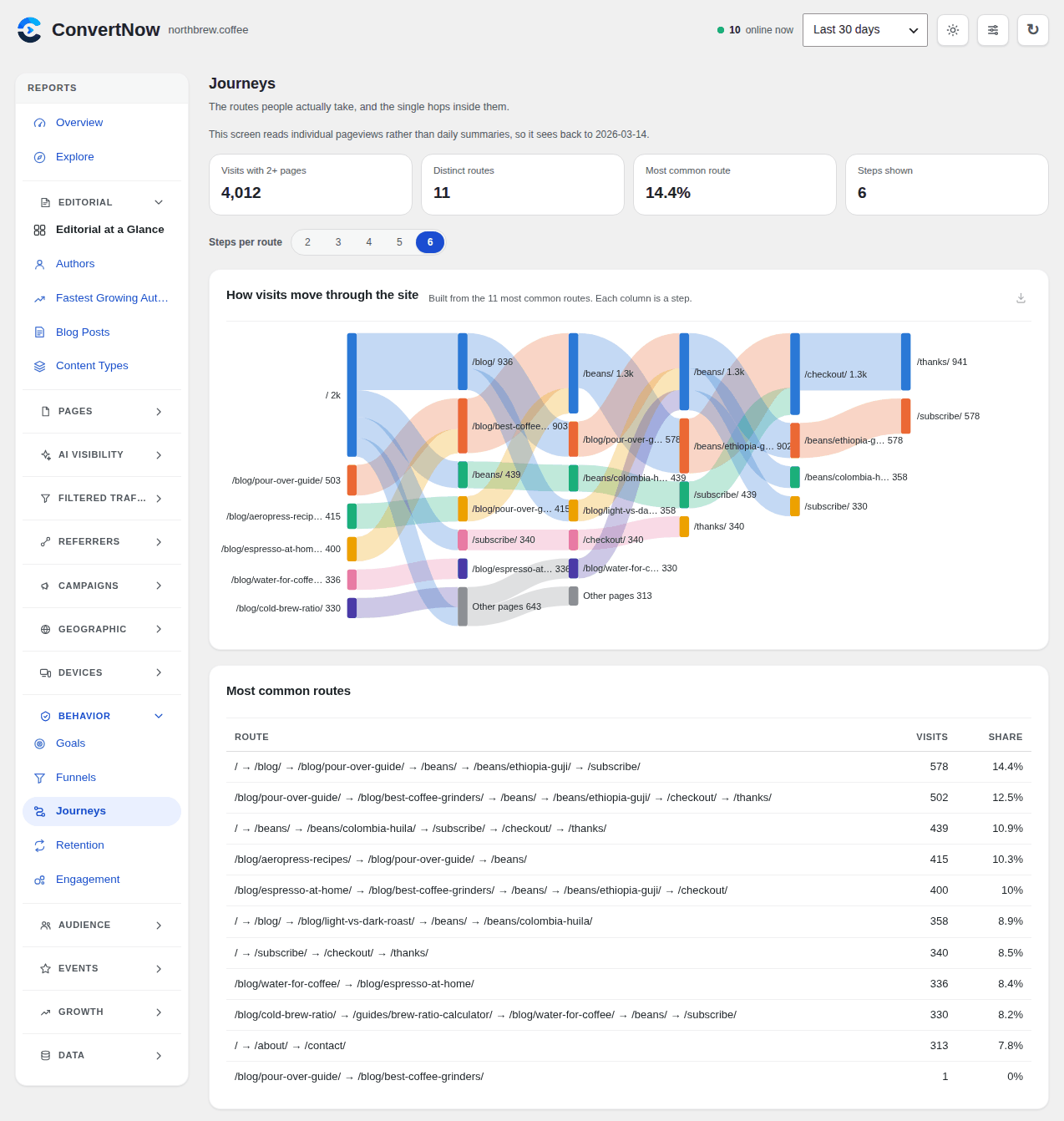
- Goals, funnels, journeys, retention, segments and cohorts
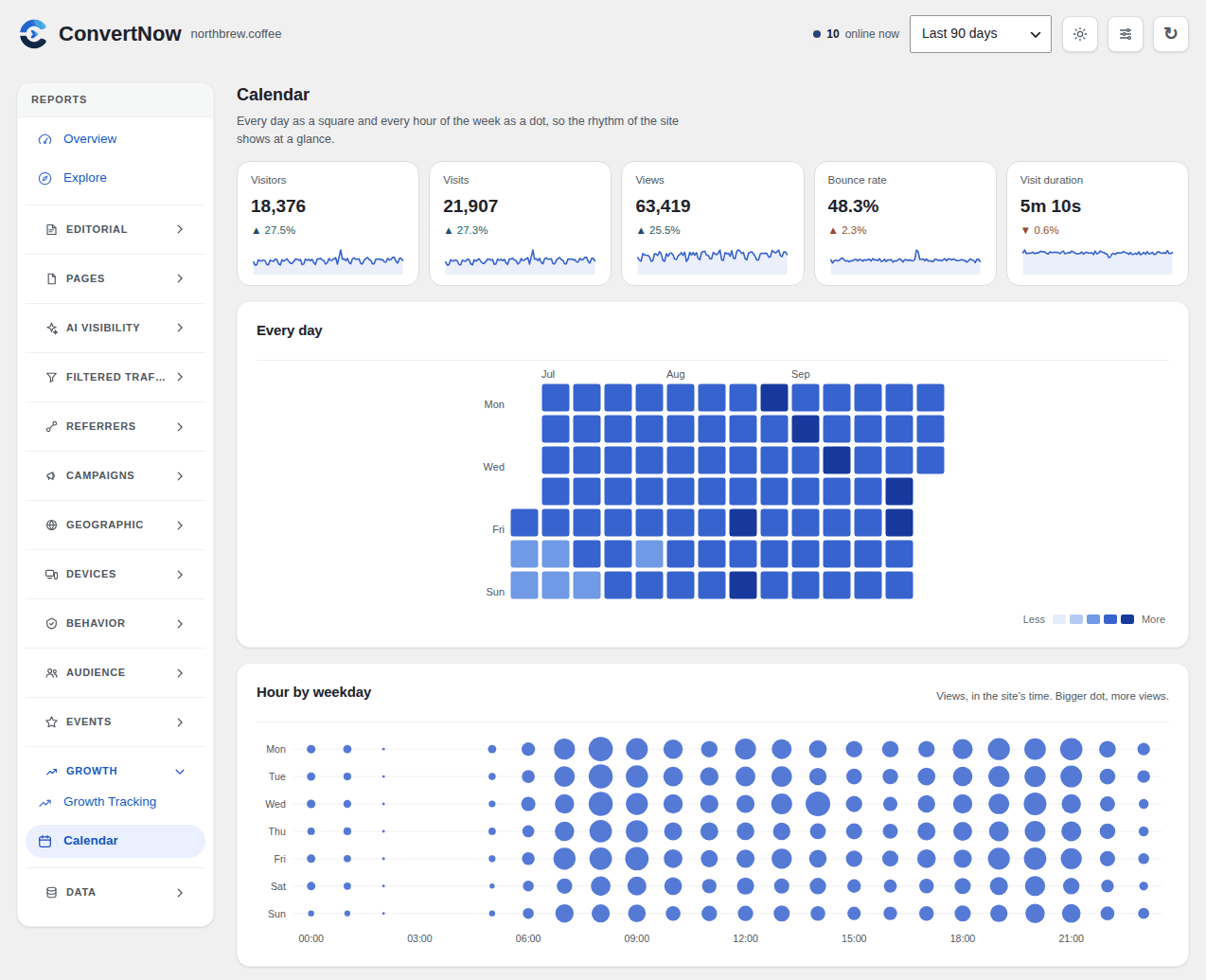
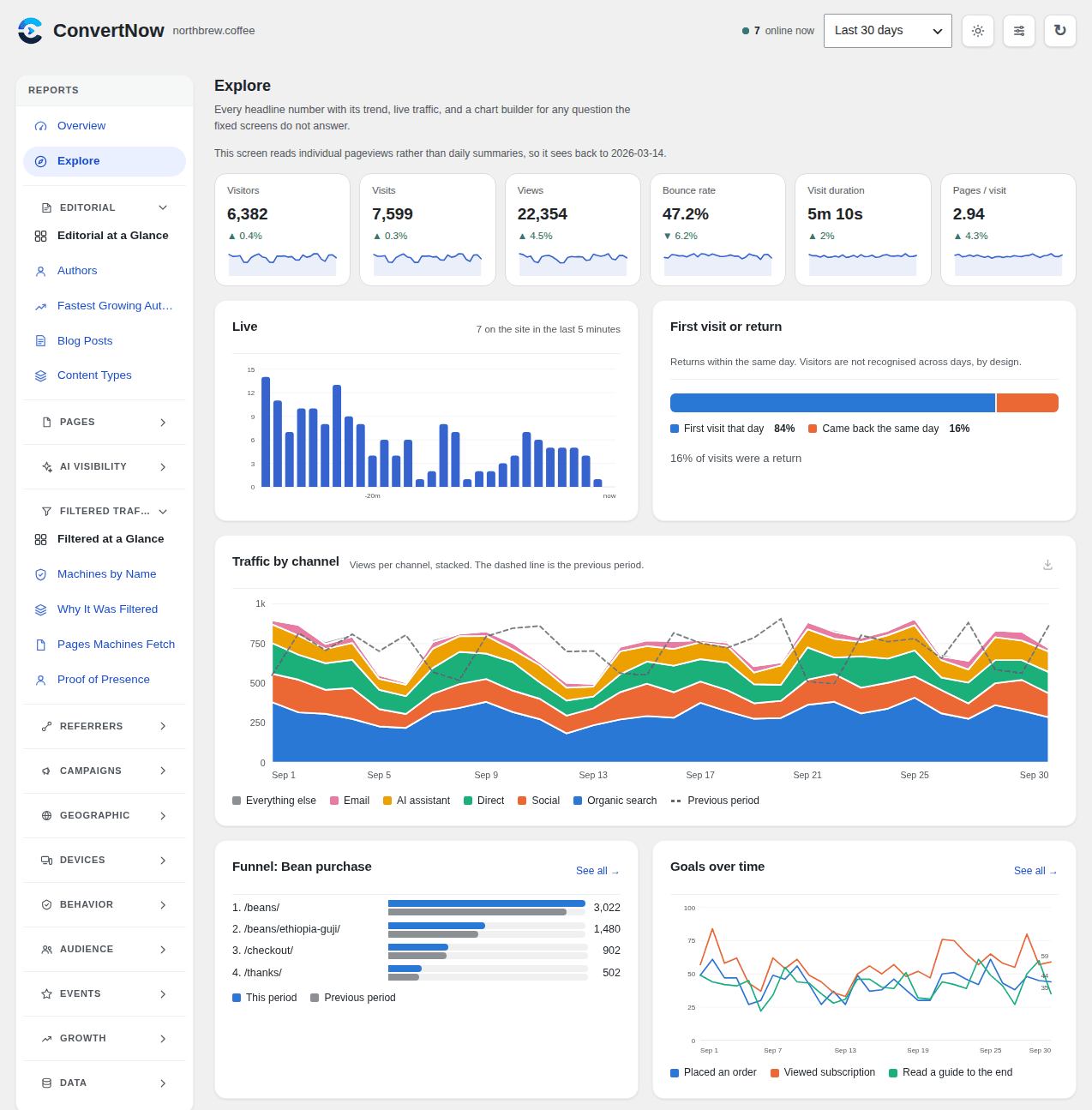
- Explore with a chart builder, engagement, page flow and a traffic calendar
- AI Overview, crawl to referral and crawler analytics
- Traffic by author and content type for editorial sites
- WooCommerce and Easy Digital Downloads revenue by channel and landing page
- Outbound link, file download, email and phone click tracking
- Broken link (404) and site search reports
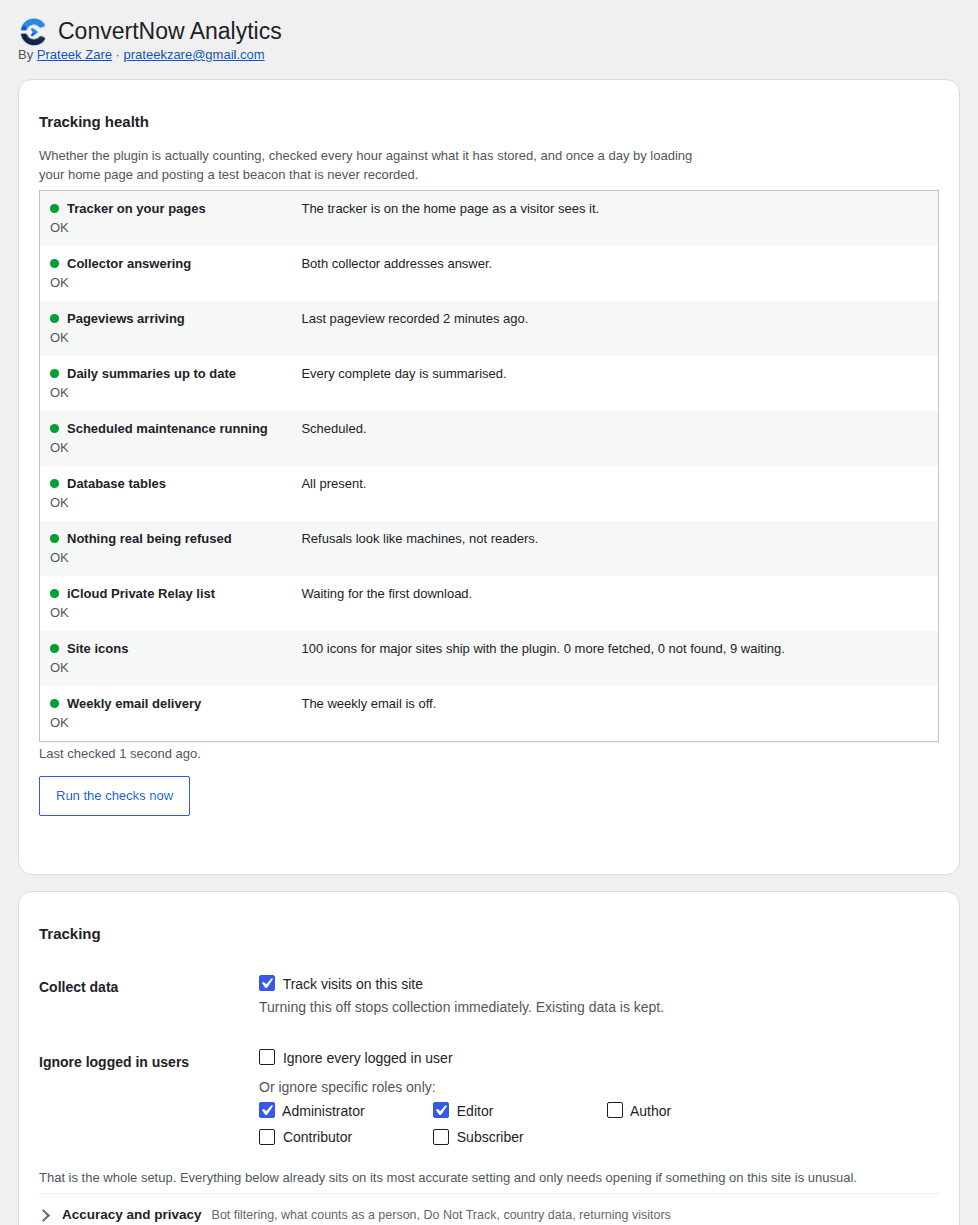
- Tracking health checks and alerts by email or Slack
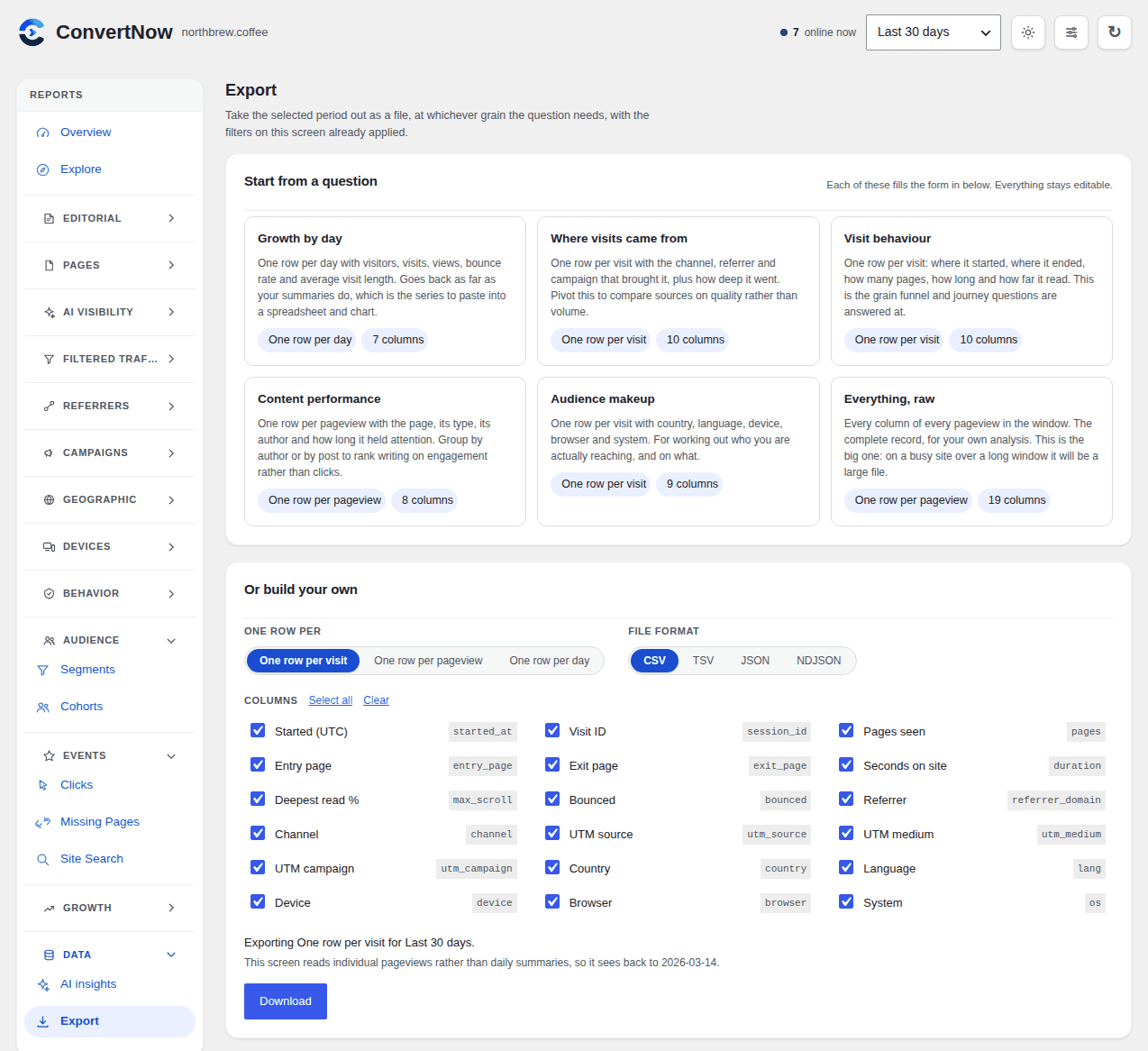
- A weekly email report, a shareable read only dashboard, CSV and JSON export
A privacy friendly Google Analytics alternative
No cookies, no localStorage, no persistent identifier. Visitors are a one way hash of IP, user agent and a salt that rotates daily, so nobody is followed past midnight. Raw IP addresses are never stored. Your data stays in your own WordPress database and is never sent to a third party.
Fast and lightweight
No account, no API key, no tier held back. The tracker inlines into the footer at about 1.5 KB, works with page caching plugins and CDNs, and answers a pageview before the rest of WordPress loads. Raw hits roll up into daily summaries hourly, so a year of history costs the same queries as a day. Every chart is plain SVG.
Clicks, downloads and searches
On from the moment you install. A click is one row per interaction, so events keep their own retention window, ninety days by default. Each type can be switched off on its own: outbound links, file downloads, email and phone links, anything you name with a CSS selector (labelled by data-cnwa-label or its own text), pages that returned a 404 and the pages that linked to them, and what people typed into your search box. The settings screen shows what event capture costs on your site, from your own traffic.
Notes on the chart
Mark the day you redesigned, sent the newsletter or changed your prices, and the note stays on the chart with the traffic it explains.
A weekly email
Last week against the week before, your five most read pages and five biggest sources, readable in fifteen seconds. It comes from your own site, contains no tracking pixel, and costs the same whether you had a hundred visitors or a million.
Links
- ConvertNow Analytics docs and screenshots
- contact@convertnow.tools or prateekzare@gmail.com, both reach me
External services
Tracking, reporting, goals, funnels, journeys, retention, segments, cohorts, insights, alerts, country lookups and exports all run on your own server against your own database. There is no activation call, no licence check and no key. Nothing about your visitors ever leaves your site under any setting. The plugin makes the background requests below, and each one can be switched off.
Apple iCloud Private Relay exit list (on by default)
Once a week the plugin downloads https://mask-api.icloud.com/egress-ip-ranges.csv, the list Apple publishes of the addresses Private Relay traffic leaves from. It is used only so that Safari readers using Private Relay are not refused as data centre traffic. The request sends nothing but your server’s own address, the way any download does. Switch it off in Settings, Tracking, Data centre addresses. Apple’s terms: apple.com/legal/internet-services/terms/site.html. Apple’s privacy policy: apple.com/legal/privacy.
Site icons (on by default)
Icons for the major search engines, social networks and AI assistants ship inside the plugin and need no request at all. For any other referring site, the plugin fetches its icon in the background from the site’s own address (its home page and /favicon.ico, then the parent domain for a subdomain). When a site refuses requests from servers, the icon is fetched from DuckDuckGo’s public icon service at https://icons.duckduckgo.com/ip3/, which is told the site’s host name and nothing else. Fetched icons are stored under uploads and served from your own site; opening the dashboard requests nothing from anybody else. Switch fetching off in Settings, Display, Site icons (bundled icons still show), or keep it and stop only the DuckDuckGo fallback with the cnwa_icon_fallback_service filter. DuckDuckGo’s terms: duckduckgo.com/terms. DuckDuckGo’s privacy policy: duckduckgo.com/privacy.
Alert webhook (off by default)
If you enter a webhook address under Settings, Alerts, each alert is posted to that address, and only to that address. The request carries the alert’s title and sentence, your site’s address and a link to the dashboard. Where it goes is the service you chose, under that service’s own terms.
Anonymous usage reporting (off by default)
If, and only if, you switch this on, the plugin sends one report a month, and one after each plugin update, to convertnow.tools, the author’s site, at https://convertnow.tools/wp-json/cnwa-hub/v1/report. It exists so the author can see which versions are in use and how the plugin is actually being used, and it is used for nothing else.
It is off on every install. You are asked once, on the plugin’s own screen and only after the plugin has a week of your own data, with the exact payload from your site shown to you before you decide. Declining is remembered permanently. If you never answer, nothing is ever sent. You can switch it on or off at any time in Settings, Data retention, Anonymous usage report. Switching it off removes the scheduled event immediately and sends one last request to the same address, carrying only your site address, the install date and the plugin version, which asks convertnow.tools to delete every report your site sent. Nothing is sent after that.
This is the complete payload, and there is nothing else in it:
- Your site address and site name
- The date this plugin was first activated on your site
- Your total pageviews and total visitors for the last 30 days, as two numbers
- The ConvertNow, WordPress and PHP versions, and your site locale
It contains nothing about your visitors: no page paths, no referrers, no IP addresses, no visitor hashes, no user accounts, no email addresses, no post or page titles. The request is sent once every 30 days and once after each update, and a failure is silent.
Terms of service: convertnow.tools/terms. Privacy policy: convertnow.tools/privacy.
Requests to your own site
The daily health check loads your own home page and posts a test beacon to your own collector, both at your own address. Nothing leaves your server.
The country lookup tables ship inside the plugin as plain text files and are read from disk. There is nothing to download and nothing to import.Links
- Plugin home page: convertnow.tools/convertnow-analytics
- Support by email: contact@convertnow.tools
- The author directly: prateekzare@gmail.com
- Support forum: wordpress.org/support/plugin/convertnow-analytics
- Leave a review: wordpress.org/support/plugin/convertnow-analytics/reviews
Both addresses reach the same inbox. Email is usually the faster of the two; the forum is the better place for anything another user might hit as well.
Bundled data
IP Geolocation by DB-IP, used under CC BY 4.0.
Data centre detection reads two plain text tables built from the X4BNet datacenter lists, MIT licensed, plus a short supplement of documented cloud supernets: assets/data/dc-ipv4.csv and assets/data/dc-ipv6.csv, in the same boundary format as the country tables. The build script is tools/build-dc-tables.py in the development sources.
Brand icons in assets/icons/ come from SVG Logos and Simple Icons (CC0), Lobe Icons (MIT) and Font Awesome Free (CC BY 4.0). assets/icons/CREDITS.txt lists which is which. Every trademark belongs to its owner; the icons are used only to identify the site a visit came from.
Country lookups read two plain text tables built from the DB-IP IP to Country Lite database: assets/data/geo-ipv4.csv and assets/data/geo-ipv6.csv. Every line is one boundary, written as an uppercase hex address prefix and an ISO 3166-1 alpha-2 country code, so both files can be opened and read in any text editor. The world map outlines are plain JSON path data at assets/data/world.json. Nothing in the plugin is compiled, minified or obfuscated.
Screenshots
Installation
From your dashboard:
- Go to Plugins Add New and search for ConvertNow Analytics.
- Click Install Now, then Activate.
- Open ConvertNow in the admin menu. Data starts appearing immediately.
Or by hand:
- Upload the
convertnow-analyticsfolder to/wp-content/plugins/. - Activate it from the Plugins screen.
- Open ConvertNow in the admin menu.
Either way that is it. No key, no account, no configuration. Country data is built in, so the map and the Countries panel fill in on their own. Your own visits are not counted while you are logged in as an administrator or editor, which is why the numbers stay at zero until real traffic arrives.
FAQ
-
Is ConvertNow Analytics a good Google Analytics alternative?
-
For most WordPress sites, yes. It covers the reports people open Google Analytics for (visitors, pages, referrers, campaigns, countries, devices, goals, funnels and ecommerce revenue) inside your WordPress dashboard, with no cookies and no data sent to anybody. What it does not do is advertising audiences or cross site tracking, on purpose.
-
It sets no cookies, stores nothing on the visitor’s device and never stores raw IP addresses, and the data stays on your own server. That is why many sites run it without a consent banner for analytics. Rules differ by country and by what else your site runs, so check with your own legal advisor. I’m not a lawyer.
-
Can it track traffic from ChatGPT and other AI assistants?
-
Yes. Visits that arrive from ChatGPT, Perplexity, Gemini, Claude, Copilot, DeepSeek and other assistants get their own AI channel, with the pages each one sends people to. AI crawlers such as GPTBot and ClaudeBot are kept apart and shown under Filtered Traffic.
-
Will it slow down my site?
-
No. The tracker is about 1.5 KB inline, there is no external script to load, and a pageview is recorded before the rest of WordPress starts. Reports read from daily summaries, so the dashboard stays fast on large sites.
-
Does it work with WooCommerce?
-
Yes. WooCommerce and Easy Digital Downloads orders are attached to the visit that produced them, so you see revenue by channel, campaign, landing page and author.
-
How is revenue counted?
-
The way your shop counts it. For WooCommerce, every order whose status is not on the Excluded statuses list in WooCommerce Analytics settings counts, so Revenue matches Total sales there and Excl. tax and shipping matches Net sales. For Easy Digital Downloads, the statuses EDD counts in its own gross sales. Refunds come off the order they belong to, subscription renewals are counted but never credited to a channel, and each currency is reported on its own. The buyer’s visit is found from a one day visitor hash saved on the order at checkout (order meta
_cnwa_visitor), and payment pages such as PayPal or Stripe are never counted as a source. WooCommerce Analytics books a refund on the day it is made, and this plugin on the day of the order, so the two differ only when a refund falls in a different period from its order. -
Do I need an account or a licence key?
-
No, and there is nowhere to put one. There is no account, no key, no activation and no paid tier. Nothing about your visitors ever leaves your site. The few background requests the plugin does make, for icons of sites that are not bundled and Apple’s Private Relay list, are listed under External services below, and each has its own switch.
-
Why are my numbers lower than Jetpack, Google Analytics or my host’s stats?
-
Four ordinary reasons, in the order they usually matter.
- You installed it partway through the period. Days before the install are empty because nothing was recorded then, not because they were quiet.
- Administrators and editors are not counted, by default. Your own visits, and your team’s, are missing on purpose. Settings Tracking changes it.
- Do Not Track. If that setting is on, those readers are dropped entirely, and most other tools ignore the signal. New installs default to off; a site upgrading from an earlier version keeps it on until changed.
- Bots. ConvertNow refuses crawlers, monitors, previewers and AI training bots before a row is written. Some tools count a share of them, which raises their numbers rather than lowering yours.
- A pageview needs a person. The page has to render on screen and then somebody has to move, scroll, tap, type, or stay on it for two seconds. Anything that fetched the page and ran the script without a person behind it is not counted, and a good deal of what reads the web does exactly that. Filtered Traffic shows you exactly what was left out, so a low number can be checked rather than believed.
If the gap still looks wrong after that, the usual cause is the beacon being blocked: a security plugin that hardens
/wp-json/, or a firewall rule. Since 1.2.0 the plugin retries on a front end URL when that happens, and counts readers with no JavaScript at all. -
Will data centre filtering drop my VPN readers?
-
Some of them. A VPN whose exit sits in a cloud range looks the same as a headless browser on that range, and the plugin cannot tell the two apart by anything they send. Those readers are counted under Filtered Traffic as Data centre address rather than lost, so you can see how many there are, and Settings, Tracking, Accuracy and privacy has the switch if the number is bigger than the machines it keeps out.
-
How do you tell an AI visitor from an AI crawler?
-
They arrive by completely different routes and are handled at different points. A crawler identifies itself in the user agent, and GPTBot, ClaudeBot, CCBot, PerplexityBot, Bytespider, Applebot and Amazonbot are all refused by the collector before a row is written, so they never become traffic. A visitor is a browser carrying a referrer from an assistant’s own domain. Only the second one reaches the AI screens, which is why every figure there is a person who read an answer and followed the citation.
-
An assistant is missing. Can I add it?
-
Yes, with the
cnwa_ai_sourcesfilter. Each entry is a pattern matched against the referrer host and the name to show. The list is checked in order, so a narrow host goes above a broad one. -
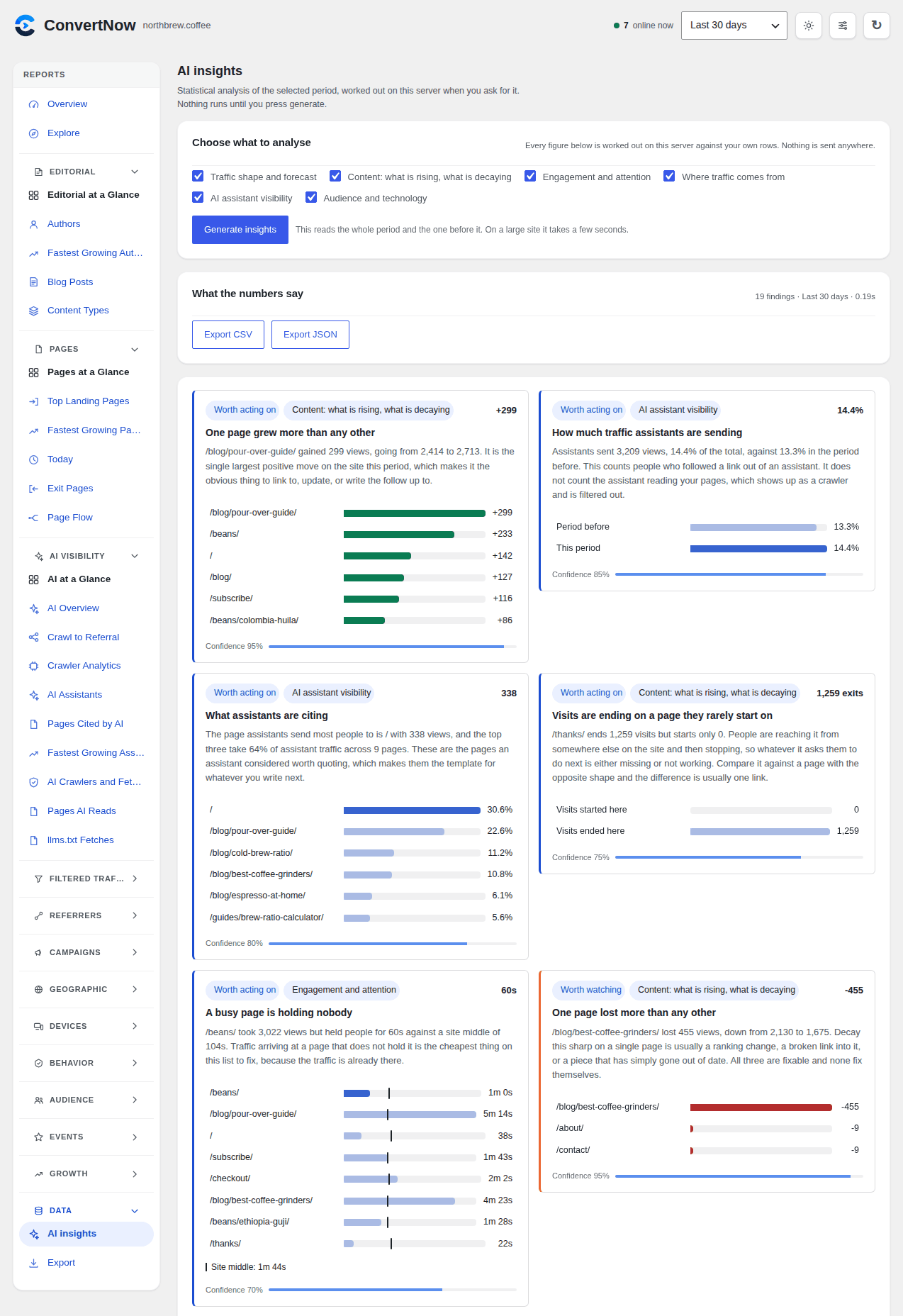
Is the AI insights screen actually AI?
-
It is statistics, and the screen says so at the bottom of every run. Least squares fits for direction, median absolute deviation for outliers, share and concentration comparisons against the previous period of equal length. It runs on your server against your own rows, no model is called and nothing leaves the site. The name reflects what the screen is for, reading your numbers the way an analyst would, not a claim about how it works.
-
Will generating insights slow my site down?
-
It cannot touch your front end, because it only runs from the dashboard when somebody presses the button. The run itself reads the selected period and the one before it across several dimensions, which on a large site takes a few seconds, and the result is cached for five minutes so a second press costs nothing. Nothing runs on opening the screen.
-
Can I count returning visitors?
-
Yes, but it is off by default. Settings Tracking Visitor recognition widens the salt window from one day to 30, 90 or 365 days, or to never, where the same person is recognised for as long as the raw rows are kept. Until you change it the salt rotates daily and a reader returning tomorrow is a new visitor, which is the honest default for a plugin that stores nothing on the reader’s device. Widening it changes what you are doing with visitor data, so update your privacy disclosures before you do.
-
The weekly email is set up but never arrives.
-
Settings, Weekly summary email, says when the last one went and, when one failed, the reason your mail system gave. Two things used to lose weeks and both are fixed in 1.5.0: a late scheduled run on the week boundary skipped the week, and a mail server that timed out mid send left the week marked as sent. If Send one now works and the weekly one still does not, scheduled tasks are not running on your site; Tracking health says so and why.
-
What does the tracking health check do?
-
It checks, every hour, that pageviews are arriving at the rate your site usually gets them, that yesterday was summarised and that scheduled maintenance runs. Once a day it also loads your home page to find the tracker and posts a signed test beacon to the collector, which is answered and never recorded. Results are in Settings, in Tools, Site Health, and in one notice on the Stats screen while something is wrong.
-
Can I get alerts in Slack?
-
Yes. Settings, Alerts takes an https webhook address as well as email addresses. Each alert is posted as JSON with a
textfield that Slack, Discord and most chat tools display as is. -
Why do iPhone readers matter to the data centre rule?
-
iCloud Private Relay sends Safari traffic out through Akamai, Cloudflare and Fastly, and part of that sits in ranges that are hosting networks. Apple publishes its relay exits so sites can tell them apart, and the plugin downloads that list weekly so relay readers are counted as the people they are.
-
Does it work with caching plugins?
-
Yes. The beacon is client side and posts to a REST endpoint, so a cached HTML page still reports its own view.
-
Why do my visitor counts differ from other analytics tools?
-
ConvertNow filters bots aggressively and counts a visitor as unique within a single day. Tools that use persistent cookies count differently. Neither number is wrong, they measure different things.
-
Where is my data stored?
-
In your own WordPress database, in eleven tables prefixed
cnwa_, plus site icons and the Private Relay list inwp-content/uploads/convertnow-analytics/, where plugin updates cannot touch them. Deleting the plugin keeps everything by default; switch on full removal in Settings and deleting it removes all of it. The country lookup table is a read only file inside the plugin folder and holds nothing about your visitors.
Reviews
There are no reviews for this plugin.
Contributors & Developers
“ConvertNow Analytics: Privacy Friendly Stats, Bot Filtering and AI Traffic” is open source software. The following people have contributed to this plugin.
Contributors
Interested in development?
Browse the code, check out the SVN repository, or subscribe to the development log by RSS.
Changelog
1.6.1
The editing and accuracy release. Please update.
Every report screen can now be arranged. Customise used to arrange only the Stats overview and jumped there from any other screen. Now it opens on the screen you are on: show, hide and reorder its sections, saved per user and per screen, with a reset for each.
Counting fixes. Referrer, channel, assistant and campaign reports credited only the first page of a visit to its source and filed every later page under Direct, so Direct was most of the Channels report on any site where people read more than one page. Every page of a visit now counts toward how the visit arrived, and a filter on a source keeps the whole visit, so filtering on Google no longer shows a 100% bounce rate. Days still held as raw data are summarised again in the background after the update. Cohorts by channel counted one visit in two groups; fixed.
Revenue now matches the shop’s own reports. WooCommerce orders follow the Analytics excluded statuses setting and match Total sales and Net sales, full refunds entered as one amount included, and edits, cancellations, trash and restore update the figures. Easy Digital Downloads follows its own gross statuses and records EDD Recurring renewals. Renewals are never credited to a channel, payment pages are never a source, and currencies are never added together. Revenue now follows the screen’s filters, conversion is the share of visits that bought and can no longer pass 100%, and the trend charts money over time, by the hour for Today. Checked against WooCommerce 11.2 (both order storages, block and classic checkout) and Easy Digital Downloads 3.7.
New screens: Explore (every headline trend, live traffic, and a chart builder you can save charts from), Engagement, Page Flow, AI Overview, Crawl to Referral, Crawler Analytics and a Growth Calendar. Goals, Funnels, Journeys, Retention, Segments, Cohorts and AI insights gain the charts they were missing, and every insight card now carries its own chart. Cards and tiles always fill their rows evenly, and tables in half width cards fit their card.
Updating from 1.2.2 or older no longer stops on a duplicate key error. The version bump also makes browsers load the new screens instead of cached files from 1.6.0.
1.6.0
Rebuilds no longer delete history older than 90 days of raw data, and Settings says once if saved history starts after install. Saves over REST work on plain permalinks. Adds a first run checklist, Customise for the Stats screen, the llms.txt Fetches report and faster icons. The usage report question waits a week and unlocks nothing.
1.5.1
Icons for about a hundred major sites, browsers and operating systems ship with the plugin and show with no download. Tracking health gains a Site icons row. The usage report waits for an answer, follows a redirect and goes out once after each update.
1.5.0
Tracking health checks and alerts by email or webhook, site icons fetched in the background, iCloud Private Relay readers counted, signed in editors excluded again, a proof of work on every pageview, a collect path that answers before WordPress loads, batched refusal counting, and settings that survive every update by construction. The weekly email no longer skips weeks.
1.4.1
Charts now agree with the numbers above them, Biggest assistant measures its share correctly, the weekly email retries a refused send, and the Maintenance buttons stay put when one reports back.
1.4.0
The human only release: data centre addresses are refused, a pageview waits two seconds for a reader who does nothing, only trusted device events count, and Headless Chrome is recognised from its client hints. Filtered Traffic is rebuilt with charts by hour and page, click capture is on from install, and plain permalink sites load again.
1.3.2
A pageview now has to prove somebody was there: the page has to render on screen, and then either somebody does something on it or it stays in front of them. The collect endpoint no longer accepts anonymous POSTs, and a route change only counts after an interaction. Expect lower numbers after this update, and nothing already recorded is rewritten.
Everything refused is counted by name under Stats, so a low figure can be checked rather than taken on trust. AI crawlers and AI assistant fetches are kept apart from each other and from your visitors: a person who follows a citation out of ChatGPT is still a visitor, the machine that fetched the page on their behalf never was.
The bot list was also making the opposite mistake. It matched company names rather than crawler names, so it refused the DuckDuckGo browser, Yandex’s and Naver’s phone apps, Petal Search, the Pinterest app and anyone reading a page inside Slack: seven of the fifty two real browsers now in the test set. There is one list instead of two overlapping ones, it has to be able to name a machine before it will refuse it, and Do Not Track exclusions are counted so a site honouring that signal can see where its traffic went.
1.3.0
Revenue reporting: WooCommerce and Easy Digital Downloads orders are read from the shop and attached to the visit that produced them, across seven new screens. Correct counting behind a page cache or a CDN, which was losing whole pages of traffic: the beacon now ships to everybody and exclusion happens on the collect request, page optimisers are told to leave it alone, and a shared CDN address no longer throttles the site.
1.2.3
Accuracy release, and your figures will get smaller. Four faults were inflating visitors and views: the no script image was counting machines, forwarded IP headers were believed on sites with no proxy, a retried beacon could store the same pageview twice, and bot filtering was an agent list and nothing else. All four are fixed and the stored history is cleaned in the background. Ranked reports also page and search properly now, so a site with thousands of pages can see past the top twenty.
1.2.2
An optional anonymous usage report, off on every install and never sent unless you agree. You are asked once, shown the exact payload from your own site first, and never asked again if you say no. Nothing about your visitors is included under any circumstances.
1.2.1
Data, then AI insights, runs a statistical read of the selected period on demand and returns ranked findings with the figure and the confidence behind each one. Everything is computed on your own server against your own rows. Also adds an optional longer visitor recognition window for counting returning readers, off by default.
1.2.0
Fewer requests, and a beacon that stops when your host says stop: it reads 429 and 503, honours Retry-After, holds a budget per visit, and a page read now costs one request instead of two with nothing lost. Counting is more complete too: readers whose browser ran no JavaScript are recorded, a blocked REST route no longer means lost traffic, and Do Not Track is no longer skipped by default on new installs.
1.1.1
Deleting the plugin keeps your settings, your shared link and your history by default, so updating by hand no longer wipes them. The AI screens now describe assistant traffic and nothing else, and authors, content types, assistants, cited pages and campaigns can all be filtered on.
1.1.0
AI Visibility: visits arriving from an assistant become their own channel with four screens of their own, and Gemini is no longer miscounted as organic search. Four optional statistical layers for the main chart, every one off until you switch it on. Goals and funnels read their own rules back as a sentence and funnel steps can be reordered.
1.0.0
First public release. Editorial reporting is the point of it: traffic by author, posts separated from pages and archives, and read depth per post. Real bounce rate and time on page from an engagement beacon rather than guessed from timestamps. Cookieless, self hosted, no account, no API key and no paid tier.