

Description
Basicrum connects WordPress to a hosted or self-hosted Basicrum collector. It uses the bundled open source Boomerang library to measure how real visitors experience your site.
Basicrum is currently in private beta. Contact Basicrum to request beta access and receive the Beacon URL and Brum Site ID required to configure the plugin.
Basicrum supports two monitoring modes:
- Monitor without consent – Start monitoring without waiting for a consent decision. Use this only when you have determined that prior consent is not required for your site.
- Require consent before monitoring (recommended) – Keep monitoring off until an external consent tool reports that the visitor has allowed it. This privacy-first mode is the default for new installations.
Basicrum does not display a consent popup or determine your legal basis. Site owners remain responsible for configuring consent where required and publishing an accurate privacy notice.
Features:
- Real User Monitoring – Measure page loads, resources, interactions, and Core Web Vitals.
- WordPress and WooCommerce Page Types – Tag beacons with the current page type.
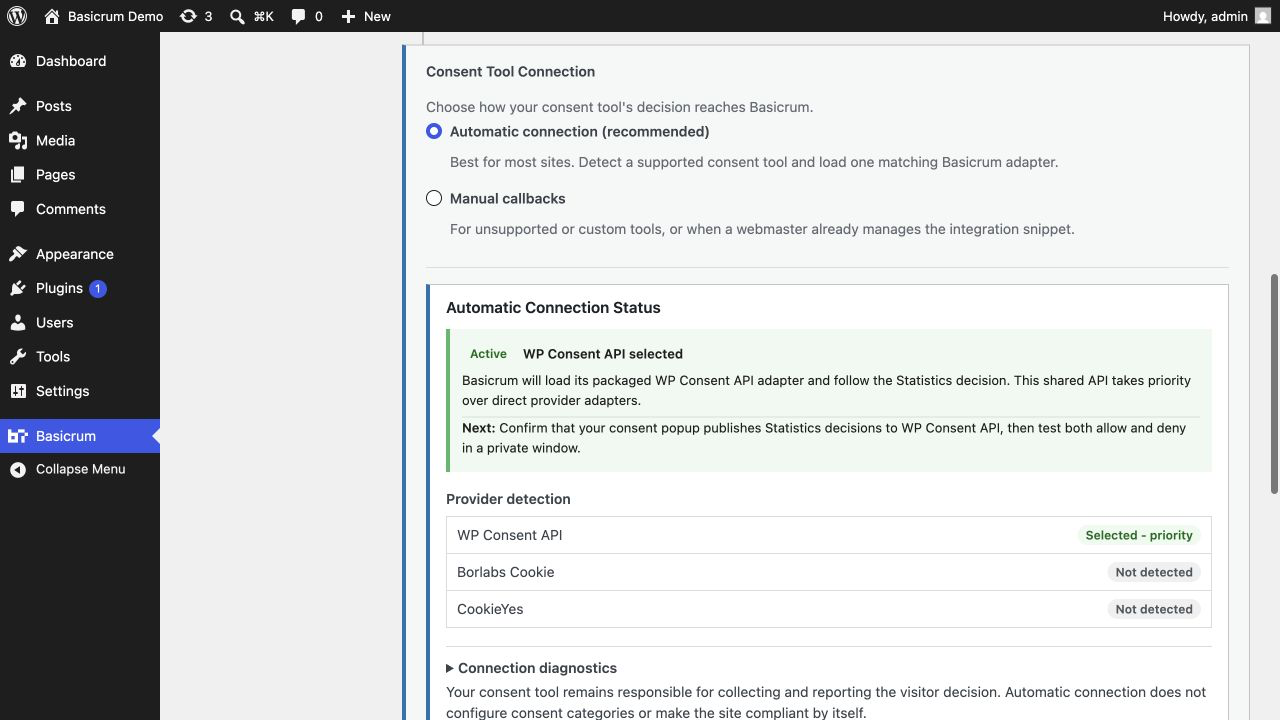
- Consent-Controlled Loading – Connect automatically through WP Consent API, Borlabs Cookie, or CookieYes, or use manual callbacks for another tool.
- Privacy Controls – Optionally remove URL query strings and exclude logged-in administrators.
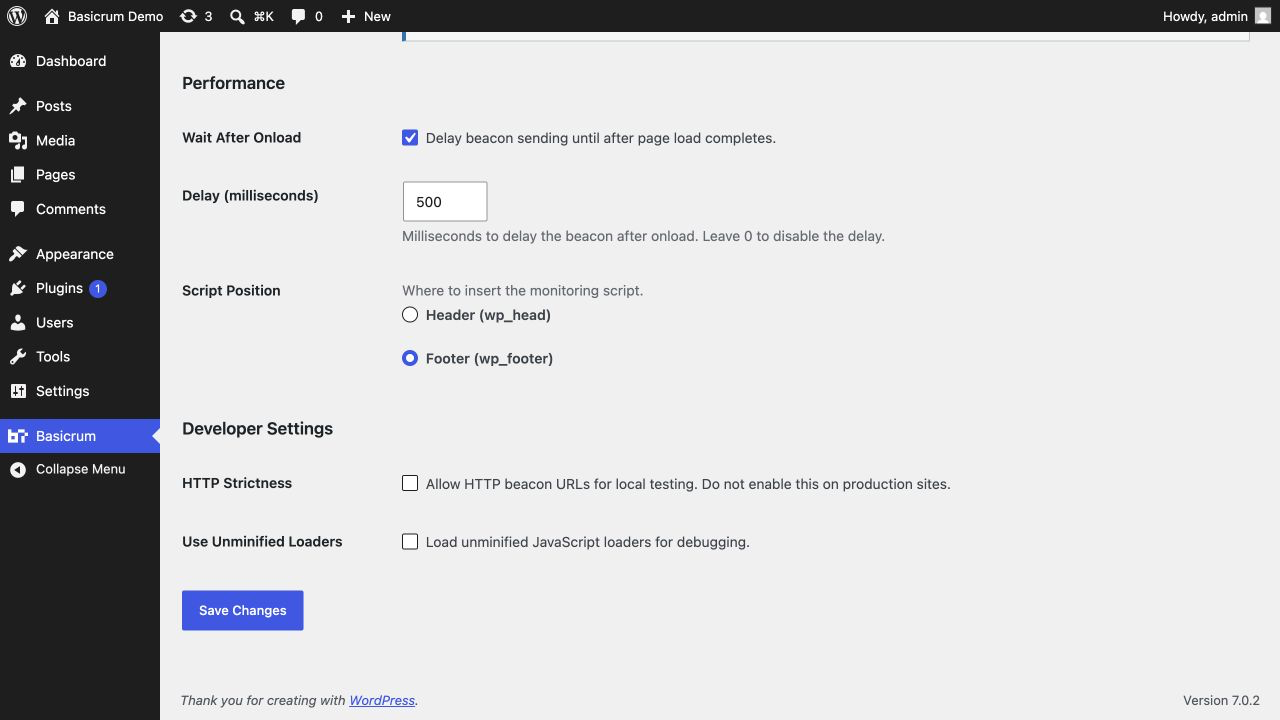
- Loading Controls – Choose the script position and an optional post-load beacon delay.
- Optimization Compatibility – Exclude Basicrum scripts from selected optimization features in popular caching plugins.
Visit basicrum.com for more information about the Basicrum platform.
External services
When monitoring runs, the browser sends performance beacons to the administrator-configured Beacon URL. In the default consent-controlled mode, this starts only after the site’s consent tool reports an allow decision.
Beacons may include page, navigation, referrer, and resource URLs; query strings unless redaction is enabled; timing and page-type data; interaction counts and timestamps; pointer coordinates and element selectors where available; screen, browser, device, network, memory, DOM, and browser-storage size information; the Brum Site ID; and the random RT session identifier. Keystroke values and browser-storage contents are not collected. The collector also observes the IP address and user agent carried by the HTTP request.
Beacons go only to the configured endpoint. The plugin does not contact basicrum.com unless the administrator configures a hosted Basicrum collector URL. Basicrum does not store visitor beacon data in the WordPress database.
The collector may be hosted or self-hosted. Its operator determines retention, access, deletion, hosting, and transfer arrangements, and publishes the terms and privacy notice that apply. Review them before enabling monitoring.
For the Basicrum hosted option, see the Basicrum platform and the Basicrum Privacy Notice, which covers the basicrum.com website, contact messages, and beta access requests. Ask Basicrum for the hosted collector’s service terms and privacy notice before you point the plugin at a hosted collector.
Third-party software
Basicrum-owned code uses the GNU General Public License version 2 or later. The bundled Boomerang 1.815.60 library comes from the official Akamai Boomerang project and retains its BSD license. Basicrum’s build comes from Basicrum’s Boomerang fork at commit ead2783a; the bundle banner identifies parent commit 564759ed70de7801bb64de5e2025fb6ac049ff5f. License, fork-change, and reproducible-build details are in THIRD-PARTY-NOTICES.txt.
Support
Use the Support tab on WordPress.org, open a GitHub issue, or contact Basicrum through basicrum.com.
Screenshots


Installation
- Install and activate Basicrum.
- Open Basicrum in the WordPress admin sidebar.
- Check Enable Basicrum to unlock its settings.
- Enter the Beacon URL and Brum Site ID provided with your beta access.
- Review the Visitor Consent and Consent Tool Connection settings.
- Save Changes.
FAQ
-
What do I need to use Basicrum?
-
You need a Basicrum collector endpoint and its matching Brum Site ID. During the private beta, contact Basicrum to request access and receive both values.
-
Does Basicrum make my site compliant with privacy laws?
-
No. Basicrum provides consent-controlled loading and editable text for the WordPress Privacy Policy Guide, but it does not determine your legal basis, display a consent popup, or configure your privacy notice.
-
The recommended mode keeps monitoring off until your consent tool reports an allow decision on each page. Automatic connection supports WP Consent API, Borlabs Cookie 3.2+, and CookieYes 3.x. If Basicrum cannot choose one safely, monitoring remains off.
For another tool, choose Manual callbacks and use one of the copy-ready integrations in the settings page. Basicrum does not store its own consent choice. Always test both allow and deny decisions.
-
Does Basicrum send URL query strings?
-
By default, page and resource URLs may include complete query strings. Enable Strip Query Strings to replace them with
?qs-redactedbefore sending beacons. URL paths are still collected. -
When monitoring runs, Boomerang sets a first-party
RTcookie at path/. It contains a random session identifier that links page views, uses a 30-minute session window, and has a rolling seven-day expiry. It usesSameSite=Strictand is markedSecureon HTTPS sites. The opt-out callback removesRTand any legacyBAcookie. -
Does it work with WooCommerce?
-
Yes. Basicrum detects
shop,product,product_category,cart,checkout,checkout_payment,checkout_success, andaccount. Standard WordPress values includehome,post,page,custom_post,category_archive,tag_archive,taxonomy_archive,author_archive,date_archive,archive,search, and404. -
Why is no data arriving?
-
Test in a private window because administrator tracking is disabled by default. Confirm that monitoring is enabled, the Beacon URL and Brum Site ID are valid, and the consent connection reports an active decision. Check the browser network panel for a request to your Beacon URL. After changing or disabling Basicrum, purge page and CDN caches so they do not serve old HTML.
-
Can I use an HTTP beacon URL during local development?
-
HTTP beacon URLs are upgraded to HTTPS by default. For local testing only, select Developer Settings > HTTP Strictness > Allow HTTP beacon URLs. Do not enable this on a production site.
-
What happens when I disable or uninstall Basicrum?
-
Disabling monitoring or deactivating the plugin stops new script injection, but cached pages may continue serving old markup until caches expire or are purged. Deactivation keeps your settings. Uninstall removes Basicrum settings from the current site; it does not delete data already stored by a remote collector. On multisite, configure and remove settings for each site separately.
Reviews
There are no reviews for this plugin.
Contributors & Developers
“Basicrum – Real User Monitoring” is open source software. The following people have contributed to this plugin.
Contributors

Translate “Basicrum – Real User Monitoring” into your language.
Interested in development?
Browse the code, check out the SVN repository, or subscribe to the development log by RSS.
Changelog
0.0.9
- Updated development and test dependencies, aligned licensing metadata for WordPress.org submission, and synchronized Playwright test images.
0.0.8
- First public release with consent-controlled monitoring, WordPress and WooCommerce page types, query-string redaction, privacy-policy guidance, and caching-plugin exclusions.