

Description
Divi Torque Lite adds 41 free modules to the Divi Builder. Use them to build image carousels, logo carousels, accordions, tabs, popups, FAQ sections, team sections, and more. You do not need to write any code.
It is made for anyone who builds websites with Divi, from freelancers and agencies to site owners.
Every module is a native Divi 5 module. 26 of them also work in Divi 4, so you can use the plugin on both versions of Divi.
View demos · Documentation · Divi Torque Pro
Divi Modules for Divi 5
Each module does one job and keeps its settings focused. Modules use Divi’s own design options for fonts, spacing, borders, and backgrounds, so they look and edit like built-in Divi modules.
You can turn off any module you do not need in the Module Manager. After you activate the plugin, a short welcome tour shows you where everything is.
Carousels and Sliders
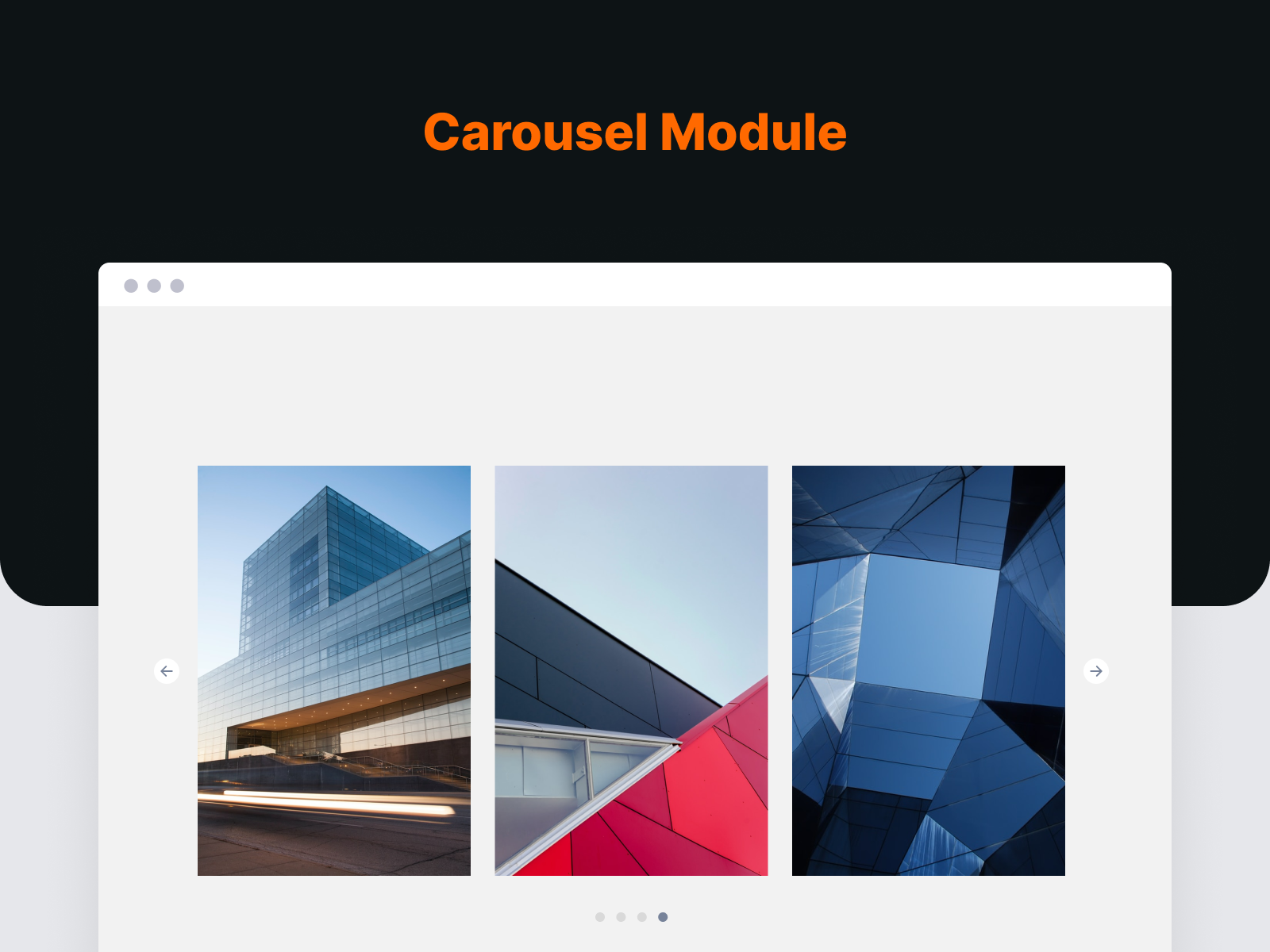
- Image Carousel: A Divi image carousel with arrows, dots, and autoplay, or a strip that scrolls continuously like a film. Add thumbnails, pinch to zoom, rows, and Fade, Coverflow, Cards, Flip or Cube effects, with a separate slide count for desktop, tablet, and phone.
- Logo Carousel: Show client or partner logos in a sliding strip.
- Post Carousel: Slide through your blog posts with six ready-made card designs.
- X (Twitter) Carousel: Show your latest X posts in a carousel.
- Before & After Slider: Compare two images by dragging a handle across them.
The slider scripts load only on pages that use a carousel.
Images and Media
- Image Accordion: Image panels that expand when a visitor hovers or clicks.
- Image Card: An image card with an icon, text, and a badge.
- Flip Card: A card that flips over to show more content on the back.
- Scroll Image: A tall image that scrolls inside its frame on hover. Good for showing full page designs.
- Logo Grid: Client and sponsor logos laid out in a grid.
- Video Modal: A Divi video popup for YouTube and Vimeo videos.
- Sticky Video: A video that moves to a corner of the screen when you scroll past it.
- SVG Draw: Draws an SVG line by line as it scrolls into view.
Content Modules
- Icon Box: An icon with a title and text. In Divi 5 you can place the icon above the text, or to its left or right.
- Feature Box: Highlight key information in a box with an icon and text.
- Gradient Heading: A Divi heading with gradient colored text, no CSS needed.
- Animated Text: Text that animates when the page loads.
- Fancy Text: Rotating, typed, or gradient text effects.
- Dual Buttons: Two buttons side by side, for two calls to action.
- Creative Button: A Divi button with ten hover effects.
- Call To Action: A headline paired with one or two buttons.
- Alert Box: A styled box for notes, tips, and warnings.
- Separator: A divider between sections, in several shapes.
- News Ticker: A line of scrolling news or announcements.
- Table of Contents: Builds a list of links from the headings on your page.
- Code Snippet: Code blocks with syntax highlighting, line numbers, and a copy button.
Interactive Modules
- Accordion Pro: A Divi accordion. Panels open on click, on hover, or on their own with autoplay.
- Tabs Pro: Divi tabs that split related content into panels.
- FAQ: Questions and answers with FAQ schema markup for search engines.
- Modal Popup: A Divi modal that opens any content when a visitor clicks.
- Tooltip: A small tip on text, an icon, or an image.
People, Reviews, and Numbers
- Team Member: Divi team member cards with a photo, bio, and social links.
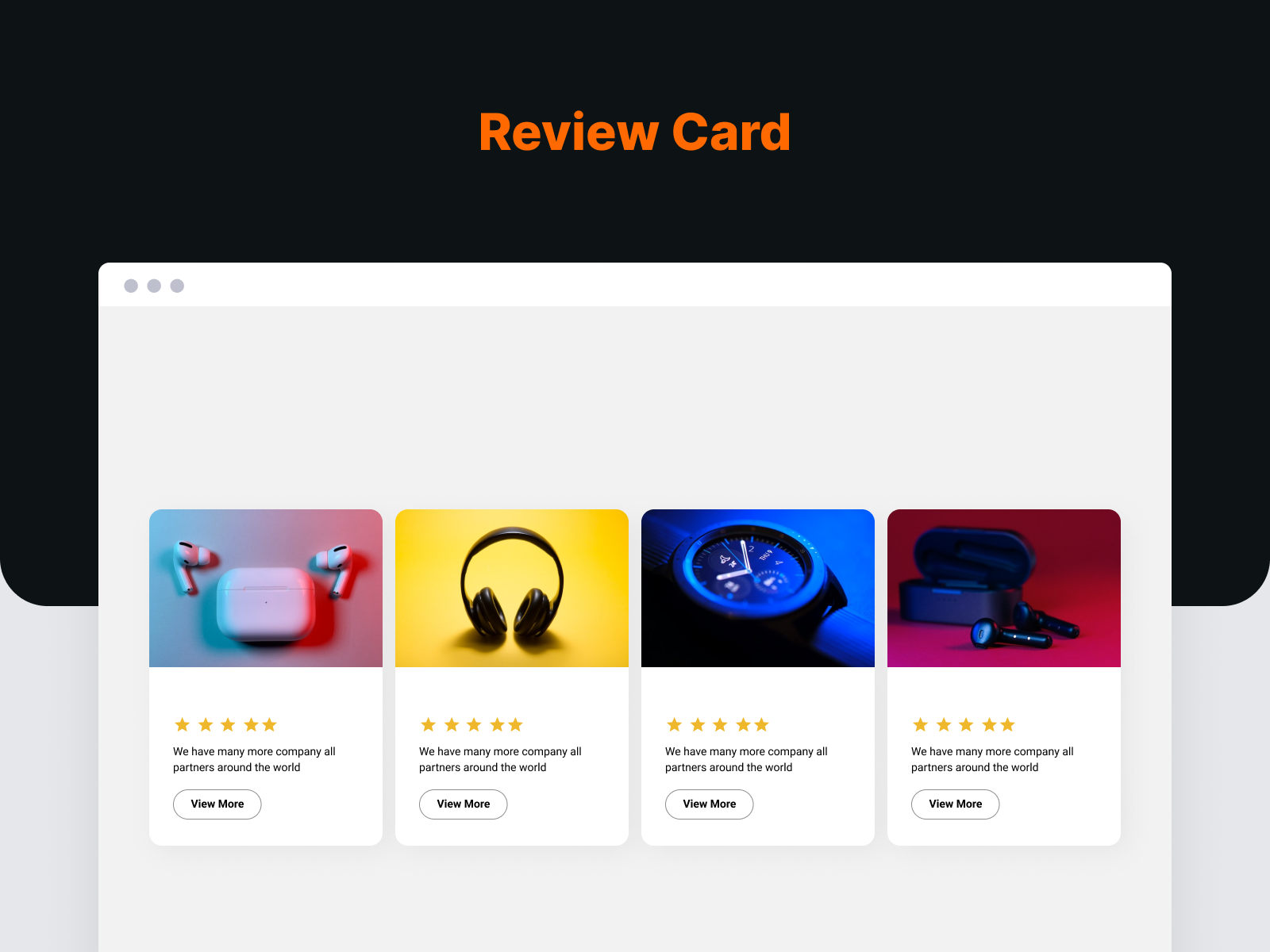
- Testimonial Card: A customer quote with a name, photo, and star rating.
- Review Box: A customer rating with written feedback.
- X (Twitter) Feed: Your latest X posts in a list.
- Animated Counter: Numbers that count up when they come into view.
- Skill Bar: Progress bars that fill as they scroll into view.
- Business Hours: Your opening hours in an easy to read list.
Blog, Navigation, and Forms
- Post List: A Divi blog module that lists your posts.
- Breadcrumb Trail: Breadcrumb links with schema markup.
- Contact Form 7 Styler: Style Contact Form 7 forms to match your design.
Divi Extensions
- Sharing Buttons: Add inline or floating social share buttons to your posts and pages.
- Divi Library Shortcode: Every saved Divi Library layout gets its own shortcode, such as
[divi_library_shortcode id="123"]. Use it in widgets, other plugins, or anywhere shortcodes work.
Divi 5 Support
Divi Torque Lite is a native Divi 5 plugin. All 41 modules are built on the Divi 5 module system. They do not run through Divi’s backward compatibility mode.
- 26 modules work in both Divi 4 and Divi 5.
- 15 modules need Divi 5: Accordion Pro, Tabs Pro, Table of Contents, Fancy Text, FAQ, Call To Action, Creative Button, Tooltip, Image Accordion, SVG Draw, Sticky Video, Post Carousel, Modal Popup, Code Snippet, and Breadcrumb Trail.
- Some newer options are also Divi 5 only, such as left and right icon placement in Icon Box.
When you move a site from Divi 4 to Divi 5, Divi converts your saved layouts. We map each module’s settings so they carry across, and most settings do.
Divi Torque Pro
Divi Torque Pro adds 57 more modules, for 98 in total. It includes a Divi filterable gallery, a masonry gallery, a timeline, pricing tables, a testimonial slider, a post grid, Ajax search, and Lottie animations.
Divi Torque + AI
Want to manage your WordPress site with AI? Saddle is a free plugin from PlugPress, the team behind Divi Torque. It connects AI apps like Claude and ChatGPT to your site through MCP. It runs on your own site, and it asks before it deletes anything.
With Saddle Pro, your AI can also build and edit Divi 5 pages with real Divi modules. The Divi Torque + AI plan includes both Divi Torque Pro and Saddle Pro.
Learn more at saddle.to.
Requirements
- WordPress 7.0 or newer
- PHP 7.4 or newer
- The Divi Theme or the Divi Builder plugin
Support
Need help? Contact our support team or follow @PlugPressHQ on X for updates.
Screenshots

Installation
- In your WordPress dashboard, go to Plugins > Add New and search for “Divi Torque Lite”. You can also upload the plugin folder to
/wp-content/plugins/. - Activate the plugin on the Plugins screen.
- Make sure the Divi Theme or the Divi Builder plugin is active.
- Open a page in the Divi Builder, add a module, and search for it by name, such as Image Carousel.
A short welcome tour opens after activation. For setup guides, see the documentation.
FAQ
-
Is Divi Torque Lite free?
-
Yes. All 41 modules and both extensions are free. Divi Torque Pro is optional and adds more modules.
-
Do I need Divi?
-
Yes. Divi Torque Lite adds modules to Divi, so you need the Divi Theme or the Divi Builder plugin.
-
Does it work with Divi 5?
-
Yes. All 41 modules are native Divi 5 modules. 26 of them also work in Divi 4.
-
Does it include a Divi carousel?
-
Yes, four: Image Carousel, Logo Carousel, Post Carousel, and X (Twitter) Carousel. Each has autoplay, loop, arrows, dots, and a slide count for each screen size. The Image Carousel can also scroll continuously without stopping between slides: set its Autoplay Style to Continuous Scroll.
-
Does it include a filterable gallery?
-
Not in the free version. Divi Torque Pro includes a Filterable Gallery and a Masonry Gallery.
-
Does it have WooCommerce modules?
-
No. Divi Torque Lite does not include WooCommerce modules.
-
Will it slow down my site?
-
Slider and counter scripts load only on pages that use them. You can also turn off any module you do not use in the Module Manager.
-
Will updating break my existing pages?
-
Updates are made to keep existing pages working. We still recommend a backup before any update. If you need to, you can roll back to an earlier version from the Divi Torque dashboard.
Reviews


Contributors & Developers
“Divi Torque Lite” is open source software. The following people have contributed to this plugin.
Contributors


Translate “Divi Torque Lite” into your language.
Interested in development?
Browse the code, check out the SVN repository, or subscribe to the development log by RSS.
Changelog
Version 4.14.1
- Fix: On sites with an image lazy-loading plugin, Image Carousel thumbnails and the repeating slides of Continuous Scroll could stay blank. They now show their images.
Version 4.14.0
- New: Image Carousel has a Continuous Scroll autoplay style. The slides move at a steady speed without stopping, like a film strip. They pause the moment the pointer moves over them and continue from the same spot.
- New: Image Carousel pause and play button, autoplay progress bar, Progress Bar and Dynamic Dots pagination, and a draggable scrollbar.
- New: Image Carousel can scroll freely with momentum and follow a trackpad or horizontal mouse wheel. Scrolling up and down still scrolls the page.
- New: Image Carousel transition effects: Fade, Coverflow, Cards, Flip and Cube.
- New: Image Carousel thumbnail strip, pinch to zoom, rows, and parallax captions.
- New: Image Carousel settings for what happens at the last slide, and to stop autoplay once a visitor interacts.
- Improvement: Image Height also works without Variable Slide Width. Every image gets that height, cropped to fit, so images of different shapes line up.
- Improvement: Divi 5 carousels pause while scrolled out of view and while a link inside them has keyboard focus, use whole-pixel slide widths, and show their first slides in a row while the page loads.
- Fix: Divi 5 Image Carousel and Logo Carousel no longer leave extra space under the slides on desktop.
- Fix: A looping carousel with too few slides for its layout (centered, scrolling several slides at a time, or the Cards effect) no longer repeats or blanks slides. The loop turns off instead.
- Fix: With Divi Torque Pro active, Divi Torque Lite carousels keep their own behavior whichever plugin’s scripts load first.
Version 4.13.0
- Fix: Divi 5 sites on PHP 7.4, 8.0 or 8.1 showed a critical error on every page after updating to Lite 4.9.0 or later. Lite works on PHP 7.4 and later again.
- New: Image Carousel has an Image Height option under Variable Slide Width. Every image gets the same height and each slide keeps its image’s own width, so portrait and landscape images share one row.
- New: Modal Popup opens from any link to its CSS ID, such as a menu item that links to #booking. Links from another page open it on arrival. A new Open Popup On choice, Links Only, hides the trigger button.
- Fix: In Divi 5, an Autoplay Delay of 0 still paused 2 seconds on every slide, and a Gap Between Slides of 0 still left 10px. Both now use 0, so a carousel can scroll continuously.
- Fix: An autoplaying carousel with slides of different widths now moves at one steady speed.
- Fix: Image Carousel and Logo Carousel no longer leave a 30px gap below them on tablets and phones in Divi 5.
- Fix: An open Modal Popup’s dimmed background now covers menus and the site header.
- Fix: On Divi 5 pages with a Number Counter, the counter did not animate and the modules after it (Image Accordion, SVG Draw, Code Snippet, Sticky Video and the News Ticker controls) did not start.
- Improvement: The Variable Slide Width description in Image, Logo and Post Carousel now says what the setting does.
Version 4.12.1
- Fix: With Divi Torque Pro 1.11 or older active, every wp-admin page showed a critical error after updating to Lite 4.9.0 or later. With Pro 1.12, the Sharing Buttons page did. Lite now leaves its screens to Pro only when that Pro version can show them.
- Fix: Divi 4 carousels (Image Carousel, Logo Carousel and Twitter Feed Carousel) no longer show every slide stacked at full size while the page loads. The first slides show in a row until the carousel starts.
Version 4.12.0
- New: A short welcome tour after activation shows what Divi Torque Lite adds, where to find the modules in the Visual Builder, how an AI agent can build Divi pages for you, and what Pro includes. You can skip it, and reopen it any time from the dashboard.
- New: Icon Box can place the icon to the left or right of the title and text in Divi 5.
- Fix: Image Carousel slides could shrink to zero width on phones when Variable Slide Width had a phone value such as calc(). Slides to Show can no longer be set to 0. If a carousel still looks empty on phones after updating, clear Divi’s static CSS cache under Divi > Theme Options > Builder > Advanced.
- Fix: Divi 4 carousels no longer break when a caching or optimization plugin delays scripts.
- Fix: The last image in an Image Accordion was taller than the others.
- Fix: Before and After Slider started twice when Divi Torque Pro was also active, which left a dead handle.
- Fix: Breadcrumbs now apply the tablet and phone alignment and the link hover color, skip the breadcrumb schema when the trail is empty, and output the schema more safely.
- Fix: Twitter Feed no longer contacts the X API on every page view when the keys or username are wrong.
- Fix: Dynamic content in a Gradient Heading, Testimonial, Creative Button label, Animated Text prefix or suffix, or a module image now resolves correctly instead of printing nothing or stopping the page.
Version 4.11.1
- Fix: A dynamic content value inside a Divi 5 module could take the whole page down with a fatal error. Dynamic values now resolve correctly on the front end.
- Fix: Background Pattern and Background Mask showed in the Visual Builder but never printed on the front end on 15 modules.
- Fix: Three Divi 4 settings were dropped when a layout migrated to Divi 5, and nine modules lost the Advanced tab Custom CSS box on migration. All of them carry across now.
- Fix: Accessibility. Animations respect the reduced motion preference, tab panels can be reached by keyboard, collapsed accordion panels leave the tab order, and the modal dialog announces its name and traps focus in the right dialog.
- Fix: A style rule in the legacy dashboard was missing a dash.
- Improved: The dashboard is rebuilt on the latest shared design system.
Version 4.11.0
- Fix: Post Carousel, Post List and News Ticker showed the oldest posts first. All three now default to newest first, matching WordPress and the Divi Blog module. An existing layout that never set the order explicitly will start showing newest first; the Order setting is still there if you want chronological order back.
- Fix: Fancy Text rotated nothing when the rotating strings were separated by pipes instead of line breaks. It rendered the whole string as a single item, which looked like a broken web font rather than a settings problem. Pipes and line breaks both work now.
- Improved: Team Box — the Content Background field now explains that it paints on top of the module Background, so setting only the module Background appears to do nothing. Set Content Background to transparent to let the module Background show through.
Version 4.10.0
- Fix: FontAwesome icons rendered as empty boxes in every Divi 5 module, on the front end and in the Visual Builder. Divi 5 never loads the FontAwesome font for a third-party module, so Divi Torque now declares it itself.
- Fix: Icon Box — Icon Padding had no effect on a font icon, which made an icon chip (background + padding + rounded corners) impossible to build. It applied to uploaded images only.
- Fix: Post List — a FontAwesome list icon was drawn in the Divi icon font, so it came out as the wrong glyph.
- Fix: Dual Button — the per-button icon never appeared. The icon now renders, including its colour and placement.
- Fix: Icon Box — the five Absolute Position fields now hide unless Icon Placement is set to Absolute, instead of sitting there doing nothing.
- Fix: Image Carousel — removed the stray chevron Divi core slides into the item button on hover, which also shifted its padding.
- Fix: Contact Form 7 — added the missing Layout design group.
- Improved: Carousels — reworked settings taxonomy and preset pools across the carousel modules, with the navigation and pagination settings now carried through Divi 4 to Divi 5 migration.
- Improved: Dashboard settings screens refined, with a live preview beside each settings form.
Version 4.9.0
- New: Tooltip module. Styled, keyboard-accessible tooltips for text, icons, and images.
- New: Call To Action module. Headline, supporting copy, and up to two buttons in three layouts.
- New: Creative Button module. Ten hover effects, every one keyboard accessible.
- New: Image Accordion module. Expanding image panels with per-panel focal point control.
- New: Sticky Video module. Corner-docking video with a privacy-friendly click-to-load facade.
- New: Code Snippet module. Syntax highlighting for 13 languages with line numbers and one-click copy.
- New: SVG Draw module. Draws SVG strokes on scroll, load, or hover. Honors reduced motion.
- Fix: Tooltip text stays readable when themes set their own paragraph colors.
- Fix: Sticky Video plays with a single click and the poster hides correctly.
- Fix: Code Snippet no longer collapses to a single line on the front end.
Version 4.8.2
- Fix: News Ticker (and any other module toggled in the dashboard) no longer disappears from the Divi 5 builder when Divi Torque Pro is active — module on/off settings are now read from the right place regardless of plugin load order, and both plugins keep them in sync
- Fix: Video Modal no longer navigates to YouTube/Vimeo alongside opening the popup when the popup script loads late (deferred or delayed JavaScript optimization)
- Tweak: The module usage panel now labels Divi Library / Theme Builder layouts, reusable blocks and drafts, so it’s clear where a “used” module is actually referenced
- Tweak: WordPress 7.0 is now the minimum supported version
Version 4.8.1
- Fix: Divi 5’s readiness check no longer wrongly lists Divi Torque Lite as a “Divi 4 framework” plugin — its Divi 5 modules are now correctly detected whether Divi 5 runs from the Divi theme or the Divi Builder plugin
Version 4.8.0
- New: Completely redesigned dashboard — cleaner navigation, module icons, descriptions, demo and docs links (switch back anytime via “Switch to legacy dashboard” in the sidebar footer)
- New: See exactly which pages use each module, right on the Modules screen
- New: Accordion, Tabs, Modal Popup, Post Carousel, Table of Contents, Fancy Text, FAQ, and Breadcrumbs can now be toggled in the Module Manager
- Fix: Disabling a module now actually removes it from the builder (both Divi 4 and Divi 5 — toggles previously didn’t take effect)
Version 4.7.1
- Improved: Carousel (Swiper) and counter libraries now load only on pages that actually use those modules, reducing script weight everywhere else.
- Fix: Module-level Text settings (Text Color, orientation, and text shadow) were dropped when converting Divi 4 modules to Divi 5, causing some modules — including Review Box — to lose their styling after being edited in Divi 5. The Text option is now preserved across the conversion for all affected modules.
Version 4.7.0
- Added: 8 new native Divi 5 modules — Accordion, Modal Popup, Tabs, Fancy Text, Table of Contents, Breadcrumbs, FAQ, and Post Carousel. Each is single-purpose, plug-and-play, and built natively for the Divi 5 Builder.
- Added: Accordion includes style presets, custom open/close icons, click/hover/autoplay activators, scroll-to-item, content animations, and per-item header icons or images.
- Added: Post Carousel ships 6 blog-card presets (Classic, Editorial, Overlay, Profile, Spotlight, Horizontal), a show/hide toggle for every element, and the lightweight Swiper engine.
- Added: FAQ and Breadcrumbs output schema.org structured data (FAQPage / BreadcrumbList) for richer search results.
- Added: Table of Contents auto-builds from page headings with smooth scroll, scroll-spy highlighting, and collapsible sections.
- Compatibility: Fully backward compatible — all Divi 4 modules and saved layouts continue to work in both Divi 4 and Divi 5. The new modules are Divi 5-only.
Version 4.6.1
- Fix: Dashboard header logo displayed oversized in some setups; the icon now renders at a fixed size.
Version 4.6.0
- Added: The remaining dynamic modules now run natively in the Divi 5 Builder — News Ticker, Post List, Contact Form 7, X (Twitter) Feed, and X (Twitter) Carousel. Every Divi Torque module is now native in Divi 5, and your existing Divi 4 layouts migrate automatically.
- Added: X (Twitter) Feed and X (Twitter) Carousel now use the X (Twitter) API v2. Note: reading timelines requires a paid X API plan (Basic tier or higher) — the field descriptions explain this. API responses are cached to minimize calls.
- Improved: X (Twitter) Carousel now uses the same lightweight Swiper engine as the other carousels (no extra slider library).
- Compatibility: Fully backward compatible — all Divi 4 modules and saved layouts continue to work in both Divi 4 and Divi 5.
Version 4.5.1
- Fix: Icon Box — icon placement (absolute mode) no longer defaults to the top-left corner; position now defaults to center and switching corners (Left Top / Right Top / etc.) clears the opposing sides correctly.
- Fix: Dual Button — text color, background color, and font size changes now apply correctly on the frontend; Divi’s default button styles were overriding the custom selector.
- Fix: Image Carousel and Logo Carousel — navigation arrow no longer appears doubled on hover (Swiper 12 SVG injection is now suppressed).
- Fix: Flip Box, Info Box, Info Card, and Review — button styling (color, background, font) now applies correctly on the frontend (same selector specificity fix as Dual Button).
Version 4.5.0
- Added: Thirteen more modules now run natively in the Divi 5 Builder — Image Carousel, Logo Carousel, Logo Grid, Skill Bar, Business Hours, Scroll Image, Review Box, Flip Card, Testimonial, Number Counter, Before & After Slider, Video Modal, and Animated Text. Every static DiviTorque module is now native in Divi 5, and your existing Divi 4 layouts migrate automatically with their styling intact.
- Added: All DiviTorque modules are now grouped under a “Divi Torque” folder in the Divi 5 module inserter for quicker access.
- Added: Logo Grid tooltips now initialize correctly in both Divi 4 and Divi 5.
- Improved: Business Hours separator/divider SVG patterns render identically in the builder preview and on the front end.
- Improved: Animated Text typing animation now uses a built-in engine with no external library, so it runs reliably everywhere.
- Improved: Conditional settings now show and hide correctly in the Divi 5 panels (Review Box, Flip Card, Testimonial, Number Counter, and more).
- Fix: Flip Card back-side description custom CSS now targets the correct element.
- Fix: Animated Text per-element border radius now carries over when migrating a Divi 4 layout.
- Compatibility: Fully backward compatible — all Divi 4 modules and saved layouts continue to work in both Divi 4 and Divi 5.
Version 4.4.0
- Added: Seven more modules now run natively in the Divi 5 Builder — Divider, Icon Box, Inline Notice, Dual Button, Info Box, Info Card, and Team Member (joining Gradient Heading). Your existing Divi 4 layouts migrate automatically with their styling intact.
- Added: Video Modal videos now autoplay on mobile (muted, as mobile browsers require) — desktop playback is unchanged.
- Improved: Divi 5 module spacing, icon rendering, and Dual Button gap/alignment now match the Divi 4 output exactly.
- Fix: Info Box “Layout” settings group no longer conflicts with the Divi 5 layout options.
- Compatibility: Fully backward compatible — all Divi 4 modules and saved layouts continue to work in both Divi 4 and Divi 5.
Version 4.3.0
- Added: Divi 5 support begins! The Gradient Heading module is now available natively in the Divi 5 Builder, with more modules being converted in upcoming releases.
- Compatibility: Fully backward compatible — existing Divi 4 modules and your saved layouts continue to work unchanged.
- Fix: Rollback page not accessible on some setups.
Version 4.2.3
- Update: Build toolchain and internal housekeeping.
Version 4.2.2
- Security: Patched CVE-2026-4275 — CSRF vulnerability on the plugin install/activate routes. Please update immediately.
- Added: Plugin rollback — revert to a previous version directly from the dashboard.
- Removed: Unused geolocation helpers (no tracking).
- Fix: Dashboard crash caused by a non-iterable modules response.
Version 4.2.1
- Fix: Dashboard link issue
- Fix: Module manager issue
Version 4.2.0
- Fix: Dashboard link issue
Version 4.1.2
- Fix: Freemius SDK security issue
Version 4.1.1
- Fix: Some modules issue
Version 4.1.0
- Fix: Translations now load on the ‘init’ hook to prevent the “_load_textdomain_just_in_time” notice in WordPress 6.7+, with the textdomain matching the plugin domain ‘addons-for-divi’.
Version 4.0.8
- Fix: jQuery error
Version 4.0.7
- Fix: Magnific Popup issue
Version 4.0.6
- Fix: Security issues
Version 4.0.5
- Fix: Divi Library Shortcode issue
- Fix: Infobox overlay issue
- Added: Custom Icon for Video Modal
Version 4.0.4
- Fix: Image overlay issue – showing blue images
Version 4.0.3
- Fix: Post Lists module issue
- Fix: News Ticker module issue
Version 4.0.2
- Fix: SVN version issue 4.0.0 to 4.0.1
- Added: Loading icon to rollback button
Version 4.0.1
- Fix: Resolved various user-facing issues encountered during the update from 3.6.6 to 4.0.0.
Version 4.0.0
- Fix: Security issues
- Added: Module on-load demos
- Added: New module manager
- Update: Revamped dashboard
- Update: Cleaner codebase
Version 3.6.6
- Fix: Modules PHP error
Version 3.6.5
- Fix: Module deprecated warnings
Version 3.6.4
- Fix: Modules PHP error
Version 3.6.3
- Fix: Big close icon issue
Version 3.6.2
- Added: Single folder for all modules
- Fix: Module security issues with WordPress 6.2
- Fix: Swap image issues
Version 3.6.1
- Security update
Version 3.6.0
- Deprecated popup extension
- Deprecated login designer extension
- Deprecated the admin page
- Cleaner codebase
- Removed freemium
Version 3.5.0
- Cleaner code
Version 3.0.0
- Rebranding BrainAddons to Divi Torque
Version 2.0.0
- Codebase optimization
Version 1.0.0
- Public beta release