

Description
Properly credit authors & contributors—quickly, easily, and hassle-free.
The all-in-one authorship plugin for WordPress: show bios, add co-authors, credit guests, and boost SEO.
Tired of jumping through hoops to properly attribute authors? Molongui Authorship makes it effortless to showcase contributors—whether they’re registered users, guests, or co-authors.
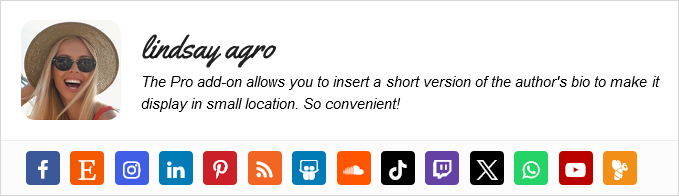
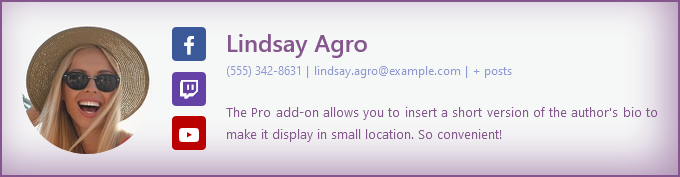
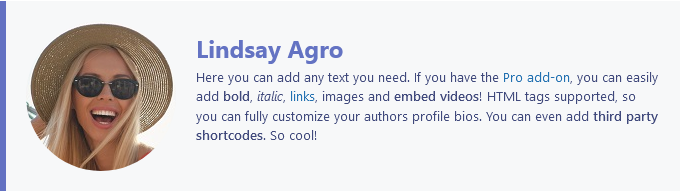
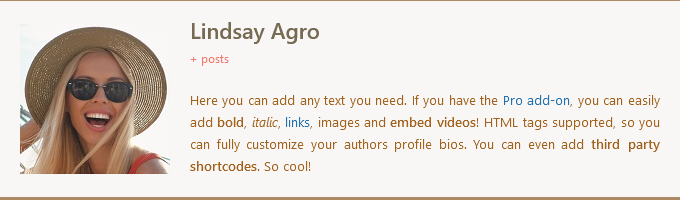
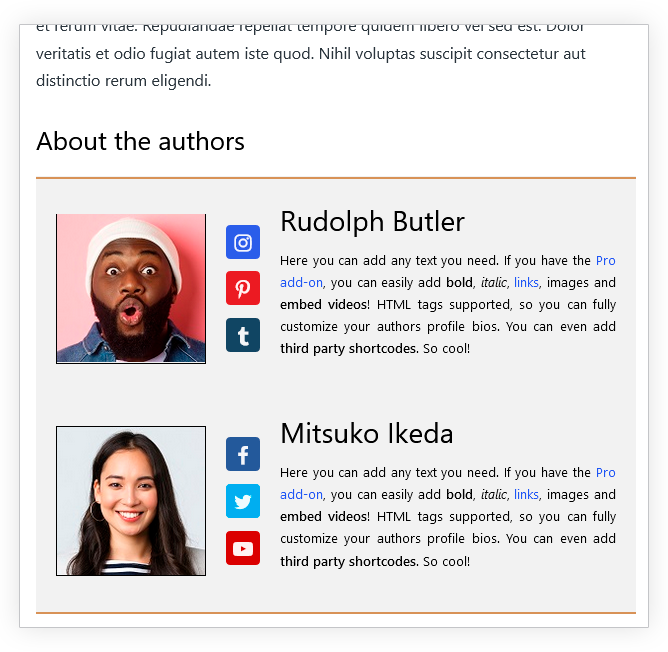
✅ Author Box – Beautiful, customizable bios with social links
✅ Guest Authors – Credit guest writers without creating user accounts
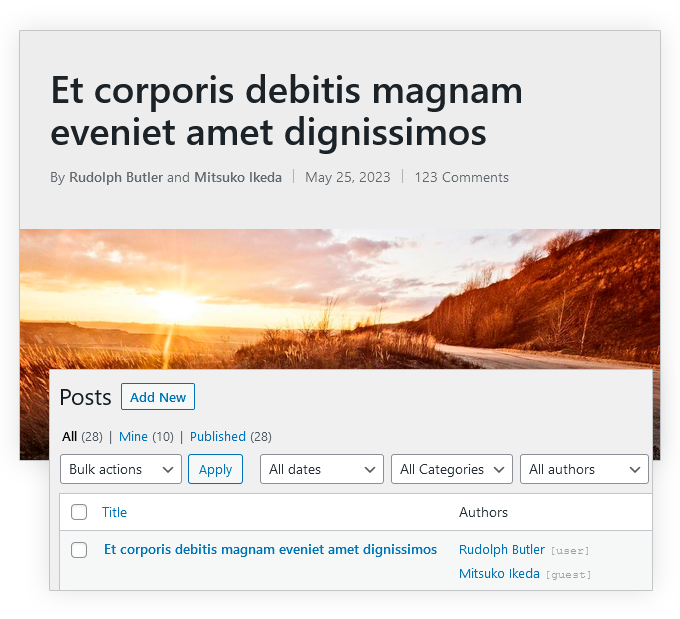
✅ Co-Authors – Add multiple authors to a single post with seamless byline integration
🚀 Switching from another plugin? Import data in 1 click from Co-Authors Plus, PublishPress Authors, and One User Avatar.
✔️ Add author boxes with bios and social links
✔️ Credit guest authors without user accounts
✔️ Add co-authors to any post or page
✔️ Build author layouts visually with native Gutenberg blocks
✔️ Boost author credibility and SEO
✔️ Seamless 1-click migration from other plugins
Key Features
🛠 Author Box – Your Authors, Elevated
Transform how authors are presented with the most customizable, engagement-boosting author box for WordPress.
✨ Pixel-Perfect Customization
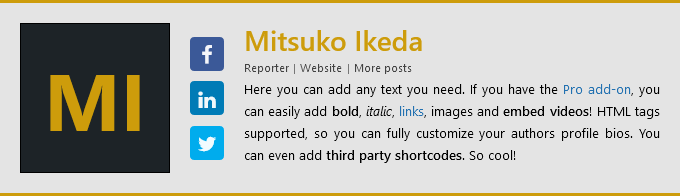
- Multiple pre-designed templates
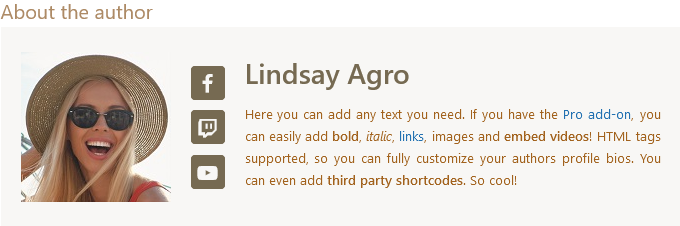
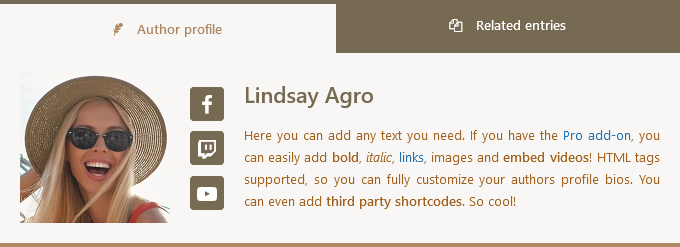
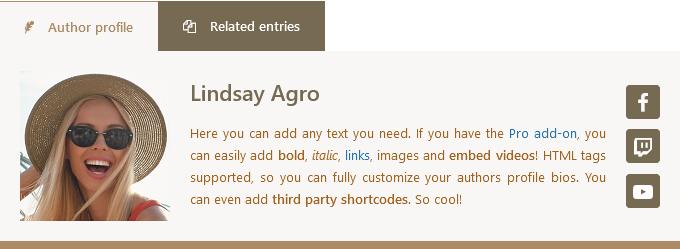
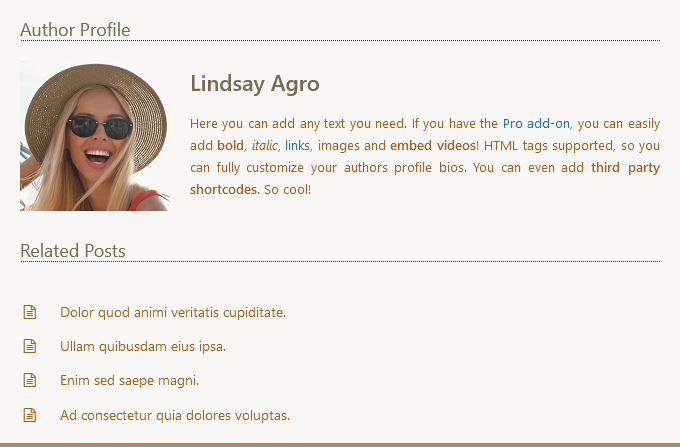
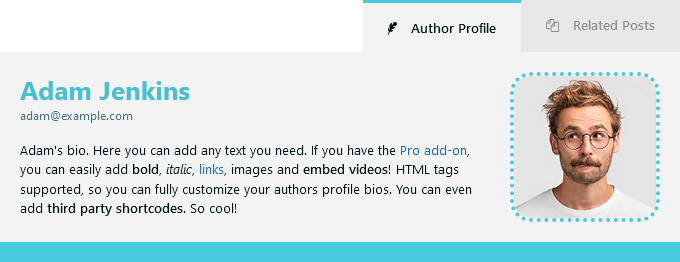
- Different layouts (boxed, minimalist, tabbed, inline)
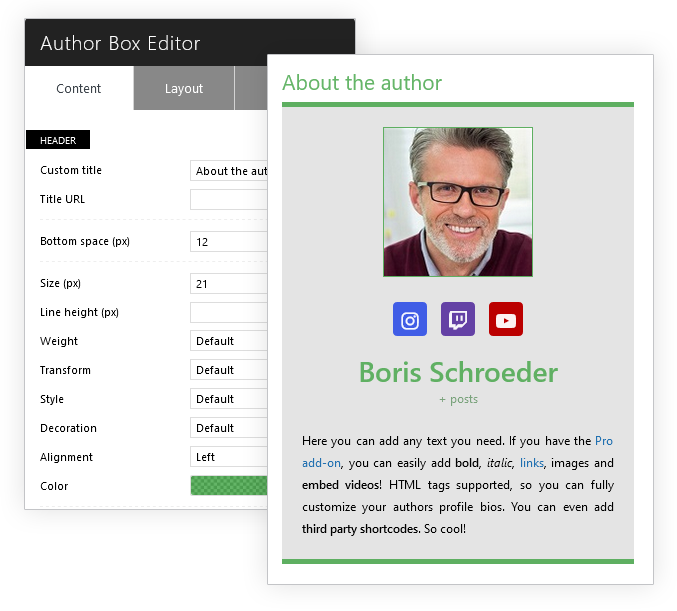
- Live preview editor with real-time styling
- Mobile-optimized responsive design
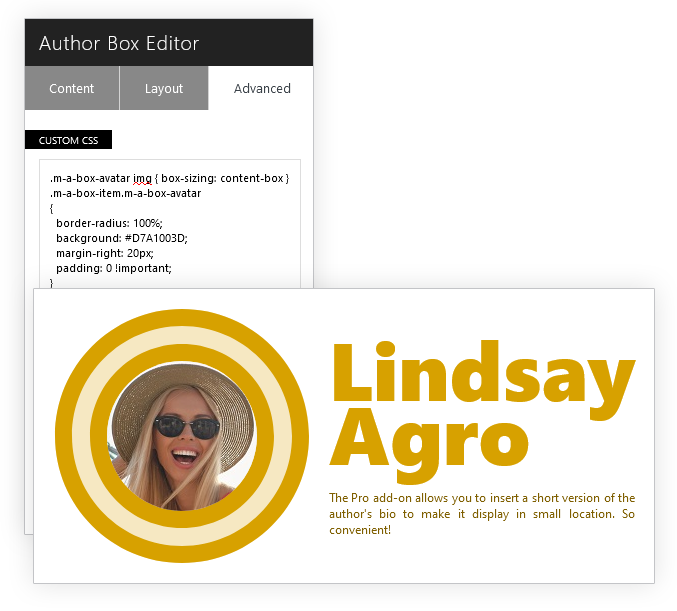
- Custom CSS panel for unlimited tweaks
✨ Author Profiles That Engage
- 90+ social icons (including emerging platforms)
- “Related Posts” section to boost engagement
- Guest and co-author compatibility
✨ Context-Smart Display
- Automatic placement before/after content
- Customizable headings (“About the Author”, “Meet the Expert”, etc.)
- Schema markup for Google rich snippets and improved Google E-E-A-T
- AMP/RTL support for broader compatibility
⚡ Premium Advantages
- Additional premium layouts
- Dynamic bios with rich text, media, HTML tags, and third party shortcodes support
- 30+ extra niche social icons
- Advanced conditional logic (user roles, tags, etc.)
- Custom post type support
- Shortcode to display the author box wherever
👥 Guest Authors – Credit Contributors Without the Clutter
Give proper attribution without creating unnecessary user accounts—ideal for one-time contributors, interviewees, or guest bloggers.
✨ Native WordPress Integration
- Add guest authors as easily as regular users—no technical hassle
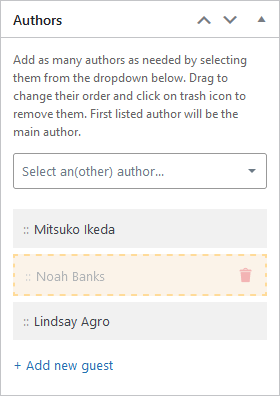
- Dropdown selection in the post editor—just pick a name and go
- Full profiles with bios, avatars, and social links (no Gravatar required)
- Custom fields for job titles, affiliations, or custom links
✨ Seamless Frontend Display
- Auto-display in post bylines with linked names
- Author box compatibility—show guest bios alongside regular authors
- SEO-optimized: Updates
authormeta tags for accurate attribution⚡ Premium Advantages
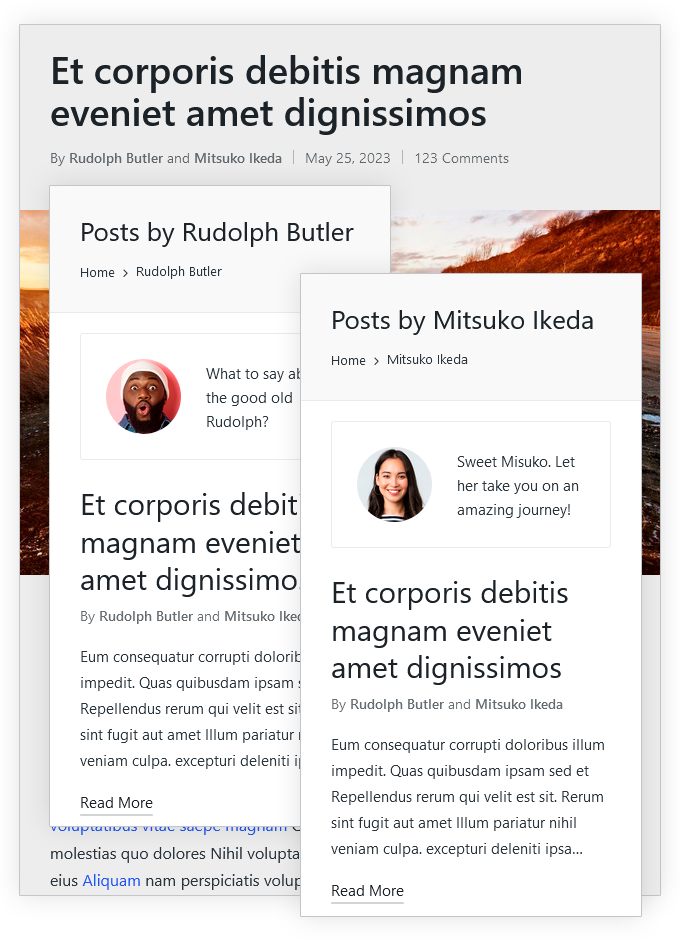
- Guest author archive pages (boost credibility with dedicated profiles)
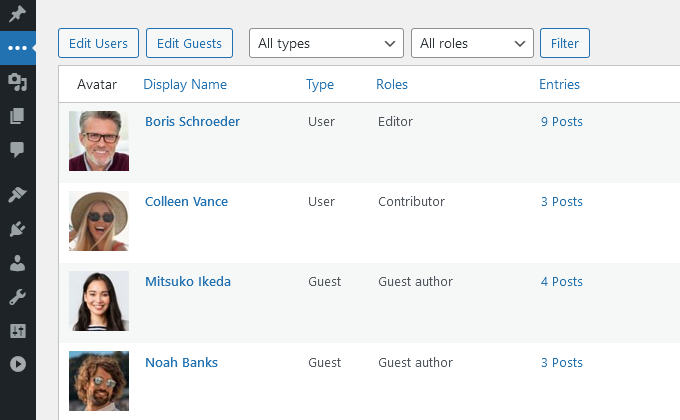
- 1-click user-to-guest conversion: Clean up unused accounts while preserving authorship
- Bulk edit & clone: Save time reusing guest profiles
- REST API support: Integrate guest data with third-party tools
- Import/Export tool for easy migrations
👨👩👧👦 Co-Authors – Flawless Multi-Author Attribution
Credit every contributor fairly—whether it’s joint articles, team projects, or collaborative content.
✨ Effortless Collaboration
- Add unlimited co-authors via simple dropdown in the post editor
- Works seamlessly with both regular users and guest authors
- Drag-and-drop author ordering (control name display sequence)
- No taxonomy conflicts—cleaner than legacy plugins
✨ Automatic Frontend Display
- Smart bylines auto-update with all author names (e.g., “By John, Lisa & Max”)
- Each name links to author pages (guest authors included)
- Schema.org markup for proper multi-author SEO
⚡ Premium Advantages
- Byline modifiers (add prefixes like “By” or suffixes like “et al.”)
- REST API support for headless WordPress setups
- Shortcodes to display co-author lists anywhere
🧱 Native Gutenberg Blocks – Put Authorship Exactly Where It Belongs
Build authorship directly into your content and site templates using native WordPress blocks—no shortcodes and no duplicated author data. Available on WordPress 6.3 and later.
✨ Two Dynamic Blocks, Built for Real Editorial Workflows
- Author Box – Drop your fully configured Molongui Author Box anywhere in a post or template
- Post Byline – Display the current post’s Molongui authors, including guest authors and co-authors
- Context-aware rendering keeps each block in sync with the post being displayed
- Works naturally in the Post Editor, Site Editor, and Query Loop templates
- Uses your existing Molongui settings, so there is nothing extra to maintain
⚡ Premium Byline Controls
With Molongui Authorship Pro, the Post Byline block unlocks custom prefix and suffix text plus optional published date, updated date, categories, tags, and comment count.
🚀 1-Click Migration Tool – Switch Without Losing Data
Switching from Co-Authors Plus, PublishPress Authors, or One User Avatar? Import your existing author data with 1 click! No manual work needed.
🔍 Additional Premium Features
Only available in Molongui Authorship Pro.
- Author list. 4 different layouts, user role filter and more
- List of posts by author. 5 different layouts, pagination and more
- Allow visitors to search content by author name. Learn more
- Disable author pages for registered WordPress users
- Add a post byline anywhere via shortcode. Useful if your theme does not show a byline for your posts
- Retrieve author information via shortcode. Very useful to use with page builders. Learn more here
💡 Ready to enhance your authorship experience?
Compare Free vs Pro | Try Pro | Get Support | Live Chat
This plugin uses a third-party service to enable live chat communication with our support team, exclusively for administrators in the backend. You can disable this service via the plugin settings page. For more information about the live chat service provider review their privacy policy and terms.
Screenshots



![[PRO feature] Display a beautiful author list. Different layouts, author filtering and pagination available](https://ps.w.org/molongui-authorship/assets/screenshot-21.png?rev=2980501)
![[PRO feature] Replace your boring bylines with a custom design that wow your readers](https://ps.w.org/molongui-authorship/assets/screenshot-22.png?rev=2980501)
![[PRO feature] Give visitors more relevant search results and a better user experience allowing them to search content by author display name](https://ps.w.org/molongui-authorship/assets/screenshot-23.png?rev=2980501)
![[PRO feature] 1-click user to guest author and guest author to user converter](https://ps.w.org/molongui-authorship/assets/screenshot-24.png?rev=2980501)
Blocks
This plugin provides 2 blocks.
- Post Byline Displays the Molongui byline for the current post.
- Author Box Displays the Molongui author box for the current post.
Installation
Automatic Plugin Installation
To install this plugin using the built-in plugin installer:
- Go to: Plugins > Add New
- Type in Molongui Authorship in the Search box
- Click on the Install Now button
- The resulting installation screen will list the installation as successful or note any problems during the install
- If successful, click Activate Plugin to activate it, or Return to Plugin Installer for further actions
Manual Plugin Installation
To install the plugin manually:
- Download the plugin to your computer
- Extract the plugin folder to your desktop
- With your FTP program, upload the extracted plugin folder to the wp-content/plugins/ folder in your WordPress directory
- Go to Plugins screen and find the newly uploaded plugin in the list
- Click on Activate link to activate it
If you need further assistance, please, read the Installing Plugins article on the WordPress documentation or write us an email so we can assist you.
Requirements
In order to run, Molongui Authorship requires:
- PHP version 5.6.20 or greater. Considering WordPress recommends it to be 7.4 or greater, this should not be a problem.
- WordPress 5.2 or later.
FAQ
-
Yes. Molongui Authorship is compatible with any theme. You may face some issues though, like the author box not having a style you configured or the author pages not listing co-authored posts. In such cases, you can open a support ticket with us and we will look into it to find a compatibility fix.
-
Yes.
-
By default, the author box is added at the bottom of all your posts. However, Molongui Authorship provides you plenty of display options to change that. You can change the location to make it display at the top of the post content, hide it on some posts or disable the automatic display so you can decide on which handpicked posts it must be shown. The Pro version of the plugin allows you to hide the author box based on the post category.
-
Yes. Unlike other author box plugins, Molongui Authorship allows you to show the author box on both posts and pages. To be able to display the author box on pages, go to Authors > Settings > Author Box and find the Display panel. There you can configure Molongui Authorship to automatically display the author box on pages.
-
Yes. You need the Pro version of the plugin to enjoy the features on custom post types.
-
The second author box might be a theme feature and you will need to turn it off from your theme’s options screen, or hide it with custom CSS. Please refer to this support article to know how to proceed. If that doesn’t help, you can open a support ticket with us so we can assist.
-
To avoid clutter the edit screen, some social networks are not displayed by default. To configure which networks to display, go to Authors > Settings > More and find the Social Networks panel. There you can pick the ones you need.
-
Those social media networks which are intended for business and professional networking are only available in the Pro version of the plugin.
-
Where can I find documentation and user guides?
-
For help setting up and configuring this plugin, please refer to our documentation.
-
How do I get support?
-
We’re following the threads on this plugin public Support Forum and based on them we always try to build up new and better implementations for the plugin.
To help us answer questions as quickly as possible please ensure you provide:
- A link to your site so we can view issues, especially important for issues around appearance of your website
- Screenshots
- Environment Report: This can give us a lot of very useful information. Navigate to Authors > Help! and scroll down to the bottom of the page. There you will see a panel labeled as **System Status Report System Status**, jsut press the Send Report button.
Paying Pro Customers
If you have purchased a Pro plugin at molongui.com, you can get help faster opening a support ticket using this link. As a Pro Customer, you get Premium Support which comes with priority over requests on this plugin public Support Forum.
-
How can I say thanks?
-
You can say thank you by leaving us a review here. Or you can give back by recommending this amazing plugin to your friends!
Reviews


Contributors & Developers
“Molongui Authorship – Author Boxes, Guest Authors & Co-Authors for WordPress” is open source software. The following people have contributed to this plugin.
Contributors
Interested in development?
Browse the code, check out the SVN repository, or subscribe to the development log by RSS.
Changelog
Important: If you use a caching plugin, please clear your cache after updating any plugins.
5.3.2 (2026-10-08)
- Fixed: Automatic Main Author assignment when adding, replacing, or removing post authors.
5.3.1 (2026-10-08)
- Enhanced: Security and WordPress coding standards compliance.
- Fixed: Issue where posts could fail to publish or unexpectedly revert to Draft when using Gutenberg or Classic Editor.
- Fixed: Missing Gravatar images after updating from previous versions..
- Fixed: Performance issue that could cause browser freezes on pages with frequent DOM updates.
- Fixed: Several admin UI escaping and validation issues.
5.3.0 (2026-10-07)
- Added: Author Box Gutenberg block for WordPress 6.3 and later.
- Added: Post Byline Gutenberg block for WordPress 6.3 and later.
- Added: Option to upload a custom default avatar for authors without an avatar.
- Added: Ability to disable Gravatar.
- Added: Option to reassign a deleted user’s authorship to an existing Guest Author.
- Added: Option to remove a deleted user’s authorship while keeping their content.
- Added: Option to reassign a deleted guest author’s authorship to a user.
- Added: Option to reassign a deleted guest author’s authorship to another Guest Author.
- Added: Option to remove a deleted guest author’s authorship while keeping their content.
- Added: Redesigned Author Profile UI for WordPress Users and Guest Authors, including dedicated Public Name and Contact Info sections.
- Added: Support for custom author name prefixes and suffixes.
- Added: Credentials field.
- Added: Professional Headline field.
- Added: Department field.
- Added: Author Location field.
- Added: Configurable Author Box meta fields for Professional Headline, Job Title, Company, Department, Location, Email, Phone, and Website.
- Added: Per-author Default, Show, and Hide overrides for Author Box meta fields.
- Enhanced: Split the Authors column into separate Author and Co-authors columns for clearer post attribution.
- Enhanced: Centralized avatar resolution so frontend and admin screens consistently honor the configured avatar sources and fallbacks.
- Enhanced: Public author names can now include prefixes, suffixes, and credentials.
- Enhanced: Profile Picture controls now use clearer Upload, Change, Edit, and Remove actions.
- Enhanced: Added Ctrl+S and Cmd+S keyboard shortcuts for saving Author Profile changes.
- Changed: Moved the Phone field to the Contact Info section.
- Changed: Replaced the legacy avatar uploader with the common Media Picker component.
- Changed: Email and Phone Author Box visibility now use the same Default, Show, and Hide system as other meta fields.
- Changed: Updated framework files to v3.4.4.
- Fixed: PHP fatal error caused by calling an undefined method on the edit-user screen.
- Fixed: Stored DOM-based XSS vulnerability in byline link processing by validating decoded URL protocols before updating links.
- Fixed: Phone value not being saved for WordPress Users.
- Fixed: Local Avatar controls not behaving correctly when the Local Avatar feature was disabled.
- Fixed: Social profile fallbacks no longer use stale or orphaned third-party data when the source contact method is no longer registered.
- Fixed: Social profile placeholders making empty fields appear populated.
- Fixed: Media Picker asset paths resolving to the wrong location.
- Fixed: Guest Author avatars and email addresses not being displayed correctly in admin author tables.
- Fixed: Incorrect Author Box visibility status in the posts list.
- Deprecated:
authorship/edit/user/fieldsin favor ofauthorship/edit_user/fields. - Removed: Legacy
edit-avatar.jsusage from the user profile screen. - Removed:
authorship/edit/user/tools/tmplfilter. - Dev: Added
authorship/edit_user/fieldsaction hook. - Dev: Added
authorship/edit_user/sidebaraction hook. - Dev: Added
authorship/edit_user/conversion/tmplfilter hook. - Dev: Added a centralized Author Meta Fields registry for field definitions, visibility, values, aliases, and prefetch requirements.
- Dev: Added
molongui_authorship/author_meta_fieldsfilter to extend or customize registered author meta fields. - Dev: Added
molongui_authorship/author_meta_field_visibilityfilter to control field visibility by context. - Dev: Added
molongui_authorship/author_meta_field_valuefilter to customize resolved field values. - Dev: Author Box bio filters now receive the current Author Box options as an additional argument.
5.2.12 (2026-09-11)
- Fixed: PHP fatal error on the user edit screen caused by a missing social meta compatibility method.
5.2.11 (2026-08-30)
- Added: Fallback support for compatible third-party social profile fields.
- Fixed: PHP warnings when filtering author links on multi-author bylines.
- Fixed: PHP warnings related to unavailable admin screen data.
- Fixed: Missing styles for the author selector.
5.2.10 (2026-08-27)
- Fixed: Replaced
usage with the Unicode non-breaking space character (U+00A0) for better compatibility. - Fixed: Archive Author checkbox no longer becomes unclickable when Disable author box is set to Hide.
- Fixed: PHP warning for undefined variable
$post_types. - Fixed: Minor admin styling issues.
- Changed: Updated framework files to v3.4.3.
- Changed: Added compatibility with WordPress 7.1.
- Removed: Peepeth social profile following the network’s discontinuation.
5.2.9 (2026-02-16)
- Added: New ready-to-use template for the author box.
- Fixed: Author box related posts now work correctly when Co-Authors and Guest Authors are disabled.
5.2.8 (2026-01-27)
- Fixed: Related posts in the author box now include all relevant posts.
- Changed: Updated framework files to v3.4.2.
5.2.7 (2026-01-20)
- Fixed: Related posts in the author box now respect the configured ordering settings.
- Fixed: Related posts in the author box no longer include drafts or future posts.
- Fixed: Post count updates now work correctly in edge cases.
- Fixed: Post count filtering now ignores empty or invalid author IDs to prevent unexpected behavior.
- Fixed: Compatibility issue with BetterDocs where enabling Guest Author or Co-Authors could cause single doc posts to render as an archive list.
5.2.6 (2026-01-14)
- Fixed: Author description now correctly appears in author boxes.
5.2.5 (2026-01-14)
- Fixed: Byline linking only to the first listed author on some themes.
- Fixed: Archived guest authors are now properly excluded from author search results.
5.2.4 (2025-12-17)
- Fixed: Fatal error occurring during post count update.
- Fixed: Post-count cache collision between users and guest authors with the same ID.
- Fixed: Avoided PHP notices when the primary post author data is missing or invalid.
- Fixed: Incomplete user meta cache hydration causing missing data in edge cases.
- Fixed: Admin authors list search returning empty results when filtering existing authors.
- Fixed: Fatal error on author pages when the Yoast SEO plugin is enabled.
5.2.3 (2025-12-10)
- Fixed: Several bugs related to wrong author data retrieval.
5.2.2 (2025-12-09)
- Fixed: Several PHP warnings.
5.2.1 (2025-12-09)
- Fixed: Fatal error caused by an invalid callback name in a filter hook.
5.2.0 (2025-12-09)
- Added: Option to stop all running background tasks related to the plugin.
- Enhanced: Refactored
AuthorandAuthorsclasses to reduce the number of queries and significantly improve performance. - Enhanced: Added compatibility with the Pro theme.
- Fixed: Fatal error when displaying a single author box on multi-authored posts.
- Fixed: Missing default author selector when editing post types without authorship features enabled.
- Fixed: Undefined array key warning for
author_box_related_countin PHP 8+. - Fixed: Undefined variable warning for
$profilein PHP 8+. - Fixed: Guest author translation compatibility with Polylang.
- Fixed: Display issues in the author box editor preview.
- Changed: Updated framework files to v3.4.1.
- Changed: Added compatibility with WordPress 6.9.
- Removed: Usage of custom object cache for improved compatibility and maintainability.
- Removed: Deprecated functions and files that were marked as hard deprecated.
- Removed: Deprecated hooks that were marked as hard deprecated.
5.1.0 (2025-04-28)
- Added: Setup wizard to guide users through initial configuration.
- Added: UI migration tool for transferring authors and authorship data from the Co-Authors Plus plugin.
- Added: UI migration tool for transferring authors and authorship data from the PublishPress Authors plugin.
- Added: UI migration tool for importing user avatars from the One User Avatar plugin.
- Added: WP-CLI command to migrate authors and authorship data from the Co-Authors Plus plugin.
- Added: WP-CLI command to migrate authors and authorship data from the PublishPress Authors plugin.
- Added: WP-CLI command to migrate user avatars from the One User Avatar plugin.
- Added: Filters to exclude registered users and guest authors from post author search results.
- Fixed: Post count updater now updates post counts correctly.
- Changed: Replaced
Add Newwording withAdd {Item}in line with WordPress standards. - Changed: Replaced
View Allwording withView {Items}in line with WordPress standards. - Changed: Updated framework files to v3.4.0.
- Changed: Added compatibility with WordPress 6.8.
- Changed: Updated plugin description in
readme.txt.
5.0.15 (2025-03-11)
- Fixed: Co-authored posts are now listed when using Elementor’s Posts widget with the author filter.
- Fixed: Fatal error caused by missing quotes when the Jetpack plugin was active.
5.0.14 (2025-02-11)
- Added: Filter to customize attributes for the author avatar
<img>element.
5.0.13 (2025-02-11)
- Added: Threads as author social profile option.
- Added: Bluesky as author social profile option.
- Added: Strava as author social profile option.
- Added: Facebook Messenger as author social profile option.
- Added: Flipboard Messenger as author social profile option.
- Added: QQ as author social profile option.
- Added: IMDb as author social profile option.
- Fixed: Post byline now omits the co-authors count when configured not to display co-authors.
- Fixed: Required Block Editor scripts are now loaded exclusively on the edit post screen.
5.0.12 (2025-02-06)
- Fixed: Incorrect author meta information displayed in the author box when profile fields are missing.
5.0.11 (2025-02-04)
- Fixed: Post byline now shows additional co-authors count.
5.0.10 (2025-01-30)
- Fixed: Author box now displayed when using custom Divi Builder templates for posts.
- Fixed: Co-authored posts are now listed on the author page when using Elementor’s Loop Grid widget.
5.0.9 (2025-01-27)
- Fixed: Error when updating post counters after changing a post’s author.
- Fixed: Backend author list now displays post counts correctly.
- Fixed: Co-authors can now edit posts they are assigned to when using the Block Editor.
- Fixed: Author box no longer displays twice on certain themes.
- Fixed: Replaced deprecated filters with new equivalents to prevent warning messages.
- Deprecated: The
authorship/author/get_posts/argsfilter. Scheduled for removal in version 5.2.0. - Removed: Long-deprecated functions, actions, and filters.
5.0.8 (2025-01-21)
- Fixed: Author box no longer shows draft posts as related posts.
5.0.7 (2025-01-18)
- Fixed: Author box styling now appears correctly when using block themes.
5.0.6 (2025-01-17)
- Fixed: Author search box not displaying all matching results.
- Changed: Optimized retrieval of post counts.
5.0.5 (2025-01-15)
- Fixed: Non-static method
is_display_name_available()called statically. - Fixed: Unsupported operand types in
increment_counter. - Fixed: Unsupported operand types in
decrement_counter. - Fixed: Cannot use object of type stdClass as array in
increment_counter. - Fixed: Cannot use object of type stdClass as array in
decrement_counter.
5.0.4 (2025-01-15)
- Fixed: Author box not displaying on custom post templates by the Divi Builder.
5.0.3 (2025-01-14)
- Fixed: Author box being displayed regardless of plugin configuration.
- Fixed: Incorrect post count computed for authors.
5.0.2 (2025-01-14)
- Fixed: Default settings are now initialized upon plugin activation.
5.0.1 (2025-01-14)
- Fixed: PHP warning for undefined array key
author_box_avatar_fallback - Fixed: PHP warning for undefined array key
guest_author_enabled - Fixed: PHP warning for undefined array key
guest_pages
5.0.0 (2025-01-14)
- Added: Ability to customize the order of social profiles.
- Added: Ready-to-use templates for the author box.
- Added: Dummy author data for author box preview.
- Added: Row action to update posts counts for users and guest authors.
- Added: Bulk action to update posts counts for selected users and guest authors.
- Added: Option to hide the author name on the author box.
- Added: Option to run custom PHP on the Dashboard.
- Added: Ability to customize the position and icon of the ‘Authors’ menu.
- Enhanced: Compatibility with the Newspaper theme.
- Enhanced: Compatibility with the Reusable Content Blocks plugin.
- Fixed: Custom CSS styles not loading correctly.
- Fixed: Incorrect query argument value.
- Fixed: Author search box could not find authors containing dots or spaces in their names.
- Fixed: Acronym author box avatars not displaying letters centered correctly.
- Changed: Redesigned plugin settings page.
- Changed: Replaced the author dropdown with a search-as-you-type input in the Author Box Editor.
- Changed: Switched the JavaScript library used for search-as-you-type suggestions.
- Changed: Improved responsiveness by using native CSS properties, removing JavaScript-based solutions.
- Changed: Updated framework files to version 3.3.0.
- Changed: Added compatibility with WordPress 6.7.
- Removed: The option to hide HTML elements on the frontend. Use ‘Custom CSS’ instead.
- Removed: The option to load plugin vendor assets from a remote CDN. To enable remote loading, use the ‘authorship/assets/load_remote’ filter.
- Dev: Major code refactor.
- Dev: Removed ‘get_byline’ helper function.
- Dev: Removed ‘get_post_authors’ helper function.
See changelog for all versions here.