webdash

Forum Replies Created
-
Forum: Plugins
In reply to: [LiteSpeed Cache] webp images not being displayedForum: Plugins
In reply to: [LiteSpeed Cache] webp images not being displayedHi thanks
I also notice you have path like /AZSXDC/ in your URL , is that by purpose ? how did you do this ?
This has been the folder set up / arrangement since before I took over the site.. don’t know why (or how) the previous admin did this.. not caused any problems so far, so I haven’t changed it.
Report number: WXZWYWPA
regards
daveForum: Plugins
In reply to: [LiteSpeed Cache] webp images not being displayedDestroy All Optimisation Data – then – Gather Image data…
After a few minutes:
Images total: 21280 images
Congratulations, all requested!
Unfortunately made no difference.. still doesnt seem to be any Webp images created:
Optimisation Summary
Total Reduction: –Images Pulled: –
Last Request: –
nothing showing in media library either… I also noticed that the site doesn’t seem to be going through the build-up ‘credits’ process with the server.
Any Ideas?
thanks,
daveForum: Plugins
In reply to: [LiteSpeed Cache] webp images not being displayedjust spotted : Destroy All Optimisation Data..
will give this a try…
Forum: Plugins
In reply to: [LiteSpeed Cache] webp images not being displayedHi – thanks for the reply:
Did you enable webp creation BEFORE you start to image optimization ?
I think so.. I usually select all the relevant options, then request the image optimisation.
This site has recently been migrated from a non-litespeed server where an alternative image replacment / cache service was used..
is there something I can do to reset the image optimisation and try again?
regards
daveThank you very much Sven.
On it’s own this didn’t work for me, however in case anyone else has the same issue –
I am also running Litespeed Cache with JS optimisation – I needed to exclude from JS optimisation:
/wp-content/plugins/complianz-gdpr/assets/js/complianz.min.jsUsing this combo -All working as it should 🙂
thanks for the assists everyone,
all the best,
davethanks for the reply @s-hinse – checking defer javascript made the single videos I had on site behave properly with Complianz, but unfortunately the issue with the channel embed persisted (the thumnails wont play) – do you also use a channel embed, and is it working now?
cheers
davehi – update. I also contacted Complianz and they suggested i disable the Youtube consent on their plugin and use your consent option.
I have done this, but it’s not an ideal solution as 2 x cookie consents are required for the site now.
I am still hopeful you can give an option to integrate with Complianz cookie consent so only a single cookie consent is required?
regards
daveThanks Aert, that sounds like a good approach – hopefully you succeed!
regards dave
Hi Aert – thanks for the quick reply!
I have done as you suggested and it is functioning now, thanks.
Are there any plans to properly integrate this plugin with Complianz – having multiple cookie consents is clunky and kinda invalidates the ‘proof of consent’ aspect of Complianz.
all the best, Dave.
Thank you – that did the trick!
Forum: Plugins
In reply to: [Complianz - GDPR/CCPA Cookie Consent] w3 cache minify issueone final thing – I have the message and alert: No jQuery was detected on the front-end of your site. Complianz requires jQuery.
The plugin seems to be working ok, and I saw another user’s post relating to a similar issue – in which you advised to ignore the error – should i also ignore, or is there some action i need to take / review? (I can start another post if required?)
thanks
daveForum: Plugins
In reply to: [Complianz - GDPR/CCPA Cookie Consent] w3 cache minify issueThanks for the quick reply and advice – yes! that seems to have sorted it.. didnt think to look at the css!
I have also now enabled both minify and combine for JS with ‘non blocking defer’.. all working so far.
really appriciate the help,
best regards
daveForum: Plugins
In reply to: [Post Grid] grid layout media sizeHi – thanks for looking.
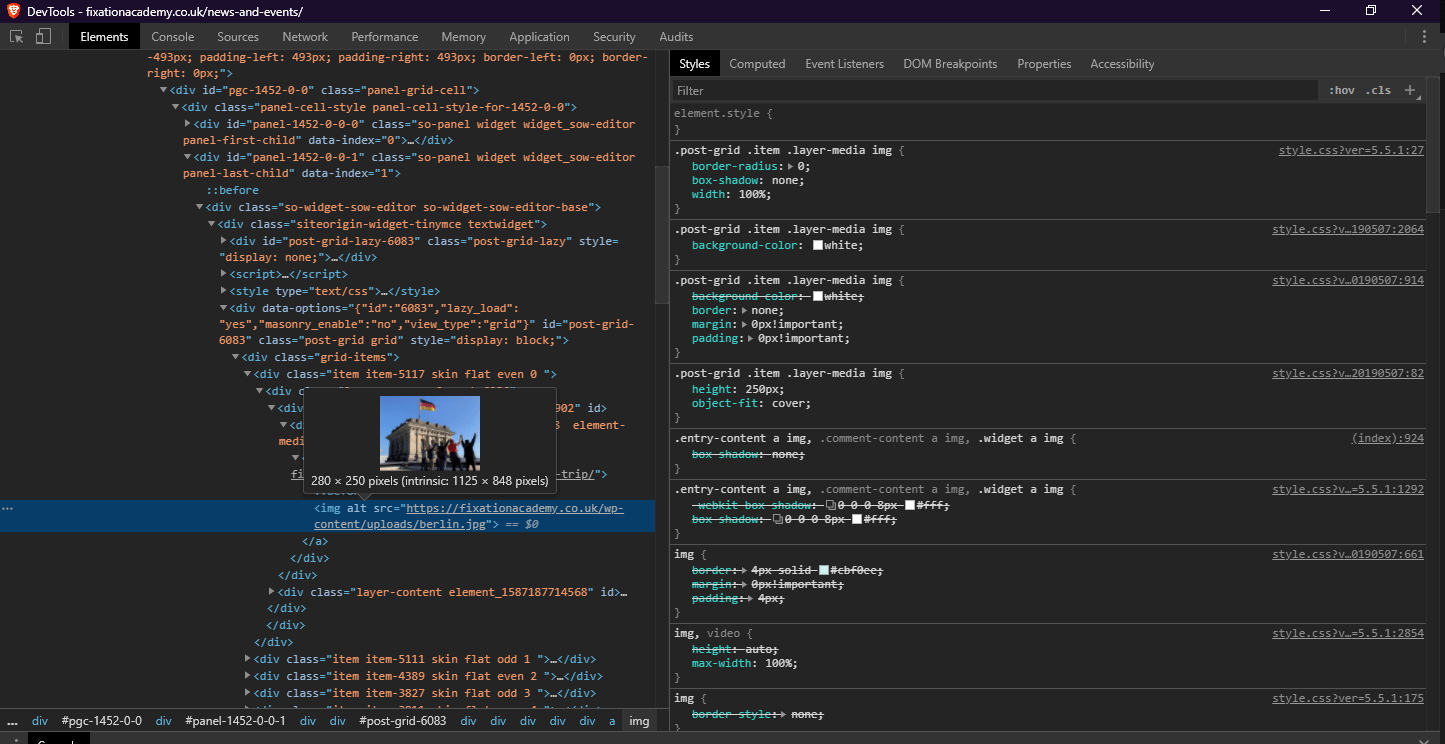
I do use image opimisation from Litespeed cache but this just replaces the image with one of the same size. if the correct image size was being called – it would show the optimised image of the correct size.
I have tested with the whole cache plugin fully deactivated and reults are the same (except it serves jpeg instead pf webp).
here is a screenshot with the plugin disabled: https://fixationacademy.co.uk/wp-content/uploads/code-screenshot.gif
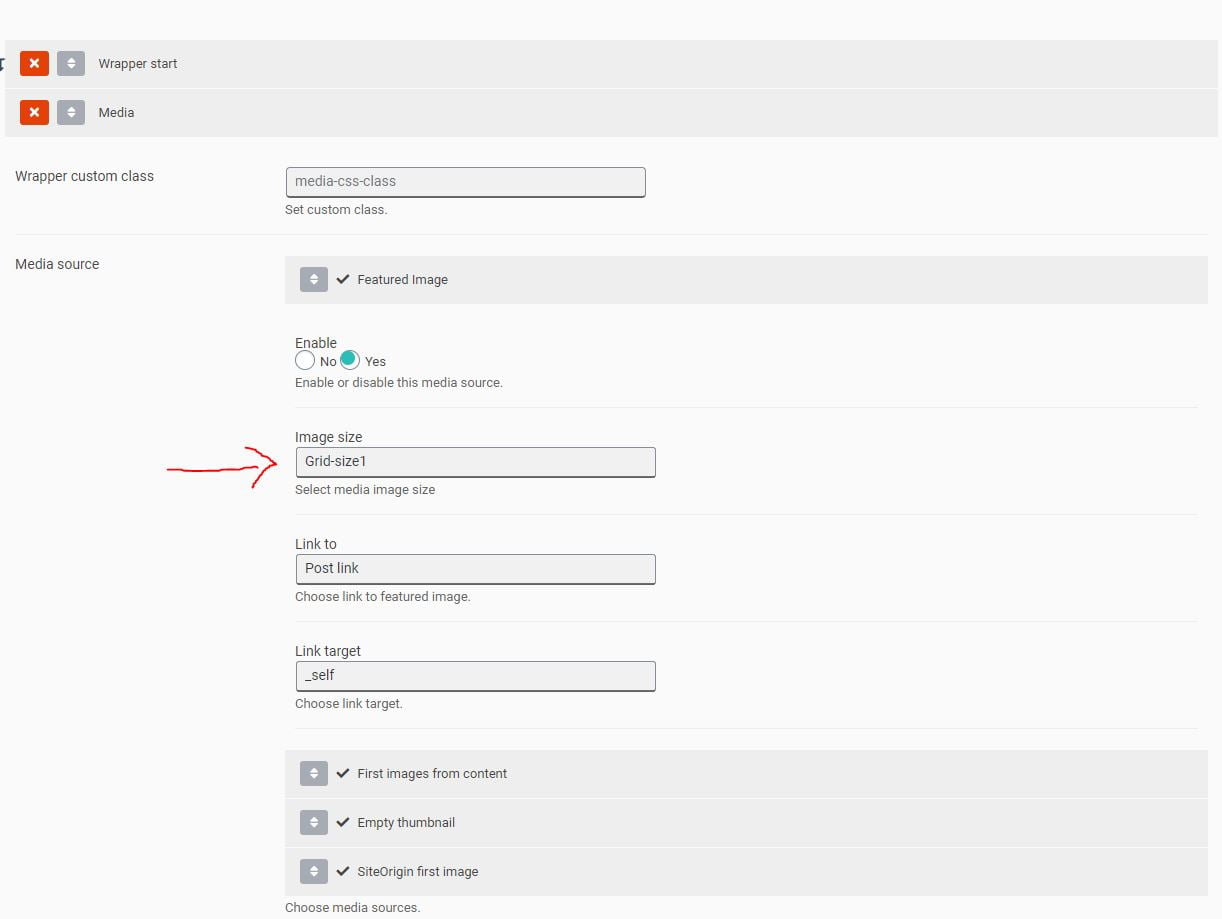
As i mentioned above I have created a new image size set and set this image size to be used within the layout editor.
here is a screenshot of the grid layout settings: https://fixationacademy.co.uk/wp-content/uploads/grid-settings.jpg
thanks
dave