quantazelle

Forum Replies Created
-
Forum: Fixing WordPress
In reply to: Autogenerated password stops working after 1 loginanyone??
Forum: Fixing WordPress
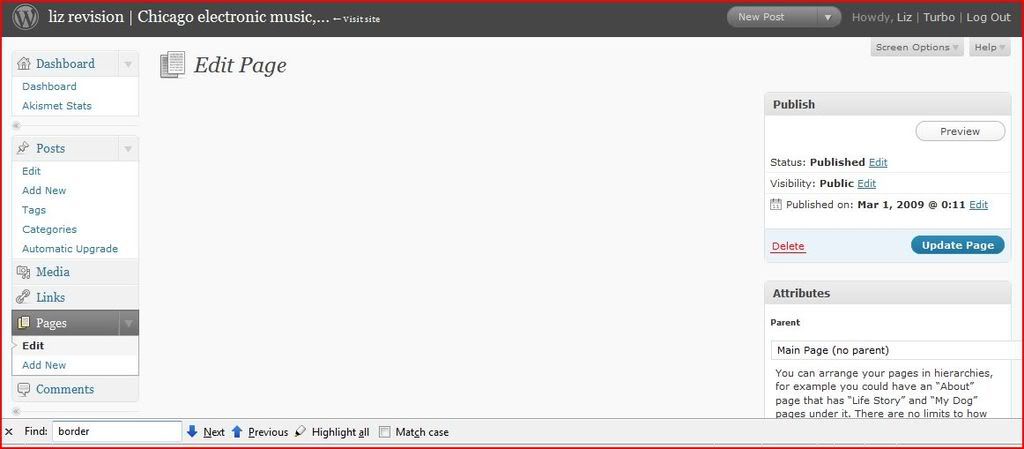
In reply to: Parts of admin area are blank / not loadingSome parts of the admin are blank when I try to load them, including the Plugins, Edit Page, and the middle part of the Dashboard. I increased the memory_limit in php.ini to 200MB since I was getting memory errors but that didn’t solve the problem. This just started.
http://i599.photobucket.com/albums/tt78/quantazelle/blank-plugins.jpg?t=1236043252
http://i599.photobucket.com/albums/tt78/quantazelle/missingpage.jpg?t=1236043322
Forum: Fixing WordPress
In reply to: 2.3.1 Page not loading (The page isn’t redirecting properly)I tried adding index.php to the custom permalink structure, but I am still having the same problem.
Forum: Developing with WordPress
In reply to: Get RSS feeds as links within a post, updated once a dayGood suggestion. I wonder, though, how to automate the posting to once a day if new content exists?
Is there another plugin somewhere that handles post automation?
I am having this problem too when I moved over to a new host.
someone on another forum suggested this:
blockquote
disable /wp-content/cache with this extra line of code in wp-config.php
………………………………
code
define(‘DISABLE_CACHE’, true);
/code
/blockquoteForum: Fixing WordPress
In reply to: Can’t access subdirectoriesI am having this problem too. I tried moving wordpress into its own subdirectory and then removing the wordpress stuff from the root’s .htaccess, but I’m still having the same problem acessing subdirectories.
Forum: Plugins
In reply to: htaccess is eating my siteI am having the same problem. I followed those instructions and moved wordpress to its own directory and left the index in the root and then cleared the wordpress stuff from the root’s .htaccess. Then I tried accessing my lists/admin directory but got a 500 Internal Server Error message. I couldn’t view any of the posts either.
Once I reset the permalinks by hitting “update permalink structure” in the options I could click on posts and view them, but now I’m seeing a blank page where the PHPList admin is in a subdirectory. The docs for PHPList say that means there’s a parse error, but I know for a fact it’s not because I could use it before without an issue, and I didn’t touch anything in that directory.
This is really frustrating.
Forum: Fixing WordPress
In reply to: PHPlist Admin Redirects to “Page Not Found”I am having this same problem. Maybe it has something to do with Permalinks?
Forum: Fixing WordPress
In reply to: PHPList admin with WordPressHi there,
I’m also having this problem. I even set up a redirect to mydomain.com/lists/admin/index.php from list.mydomain.com, but I get a “Page Not Found!” error. :-/
Forum: Themes and Templates
In reply to: Making author name link to author descriptionthanks–that’s what I was looking for!
Forum: Themes and Templates
In reply to: Making author name link to author descriptionThat’s not exactly what I’m asking.
While, yes, that does return the author description, I’m trying to figure out how to get the author’s name in each post to *link* to the author description.
Like, you just read a post and were like, “Who the hell is this smartass?” so you click the name after “POSTED BY:” and go to see their bio.