Lori Boone

Forum Replies Created
-
Forum: Plugins
In reply to: [WooCommerce] Renaming tax classForum: Plugins
In reply to: [WooCommerce] Cannot sign up for PayPal Standard test/developer accountHi @laceyrod thanks, that kind of helped! I put in the sandbox email and password but then it took me to this: https://snipboard.io/8PpE6M.jpg.
But this part does not work with my sandbox email and password.
Any idea why?
Best,
ChrisForum: Plugins
In reply to: [WooCommerce] Charging tax to UK buyers only (due to Brexit)thanks @abwaita that worked!
Forum: Plugins
In reply to: [WooCommerce] Cannot sign up for PayPal Standard test/developer accountHi @laceyrod unfortunately, it does not work with my password 🙁
Forum: Plugins
In reply to: [WooCommerce] Charging tax to UK buyers only (due to Brexit)Hi @abwaita
I have set up the taxes properly as shown here: https://app.usebubbles.com/o58pTvHGhxicyuuvATnwz1/comments-on-pleazo-com
But the Tax amount charged needs to show up at checkout just like it does if I were to charge tax to other countries as seen here: https://snipboard.io/DbJZ4T.jpg
When I have the tax setting only to UK, no tax info is showing as seen here: https://snipboard.io/0YwilB.jpg
So why is it that the UK tax does not show even though I have it set up?
Dokan says this is from woocommerce.
Best,
Chris`Forum: Plugins
In reply to: [WooCommerce] Cannot sign up for PayPal Standard test/developer accountHi @laceyrod
Thanks for your help. I have set up the sandbox account, but when I am in checkout and select PayPal as the payment method, it’s making me log in. I have the sandbox email account, but no password was given to me.
You can see here: https://app.usebubbles.com/tr3TYHv3LUmY2qL4DV9txH/comments-on-pleazo-com
Or is this the end of the sandbox testing and everything is working?
Best,
ChrisForum: Plugins
In reply to: [WooCommerce] Charging VAT only to UKHi @sukafia
Yes but the Tax amount charged needs to show up at checkout just like it does if I were to charge tax to other countries as seen here: https://snipboard.io/DbJZ4T.jpg
When I have the tax setting only to UK, no tax info is showing as seen here: https://snipboard.io/0YwilB.jpg
So why is it that the UK tax does not show even though I have it set up?
Best,
ChrisForum: Plugins
In reply to: [EU VAT Assistant for WooCommerce] Looking for following VAT featuresHi @daigo75 thank you for your response!
I tried the plugin and have a few questions.
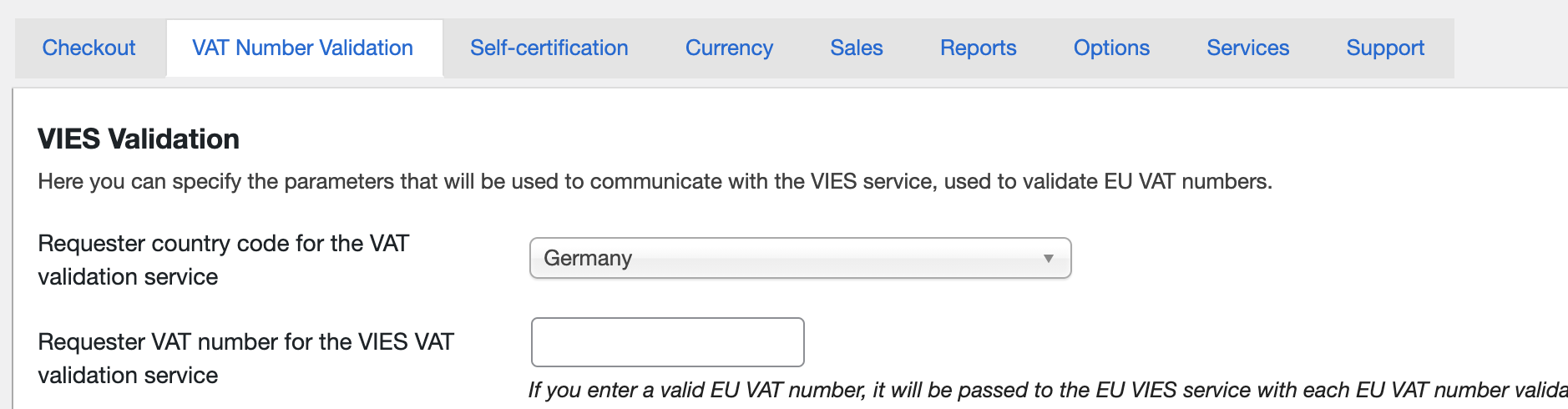
1. I am selling my product within the EU but I can only choose 1 country in “Requester country code for the VAT validation service” (as seen here: https://snipboard.io/wiepM1.jpg) is it possible to allow people outside Germany to enter their VAT number?
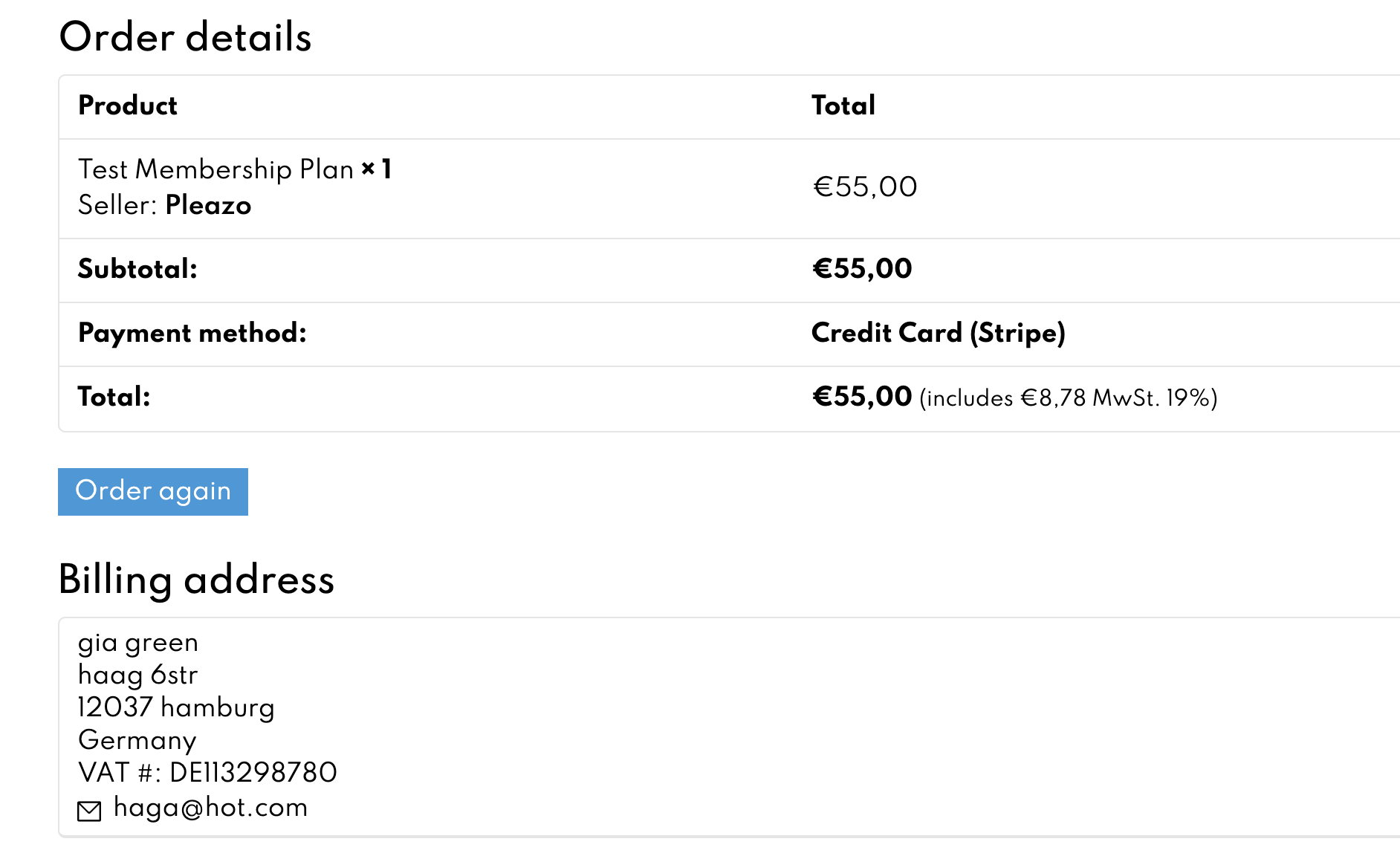
2. I entered correct VAT # but taxes still included in price: https://snipboard.io/KT8PUf.jpg. Do you know why this is?
3. How can this plugin be used with a UK VAT number?
4. Reports: When I go to woocommerce -> reports -> tax, I see the tax charged for all sales on my site (including sales from other vendors). Is it possible to only show the tax charged for the membership plans I am selling (as admin)?
Best,
ChrisForum: Plugins
In reply to: [WooCommerce] Removing info from product enquiry emailsHi @dpeyou,
Unfortunately Dokan just asked me to find a developer to help and they cannot support me with this. So they could not elaborate why is it was not working. But I got it to work now!
- This reply was modified 5 years, 1 month ago by Lori Boone.
- This reply was modified 5 years, 1 month ago by Lori Boone.
Hi @alexmigf any update?
Forum: Plugins
In reply to: [Sokol: Smart WooCommerce Search] plug in disappearsHi @yummy-wp
But it says “no value” and I cannot select anything else. Am I missing something here?
thanks @alexmigf
I changed the code to the example you sent me but now the VAT ID field has disappeared from the vendor form. I am not sure what I did wrong here.
I added the following into my functions.php:
/*Extra field on the seller settings and show the value on the store banner -Dokan*/

// Add extra field in seller settings

add_action( 'wpo_wcpdf_after_customer_notes', function( $document_type, $order ) {
	if( !empty($order) && $document_type == 'invoice' ) {
		$vendor_id = get_dokan_vendor_from_order( $order->get_id() );
		if( ! function_exists( 'dokan_get_store_info' ) ) return;
		$store_info = dokan_get_store_info( $vendor_id );

		if ( isset( $store_info['seller_vat'] ) && !empty( $store_info['seller_vat'] ) ) {
			echo '<div class="seller_vat">'.esc_html( $store_info['seller_vat'] ).'</div>';
		}
	}
}, 10, 2 );

function get_dokan_vendor_from_order( $order_id ) {
	if( empty($order_id) ) return;

	if ( function_exists( 'dokan_get_seller_ids_by' ) ) {
		$seller_list = dokan_get_seller_ids_by( $order_id );
	} else {
		$seller_list = array_unique( array_keys( dokan_get_sellers_by( $order_id ) ) );
	}

	$vendor_id = '';
	if ( count( $seller_list ) > 1 ) {
		foreach($seller_list as $vendor_id) {
			$vendor_id = $vendor_id;
		}
	} else {
		$vendor_id  = $seller_list[0];
	}

	return $vendor_id;
}
So then I removed the code above and added this in the functions.php which made the VAT ID field show up again, but how do I get the vendor VAT ID # to show up in the invoice?
/*Extra field on the seller settings and show the value on the store banner -Dokan*/ // Add extra field in seller settings add_filter( 'dokan_settings_form_bottom', 'extra_fields', 10, 2); function extra_fields( $current_user, $profile_info ){ $seller_vat= isset( $profile_info['seller_vat'] ) ? $profile_info['seller_vat'] : ''; ?> <div class="gregcustom dokan-form-group"> <label class="dokan-w3 dokan-control-label" for="setting_address"> <?php _e( 'VAT ID', 'dokan' ); ?> </label> <div class="dokan-w5"> <input type="text" class="dokan-form-control input-md valid" name="seller_vat" id="reg_seller_vat" value="<?php echo $seller_vat; ?>" /> </div> </div> <?php } //save the field value add_action( 'dokan_store_profile_saved', 'save_extra_fields', 15 ); function save_extra_fields( $store_id ) { $dokan_settings = dokan_get_store_info($store_id); if ( isset( $_POST['seller_vat'] ) ) { $dokan_settings['seller_vat'] = $_POST['seller_vat']; } update_user_meta( $store_id, 'dokan_profile_settings', $dokan_settings ); }- This reply was modified 5 years, 2 months ago by Lori Boone.
- This reply was modified 5 years, 2 months ago by Lori Boone.
Hi @alexmigf thanks for your response.
It’s saved as:
// Add extra field in seller settings

add_filter( 'dokan_settings_form_bottom', 'extra_fields', 10, 2);

function extra_fields( $current_user, $profile_info ){
$seller_url= isset( $profile_info['seller_url'] ) ? $profile_info['seller_url'] : '';
?>
 <div class="gregcustom dokan-form-group">
        <label class="dokan-w3 dokan-control-label" for="setting_address">
            <?php _e( 'VAT ID', 'dokan' ); ?>
        </label>
        <div class="dokan-w5">
            <input type="text" class="dokan-form-control input-md valid" name="seller_url" id="reg_seller_url" value="<?php echo $seller_url; ?>" />
        </div>
    </div>
    <?php
}

    //save the field value

add_action( 'dokan_store_profile_saved', 'save_extra_fields', 15 );
function save_extra_fields( $store_id ) {
    $dokan_settings = dokan_get_store_info($store_id);
    if ( isset( $_POST['seller_url'] ) ) {
        $dokan_settings['seller_url'] = $_POST['seller_url'];
    }
 update_user_meta( $store_id, 'dokan_profile_settings', $dokan_settings );
}
Forum: Plugins
In reply to: [WooCommerce] Remove page titleThanks @maykato
There are a few pages I need to do this with. Would the css look like this:
.page-id-3830 .entry-title {
display: none;
}.page-id-3831 .entry-title {
display: none;
}.page-id-3832 .entry-title {
display: none;
}Or an I do:
.page-id-3830, 3831, 3832 .entry-title {
display: none;
}Best,
Chris