papaworx

Forum Replies Created
-
Forum: Fixing WordPress
In reply to: new user notification incompleteThat’s not what it did. All I got on my trial notification was:
“Your account with username: po is now active”Forum: Fixing WordPress
In reply to: upload_max_filesize_limit can’t be changedThanks, I had tried several restarts, which should cause restarts of the Apache2 server. Didn’t help. But “miracle over miracle”, this morning WordPress suddenly was able to digest my 2.2 MB import.
Forum: Plugins
In reply to: [CommentPress Core] Child theme background imageThanks Christian. Since I also had some other problems, I have switched from Flat to Modern, and am very happy with the results. I don’t need to enqueue a local copy of screen.min.css.
I do have another question, however: I have converted the page-curl images to .png, so I could make the page navigation background transparent rather than white. It works well for the two top links. The arrow shows on the bottom links, and they allow moving to the next, resp. previous page. But the corner doesn’t curl on ‘hover’, and I can’t figure out how you did it. All the four page-curls have the double image (straight arrow/arrow with curl). But the bottom ones won’t switch on ‘hover’.Forum: Plugins
In reply to: [CommentPress Core] Child theme background imageIf I may impose, the enqueuing syntax is a bit difficult to follow. If I want to include a stylesheet ‘screen.min.css’, situated in /assets/css/ under the template directory, can I enqueue that file by including the following line in the myTheme_enqueue_styles function:
wp_enqueue_style( 'screen.min', get_template_directory_uri().'/assets/css/screen.min.css',false,'1.1','all');
I would feel considerably more confident, if you put your stamp of approval on it, and I won’t hold you liable ;-}Forum: Plugins
In reply to: [CommentPress Core] no Template drop downRESOLVED!
Thanks Christian, your suggestions triggered problem solving. My problem was a screwed up style.css. In an attempt to speed up loading of my website, I minimised style.css by simply replacing carriage returns with spaces and then compressing multiple spaces to one. Most of the css survived this drastic treatment, but apparently, some functionality did not. I went back to the un-minimised style.css (which I had saved, luckily). Now things are working again.
Thanks- This reply was modified 9 years, 2 months ago by papaworx.
Forum: Plugins
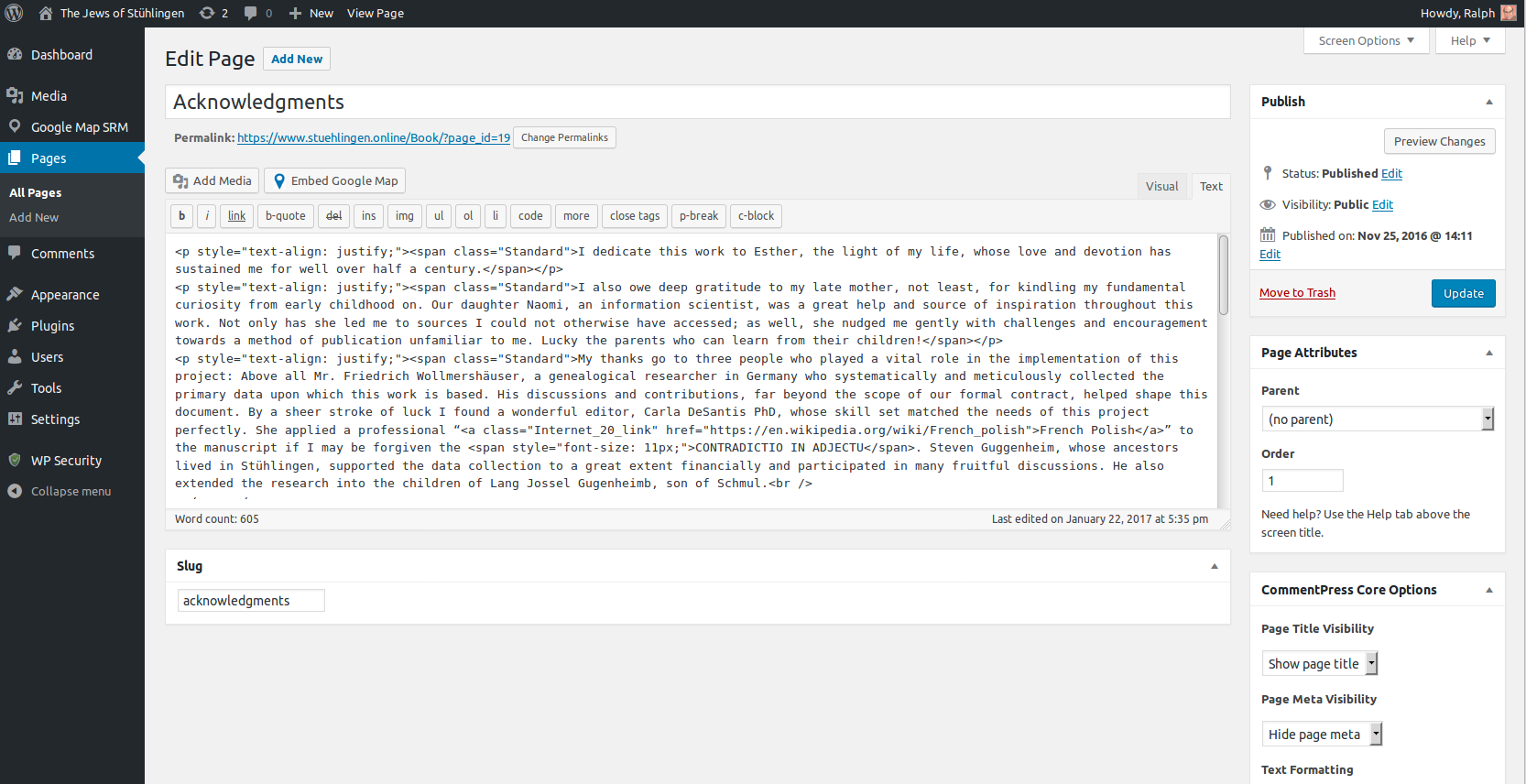
In reply to: [CommentPress Core] no Template drop downWP Version : 4.7.2
CommentPress Core: 3.9.1This Forum doesn’t seem to have a file download feature, but you can get a Screenshot from:
http://www.stuehlingen.online/Stuehlingen/Box/EditPageScreenshot.png- This reply was modified 9 years, 2 months ago by papaworx.
Forum: Plugins
In reply to: [SSL Insecure Content Fixer] no httpsYes, the provider had made a mistake with the certificate and fixed it after the fourth attempt yesterday afternoon. Thanks for your help.
Forum: Plugins
In reply to: [SSL Insecure Content Fixer] no httpsForum: Plugins
In reply to: [SSL Insecure Content Fixer] no httpsIn the meantime I found that all links in the <head> as well as media appear with absolute http: uri’s.
Forum: Fixing WordPress
In reply to: Validation error in figure captionIn the page editor (Text) the illustration looks like this:
[caption id="attachment_2888" align="alignleft" width="400"]<img class="size-full wp-image-2888" src="http://www.stuehlingen.online/Book/wp-content/uploads/2017/01/BusColAbs-e1485171019750.png" alt="Business mix, absolute" width="400" height="282" /> Figure 8. Absolute commercial pattern of 34 most active merchants.[/caption]Forum: Fixing WordPress
In reply to: Validation error in figure captionCommentPress with CommentPress-Flat theme
Forum: Fixing WordPress
In reply to: Validating WorPress pageshttps://validator.w3.org/ (suggested on WordPress website)
here are the first few:
Consider avoiding viewport values that prevent users from resizing documents.
<meta name=”viewport” content=”width=device-width, initial-scale=1.0, maximum-scale=1.0, minimum-scale=1.0, user-scalable=no” />↩<metaElement div not allowed as child of element span in this context. (Suppressing further errors from this subtree.)
From line 578, column 1; to line 578, column 129
a></span>↩<div style=”padding-top: 20px; width: 600px; font-family: DejaVu Serif; font-size: 20px; line-height: 100%; text-align: center;”><img c
Forum: Fixing WordPress
In reply to: Text tinny on Windows, pleasant on LinuxI have played around with font families and now have a satisfactory look in Linux and Windows. I haven’t tried Macs yet. Apparently, the zoom setting 100% is not the same, even across Windows 10, depending on the specific machine.
Forum: Fixing WordPress
In reply to: Text tinny on Windows, pleasant on LinuxForum: Fixing WordPress
In reply to: howto find index of item in WP_PostSOLVED!
I simply stepped through the WP_Post and tested for ID component, until I had the right one. There won’t be to many items.