Nelinfo

Forum Replies Created
-
Forum: Plugins
In reply to: [TablePress - Tables in WordPress made easy] Alignment in the tableThank you, Tobias!
This is what you need!
We talked with you about a year ago on the topic of improved search in Tablepress tables using checkboxes. Tell me please, have you changed anything in this direction, are you planning to finalize the plug-in? I think this would be very convenient and in demand by many fans of your plugin.Denis.
Forum: Plugins
In reply to: [TablePress - Tables in WordPress made easy] Alignment in the tableThanks for the quick response!
But you did not understand me))) I already have everything in the center.
I need only change the second column (left). Alignment only in a particular (second) column should not be in the center, but on the left, with the culler.
See the picture.
Is your plug-in capable of this?Thank you. Denis.
The solution found here
I turned off horizontal scrolling. The problem went away. Hopefully it has been in this)))
Thank you!
Regards,
DenisForum: Plugins
In reply to: [TablePress - Tables in WordPress made easy] Search using checkboxesYou offer to install a third-party search plugin? What? Or I misunderstood you?
Regards,
TobiasTobias,
My idea is to make a page with a single search box (like Google). All relevant entries in the table to appear (the search below) when you enter a user request.
Scrolling 1000 or more records to anyone not interested and do not have time. Need a quick search. By the way, yesterday I saw you asked about the organization of the search checkmarks in checkboxes. This is a very good topic, nothing you do not want to improve their TablePress.Regards,
DenisTobias,
it’s important for me:
1. Leave the display “number of entries” in the table;
2. Do not deploy the entire table (3000 records)Regards, Denis
Hi, Tobias
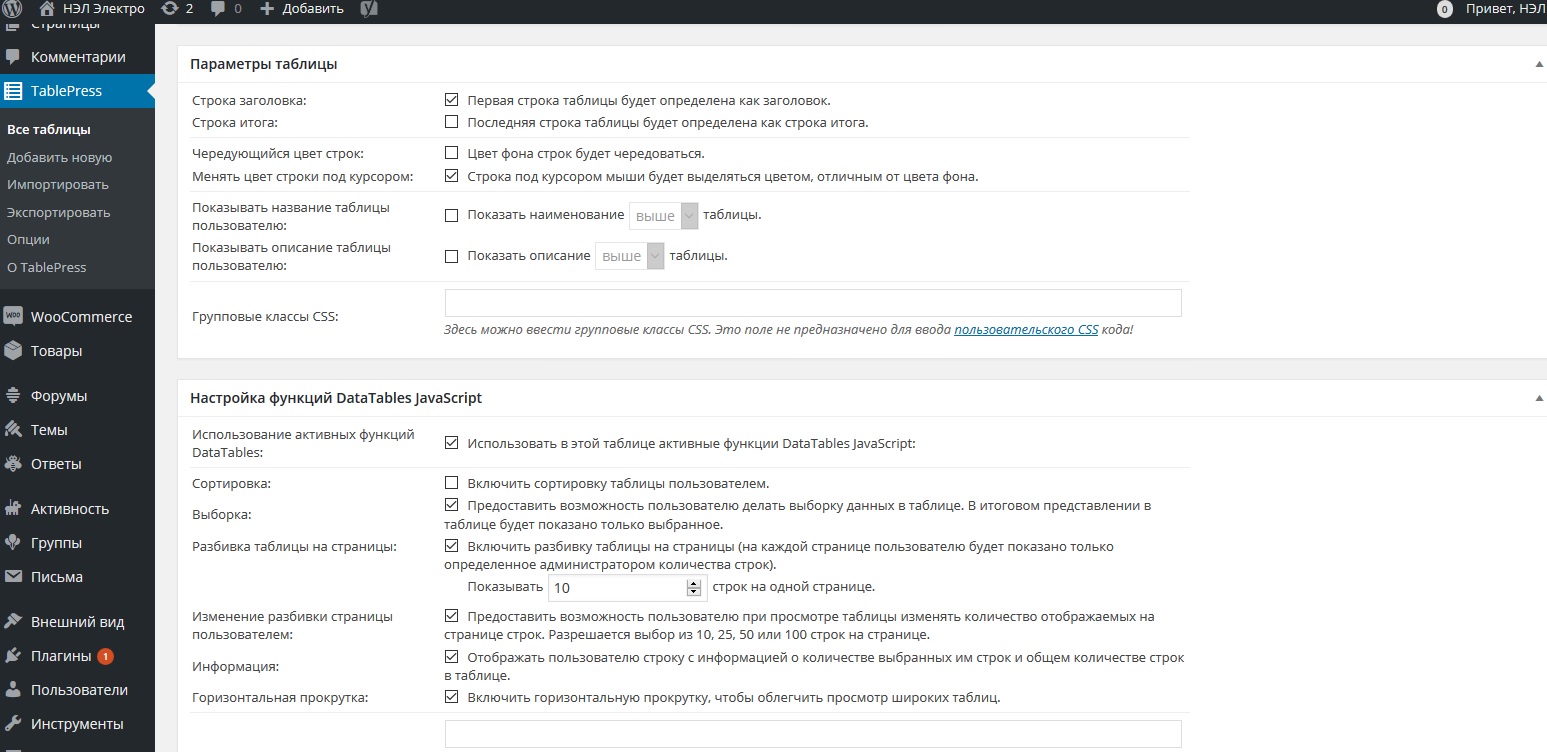
Unfortunately, I still can not understand where “Just turn off the features like” Table info “and pagination on the table’s” Edit “screen.”
Or is it necessary to write to the shortcode?
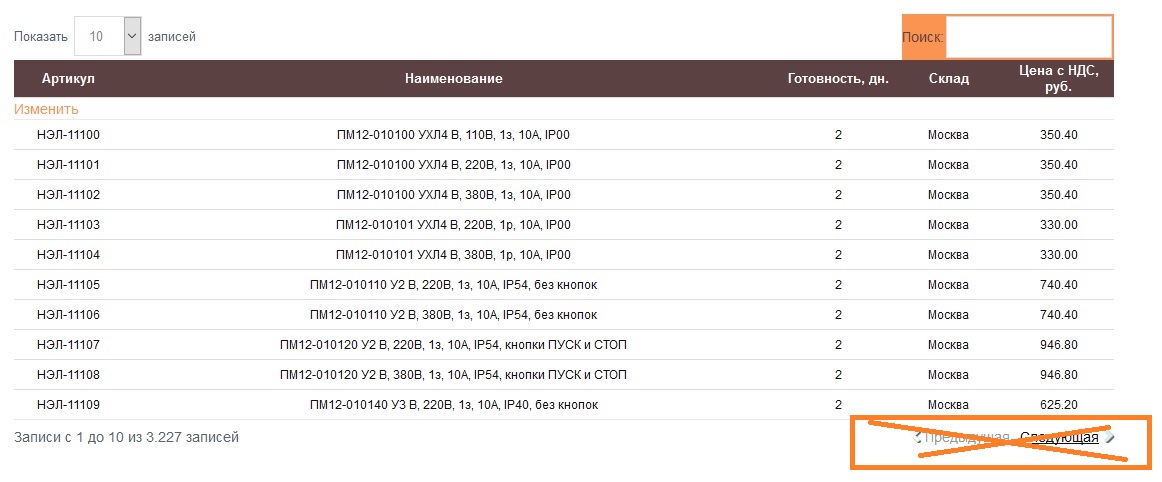
Pay attention: only want to delete the listing page, the number of records (under the table on the left side) need not be removed.Thanks, Denis
Forum: Themes and Templates
In reply to: [Hueman] Missing Header H1Yes, more than confident that this is a bug Yoast.
Here are two entries from my site. In the first, Yoast header saw. The second does not see, though all the graphs are filled in correctly.http://bludagu.ru/wp-content/uploads/2014/08/Безымянный-1.png
Forum: Themes and Templates
In reply to: [Hueman] Missing Header H1I have the same problem: Yoast WordPress SEO says that there is no header, though I still wrote.
Developer checked. Says this is an internal error Yoast, H1 tag in the code there.