mdegive

Forum Replies Created
-
Forum: Fixing WordPress
In reply to: form method post returns blank pageyes I am creating a custom pluginthat will upload a file and the only way to do that is to use method=’POST’ and enctype=’multipart/form-data’
Forum: Plugins
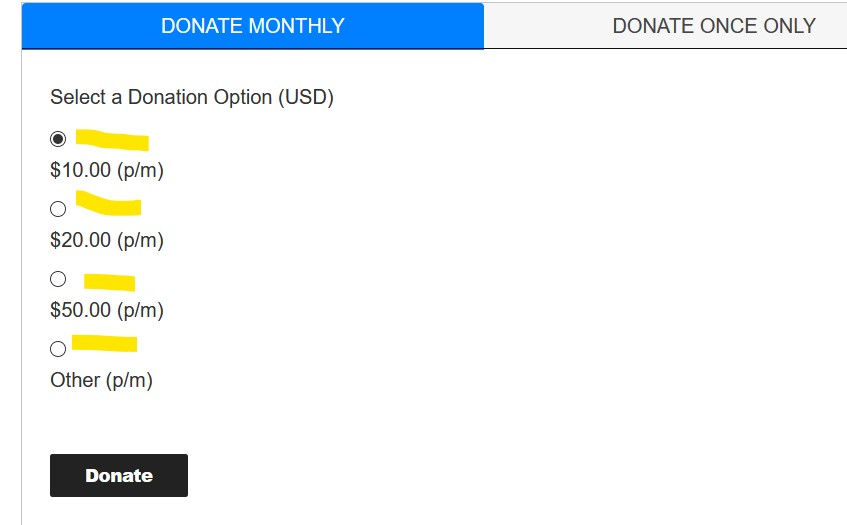
In reply to: [Recurring PayPal Donations] How to Remove Line Breaks between radio-buttonshere is a screenshot of what I see in both Chrome & firefox
https://familypersonalities.com/wp-content/uploads/2021/04/fpm_radio.jpg
thank you for the help!
Forum: Themes and Templates
In reply to: [Twenty Seventeen] Google search console mobile usability issueI have the same issue on this website: https://familypersonalities.com/
Makes no sense.
I also get a third error: Error Content wider than screen.
When I run a “Test Live Page” from google search, it says “Page is mobile friendly”
It was the plugin, I had not updated in many years because I had customized it, but after updating it it worked again.
Thank you for your help.
My bad, I was looking at an older copy of that script on my local machine, it is fine on the server.
Now the only occurrences are in:
wp-admin/includes/class-wp-site-health.php line 1070 sectionand in wp-includes/class-phpmailer.php line 3297
So how can we fix this?
options-general.php:
line 183
// Set TZ so localtime works.
date_default_timezone_set($tzstring);
$now = localtime(time(), true);
line 218
// Set back to UTC.
date_default_timezone_set(‘UTC’);I have the same issue since I upgraded to 3.2.0/3.2.1
I searched for date_default_timezone_set and it is used in wp-settings.php:
date_default_timezone_set( ‘UTC’ );And it is also in wp-admin\options-general.php
When I set a date on an event to July 1st 5PM to 7PM, after save it becomes July 1st 2PM to 9AM, and the calendar displays it on July 2nd 4am.
date_default_timezone_set is NOT anywhere in my theme.
WP Version: 5.4.2, PHP Version: 5.6.38
Help, my calendar is now broken!
Forum: Plugins
In reply to: [My Calendar - Accessible Event Manager] Display Icon in calendarI tried this:
[my_calendar id=”my-calendar” template=”{image} {title before=”<h3>” after=”</h3>”} {time}”]
But it did not change anything in my calendar: https://elks901.org/wp/calendar-of-events/Here is an image of a calendar I am trying to replicate with little icons within the calendar: https://elks901.org/wp/wp-content/uploads/2019/12/cal_icon.jpg
Thank you.
Michel
Forum: Plugins
In reply to: [My Calendar - Accessible Event Manager] URL Open in New Window/TabCould you add this as a new feature in a future release maybe?
Forum: Plugins
In reply to: [My Calendar - Accessible Event Manager] URL Open in New Window/TabI am talking about the calendar Admin. Below ‘Event Details’, there is a field called URL. I would like the URL to open in a separate window when it is clicked on from the calendar instead of opening in the same window. Maybe a checkbox next to it “Open in a new Window?”, then all you do is add a target=”_blank” to the href.
Thank you.