macstainless

Forum Replies Created
-
An IP lookup of my server for Timemachiner.io is 172.67.149.70 & 104.21.87.253
Here’s a screen shot of the page:
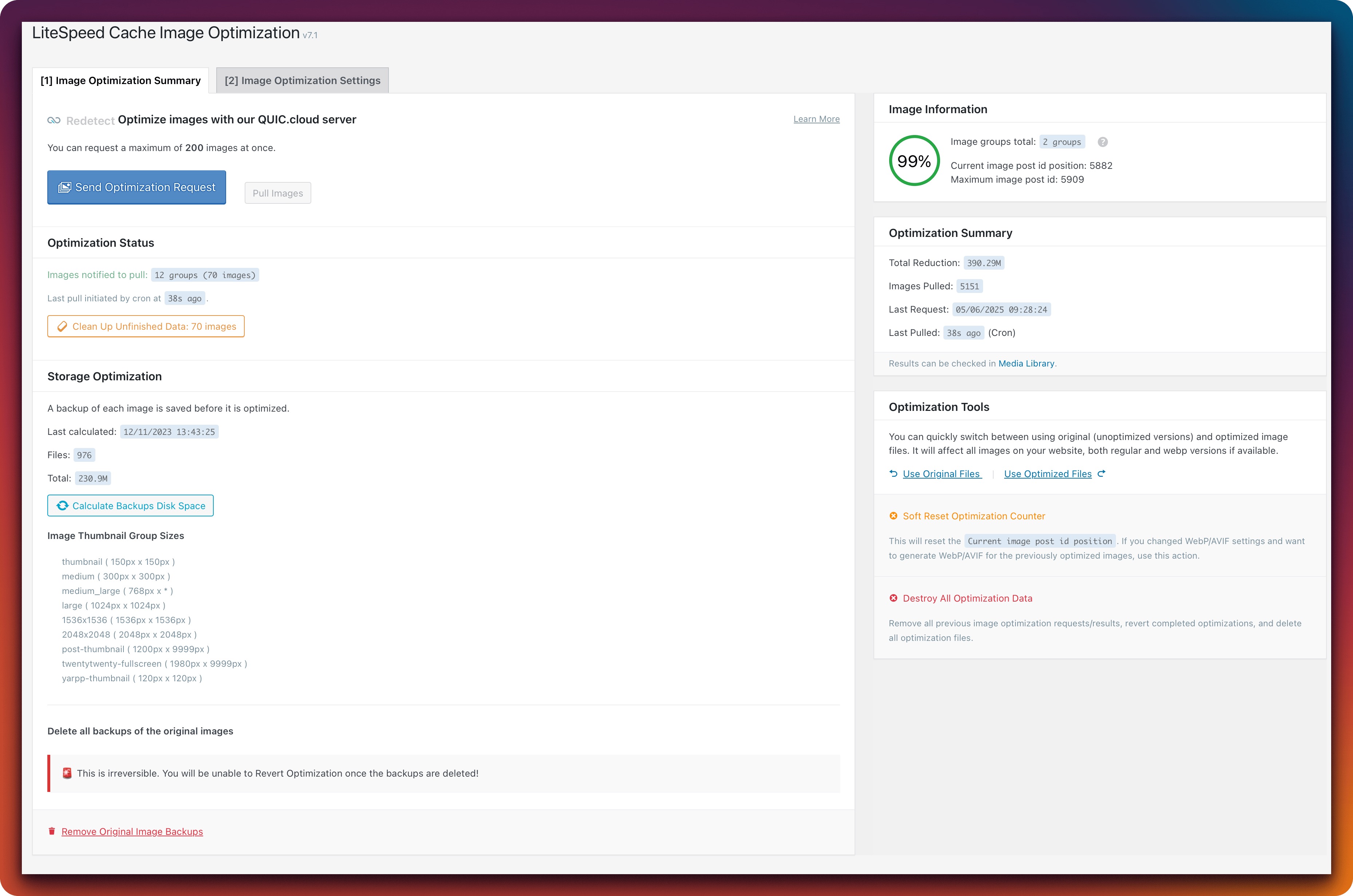
Okay, so the error is now no longer showing, which is good. However, in my Image Optimization setting in the plugin, it never processes these 70 images. I’ve tried clicking the Clean Up Unfinished Images button, but it never actually processes this queue.
Images notified to pull:
12 groups (70 images)Last pull initiated by cron at
22s ago.Clean Up Unfinished Data: 70 images
Thank you. I’ll give this a try and see if it happens again. Will update this thread in a few days with the status. Appreciate the support.
Forum: Plugins
In reply to: [Light Modal Block] Cannot Get Modal to TriggerI’m going to move onto another plugin for now. I’ve removed this from my site and re-enabled all functionality I’ve turned off. Sorry I can’t keep it in that state for too long. If this is resolved at some point, I will consider returning to it. Thanks.
Forum: Plugins
In reply to: [Light Modal Block] Cannot Get Modal to TriggerHi @dkjensen , I’ve tried that and unfortunately it did not resolve the issue. In addition I tried:
- Turning LightSpeed off completely via WP dashboard.
- Turning Cloudflare cache off completely.
- Confirming nothing in AssetCleanup is causing an error, but I also disabled the plugin completely.
I’m not sure what else to try. I can leave my site in the current noted plugins & cache fully-disabled state for a few hours so you can look at it, but I will need to re-enable everything shortly in order to have the functionality I need. Any more help would be appreciated. Thank you.
- This reply was modified 1 year, 3 months ago by macstainless.
Forum: Plugins
In reply to: [ActivityPub] Author URL is not accessibleI’ve disabled my caching (my profile page was already excluded from Lightspeed) and also disabled Yoast. Neither has made a difference in this. I don’t know how to handle content-negotiation support. Can you provide more insight as to what that is and how to fix that?
Hi @wfpeter, thanks for the info.
Is there anything in this table that could be malicious? I just want to be sure before I ask my host to whitelist this issue. Alternatively, is there a way for the table to obfuscate these logs so they don’t trigger host antivirus?
Given it’s the 2nd instance you’re seeing of this, it makes me wonder if a tweak on the WF side to help limit these false-positives could be helpful.
Thanks.