Kingyyyy

Forum Replies Created
-
Forum: Plugins
In reply to: [Autoptimize] Issue with latest version of Slider RevolutionEmail sent 🙂
Forum: Plugins
In reply to: [Trustpilot Reviews] Version 2.5.901 Issue!Over 6 months now and cannot update the plugin as we can’t use the unbuilt widget builder. We need to use direct code…
Please provide an update?
Forum: Plugins
In reply to: [Autoptimize] CSS Issue with latest updateHello @shakee93
You already emailed me and accessed my site to find this issue, and told me to contact AO too. 🙂
I’ve emailed you back with this link.
Forum: Plugins
In reply to: [Autoptimize] CSS Issue with latest updateThe same I believe. I had to just switch off the CSS options in the latest version.
Forum: Plugins
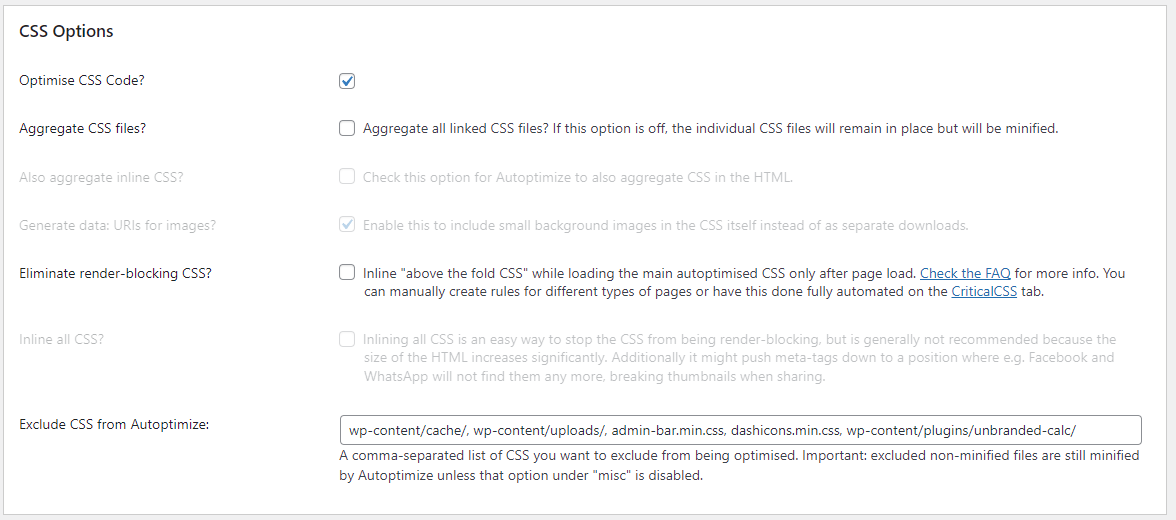
In reply to: [Autoptimize] CSS Issue with latest updateThese are the options I currently have on whilst downgraded: https://i.gyazo.com/639b16972291119962c1f722da004d61.png
Should I tick the 2nd box?
Forum: Plugins
In reply to: [Autoptimize] CSS Issue with latest updateHello,
I only see RL errors like this in the current log and previous logs (“” for sensitive info removed):-
[proxy_fcgi:error] [pid "some numbers":tid "some numbers"] [client "IP"] AH01071: Got error 'PHP message: WordPress database error Illegal mix of collations for operation 'UNION' for query SELECT files FROM wp_rapidload_uucss_job WHERE files IS NOT NULL UNION ALL SELECT files FROM wp_rapidload_uucss_rule WHERE files IS NOT NULL made by require('wp-blog-header.php'), require_once('wp-includes/template-loader.php'), do_action('template_redirect'), WP_Hook->do_action, WP_Hook->apply_filters, UnusedCSS_RapidLoad->uucss_notfound_fallback, UnusedCSS_DB::get_original_file_name', referer: https://""- This reply was modified 4 years ago by Kingyyyy.
Forum: Plugins
In reply to: [Autoptimize] CSS Issue with latest updateHello,
Downgraded and enabled the CSS options, cleared all caches, and no issues at all like before.
It seems it is due to the latest update.
Forum: Plugins
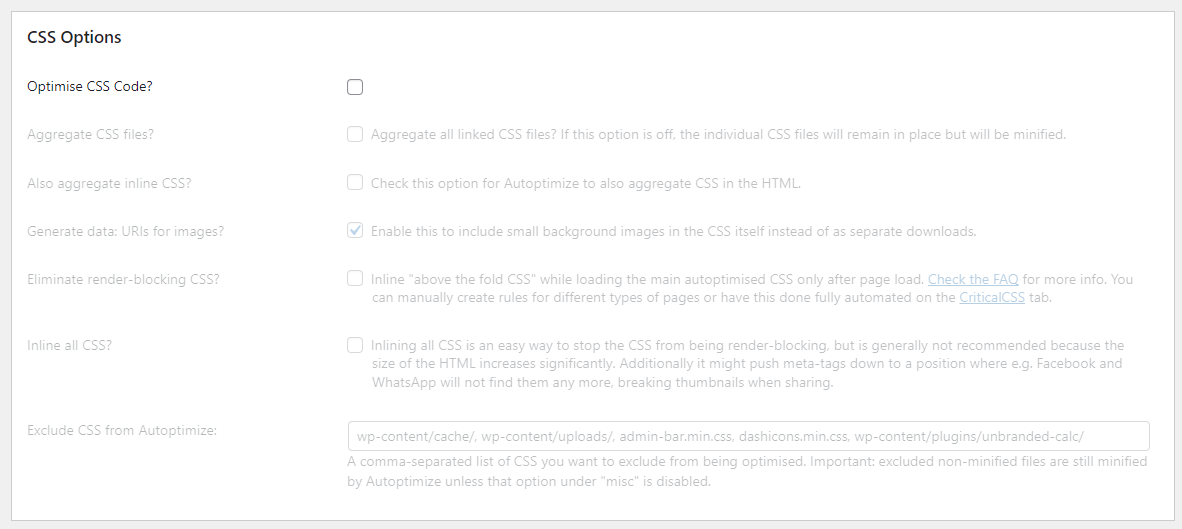
In reply to: [Autoptimize] CSS Issue with latest updateI turned off these settings as RL instructed me to do so, and the issue is fixed for now: https://i.gyazo.com/2922a515f429989dab6cded44aa4f68f.png
I had the settings on with the previous version of AO and there were no issues.
For performance reasons I’d like to have them on, though.
Forum: Plugins
In reply to: [Autoptimize] CSS Issue with latest updateThanks. I’ll use this for now.
It will be great if you can discuss with RL and found a solution going forward, too, as I believe they’ve contacted you.
Forum: Plugins
In reply to: [Autoptimize] CSS Issue with latest updateHello,
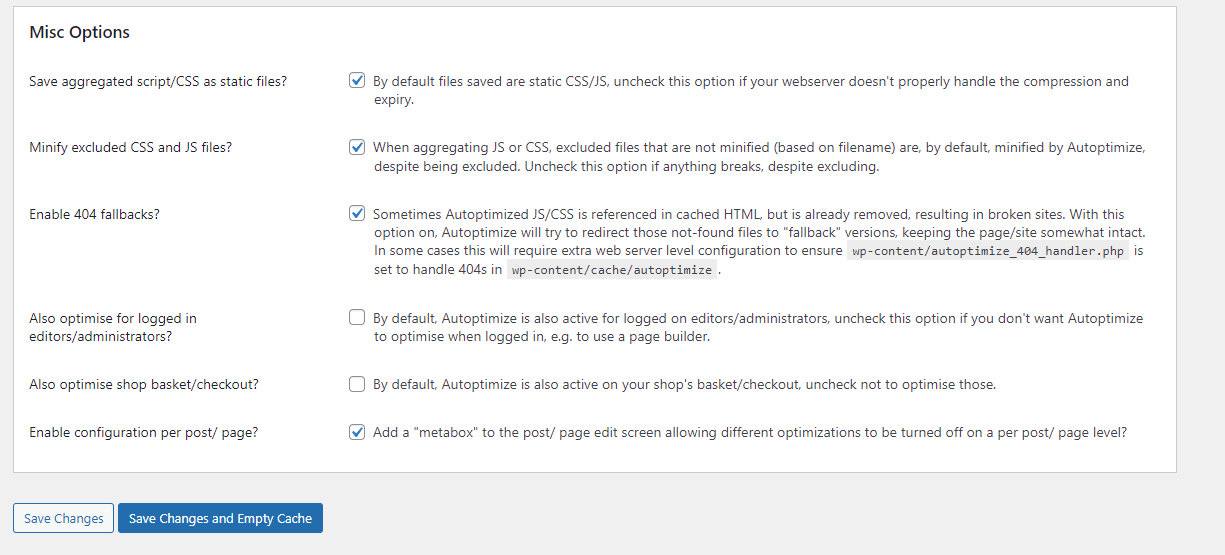
The option was here: https://i.gyazo.com/4981b806d201f0ea645af84ce0669408.png
I might have described it wrong to you, as it was in AO.
It said this logic was disabled for people who had the plugin running before version XX to help with larger/complex scripts (I’ve had AO active before the version it mentioned)- So I clicked it and then the option disappeared as it was a permeant feature in the latest update of AO.
Forum: Plugins
In reply to: [Trustpilot Reviews] Version 2.5.901 Issue!Hello,
It’s been over 4 months and we cannot update the plugin, as we still require a hotfix for those of us who don’t use widgets.
Would be great if you can get back to us.
Forum: Plugins
In reply to: [WP Armour - Honeypot Anti Spam] Spamming or your Javascript is disabled!Update: It’s also happening with product reviews. Can only leave a product review if the customer (or admin) is logged in??
I see other plugin users on this forum are having this issue, too. Any update for all these false-positives?
Forum: Plugins
In reply to: [WP Armour - Honeypot Anti Spam] Spamming or your Javascript is disabled!Hello,
Thank you for your reply.
Level 2 spam is not enabled. It’s set to “No”.
Forum: Plugins
In reply to: [WP Armour - Honeypot Anti Spam] Update IssuesYou need to change it from “1.10” to “1.93” or “2.0” – as the previous version was “1.92”.
Forum: Plugins
In reply to: [Trustpilot Reviews] Version 2.5.901 Issue!Hello,
Any new update to resolve this yet?
I hate seeing that the plugin needs updating and I can’t click it.
- This reply was modified 4 years, 4 months ago by Kingyyyy.