jgrant999

Forum Replies Created
-
Forum: Plugins
In reply to: [WooCommerce - Gift Cards] Field and Button alignment issuesyes check the link above and there were several css changes that fixed quite a bit.
Forum: Plugins
In reply to: [WooCommerce - Gift Cards] Field and Button alignment issuesplease check this link out:
Forum: Plugins
In reply to: [WooCommerce] Cosmetic Issues with fields and buttons not aligning properlythanks a lot! I tweaked it a little but that is perfect!! 🙂
Forum: Plugins
In reply to: [WooCommerce] Cosmetic Issues with fields and buttons not aligning properlyyou will have to log in as a test subscriber that I just created for you b/c some of the products are only available to members only. Please use the following credentials and then you will see both pages of products.
lorro
KidCity2015Forum: Plugins
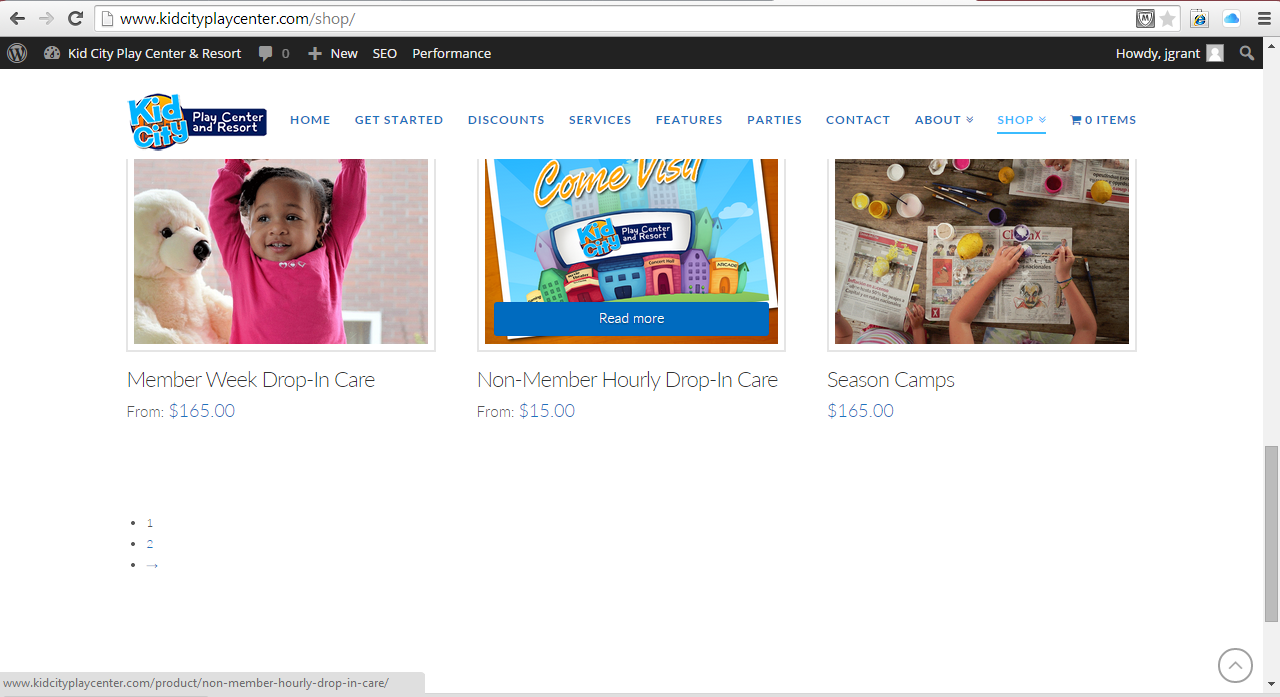
In reply to: [WooCommerce] Cosmetic Issues with fields and buttons not aligning properlyLorro, anyway you know how to change the previous and page number buttons to be side by side instead of on top of one another. Please see ss
Forum: Plugins
In reply to: [WooCommerce] Cosmetic Issues with fields and buttons not aligning properlyI just added the woocommerce bookings plug-in and the # of hours or # of people is a text box on mobile devices and not a selection to choose # of hours or # of people like it is on the website. Do you by chance know how to fix that as well?
http://kidcityplaycenter5.azurewebsites.net/product/non-member-hourly-drop-in-care/
Forum: Plugins
In reply to: [Email Before Download] Passing variables – help with Contact Form DB pluginNo problem! Please keep me posted if/when you ever get it figured out and I will do the same.
Forum: Plugins
In reply to: [WooCommerce] Cosmetic Issues with fields and buttons not aligning properlyeverything, you suggested has been damn near perfect up to this point! I hope you don’t mind if I bug your brain for a few more minor issues. Thanks in advance and please see the attached screenshot!
Forum: Plugins
In reply to: [WooCommerce] Cosmetic Issues with fields and buttons not aligning properlyOk all looks well! Can you help me with one last thing with the username field that I just noticed?
Forum: Plugins
In reply to: [WooCommerce] Cosmetic Issues with fields and buttons not aligning properlythis is what i made it and it appears to be working so far! Thank you sooooooo much!
.h-feature-headline span i {
background-color: #004eff;
}@media (max-width: 979px){
.x-nav-collapse, .x-nav-collapse.collapse {
overflow: hidden;
height: 0!important;
}
}
.x-nav-collapse, .x-nav-collapse.collapse.in {
height: auto!important;
}
.x-btn.green-btn {
color: #ffffff;
border-color: #f9c608;
background-color: #639a37;
}.x-btn.green-btn:hover {
color: #ffffff;
border-color: #639a37;
background-color: #f9c608;
}
.sku_wrapper {display:none}.variations_form input,
.variations_form textarea
{display:block; width:300px}.woocommerce .cart .actions .giftcard,
.woocommerce-page .cart .actions .giftcard
{width:200px; margin-top:-1px; border:1px solid #f2f2f2; padding:15px}.woocommerce .cart .actions .giftcard input[type=”submit”],
.woocommerce-page .cart .actions .giftcard input[type=”submit”]
{width:100%; margin-top:0.5em; padding:0.45em 0.5em 0.575em; font-size:14px}.woocommerce .cart .actions .giftcard input[type=”text”],
.woocommerce-page .cart .actions .giftcard input[type=”text”]
{width:100%; margin:0; padding:0 0.65em; font-size:13px}.checkout_coupon input,
.checkout_giftcard input
{width:160px !important; margin:0; padding:8px;}
.checkout_coupon .form-row,
.checkout_giftcard .form-row
{margin:8px 0 8px 0}.woocommerce-shipping-fields h3
{display:none}Forum: Plugins
In reply to: [WooCommerce] Cosmetic Issues with fields and buttons not aligning properlyOk this is the css that is in there now. I will post what I’m changing it to next
.h-feature-headline span i {
background-color: #004eff;
}@media (max-width: 979px){
.x-nav-collapse, .x-nav-collapse.collapse {
overflow: hidden;
height: 0!important;
}
.x-nav-collapse, .x-nav-collapse.collapse.in {
height: auto!important;
}
.x-btn.green-btn {
color: #ffffff;
border-color: #f9c608;
background-color: #639a37;
}.x-btn.green-btn:hover {
color: #ffffff;
border-color: #639a37;
background-color: #f9c608;
}
.sku_wrapper {display:none}.variations_form input,
.variations_form textarea
{display:block; width:300px}.woocommerce .cart .actions .giftcard,
.woocommerce-page .cart .actions .giftcard
{width:200px; margin-top:-1px; border:1px solid #f2f2f2; padding:15px}.woocommerce .cart .actions .giftcard input[type=”submit”],
.woocommerce-page .cart .actions .giftcard input[type=”submit”]
{width:100%; margin-top:0.5em; padding:0.45em 0.5em 0.575em; font-size:14px}.woocommerce .cart .actions .giftcard input[type=”text”],
.woocommerce-page .cart .actions .giftcard input[type=”text”]
{width:100%; margin:0; padding:0 0.65em; font-size:13px}.checkout_coupon input,
.checkout_giftcard input
{width:160px !important; margin:0; padding:8px;}
.checkout_coupon .form-row,
.checkout_giftcard .form-row
{margin:8px 0 8px 0}.woocommerce-shipping-fields h3
{display:none}
}Forum: Plugins
In reply to: [WooCommerce] New woocommerce plugin installed and now my site doesn't workI got mine resolved doing a restore and then manually disabling my payment gateway plugin as well as woocommerce. I haven’t updated back to the latest version of woocommerce yet though.
Forum: Plugins
In reply to: [WooCommerce] Cosmetic Issues with fields and buttons not aligning properlyI got it back up and running. It looks like my payment gateway plugin didn’t like the new woocommerce update so I disabled both woocommerce and it, and now the site is back functional.
But the css you told me to add on the previous post still didn’t work. Can you still help debug?
Forum: Plugins
In reply to: [WooCommerce] Cosmetic Issues with fields and buttons not aligning properlyI tried to add the code last night and it didn’t work exactly so I was just about to reply to this thread when I updated to the new woocommerce plugin. Now I am unable to pull up my site at all.
Forum: Plugins
In reply to: [Email Before Download] Passing variables – help with Contact Form DB plugindid you ever figure this out? I am trying to do the same thing with having 1 form and based on a radio button selection to determine which document the user gets.