Gianlu75

Forum Replies Created
-
Forum: Themes and Templates
In reply to: [SKT Full Width] Main menuI tried it in my header.php just before the tag </head> and it worked fine, thanks to SKTThemes !
Forum: Themes and Templates
In reply to: [SKT Full Width] Main menu@andrew:
I have no idea in which file I should put that JS…Forum: Themes and Templates
In reply to: [SKT Full Width] Main menubasic JS knowledge, but the screenshots are there, so, that’s fine…
Forum: Themes and Templates
In reply to: [SKT Full Width] Main menuI put the screenshots here.
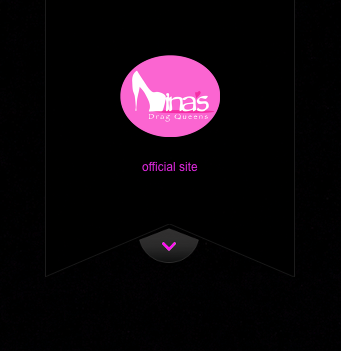
This is what I’d like to see in the home page:
http://www.ninasdragqueens.org/wp-content/uploads/2014/04/Menu_closed.png
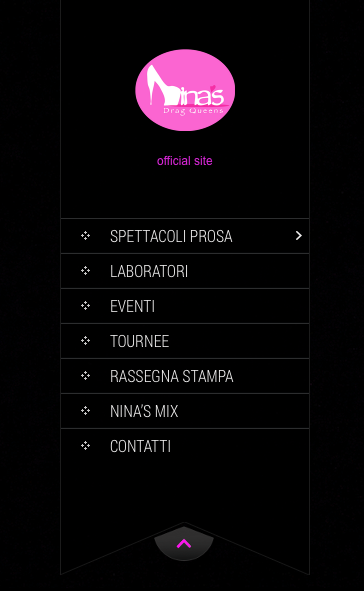
This is what happens normally if you go to the home page:
http://www.ninasdragqueens.org/wp-content/uploads/2014/04/Menu_open.png(thank you Andrew anyway, troubles with snag.gy …)
Hope now it’s clear!
thank youForum: Themes and Templates
In reply to: [SKT Full Width] Main menuHi,
I don’t want to say that it doesn’t work…
I was just asking if you know how to set the menu to be “closed”, “covered”, “collapsed”, I don’t know how to let you understand, I would like to attach a picture but it seems It’s not possible.
I try in another way:
When you visit the home page the menu looks like open:
[LOGO]
PAGE 1 >
PAGE 2
PAGE 3
…
then the arrow ^I would like that when someone visit the home page the menu would look just like this:
[LOGO]
arrow vI hope I explained it better…
thank you
Forum: Themes and Templates
In reply to: [SKT Full Width] Main menuwell, I mean the menu collapsed, without display all the voices before you click on the arrow…
My site is: http://www.ninasdragqueens.org