John Chandler

Forum Replies Created
-
Forum: Networking WordPress
In reply to: wp-admin returning 500 errors after update to 4.2.1Thanks.
I ended up clearing out thousands and thousands of spam comments via mysql queries and then the upgrade ran like a dream.
Forum: Networking WordPress
In reply to: wp-admin returning 500 errors after update to 4.2.1I do have wp-cli installed. (I do now, anyway!)
Comment tables are huge due to spam, so trying to trim those down, but I assume you ask because wp-cli also be used to update the tables for the update?
Forum: Networking WordPress
In reply to: wp-admin returning 500 errors after update to 4.2.1Mike — Thanks that actually seems like the most viable explanation I’ve seen. The total database is 4.8gb.
Any tricks to help get it through that DB update?
Forum: Networking WordPress
In reply to: wp-admin returning 500 errors after update to 4.2.1I was also running PHP 5.3, and just completed the upgrade to 5.4.40. Unfortunately, once I updated the site to 4.2.1, it’s still throwing back the same 500 error.
Forum: Networking WordPress
In reply to: wp-admin returning 500 errors after update to 4.2.1That had been my first thought too, but I tried to manually delete and upload the core files and that wasn’t a fix.
Forum: Networking WordPress
In reply to: wp-admin returning 500 errors after update to 4.2.1An update: I rolled the site back to 4.1.4 and everything was working fine again. I tried the upgrade again to 4.2.1 and lost access again.
Erick,
Thanks, that’s helpful. Is there some kind of function I could use to bypass Photon in this one template?
John
Appreciate it
Still the same issue after the update.
Jeremy,
Here’s an example of a gallery where it is occurring:
http://theeverylastdetail.com/inspiration-gallery/?colors&id=748
The issue occurs with the lightbox image when you click on a thumbnail.
Here’s a local image:
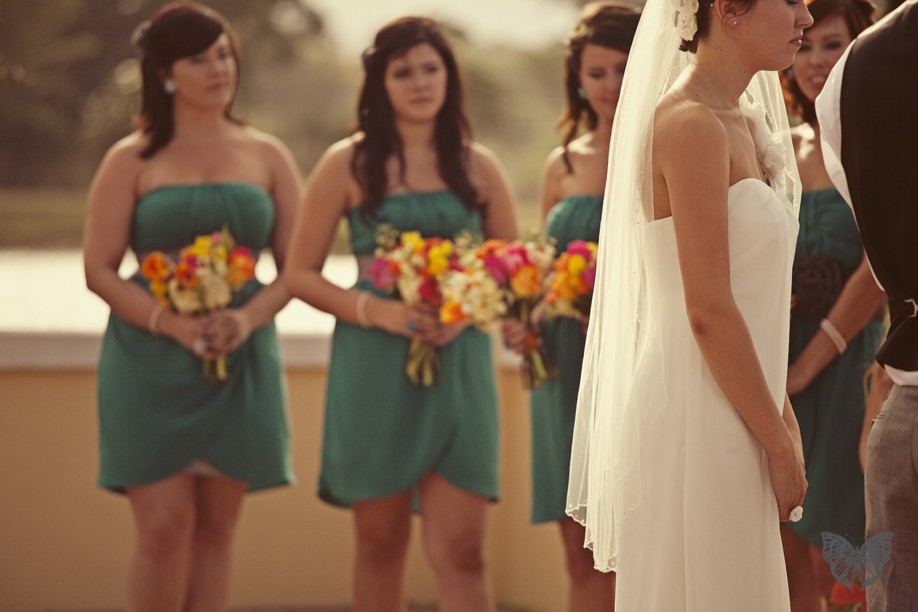
http://theeverylastdetail.com/wp-content/uploads/2011/05/Vintage-orange-wedding-20.jpgHere’s the photon image URL it’s loading:
http://i2.wp.com/theeverylastdetail.com/wp-content/uploads/2011/05/Vintage-orange-wedding-20.jpg?fit=9999%2C600Having the same issue described above as of a few weeks ago. It was previously working, so I imagine some kind of conflict came up. The header is loading wp_head, and I’ve tried disabling other plugins, but Youtube is still only showing a still of the video hyperlinked to the YouTube site.
mybinding — I see yours is working again. What did you figure out?
Brad,
I had a conflict in my page template, because loading the form in a regular template worked fine.
The template checked to see if the logged in user had already created a post or not, and then didn’t give them access to the form if they had. Not sure what the conflict was, but this was the code I was using for future reference:
<?php $count = $wpdb->get_var( "SELECT COUNT(*) FROM $wpdb->posts WHERE post_author = $current_user->ID AND post_type IN ('directory') AND post_status = 'publish'" ); if ($count != '0') { ?> <?php $loop = new WP_Query( array( 'post_type' => 'directory' , 'posts_per_page' => 1 , 'author' => $current_user->ID ) ); while ( $loop->have_posts() ) : $loop->the_post(); $link=get_permalink(); ?> <h1 class="entry-title">Manage Your Profile</h1> <div class="entry-content"> <p>There is already a Directory Listing connected to this account: <a>"><?php the_title(); ?></a>. Please visit that listing and edit it if you need to update your profile.</p><p>If you would like to cancel your membership, use the link below. Your listing will stay active through the remainder of your annual membership.</p> </div><!-- .entry-content --> <?php endwhile; ?> <?php } else { ?> <h1 class="entry-title">Create a Listing</h1> <div class="entry-content"> <?php echo do_shortcode('[gravityform id="2" name="Directory Creator" title="false" description="false"]'); ?> </div><!-- .entry-content --> <?php } ?>Brad,
Thanks. So would you speculate the capabilities aren’t the issue at all, since the plugin doesn’t use them?
I’ve test the form logged in as every user level, and the admin is the only one that properly assigns the taxonomies to the CPT.
Just for others looking to do this. Here’s my final function. I removed the hyperlink wrapped around each image, and then I added the voting results for each image:
function top_images() { global $wpdb; $images = $wpdb->get_results("SELECT pid, SUM(vote) AS totalVote, COUNT(id) AS numVotes FROM ".$wpdb->prefix."nggv_votes GROUP BY pid ORDER BY totalVote DESC LIMIT 10"); foreach($images as $image) { $detail = nggdb::find_image($image->pid); $results = nggv_getImageVotingResults($image->pid, array("likes"=>true)); unset($out); $out .= '<div class="like-results">'; $out .= $results['likes'].' '; $out .= $results['likes'] == 1 ? 'Vote' : 'Votes'; $out .= '</div>'; /*Uncomment this to see all the fields you have for each image print("<pre style='font-family:verdana;font-size:13;color:#000;z-index:99999;background:#ccc;'>"); print_r($detail); print("</pre>"); */ echo "<img title='"; echo $detail->alttext; echo "' alt='"; echo $detail->alttext; echo "' src='"; echo $detail->thumbURL; echo "' />"; echo $out; } }Working perfectly. Thanks for the prompt response!