Blaz K.

Forum Replies Created
-
Hi @andreazambiasi,
it’s not possible with the shortcode (in the post editor), but you could do something like this in the template:
if( rmp_get_avg_rating() > 3 ) {
  echo do_shortcode('[ratemypost]');
}
Blaz
There is – check out the documentation 🙂
Regards,
BlazHi @adesigno,
if you are referring to meta box in the post editor, a contributor cannot manipulate ratings. The meta box is there, but on save it will return a warning about the permissions and not save the rating.
Regards,
BlazHi @andreazambiasi,
check the rmp_rating_icon_class filter in the Rate my Post Documentation. You can change the class and then use your own icon via custom CSS.
Regards,
BlazHi Alex,
yes, I finally managed to replicate and fix this bug 🙂 The cells will be unfortunately filled only for future ratings as the previous implementation prevented post id from being saved to DB on large websites.
Regards,
BlazForum: Plugins
In reply to: [Rate My Post - Star Rating Plugin by FeedbackWP] Plugin migration requestI noted this request and will include the migration tool in one of the future versions. I have no ETA yet.
Blaz
Forum: Plugins
In reply to: [Rate My Post - Star Rating Plugin by FeedbackWP] Hover texts not showingHi @kennnesbitt,
it’s really hard to say without seeing the website. Are there any errors in the console? In any case I recommend following the steps listed here: https://wordpress.org/support/topic/sticky-read-before-posting-%e2%9a%a0%ef%b8%8f/
Just that we figure out what is causing the problem.
Regards,
BlazForum: Plugins
In reply to: [Rate My Post - Star Rating Plugin by FeedbackWP] Rate own posts@machinchose, that sounds a bit more complicated. If you have web development team behind, you could build such a feature on top of the plugin. The plugin comes with a handy function to retrieve average rating for each post. More about this in the documentation. I would rather not include this in the plugin as I think it’s too much out of the scope of its intended functionality.
As for the second, you could add the rating widget directly in the template only if the user is admin, author etc. I have an example how to add a rating widget directly to the template in the documentation. You would have to wrap it into if statement – more about this here.
Regards,
BlazHi @try01,
1. At the moment, it’s not possible to select a specific category for the top rated posts widget. I might add this feature in the future versions but I have no ETA yet.
2. That is already possible in widget’s settings.
I’m happy to hear that the migration worked 🙂
Regards,
BlazForum: Plugins
In reply to: [Rate My Post - Star Rating Plugin by FeedbackWP] Rate own postsHi @machinchose,
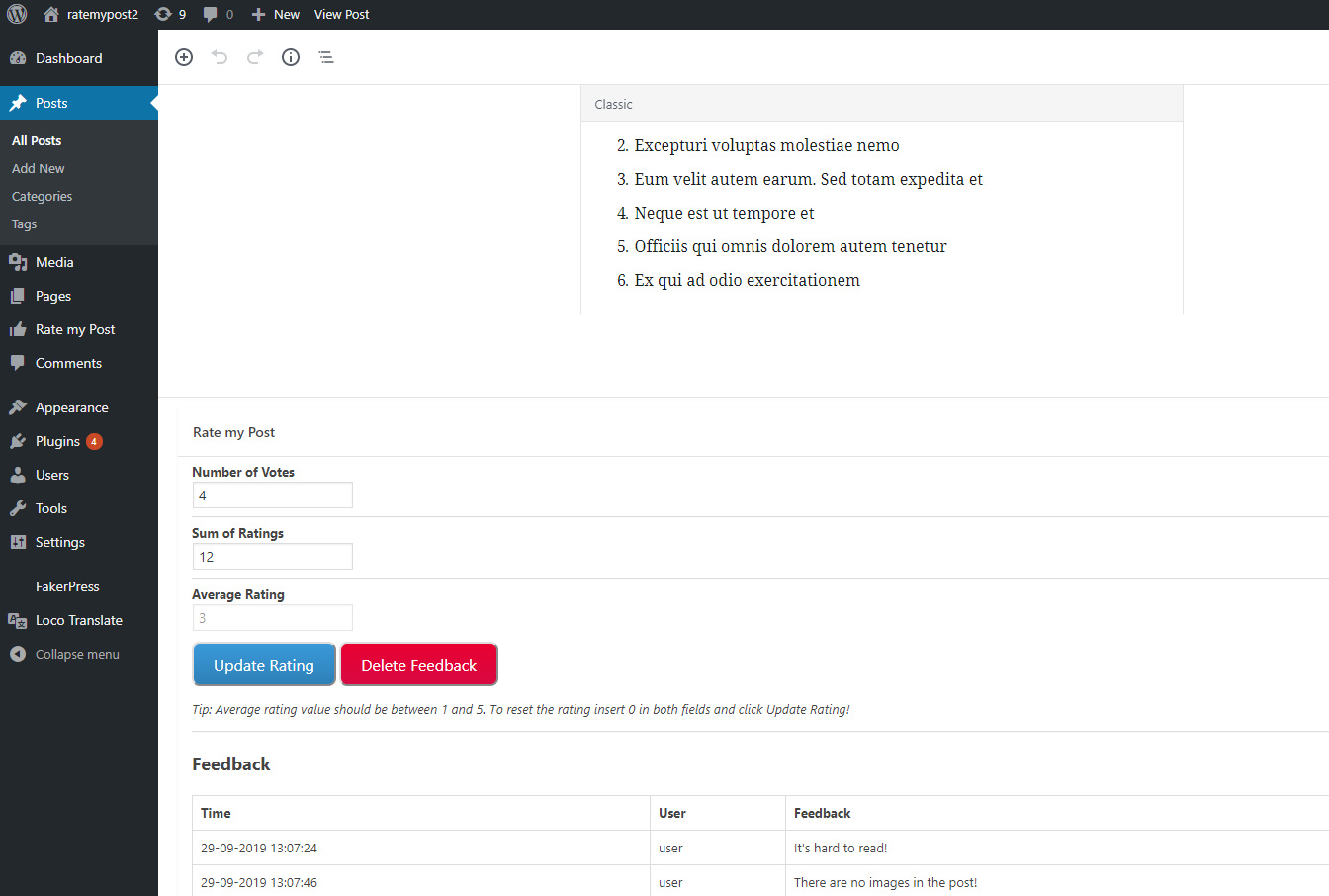
I guess you could add your own rating to each post in the post editor. See image. You can then filter posts by rating in the stats section (ascending, descending and via search if you type in the number). If you don’t include the rating widget into posts (shortcode or automatically), it will not be shown. Could this work?
Regards,
BlazHi there,
dateCreated and director are optional fields and not required for a valid movie structured data type. Nevertheless, you can use rmp_structured_data filter to modify structured data output to your needs. More about this in the documentation -> Changing the structured data.
Regards,
BlazForum: Reviews
In reply to: [Rate My Post - Star Rating Plugin by FeedbackWP] Fantastic plug-in!Thank you! 🙂
Hi @nikhilpatel008,
that’s unfortunately not possible at the moment. Nevertheless, if you see that many people give votes by accident, you can enable “prevent accidental votes” in the settings.
Regards,
BlazForum: Plugins
In reply to: [Rate My Post - Star Rating Plugin by FeedbackWP] I want to hide this part?Hi @zhonmaz,
that’s the results widget and it only shows if “add result widget” is enabled in the settings.
Blaz
Forum: Plugins
In reply to: [Rate My Post - Star Rating Plugin by FeedbackWP] Always show feedbackHi @stinson317,
there is no such option at the moment, but I guess you could try with custom CSS. Something like this:
.rmp-feedback-view {
    display: block!important;
}

.rmp-rate-view {
    display: block!important;
}
The feedback widget will then be displayed all the time and not only after voting.
Regards,
Blaz- This reply was modified 6 years, 5 months ago by Blaz K..