Turkish Character
-
Turkish characters is not displayed neither in title or description field. Is there any way that I can use turkish characters in your plug in. Thank you for your work.

-
Hi @serdarangun ,
Normally this should work. Can you share some characters of words so I can test it?
Kind regards,
Jeroen Peters
Sure, here it is. Thank you so much for looking at it
Deprem, sel, çığ, heyelan, hortum, yanardağ patlamaları gibi doğal afetler, önlenmeleri mümkün olmadığı için hepimizin en çok korktuğu ve hayati tehdit olarak gördüğü ani gelişen olaylardır. Doğal afetlerle karşılaştırıldığında; kıtlık, küresel ısınma, kuraklık, erozyon, hava kirliliği, ozon tabakasının delinmesi gibi olaylar ise zamanla oluşan beşeri ve teknolojik kaynaklı afetlerdir.
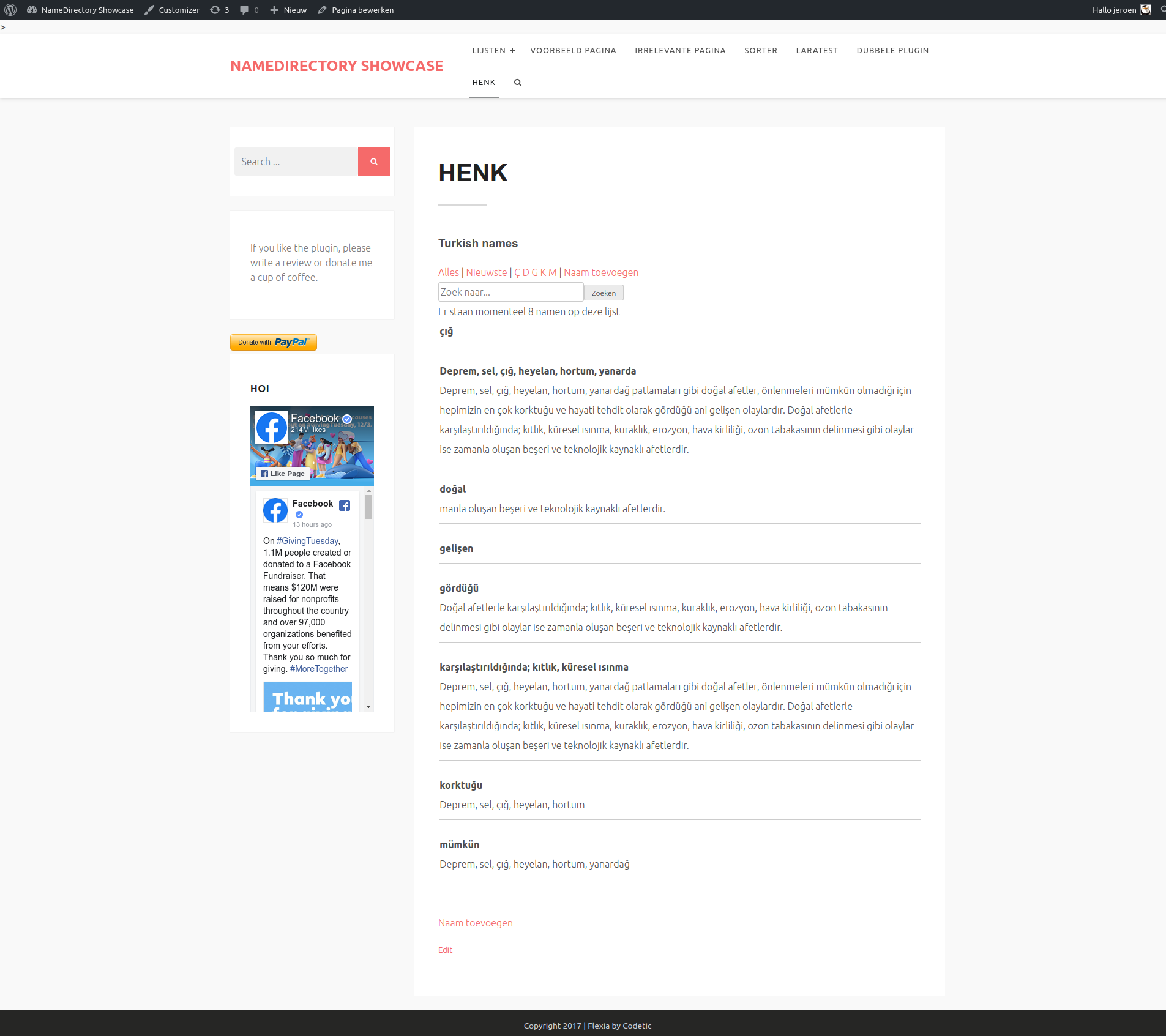
here how it looks:
Hi @serdarangun,
sorry, it’s a busy week at my dayjob and also a holiday season, so my responses are a little slow. Today I have some time to check it out. At my computer it works ok. Here is a screenshot: https://storage.googleapis.com/openscreenshot/r/T/I/Sk7WC4ITr.png
Your site has maintenance now, so I could not see the page. Can I see it again?
Also, does the plugin display a notice about “mb_string”?
Kind regards,
Jeroen Peters
Thank you so much for taking your time. You may check the link now.
Hey @serdarangun
Yes, I see what you mean now. I am not sure what causes it. Do you know if you have ‘mb_string’ installed in PHP? You can see with a phpinfo-file if you don’t know. There are also WordPress plugins which show the phpinfo.
If you hve that, it would most probably be an encoding issue. Do you also have access to the database itself? There you could check if the characters are saved correctly in “wp_name_directory_names” (might have a prefix).
Is this something you can check?
Kind regards,
Jeroen Peters
Yes, mb_string is installed.
When I try to edit name_directory_names table in phpmyadmin panel, I get following message (trying to save “ğ” turkish letter for example.
Warning: #1366 Incorrect string value:
I have no problem in saving this turkish letter in other wp tables for example in wp_comments.
I just fixed it. Thank you your guidance. wp_name_directory_names table’s coding got mixed I guess. It was latin_swedish something, I changed it to utf8_unicode_ci. Now, it is working. Thank you so much.
I have a minor problem now: I can not get the turkish letter in the alpahet
All | # A B C D E F G H I J K L M N O P Q R S T U V W X Y Z
Hey @serdarangun thanks for the find! I will see if I can get it to have the right collate utf8_unicode_ci in the beginning.
If you want to have the Turkish letters in the alphabet, there is a small workaround. You can switch the option “Show all letters on the Index” to “No”.
I think it will work then. It will show only the letters you have words with, but also the ones which are not in the western alphabet. Please let me know if it works for you.
Kind regards,
Jeroen Peters
I didn’t see how I could do it reliably, but I WordPress itself tries to do it right. Nonetheless I have added a FAQ entry about it 🙂
Thanks for using my plugin @serdarangun . If you like it, please consider leaving me a review.
For now I am closing the topic.
Kind regards,
Jeroen Peters
If you want to have the Turkish letters in the alphabet, there is a small workaround. You can switch the option “Show all letters on the Index” to “No”.
This didnt work. It combines two letter (For example C and Ç together, put them under C letter)
Could you take another look please, thank you
Hi @serdarangun I see what you mean, but at the moment I am not able to figure out what happened. Also when I do a query in the database “and letter = ‘C'”, I also get the Ç. I’ll have to investigate any further, I am sorry!
Hi @serdarangun did you have any luck with it? I could not find anything at the moment. There must be a DB setting which I am missing..
I just checked it again after I saw your message. Then I changed “name_directory_name” > “letter” code to “utf8_turkish_ci”, it just worked and displayed all Turkish letters.
Thank you for following up

The topic ‘Turkish Character’ is closed to new replies.