In left menu go to “Scales”. Find there your scale and add description.
Here is it from screenshot: https://ps.w.org/wp-testing/assets/screenshot-01.png?rev=1074213
Ahh! Create and link to test a few results and connect them with scales though formulas. Seeeisenk test as example.
When you have scale-1, create for example two results: result-high-scale-1 and result-low-scale-1. Then add descriptions to results.
And in formula for result-high-scale-1 write something like “scale-1 > 50%”. Same principle for result-low-scale-1.
Hmmm…. I think I shouldn’t have been so fast to delete your example. meh, sometimes I am too impulsive.
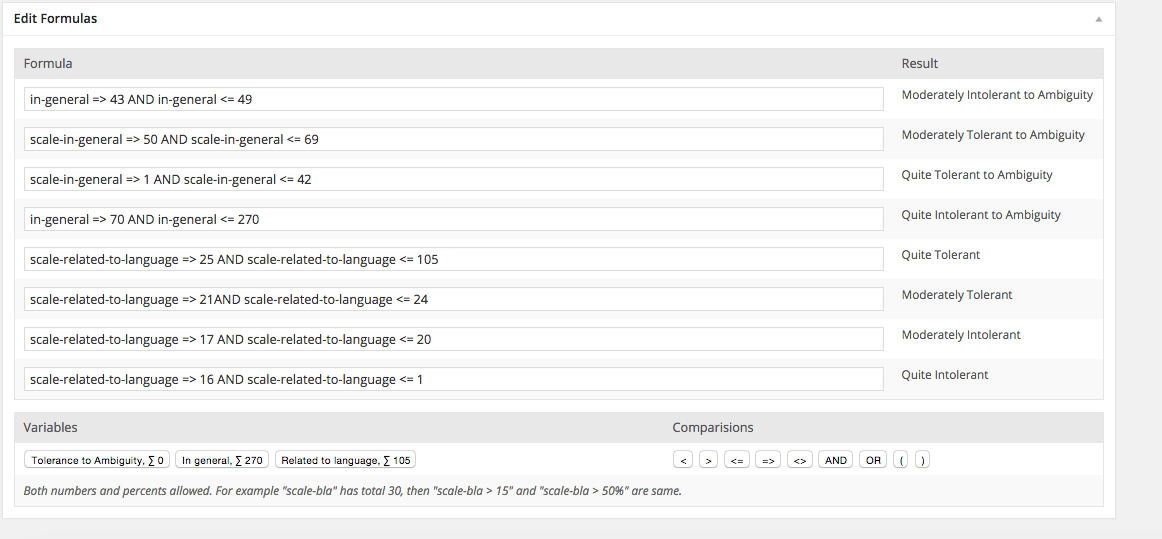
OK, here’s a screenshot of the “formulas” section of the test
:
http://i.gyazo.com/274908a75e32a4f54a14a4b86ae2c5d1.png
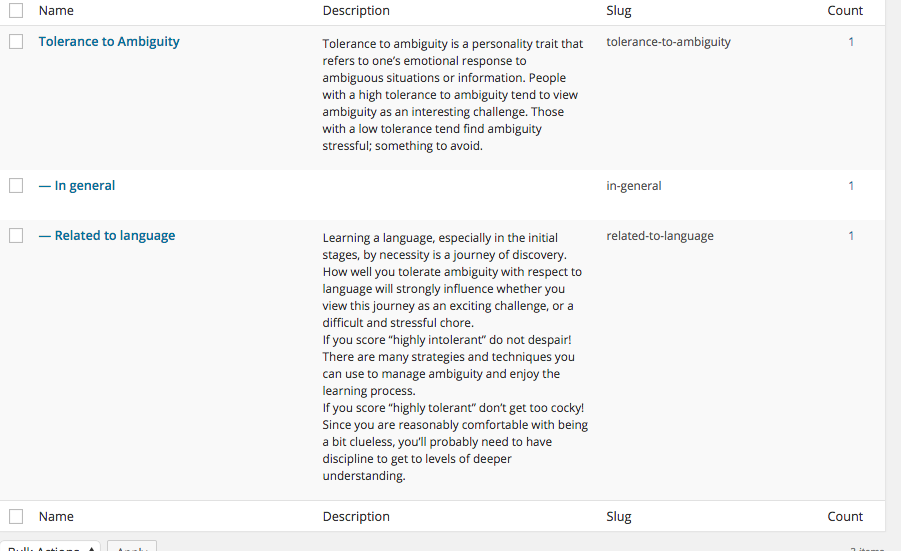
These are my “scales”
http://i.gyazo.com/c96148c44bc00d8fa97c6ba0ce0905df.png
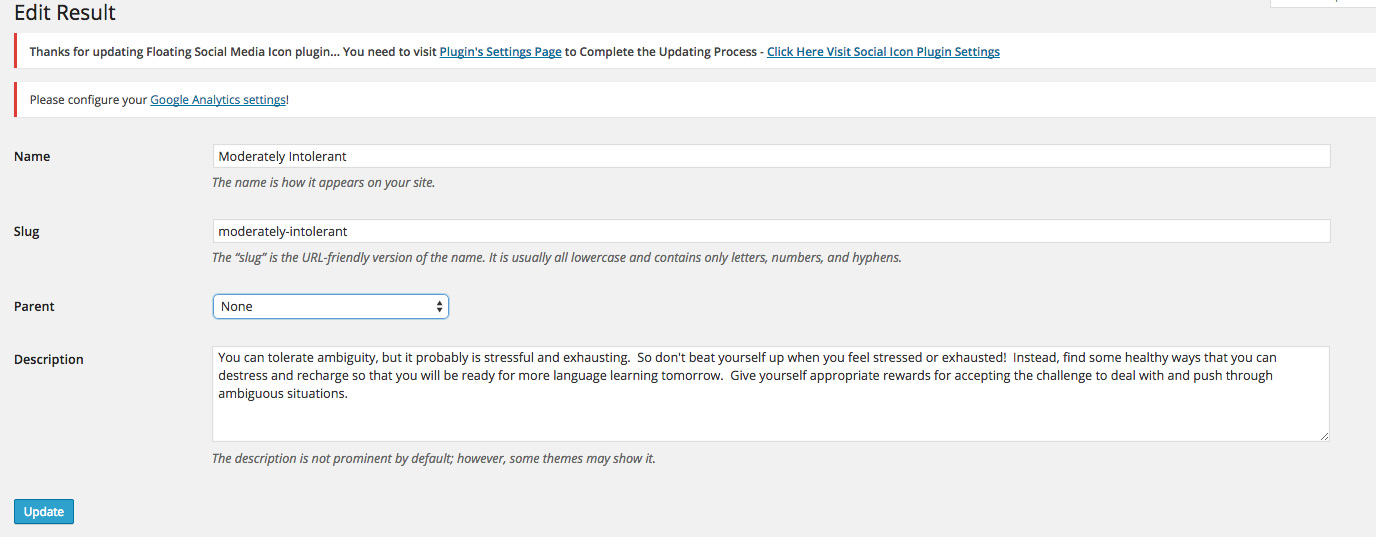
This is the “results” entry I was trying to end up with when i “took” the test:
http://i.gyazo.com/afde8aa576d501b42349f648ffee60d1.png
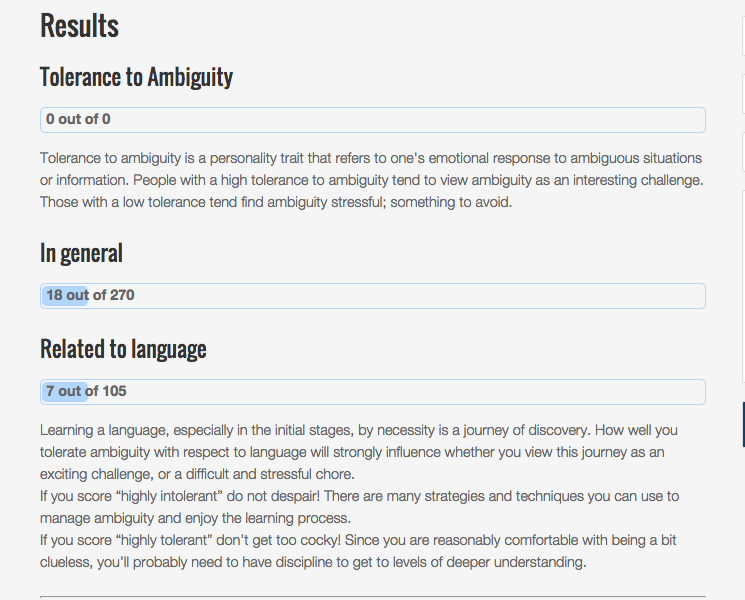
And this is the page that was displayed when I hit “get results”
http://i.gyazo.com/4866aae494de612c777a53ba71196894.png
The “results” didn’t display, only the score. What did I do wrong?
Vars in formulas must be named same as they are named in “Slug”.
So here http://i.gyazo.com/c96148c44bc00d8fa97c6ba0ce0905df.png you have slug “bla”, but in formula you use it as “scale-bla”. Just remove those “scale-” part. Or just press scale’s button and it will always show latest correct slug from that scale.
nope, still only seeing the “scale” which is a general description of the range of results, but not the description of the specific test taker’s result.
BTW here is a link to the test:
http://engagemosaic.com/test/ability-tolerate-ambiguity/?preview=true&preview_id=1314&preview_nonce=63cc74d79a
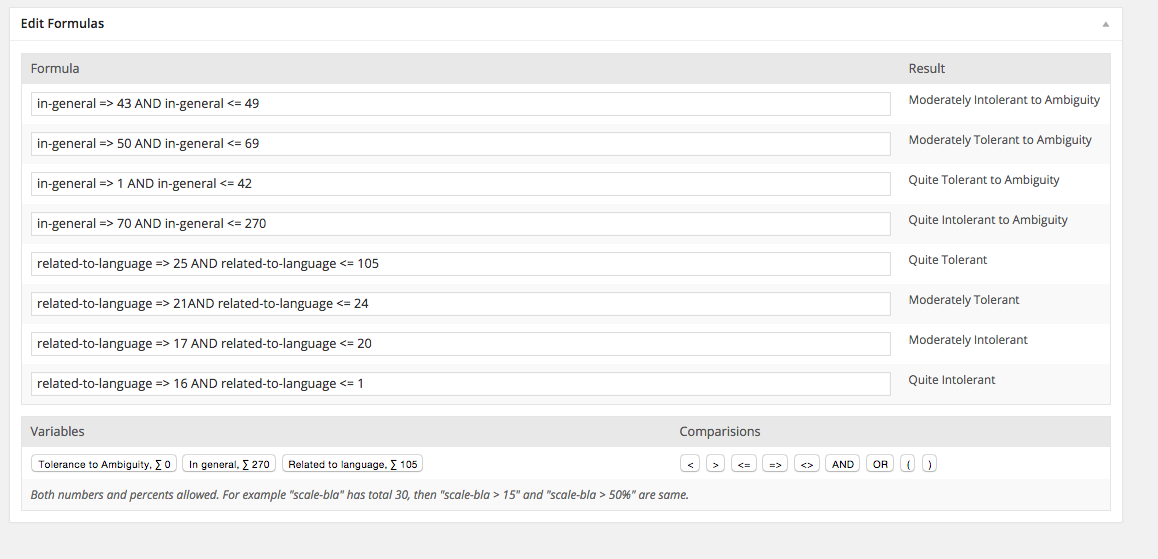
Post again your “edit formulas” box. Was test saved after formulas update?
Yes, I “updated” the test page. I also refreshed the webpage display, and retook the test to get a new result. still no results description. Here’s the formula box:
http://i.gyazo.com/4fe4c3e010eb99574a8746c88321382d.png
Strange. As I see now all should works. Pls send me your wp admin access details in google chat — I’ll look if all is ok.
It’s there!
http://engagemosaic.com/test/ability-tolerate-ambiguity/8b610784fbf851fd3cc879b53fa8ae636/
http://gyazo.com/e6e368ea1a856d2c02e0c79cfcd3a34c
I did nothing.
Btw, how do you test that result is not there? Reload already existing result page? It could be cached — so reload it with Ctrl + shift + R.
As I see your formulas — they are perfect now, so you should get the results in correct way. Just add to all of them descriptions and you are done.
meh, ok…. apparently I need to offer the computer gods more brownies…
Thanks for all your help. The offer to edit for you still stands
🙂 you can tnx gods by donating 128 , 64, 32, 16, 8, 4, 2 or 1 bucks
http://apsiholog.ru/psychological-tests/