hey @bplndk,
I had a look at your screenshot – is it the black border that is being added?
Please share a page we can have a look at, to debug this. It could have been an update to the gallery CSS.
I can do that – it’s this one: https://alarm.112-danmark.dk/
And yes – it’s this border that has suddenly appeared around it.
I cannot access that page – can you publish it? Or create a test page pls?
I don’t understand, it’s a test page :S ….
Can’t you get here before: https://alarm.112-danmark.dk/index.php/koeretoejer/hbr-i-308/
That link works – the previous one did not.
I had a look at your gallery. You are using really large sizes for your thumbnails (2048×2048) and your attachments are smaller than those dimensions, so it is enlarging the images to meet your 2048×2048 dimensions.
This is a new feature that is enabled by default in the latest version which is why you are now seeing it.
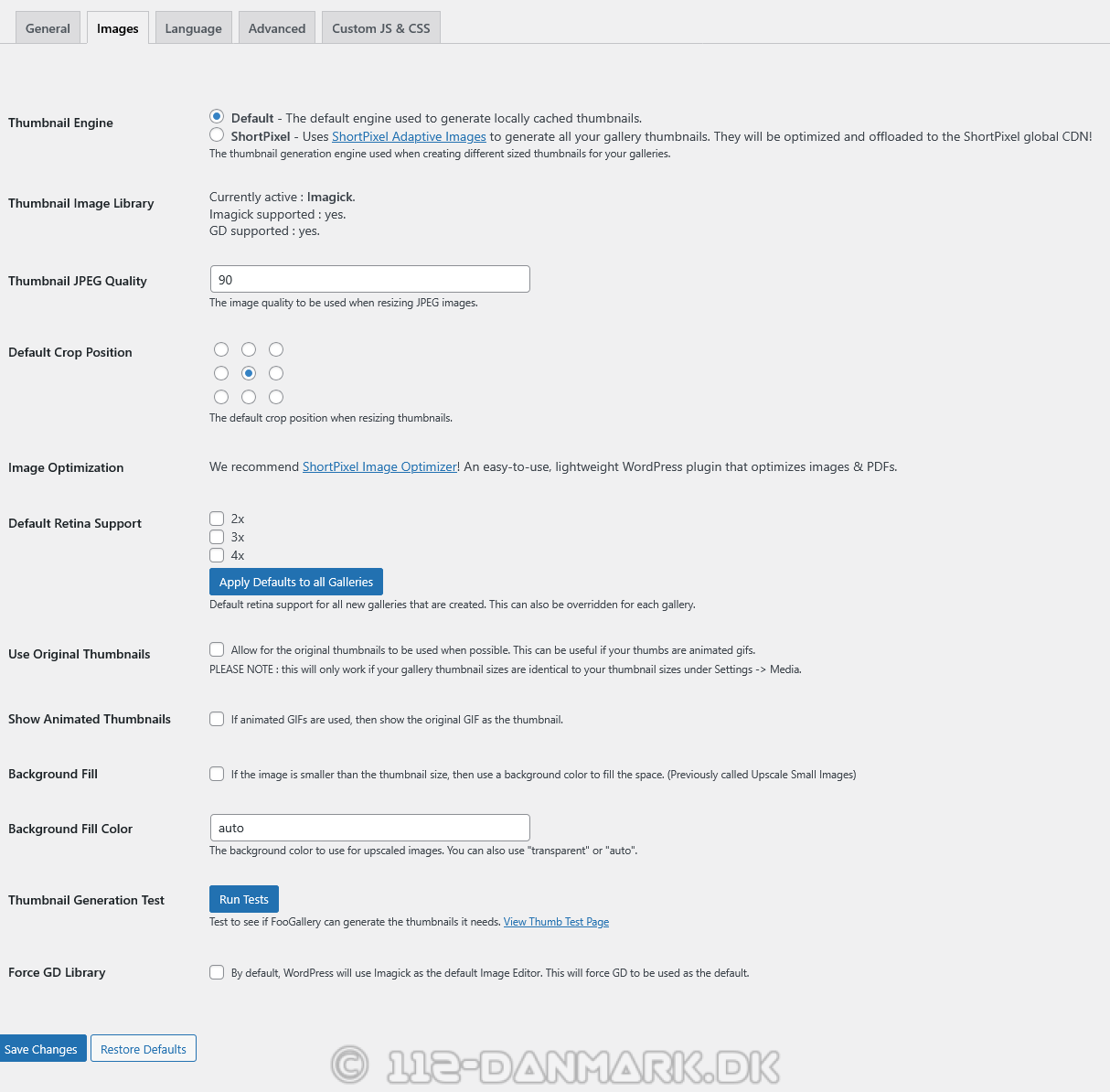
You can turn it off by going to FooGallery -> Settings -> Images. Then untick “Background Fill” and save.
Unfortunately you have uncovered a bug – even though the value is turned off, it always seems to stay enabled!
We will have to fix this bug and release a new version.
Sorry for the inconvenience, but thank you for reporting it, so we can fix it quickly.
Yes, no problem—I’ll wait and see in the next updates. I hope it comes very soon!
@bplndk pls can you install this version : https://downloads.wordpress.org/plugin/foogallery.3.1.26.2.zip
It fixes the bug. I have also added a “Clear Thumbnail Cache” button on that settings page under Images which you can use to wipe out all previously created thumbs
Yes please, it worked – thanks for the help 🙂