need to know my page ID
please explain why and for what purpose;
there might be some other solution…
For two reasons. I won’t to put a plug in that allwos people to follow my page. Like you can hace on wordpress hosted sites and blogger. I have had a number of readers mention they want to but can’t easily do etc.
Plus I want to create more pages down the track and I am redesigning the page and it seems to be something I need to know.
So I guess in a way I have two questions. How to get page ID PLUS how do I create pages and not lose content.
I haven’t read the above link j.musick. Will do so now.
OK so Have read link. The blod posts don’t live on a page I understand now.
So how do I put an ID in when a plug in requests when?
Which plugin are you trying to use?
@wp_sam I have activated plug in and can see the ID of my about me page. But am not sure where to find the ID for the blog page as it is not set up as a page. I hope that makes sense.
Can you give any advei on where to look in the admin area?
you need to activate the plugin & after activating go to Dashboard> Setting and click on reveal IDs option you will see a backend like this http://i49.tinypic.com/ank8jm.jpg. save the option as required.
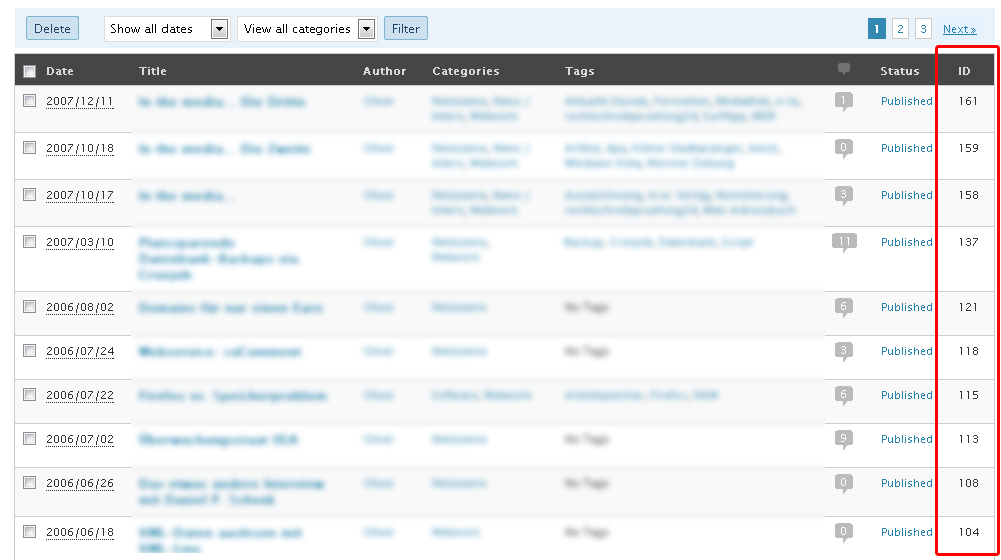
To see IDs click on All Pages, All Posts link you will see a screen of all pages with ID like this http://www.schloebe.de/wp-content/uploads/wp-25-post-ids.gif
Hope this will help.
Other way to see your pages ID’s is by seing them in preview mode. If you look at the URL you will see this: true&preview_id=x
@wp_sam I have done all of that and it still only shows the one page id for my about me page. Not the page where all the blog posts are.
@jsygm when I do that it comes up
.com.au/?p=346&preview=true
There is a ? mark for it.